docker
home networking
NAS
operating system
virtual machine
btrfs, cachepool, datarecovery, Docker, dockergui, gpu_passthrough, homeautomation, homelab, homeserver, iommu, kvm, kvmvirtualization, linuxos, mediaarchiving, NAS, nasos, openplatform, openstorage, paritydisk, personalcloud, plexserver, raidalternative, selfhosted, selfhostersoftware, storagearray, unraid, unraidvm, virtualization, vmhosting, xfs
9M2PJU
0 Comments
How Unraid Works: The Flexible OS for NAS, VMs, and Docker at Home

Unraid is a powerful, Linux-based operating system that lets you build your own custom Network Attached Storage (NAS), Virtual Machine Host, and Docker Application Server—all in one box.
Unlike traditional RAID or hypervisor setups, Unraid focuses on simplicity, flexibility, and modularity, making it a favorite among home lab enthusiasts, media hoarders, self-hosters, and even small businesses.
So how does Unraid work under the hood?
1. Unraid Is Not “RAID”—It’s Better for Mixed Drives
Despite its name, Unraid doesn’t use traditional RAID (like RAID 5 or 6). Instead, it uses a unique hybrid model based on:
- Individual disk volumes (each formatted with XFS or Btrfs)
- One or two parity disks for recovery
- No striping or data distribution
This means:
- You can mix and match any size drives.
- You can pull a disk and access its contents directly.
- Only the parity disk(s) must be equal to or larger than the largest data disk.
- Drives spin up only when accessed—saving energy.
Example:
If you have 4 drives:
- 3× data disks (e.g., 4TB, 6TB, 10TB)
- 1× parity disk (10TB)
Your array has 20TB usable storage with fault tolerance for 1 disk failure.
2. The Array and Parity System
Unraid manages storage using an Array:
- Each disk is formatted independently (no block-level striping).
- The parity disk stores checksums to allow for single-disk recovery.
- You can add or remove disks without reformatting the entire array.
There’s also a cache pool (usually SSDs) to:
- Speed up writes (files are written to cache first, then moved to the array later)
- Run virtual machines or Docker containers with high IOPS
- Minimize spin-up delays on HDDs
3. User Shares: Logical Storage Abstraction
Unraid lets you create User Shares, which are folders that span across multiple physical disks.
For example:
/mnt/user/mediamight pull data fromdisk1,disk3, anddisk5- You can configure how files are distributed: most-free, high-water, fill-up
- Exclude/include specific disks per share
This gives the appearance of a single large folder while keeping physical separation intact.
4. Docker Container Management
Unraid includes built-in Docker support with a GUI to:
- Pull images from Docker Hub or custom registries
- Define volumes and port mappings
- Automatically update containers
- Use templates from the Community Applications plugin
Docker runs atop a Btrfs-formatted cache pool, so containers benefit from fast SSD speeds.
Popular self-hosted apps include:
- Plex, Jellyfin
- Nextcloud
- Pi-hole
- Home Assistant
- Nginx Proxy Manager
5. Virtual Machines (VMs)
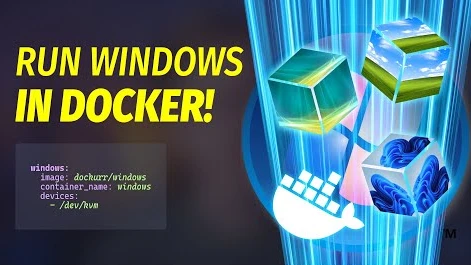
Unraid includes a built-in KVM hypervisor, allowing you to run full operating systems like:
- Windows 10/11
- Ubuntu
- macOS (with tweaks)
- Other Linux distros
Features:
- Web-based VM manager
- Passthrough support for GPUs, USB controllers, NICs (via IOMMU/VT-d)
- Virtual disk and ISO management
- VNC remote access
With proper hardware, you can even game on a VM using GPU passthrough.
6. Flash Boot, License, and Security
- Boots from USB (persistent license key tied to the USB drive)
- Runs in RAM after booting, keeping system fast and stateless
- GUI accessible via web browser on port
80 - Plugins available for additional monitoring, security, or customization
Licensing tiers are based on the number of attached storage devices:
- Basic: up to 6 devices
- Plus: up to 12 devices
- Pro: unlimited devices
7. Recovery, Snapshots, and Parity Limitations
- You can recover data from individual disks even outside of Unraid, since they use standard filesystems.
- Unraid doesn’t support bitrot protection or multiple-disk failures unless you configure a second parity disk.
- No ZFS support out-of-the-box, but Btrfs cache pools do allow snapshots and checksumming.
Why Unraid?
- Easier than FreeNAS/TrueNAS
- No storage rebalancing or reformatting required
- Efficient for mixed disks
- Great for self-hosted apps
- Flexible VM support
- Extremely beginner-friendly web UI
Final Thoughts
Unraid strikes a balance between simplicity and power. It’s ideal for users who want a robust home server with storage, Docker, and VMs—all manageable through a friendly web interface.
Whether you’re running a media server, building a homelab, or hosting production apps on a budget, Unraid gives you control, flexibility, and peace of mind.





Post Comment