QTH.app – Finally a proper APRS client for macOS?
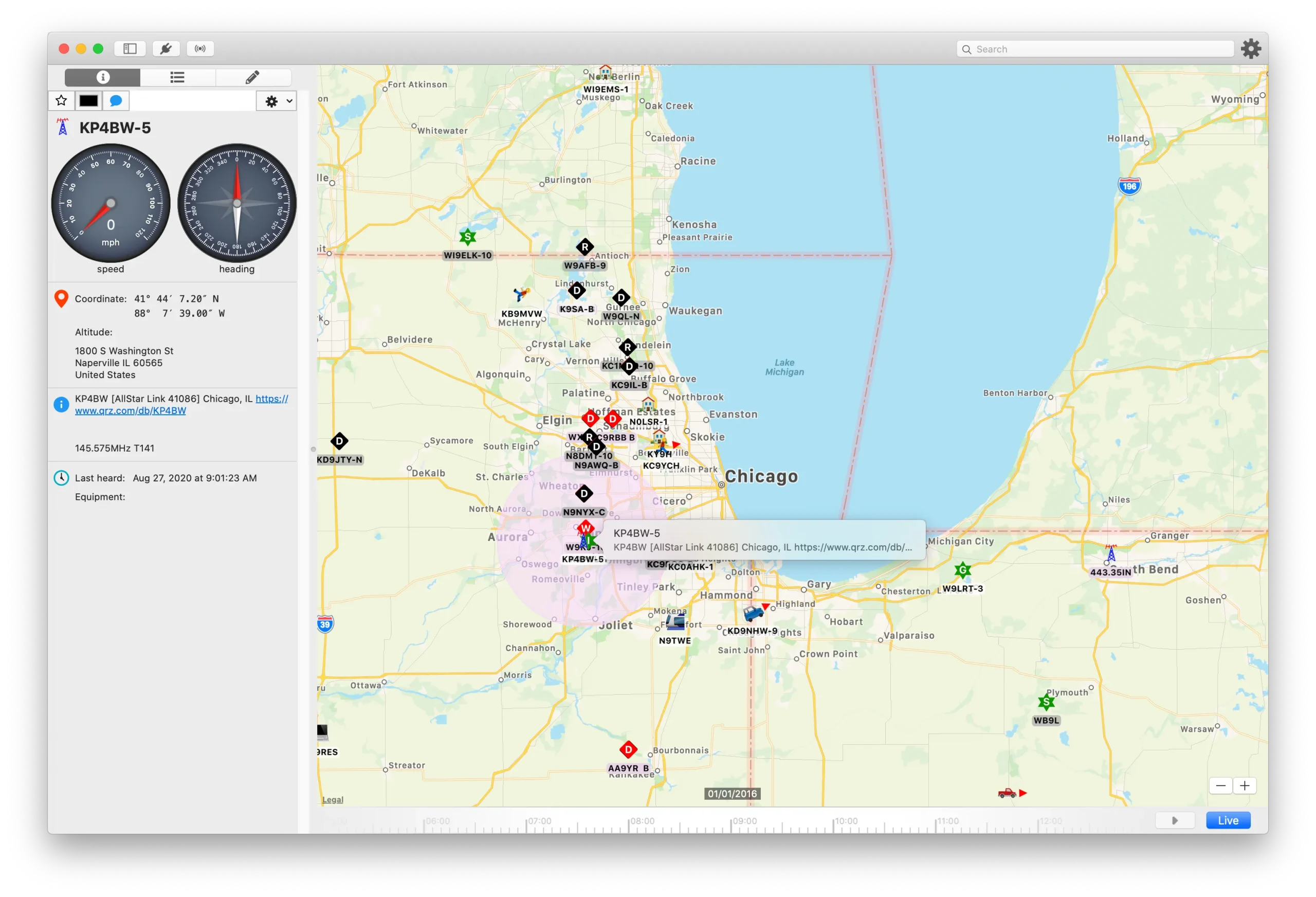
I recently came across a new software for Mac users called QTH.app.
If you use a Mac for amateur radio, you know the problem. Most software is designed for Windows. The stuff we get on macOS is usually ported over and looks terrible, or it is just too hard to set up.
QTH.app is different because it is actually built for the Mac. It feels like a native app. You can zoom in on the map with the trackpad, it scrolls smoothly, and it doesn’t look like Windows 95.
What it does It is a full APRS client:
- Mapping: It uses Apple Maps, so it’s clean. Supports USNG/MGRS and Maidenhead grids.
- Hardware Support: This is the important part. It works with APRS-IS (internet) but also connects to hardware TNCs. It has specific support for the Mobilinkd Bluetooth TNC, which is great for a portable setup. You can also just use the Mac’s internal sound card as a modem.
- Timeline: You can scroll back in time to see where stations were earlier. Good for checking movement history.
The Cost The developer (W8WJB) uses a “Freemium” model.
- RX is Free: You can download it and use all the receiving features for free. You can see stations, weather, and telemetry.
- TX is Paid: If you want to transmit (beacon your position), you have to pay a one-time fee inside the app.
My thoughts It’s good to finally see a developer focusing on the Mac interface. Since the RX part is free, it is worth downloading just to use as a monitoring tool in the shack. If you need to transmit, you can decide if the upgrade is worth it.
Check it out on the Mac App Store or visit https://qth.app/




Post Comment