Best Firewall & Router OS for Raspberry Pi, HTPC, and Mini PC
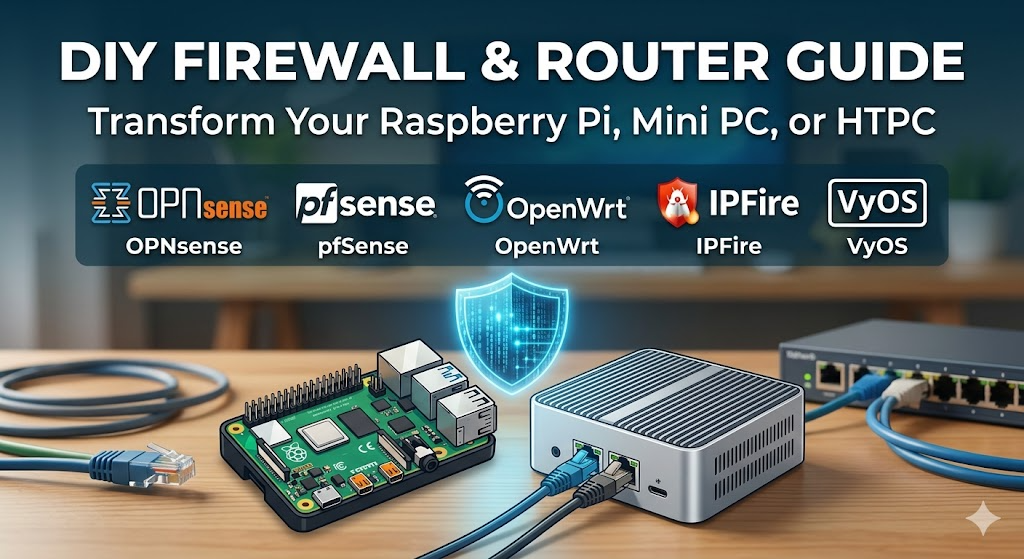
Whether you’re a home lab enthusiast, a privacy-conscious user, or a small business owner, turning a Raspberry Pi, HTPC, or mini PC into a dedicated firewall/router is one of the most rewarding network projects you can tackle. But picking the right operating system is half the battle – install the wrong one and you’ll hit hardware compatibility walls, performance ceilings, or a learning curve that never ends.
This guide breaks down the top firewall and router OS options available today, matched to the hardware you’re most likely running.
Why Build Your Own Firewall/Router?
Your ISP-provided router is a black box. It may have outdated firmware, limited logging, no intrusion detection, and zero visibility into what’s happening on your network. A dedicated firewall OS gives you stateful packet filtering, VPN support, DNS-level ad blocking, VLAN segmentation, traffic shaping, and real-time monitoring – all on hardware you already own or can buy cheaply.
The hardware options commonly used for this are:
- Raspberry Pi – ultra-low power, ARM-based, best for lightweight tasks
- HTPC (Home Theatre PC) – typically x86, more CPU headroom, often already in your living room
- Mini PC – the sweet spot: x86 architecture, multiple Ethernet ports, fanless designs, purpose-built for this role
Hardware choice heavily influences which OS you should run, so we’ll cover compatibility throughout.
1. OPNsense – Best Overall for Mini PC & HTPC
Official website: https://opnsense.org
OPNsense is widely regarded as the gold standard for open-source firewall and routing on x86 hardware. It is a FreeBSD-based platform developed by Deciso B.V., a Netherlands-based company, and was first released in 2015 as a fork of pfSense. OPNsense is an open-source, FreeBSD-based firewall and routing software developed by Deciso, a company in the Netherlands that makes hardware and sells support packages for OPNsense.
OPNsense stands out for its cleaner and more modern GUI, easier-to-follow configurations, and faster update cycles, which makes it attractive to users who value usability alongside security. Compared to pfSense, many capabilities that require packages in pfSense are built into OPNsense by default.
It supports intrusion detection/prevention (via Suricata), WireGuard and OpenVPN, DNS over TLS, VLAN management, captive portal, traffic shaping, and a robust plugin ecosystem. The web UI is among the most intuitive in the space.
Best for: Mini PCs with dual Ethernet (e.g., Topton N5105, Protectli Vault, Beelink), HTPC builds
Hardware requirements: x86-64 only, minimum 2GB RAM (4GB+ recommended), two NICs
Not ideal for: Raspberry Pi – OPNsense does not support ARM
Reference: OPNsense Documentation
2. pfSense CE – Battle-Tested for x86 Builds
Official website: https://www.pfsense.org
pfSense Community Edition is the elder statesman of open-source firewalls and has been in active development since 2004. Like OPNsense, it runs on FreeBSD and supports an enormous range of packages. pfSense has been around for longer, so the community is bigger, and there’s more documentation online.
The feature set is comparable to OPNsense: stateful firewall, multi-WAN failover, VPN (OpenVPN, IPsec, WireGuard), traffic shaping, DHCP/DNS server, and more. The interface is more utilitarian and less polished than OPNsense, but for many users that’s a non-issue.
Note that Netgate, the company behind pfSense, has shifted focus toward its commercial Plus edition and their own hardware appliances. The CE (Community Edition) remains free and open source, but development velocity has slowed relative to OPNsense.
Best for: HTPC and mini PC with dual NICs, users who want the largest community and documentation base
Hardware requirements: x86-64 only, 1GB RAM minimum (4GB+ for IDS/IPS), two Ethernet ports
Not ideal for: Raspberry Pi or any ARM device
Reference: pfSense Documentation
3. OpenWrt – Best for Raspberry Pi
Official website: https://openwrt.org
OpenWrt is the go-to firewall/router OS for ARM-based devices including the Raspberry Pi. OpenWrt is the only router OS that works on the Raspberry Pi, unless you go through some workarounds. It was originally designed for embedded devices and consumer routers, but has matured into a capable platform for SBCs and x86 hardware alike.
OpenWrt, or Open Wireless Router, is an operating system that offers plenty of settings to customize your network. It ships with LuCI, a web-based interface that makes configuration accessible without needing to live in the terminal. The package manager (opkg) lets you extend functionality with add-ons like Adblock, Banip, SQM (Smart Queue Management), WireGuard, and more.
The biggest caveat with Raspberry Pi is hardware: all mainline Raspberry Pi boards are only equipped with a single RJ45 socket, so you’ll need to purchase a USB-to-Ethernet adapter to provide a separate WAN and LAN interface. This works, but USB-to-Ethernet throughput can become a bottleneck on faster connections.
OpenWRT achieves full gigabit routing on APU routers out of the box and has great VLAN and PPPoE support. It also achieves around 140 Mbit/s throughput with OpenVPN – better than pfSense/OPNsense on the same hardware.
Best for: Raspberry Pi 4/5, low-power mini routers, home users wanting a capable but lightweight solution
Hardware requirements: ARM or x86, as little as 16MB flash and 64MB RAM for embedded devices; more for Pi builds
Reference: OpenWrt Wiki
4. IPFire – Best Lightweight Security-Focused OS
Official website: https://www.ipfire.org
IPFire takes a “security-first” philosophy that sets it apart from the others. IPFire is a Linux-based stateful firewall distro built on top of Netfilter. It began as a fork of the IPCop project but has since been rewritten based on Linux From Scratch. IPFire can be deployed on a wide variety of hardware, including ARM devices such as the Raspberry Pi.
The installation process allows you to configure your network into different security segments, each colour-coded: the green segment represents safe local clients, and the red segment represents the internet. No traffic can pass from red to any other segment unless specifically configured in the firewall.
IPFire operates effectively on 2GB RAM, making it viable for older hardware or very small deployments. Its Web UI shows only core functions – firewall, VPN, DHCP, and DNS – with no overwhelming options. It supports Snort for intrusion detection, WireGuard and OpenVPN for VPN, and URL filtering via a proxy.
IPFire is better suited for those prioritising security above all else, while OpenWRT is excellent for highly customisable router solutions requiring less stringent security protocols.
Best for: Raspberry Pi, older mini PCs, users who want a focused security appliance with minimal resource overhead
Hardware requirements: x86 or ARM, 1GB RAM minimum, 4GB storage
Reference: IPFire Community Wiki
5. VyOS – Best for Advanced/Enterprise-Style Configs
Official website: https://vyos.io
VyOS is a Linux-based network OS aimed at users who want enterprise-grade routing features without the enterprise price tag. VyOS targets small and medium enterprises, research institutions, and edge computing scenarios, and runs reliably on x86_64 industrial PCs, servers, virtual machines (VMware, KVM), and some ARM devices.
Unlike the others on this list, VyOS is primarily CLI-driven – there is no web GUI by default. If you’re comfortable with Cisco IOS-style configuration syntax, VyOS will feel familiar. It supports BGP, OSPF, MPLS, WireGuard, OpenVPN, and stateful firewalling. For a home lab power user who wants to simulate enterprise routing, it’s unmatched.
For HTPC or mini PC setups where you want to run advanced routing protocols or multi-WAN BGP, VyOS is the one to reach for. It is not suitable for Raspberry Pi daily use or users who prefer a GUI.
Best for: Advanced home labs, mini PCs, HTPC-based network appliances, users with networking/sysadmin backgrounds
Hardware requirements: x86-64, 512MB RAM minimum (1GB+ recommended), no GUI by default
Reference: VyOS Documentation
Hardware Compatibility at a Glance
| OS | Raspberry Pi | HTPC (x86) | Mini PC (x86) | GUI | Difficulty |
|---|---|---|---|---|---|
| OPNsense | ❌ | ✅ | ✅ | ✅ Modern | Beginner–Intermediate |
| pfSense CE | ❌ | ✅ | ✅ | ✅ | Beginner–Intermediate |
| OpenWrt | ✅ | ✅ | ✅ | ✅ LuCI | Beginner |
| IPFire | ✅ | ✅ | ✅ | ✅ | Beginner |
| VyOS | Partial | ✅ | ✅ | ❌ CLI only | Advanced |
Hardware Recommendations
Raspberry Pi 4/5 – Pair with OpenWrt or IPFire. Add a USB 3.0 Gigabit Ethernet adapter for the second NIC. Great for sub-100Mbps connections or as a secondary DNS/firewall layer.
HTPC (Intel/AMD x86) – Any of the x86 options work. OPNsense or pfSense are ideal if you have a spare machine. Just add a cheap PCIe or USB NIC for the second Ethernet port.
Mini PC with dual NICs – The best hardware choice overall. Devices like the Topton N100, Beelink EQ12, or Protectli Vault with Intel NICs are purpose-built for OPNsense and pfSense. For gigabit throughput or running Suricata/Snort, aim for quad-core processors like Intel N5105 or better. A minimum of 8GB RAM is recommended, and at least two Gigabit Ethernet ports are essential (WAN and LAN).
Final Recommendation
- Just starting out on any hardware? → OpenWrt
- Raspberry Pi with serious security needs? → IPFire
- Mini PC or HTPC, want the best all-rounder? → OPNsense
- Mini PC, prefer larger community/docs? → pfSense CE
- Advanced home lab, CLI-comfortable? → VyOS
There is no wrong answer here – all five are free, open source, and actively maintained. The right choice is the one that matches your hardware, your network speed, and how deep you want to go into the configuration rabbit hole.
Reference Links
- OPNsense Official: https://opnsense.org
- pfSense Official: https://www.pfsense.org
- OpenWrt Official: https://openwrt.org
- IPFire Official: https://www.ipfire.org
- VyOS Official: https://vyos.io
- TechRadar – Best Linux Firewalls: https://www.techradar.com/best/best-free-linux-firewalls
- TekLager – Choosing Router OS: https://teklager.se/en/knowledge-base/choosing-router-operating-system-pfsense-vs-opnsense-vs-openwrt/
- XDA Developers – Pi Firewall Guide: https://www.xda-developers.com/protect-network-with-raspberry-pi-firewall/






Post Comment