Why FreeBSD Serves My Website While CachyOS Runs My Desktop
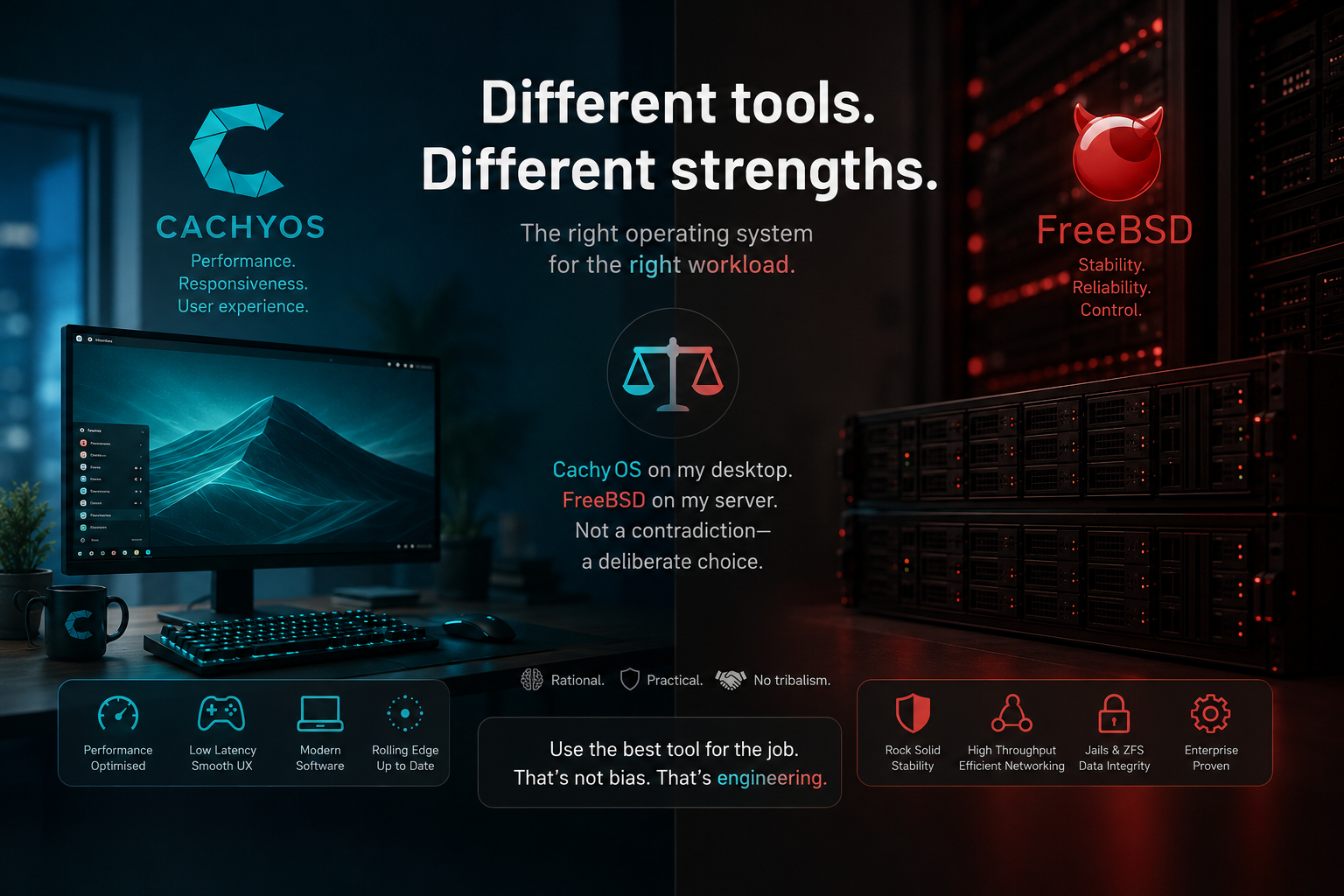
My desktop runs CachyOS, a performance-optimised Arch Linux distribution. My server runs FreeBSD. This is not a contradiction – it is a deliberate choice based on what each operating system does best. This article explains, rationally and without tribalism, why different workloads benefit from different operating systems.
There is a common assumption in the open-source world that you should pick one operating system and use it everywhere. Linux users run Linux on their desktop, their laptop, their server, their router, and their Raspberry Pi. BSD users do the same with BSD. The reality is that different operating systems have different design philosophies, different strengths, and different trade-offs. Choosing the right tool for each job is not inconsistency – it is engineering judgement.
This article explains why I run CachyOS (an Arch Linux derivative) on my desktop and FreeBSD on the server that hosts hamradio.my. The reasoning is practical, not ideological.
1. The Desktop: Why CachyOS
My desktop is where I write articles, edit images, manage WordPress, run development tools, browse the web, and occasionally operate amateur radio software. This is a workstation workload: interactive, graphical, constantly changing, and dependent on a vast ecosystem of desktop applications.
CachyOS is an Arch Linux distribution focused on performance optimisation. It compiles all packages for modern CPU instruction sets (x86-64-v3, x86-64-v4, and AMD Zen 4/5 specific builds), uses a custom kernel with scheduler enhancements (BORE and tuned EEVDF), enables Link Time Optimization (LTO) and Profile-Guided Optimization (AutoFDO + Propeller) by default, and ships with a 1000Hz timer frequency for maximum desktop responsiveness.
The reasons I chose CachyOS for my desktop are straightforward:
- Application availability: Desktop applications on Linux are overwhelmingly built for x86-64 Linux. Browsers, image editors, IDEs, amateur radio software (fldigi, wsjt-x, gqrx, GNU Radio), and Chrome extensions all run natively. FreeBSD can run many of these, but Linux is the primary target, and some applications require compatibility layers or are simply unavailable.
- Hardware support: Modern desktop hardware – GPUs, Wi-Fi cards, Bluetooth, webcams, sleep/resume, multi-monitor setups – is tested against Linux first. FreeBSD has excellent hardware support for server-grade components, but desktop peripherals can be hit-or-miss.
- Rolling release freshness: As an Arch derivative, CachyOS gives me the latest software within days of upstream release. For a desktop where I want the latest browser, the latest image editor, and the latest amateur radio tools, this is ideal.
- Performance optimisations: CachyOS compiles packages specifically for my CPU’s instruction set. Benchmarks by Phoronix have shown 5-20% performance uplift compared to generic x86-64 packages. On a desktop where I feel the difference between fast and slow, this matters.
- Desktop environment flexibility: CachyOS supports KDE Plasma, GNOME, Hyprland, Sway, and other desktop environments out of the box. FreeBSD can run these too, but the Linux ecosystem has more polish and community support for desktop use cases.
In short, Linux is the pragmatic choice for a desktop. The software I need is built for it, the hardware I use is tested with it, and CachyOS extracts maximum performance from my hardware. There is no deep philosophical reason – it is simply the best tool for the job.
2. The Server: Why FreeBSD
The server that hosts hamradio.my has a completely different workload: it runs nginx, PHP, MariaDB, and WordPress, 24 hours a day, 7 days a week. It needs to be stable, secure, predictable, and efficient. It does not need the latest desktop applications, GPU drivers, or a graphical interface. It needs to serve web pages reliably for months or years between reboots.
This is where FreeBSD excels. The reasons I chose FreeBSD for the server are:
2.1 Coherent System Design
FreeBSD is developed as a complete operating system – the kernel, device drivers, core utilities, and userland are maintained together and released as a single unit. Linux, by contrast, is just a kernel; the userland, init system, package manager, and configuration tools are assembled by each distribution independently. This is not inherently bad, but it means that Linux distributions can feel like a collection of separate components that happen to work together. FreeBSD feels like a single, coherent system.
The practical consequence is predictability. FreeBSD configuration tools have remained consistent for decades. ifconfig, route, and netstat work the same way they did twenty years ago. The pf firewall has a syntax that reads like English and has not been rewritten three times. On Linux, networking has gone through ifconfig to ip, iptables to nftables, route to ip route, and brctl to ip link. Each transition brought improvements, but also broke existing configurations and documentation.
For a server that I want to configure once and forget about, this stability is a feature, not a bug. The configuration I write today will still be valid in five years.
2.2 ZFS as a First-Class Citizen
ZFS is the file system I trust for data that matters. It provides checksumming (every block is verified on read), snapshots (point-in-time copies that cost almost nothing), compression (reduces disk usage and can improve I/O performance), and RAID-Z (software RAID that eliminates the write hole). For a web server hosting years of articles, comments, and user data, these features are not luxuries – they are essential.
FreeBSD has had ZFS integrated into the base system since 2007. The installer offers ZFS on root as the default option. Boot environments (snapshots of the entire OS that you can roll back to at boot time) work out of the box. ZFS on FreeBSD is not an out-of-tree module or a third-party package – it is part of the operating system.
ZFS on Linux has improved dramatically, and the OpenZFS project now shares most code between FreeBSD and Linux. But the integration on Linux is still one step less smooth: ZFS is an out-of-tree kernel module, which means it can break when a new kernel version is released. Distribution packaging varies. Boot environment support requires third-party tools like zfsbootmenu. On FreeBSD, all of this is native.
2.3 Jails for Service Isolation
FreeBSD Jails, introduced in 2000, are one of the oldest and most mature containerisation technologies in existence. A jail provides an isolated FreeBSD environment with its own filesystem root, process space, hostname, and network identity. The kernel enforces isolation at the syscall level – jailed processes cannot load kernel modules, mount filesystems, access raw sockets, or modify the host’s network configuration.
For hosting WordPress, I run nginx, PHP, and MariaDB inside separate jails. If one service is compromised, the attacker is confined to that jail. They cannot see the host filesystem, other jails, or the host’s network configuration. This is a strong security boundary that has been battle-tested for over 25 years.
Docker on Linux provides similar isolation through namespaces and cgroups, and it has the advantage of a massive ecosystem of pre-built images. But Docker’s isolation has been bypassed multiple times due to vulnerabilities in namespace handling, and the layered architecture (namespaces, cgroups, seccomp, AppArmor, SELinux) creates a complex attack surface. FreeBSD jails are simpler: one kernel object, one syscall (jail_set(2)), one security boundary. Simpler means easier to audit and harder to get wrong.
Benchmarks have also shown that FreeBSD jails have near-zero performance overhead compared to bare metal. In tests on Intel N150 hardware, nginx running in a FreeBSD jail delivered ~62,900 requests per second with 60% CPU idle, while the same nginx in a Docker container on Linux required 100% CPU to reach similar throughput. The abstraction layers in Docker (NAT, bridging, namespaces) are efficient but not free. Jails are cheaper.
2.4 Network Stack Performance
FreeBSD’s network stack is renowned for its efficiency. Netflix uses FreeBSD to serve streaming video to millions of concurrent viewers. WhatsApp uses FreeBSD for its messaging infrastructure. Juniper Networks builds its routers on FreeBSD. These are not hobbyist deployments – they are some of the largest network-intensive services in the world.
For a web server, the relevant benchmark is nginx performance. In head-to-head tests on identical hardware, FreeBSD with kqueue has shown slightly higher requests per second than Linux with epoll (12,316 vs 11,811 req/s in one benchmark on AMD EPYC). More importantly, FreeBSD achieves this with lower CPU utilisation, leaving more headroom for PHP and database workloads.
The difference is not dramatic, and modern Linux is also extremely fast. But for a single-server deployment where every bit of CPU headroom matters, FreeBSD’s efficiency is a meaningful advantage.
2.5 Security and Attack Surface
FreeBSD has a smaller attack surface than a typical Linux distribution. The base system is minimal – it includes only what is needed to run a server. There is no systemd with its expanding feature set, no D-Bus, no polkit, no NetworkManager. Services are managed by simple rc.d scripts that you can read end-to-end in two minutes.
FreeBSD also includes Capsicum, a capability-based security model that allows applications to drop access to all system calls except those they explicitly need. This is a defence-in-depth mechanism that limits the damage from application vulnerabilities.
For a server exposed to the internet, a smaller attack surface and simpler service management mean fewer opportunities for exploitation and easier auditing.
3. Why Not FreeBSD on the Desktop?
FreeBSD can run on the desktop. It supports KDE Plasma, GNOME, XFCE, and other desktop environments. It can run many Linux applications through its Linux compatibility layer. People do use FreeBSD as their daily desktop operating system, and it works.
But for my needs, FreeBSD on the desktop would mean compromises:
- Application availability: Many desktop applications, particularly commercial software and specialised amateur radio tools, are built for Linux first. Some are available on FreeBSD, some require the Linux compatibility layer, and some are simply not available.
- Hardware support: Desktop peripherals (webcams, Bluetooth headphones, Wi-Fi adapters, graphics tablets) are tested against Linux. FreeBSD support exists but is less comprehensive for consumer hardware.
- GPU drivers: While FreeBSD has good support for AMD and Intel GPUs, NVIDIA support lags behind Linux, and the latest gaming and rendering features may not be available.
- Package freshness: FreeBSD packages are generally current, but the rolling-release model of Arch Linux means I get new versions faster. For a desktop where I want the latest browser or the latest version of an image editor, this matters.
None of these are showstoppers, but they add friction. On the desktop, where I interact with the system constantly, friction adds up. On the server, where I configure once and rarely touch, the trade-offs are reversed.
4. Why Not Linux on the Server?
Linux is an excellent server operating system. The vast majority of the internet runs on Linux servers, and for good reason. I could run hamradio.my on Debian, Ubuntu Server, Alpine, or Rocky Linux, and it would work well. Many WordPress sites run on Linux, and the ecosystem of tools, tutorials, and community support for Linux-based WordPress hosting is enormous.
But I chose FreeBSD for specific reasons:
- ZFS integration: ZFS on root with boot environments is native and seamless on FreeBSD. On Linux, it works but requires more manual setup and third-party tools.
- Jails: I prefer the simplicity and security model of FreeBSD jails over Docker for a single-server deployment. Docker is excellent for multi-container orchestration, but for a simple web server with 2-3 services, jails are lighter and easier to manage.
- System coherence: I value the fact that the entire base system is developed and tested as a unit. I do not have to worry about a new systemd version changing behaviour, or a kernel update breaking an out-of-tree module.
- Predictability: FreeBSD’s conservative release cycle and stable configuration tools mean I can configure the server and trust that it will keep running without surprise changes.
- Resource efficiency: FreeBSD’s lower CPU overhead for networking and jail isolation means more headroom for PHP and MariaDB on the same hardware.
These are not arguments against Linux. They are arguments for FreeBSD in my specific context. A large-scale deployment with Kubernetes, a team of DevOps engineers, and a need for rapid scaling would almost certainly be better served by Linux. For a single-server, single-administrator web hosting setup, FreeBSD’s simplicity and coherence are more valuable than Linux’s ecosystem breadth.
5. The Right Tool for the Right Job
The table below summarises the reasoning:
| Requirement | Desktop (CachyOS) | Server (FreeBSD) |
|---|---|---|
| Application availability | Linux wins – vast desktop app ecosystem | FreeBSD sufficient – nginx, PHP, MariaDB all available |
| Hardware support | Linux wins – consumer peripherals tested first | FreeBSD sufficient – server hardware well supported |
| Performance optimisation | CachyOS wins – CPU-specific compilation, scheduler tuning | FreeBSD wins – lower CPU overhead for networking and jails |
| Stability and predictability | Rolling release = occasional breakage (acceptable on desktop) | Conservative release = long-term stability (essential on server) |
| File system | ext4/btrfs is fine for desktop workloads | ZFS with boot environments is invaluable for server data |
| Service isolation | Not needed on a single-user desktop | Jails provide simple, secure isolation for web services |
| Security model | Linux security is adequate for desktop use | FreeBSD’s smaller attack surface is preferable for internet-exposed services |
| Configuration longevity | Desktop configs change frequently anyway | Server configs should last years without rewriting |
| Community and documentation | Linux community is larger for desktop topics | FreeBSD documentation (Handbook) is exceptionally thorough for server topics |
6. What This Is Not
This article is not an argument that FreeBSD is better than Linux, or that Linux is better than FreeBSD. Both are excellent operating systems with decades of development behind them. The choice depends on the workload:
- Linux is the better choice when you need maximum application compatibility, the latest hardware support, a large community for troubleshooting, container orchestration with Kubernetes, or cloud-native deployment patterns.
- FreeBSD is the better choice when you value system coherence, long-term configuration stability, first-class ZFS integration, simple and secure service isolation, and a smaller attack surface for internet-facing services.
Both statements are true simultaneously. Operating system choice is not a moral question. It is an engineering decision based on requirements, constraints, and trade-offs.
7. Practical Notes
For those curious about the actual setup:
Desktop (CachyOS): Arch Linux base, x86-64-v4 optimised packages, BORE scheduler, KDE Plasma desktop, used for writing, image editing, WordPress management via REST API, amateur radio software (wsjt-x, fldigi, gqrx), and general computing. The rolling release model means I get the latest software quickly, and the performance optimisations make the system feel fast and responsive.
Server (FreeBSD): FreeBSD with ZFS on root, nginx and PHP-FPM in one jail, MariaDB in another jail, WordPress files on a separate ZFS dataset mounted into the web jail. ZFS snapshots are taken daily, giving point-in-time rollback capability for both the OS and the website data. The pf firewall controls access. The system has been running with minimal intervention, serving hamradio.my reliably.
The two systems talk to each other constantly: I write articles on CachyOS and publish them to WordPress on FreeBSD via the REST API. I manage the server over SSH from the desktop. I monitor the website from the desktop. The operating system boundary is invisible in daily use – it only matters when I am doing system administration, and that is exactly when the differences become relevant.
8. Conclusion
Choosing FreeBSD for the server and CachyOS for the desktop is not about picking sides in an operating system war. It is about recognising that different workloads have different requirements, and that the best operating system for a desktop workstation is not necessarily the best operating system for an internet-facing web server.
CachyOS gives me a fast, fresh, well-supported desktop with access to the applications I need. FreeBSD gives me a stable, coherent, secure server with first-class ZFS and elegant service isolation. Each is the right tool for its job.
If you are running a single operating system everywhere because that is what you are comfortable with, that is a perfectly valid choice. But if you have never considered whether a different operating system might serve a specific workload better, it may be worth asking the question. You might be surprised by the answer.
73,
9M2PJU
References
- Netdata – FreeBSD vs Linux: Which Is Better? – Balanced comparison of FreeBSD and Linux strengths across different workloads.
- Michael Vivirito – FreeBSD vs Linux: An SRE’s Take – Practical perspective from a site reliability engineer on when to choose FreeBSD over Linux.
- Thorsten Geppert – Why I Use FreeBSD Instead of Linux on Servers – Personal account of choosing FreeBSD for server workloads, covering coherence, ZFS, and jails.
- Klara Systems – Running OpenZFS: Choosing Between FreeBSD and Linux – Technical comparison of ZFS integration on FreeBSD vs Linux.
- CachyOS Wiki – Why CachyOS? – Official overview of CachyOS design philosophy and performance optimisations.
- CachyOS Wiki – CachyOS Kernel – Detailed specifications of CachyOS kernel patches, schedulers, and compiler optimisations.
- CachyOS Wiki – Optimized Repositories – Information on x86-64-v3/v4/Zen4 package compilation and performance benchmarks.
- BSD Cafe Journal – WordPress on FreeBSD with BastilleBSD – Practical guide to hosting WordPress on FreeBSD using jails for isolation.
- WebOptimo – Containerizing Web Applications: Docker, systemd-nspawn, and FreeBSD Jails – Technical comparison of containerisation approaches and their security implications.
- FreeBSD Software – FreeBSD Jails vs Docker: Container Isolation Compared – Detailed comparison of jail and Docker isolation models.
- Engineered.at – Static Web Hosting on the Intel N150: FreeBSD, SmartOS, NetBSD, OpenBSD and Linux Compared – Benchmark comparison showing FreeBSD jail performance near bare metal with 60% CPU idle.
- Pritunl – FreeBSD Linux Benchmark – Nginx benchmark showing FreeBSD at 12,316 req/s vs Linux at 11,811 req/s on identical hardware.
- XDA Developers – CachyOS Proves Arch Derivatives Can Actually Improve on the Original – Overview of CachyOS as a performance-focused Arch derivative.
- FreeBSD Handbook – Official FreeBSD documentation, widely regarded as one of the best operating system manuals available.







Post Comment