FT8: The Little Digital Mode That Quietly Took Over the Bands
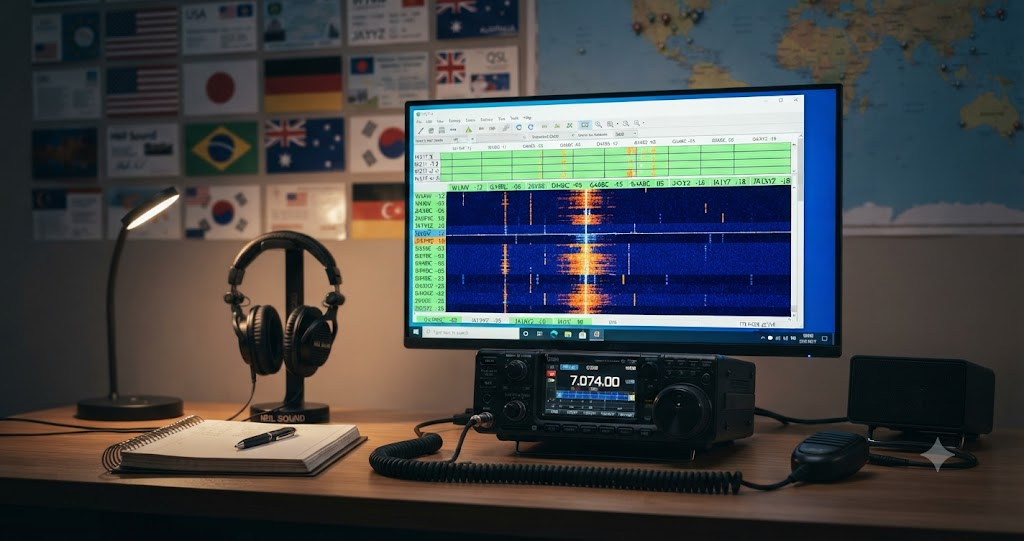
FT8: The Little Digital Mode That Quietly Took Over the Bands
If you tune across the HF bands these days, especially in the evenings, you will hear something that sounds a bit like a chorus of robotic crickets. Short, syncopated tones, fifteen seconds on, fifteen seconds off, all across a narrow slice of each band. That is FT8, and it has quietly become one of the most popular modes in amateur radio history.
This article is a relaxed look at what FT8 is, where it came from, who invented it, why hams love it (and sometimes argue about it), how it stacks up against the old king of weak signal work, CW, and where to read more if you want to dig in.
What Is FT8, In Plain Language
FT8 is a digital communication mode for amateur radio. The name comes from its creators, Franke and Taylor, and the 8-FSK modulation it uses (eight frequency tones to encode data). It is one of several modes bundled in the free, open source software package WSJT-X.
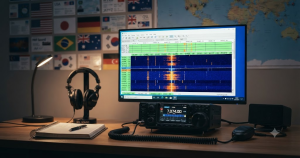
Here is the basic idea. Instead of speaking into a microphone or tapping a key, your computer generates a short audio signal that carries compressed digital data. Your radio transmits it as single sideband audio. On the other end, the receiving station’s computer decodes it, even when the signal is so weak that a human ear could not pull it out of the noise.
A standard FT8 contact goes something like this:
- You call CQ (the software sends your callsign and grid square).
- Someone answers with your callsign, their callsign, their grid, and a signal report.
- You acknowledge with their report.
- They send “RRR” (received, roger, roger).
- You send “73” to sign off.
Each transmission is fifteen seconds long, locked to UTC, so the whole QSO takes about ninety seconds. It is structured, predictable, and almost entirely handled by the software. You mostly click buttons.
Who Invented FT8
FT8 was created by Joe Taylor, K1JT, along with Steve Franke, K9AN, with contributions from Bill Somerville, G4WJS. It was released on June 29, 2017, as part of WSJT-X version 1.8.
The “JT” in K1JT is the same JT behind the earlier JT65, JT9, and JT4 modes. Joe Taylor is not just any ham. He is a Nobel laureate in Physics (1993), a professor at Princeton, and a longtime radio amateur first licensed as KN2ITP way back in 1954. His Nobel Prize was for work on binary pulsars and general relativity, but in the ham world he is best known for bringing serious signal processing and forward error correction to amateur radio.
The WSJT project itself goes back to around 2001, when Joe first released the original WSJT program for meteor scatter and moonbounce work. FT8 is the latest and most popular descendant of that line, designed specifically for HF DXing and contest style operating where you want fast, reliable, weak signal contacts.
A faster sibling, FT4, was added in WSJT-X 2.1 (2019) for contesters who wanted even shorter cycles.
A Quick History
- 2001 Joe Taylor releases the original WSJT program for meteor scatter work.
- 2003 to 2005 JT65 and JT9 modes added for EME (moonbounce) and HF weak signal work.
- 2017 (June 29) FT8 released with WSJT-X 1.8.
- 2017 to 2019 FT8 adoption explodes. Within two years it became the most reported digital mode on spotting networks like PSK Reporter.
- 2019 FT4 added for contesting.
- Today FT8 routinely accounts for a large fraction of all HF activity, especially during solar minima and on bands like 6 meters during sporadic E season.
The speed of adoption was remarkable. Within months of release, FT8 was everywhere. By some measures it overtook CW and SSB as the most active mode on the HF bands during low sunspot years.
Why Hams Love FT8
There are good reasons FT8 took off so fast.
It works when nothing else does. FT8 can decode signals down to about -20 dB SNR in a 2500 Hz bandwidth. That is well below what a human ear can copy on CW or SSB. During solar minimum, on a noisy band, with a small station and a modest antenna, FT8 can still get you worldwide contacts.
It is gentle on your station. You do not need a kilowatt and a beam on a 30 meter tower. Many FT8 operators run 5 to 50 watts into a simple dipole or vertical and work DX all over the world. QRP FT8 is a real thing.
It is low stress. You do not have to copy a weak signal by ear, fight through a pileup, or worry about your CW speed. The software does the heavy lifting. You watch the decode window, click the station you want to work, and the software handles the timing and message sequencing.
It is great for DX and awards chasing. Because FT8 exchanges grid squares and signal reports automatically, it is ideal for working new countries, filling in grid squares for VHF awards, or just knocking out contacts when conditions are marginal.
It plays nicely with spotting. WSJT-X can upload your decodes to PSK Reporter automatically, which means you can see who is hearing you and who you are hearing on a live map. It is a wonderful propagation tool even if you never make a QSO.
It is free and open source. WSJT-X is GPL licensed, runs on Windows, macOS, and Linux, and works with almost any HF radio that has a sound card interface.
The Other Side: What FT8 Is Not Great At
It is only fair to mention the tradeoffs.
It is not a ragchew mode. FT8 messages are tiny. You can send a callsign, a grid, a signal report, and a few free text characters. That is it. If you want to have a long conversation about the weather, your antenna project, or your grandchildren, FT8 is the wrong tool. Try SSB, RTTY, JS8Call, or Olivia instead.
It is highly structured. The fifteen second cycle is rigid. You cannot just jump in whenever you like. Everything is locked to UTC, and the software decides when to transmit. Some operators find this freeing. Others find it boring.
It can feel impersonal. A typical FT8 QSO is five clicks and ninety seconds. There is no chat, no personality, no “fist” of the operator. For some hams that is a feature. For others it is the whole problem.
It is bandwidth narrow but crowded. FT8 signals occupy about 50 Hz each, and the standard FT8 sub band on each HF band is only a few kHz wide. On a busy evening you can have hundreds of signals stacked up, which causes decodes to degrade and QSOs to collide.
It depends on a computer. No computer, no FT8. No sound card interface, no FT8. If you like operating radio with just a radio and a key, FT8 is not for you.
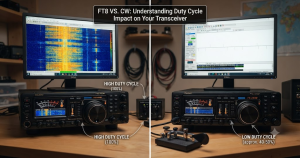
FT8 Versus CW: The Friendly Rivalry
This is the comparison everyone wants to talk about, so let us be honest about it.
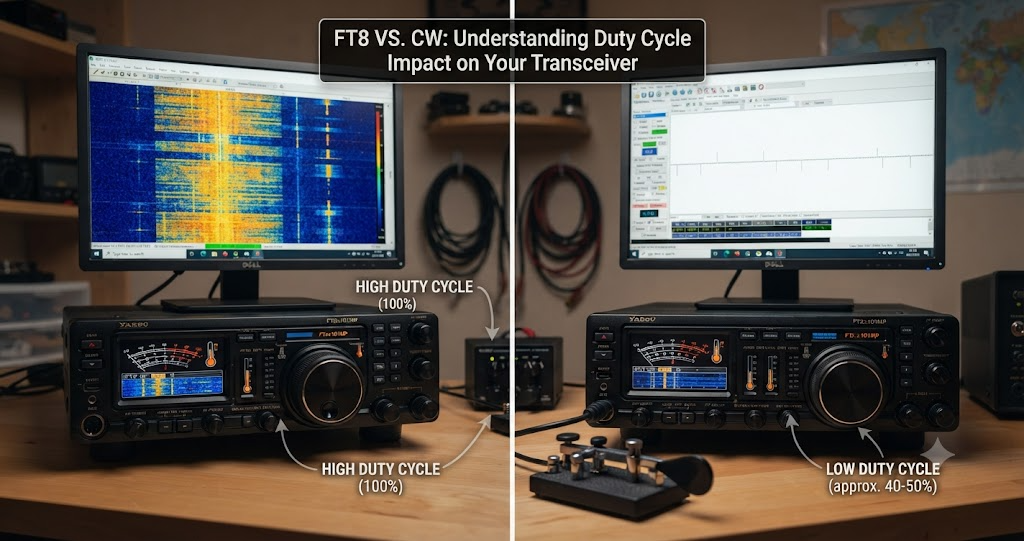
CW is the original weak signal mode. A skilled CW operator with a good ear and a narrow filter can copy signals buried in noise that most SSB operators would never hear. CW uses very little bandwidth (a few hundred Hz at most) and requires no computer, no software, no sound card. It is also a living craft with a century and a half of tradition behind it.
FT8, on the other hand, can decode signals that are several decibels deeper into the noise than what a typical CW operator can copy by ear. The numbers vary depending on who is measuring and how good the CW operator is, but a commonly cited figure is that FT8 has roughly a 4 to 7 dB sensitivity advantage over an average CW operator in a 250 Hz bandwidth. JT65, the older sibling, is even more sensitive by about 4 dB over FT8.
So in pure signal to noise terms, FT8 wins for most operators. A top tier CW operator with great ears and a sharp DSP filter can close that gap considerably, sometimes to almost nothing, but for the average ham FT8 will get through when CW will not.
That said, the comparison is not really apples to apples. Here is why.
FT8 is faster to a completed QSO. A CW QSO can take anywhere from 30 seconds to several minutes depending on speed and exchange length. FT8 is a predictable 90 seconds, every time.
CW is far more flexible. You can send anything in CW, at any speed, in any order. FT8 sends a fixed set of structured messages. CW is a language. FT8 is a form.
CW is a skill. Learning it takes time and practice, and that is part of its value. FT8 is a tool. You install it and use it. Both are legitimate, but they scratch different itches.
CW has a culture. There are CW clubs (FISTS, SKCC, CWops), CW nets, CW contests, and a whole community built around the mode. FT8 has a culture too, but it is more about software, propagation, and DX chasing than about the act of operating.
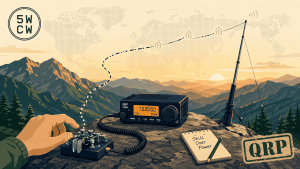
CW works without a computer. This matters more than people sometimes admit. If your computer dies, your interface breaks, or you are operating portable with a simple radio and a battery, CW is still there. FT8 is not.
The honest summary is this. FT8 and CW are not really competitors. They are different tools for different jobs. If you want to work DX in marginal conditions with minimal fuss, FT8 is hard to beat. If you want to build a skill, have real conversations, and connect with a century of tradition, CW is the way. Most well rounded hams end up doing both.
How To Get Started With FT8
If you have read this far and want to try it, here is the short version.
- Download WSJT-X from the official site (link below). It is free and runs on Windows, Mac, and Linux.
- Connect your radio to your computer with a sound card interface. Popular options include the SignaLink USB, DigiRig, or a simple USB audio adapter with a homemade cable. Many modern radios have a built in USB sound card.
- Set your radio to USB (upper sideband) on the band of your choice. FT8 uses USB on all bands, even on 30 meters and below where CW and data modes usually live.
- Tune to the standard FT8 frequency for that band. The common ones are 1.840, 3.573, 5.357, 7.074, 10.136, 14.074, 18.100, 21.074, 24.915, 28.074, 50.313, and 144.174 MHz.
- Sync your computer clock. FT8 depends on accurate UTC timing to within about a second. Use a time sync tool like BktTimeSync, Meinberg, or just make sure your OS time sync is working.
- Click CQ, watch the decodes, and answer someone. The software will guide you.
That is genuinely all there is to it. Most people work their first DX on FT8 within an hour of getting it running.
A Few Practical Tips
- Use as little power as you can. FT8 is a 100 percent duty cycle mode. Running full power can overheat your radio and annoy everyone on the band. 20 to 50 watts is plenty for most HF work. 5 watts is fun for QRP.
- Sync your clock before every session. A clock off by even two seconds will wreck your decodes.
- Turn off any audio processing on your radio. Speech processors, noise reduction, and auto notch can mangle FT8 signals. Clean audio in, clean audio out.
- Upload to PSK Reporter. It is a great way to see propagation in real time and to give back to the spotting network that everyone else is using.
- Be patient with pileups. If you are calling a rare DX station and not getting through, try splitting your transmit frequency a few hundred Hz away from the pack, or wait for a lull.
Why FT8 Still Matters
In a hobby that is sometimes accused of being stuck in the past, FT8 is a reminder that amateur radio is still a place where real innovation happens. A Nobel laureate physicist sat down and designed a mode that lets a ham with a wire antenna and 20 watts work the world, and then gave it away for free. That is a pretty good story.
FT8 is not the only mode, and it should not be. CW, SSB, RTTY, PSK31, Olivia, JS8Call, and the rest all have their place. But FT8 has earned its spot at the table. It pulled a lot of people back into the hobby during the solar minimum years, it made DX accessible to stations that could never compete in a CW pileup, and it gave everyone a propagation tool that runs in the background while they do other things.
So the next time you hear those robotic crickets on the band, give FT8 a try. You might be surprised at how far a few watts and a free program can take you.
Sources and Further Reading
- WSJT-X official site: https://wsjtx.github.io/wsjtx/index.html
- The FT4 and FT8 Communication Protocols (QEX paper, Taylor / Franke / Somerville): https://wsjt.sourceforge.io/FT4_FT8_QEX.pdf
- FT8 on Wikipedia: https://en.wikipedia.org/wiki/FT8
- WSJT (amateur radio software) on Wikipedia: https://en.wikipedia.org/wiki/WSJT_(Amateur_radio_software)
- Joe Taylor K1JT (Wikipedia): https://en.wikipedia.org/wiki/Joseph_Hooton_Taylor_Jr.
- Above the MUF Propagation and JT65 / FT8 Advantages Over CW (K9LA, March 2018): https://k9la.us/Mar18_Above-the-MUF_Propagation_and_JT65-FT8_Advantages_over_CW.pdf
- FT8 v CW signal to noise comparison (DX World): https://www.dx-world.net/ft8-v-cw-signal-noise-comparison/
- Weak Signal Performance of Common Modulation Formats (AmateurRadio.com): https://www.amateurradio.com/weak-signal-performance-of-common-modulation-formats/
- FT8 vs CW (interactive audio comparison, olgierd on GitHub): https://github.com/olgierd/ft8-vs-cw
- PSK Reporter (live decode map): https://pskreporter.info/
- WSJT-X User Manual: https://wsjt-x-doc.readthedocs.io/




Post Comment