General Interest
linux
open source
Technology
9M2PJU, bandwidth, Docker, fiber broadband, homelab, HTML5, internet speed, ISP, jitter, latency, MIT license, network monitoring, Ookla Speedtest, open source, OpenSpeedTest, self-hosted, speed test, Speedtest Global Index, WiFi troubleshooting
9M2PJU
0 Comments
OpenSpeedTest vs Ookla Speedtest: Open Source Self-Hosting Against the Global Measurement Giant
TL;DR: OpenSpeedTest is a free MIT-licensed open source HTML5 speed test (3.8k GitHub stars) that runs entirely from static files, measures sustained rather than burst throughput up to 10 Gbps+, and can be self-hosted with Docker or plain Nginx. Ookla Speedtest is the closed commercial standard from 2006 with a giant global server network, polished apps, and the Speedtest Global Index, funded by ads and enterprise analytics. Use Ookla to compare against the world, and OpenSpeedTest to test your own LAN, WiFi, and ISP honestly.
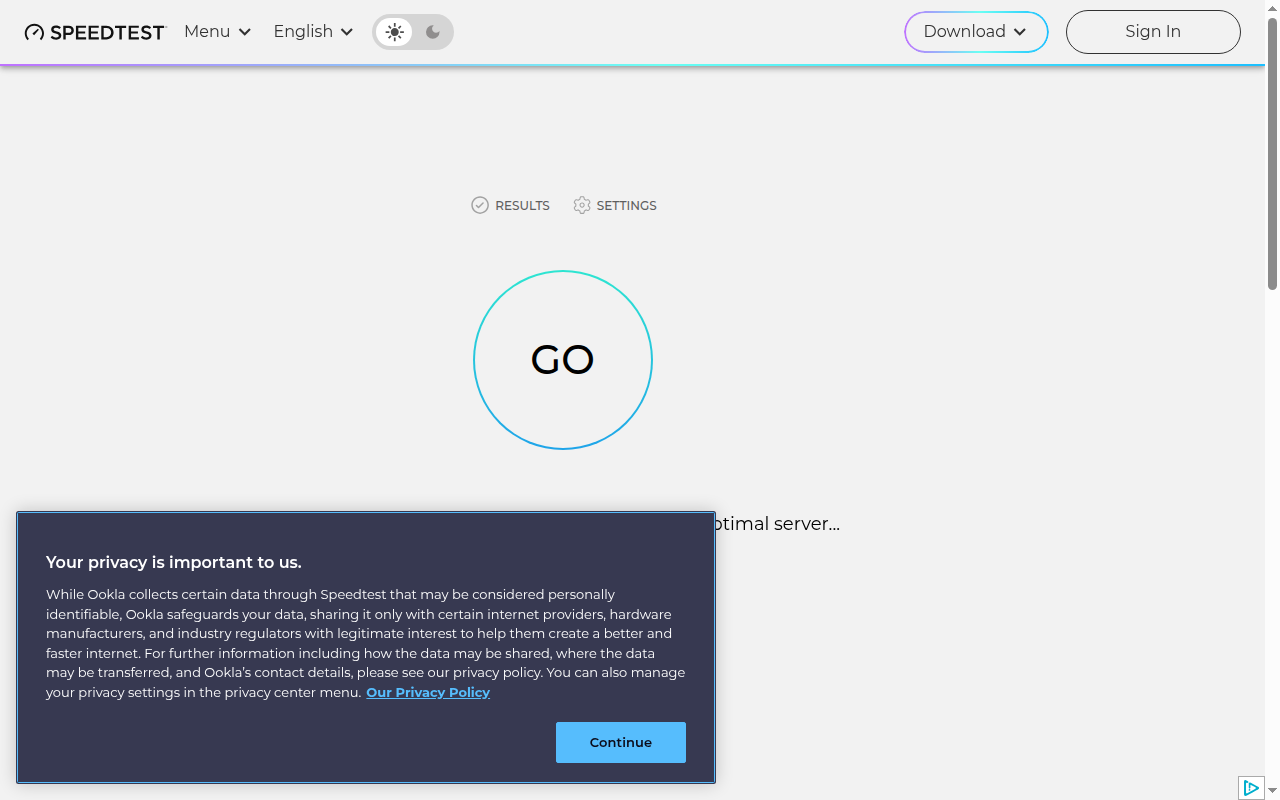
Everyone knows the big blue GO button on speedtest.net. When Malaysians argue whether Telekom Malaysia, Maxis, TIME, or Celcom delivers the promised fiber speed, the screenshot is almost always Ookla. But there’s a second tool every network admin, homelab owner, and privacy-minded user should know: OpenSpeedTest, a fully open source speed test you can host yourself in minutes.
In this guide we compare the two head to head: how each measures speed, what the numbers actually mean, self-hosting and Docker deployment, privacy and business models, and which tool to reach for in each real-world situation.
What Are OpenSpeedTest and Ookla Speedtest?
OpenSpeedTest is a free open source HTML5 network performance tool written in vanilla JavaScript that measures sustained real-world throughput and runs from any static web server or Docker container. Ookla Speedtest is the closed commercial speed test platform run by Ookla since 2006, backed by a giant volunteer server network, native apps, and global analytics products.
+----------------------------------------------------------------------------------+
|                    OPENSPEEDTEST vs OOKLA SPEEDTEST AT A GLANCE                  |
+----------------------------------------------------------------------------------+
|                                                                                  |
|  OPENSPEEDTEST                              OOKLA SPEEDTEST                      |
|  Static HTML/CSS/JS, under 8 kB gzip        Full platform: web + native apps      |
|       |                                         |                                |
|  Your browser <---> YOUR server             Your device <---> nearest pooled      |
|  (LAN, VPS, or openspeedtest.com)           server (often ISP-hosted)            |
|       |                                         |                                |
|  Sustained speed, 1 Kbps to 10 Gbps+        Burst-weighted speed, global index    |
|       |                                         |                                |
|  MIT source, Docker, zero tracking          Closed source, ads, data analytics    |
|                                                                                  |
+----------------------------------------------------------------------------------+
How Each Tool Measures Speed
OpenSpeedTest: sustained speed, browser-native engineering
OpenSpeedTest is written in vanilla JavaScript with no third-party frameworks. It uses only built-in web APIs (XMLHttpRequest, HTML, CSS, SVG), and the core test script compresses to under 8 kB gzip. Because it is pure static files, it runs in any browser from IE10 onward, including smart TVs and consoles.
Its philosophy differs from most testers in one deliberate way. When you press Start, the browser opens multiple parallel connections and the engine watches for the speed to stabilize after the initial burst. Many ISPs deliver high speeds for the first seconds that then sag. OpenSpeedTest reports the stable sustained rate, which matches what you feel during a game download, cloud backup, or 4K stream.
Technical details worth knowing:
- Range: 1 Kbps to 10 Gbps and beyond, with adaptive test parameters
- Overhead compensation: 4 percent by default to account for browser and protocol overhead, adjustable from 0 to 4 with the
?cleanURL parameter - Parallel streams: 6 concurrent XHR connections by default, adjustable from 1 to 32 with
?XHR=n - Server choice: supports a server list with automatic lowest-latency selection, or a forced host with
?Host= - Single-shot modes:
?Test=Download,?Test=Upload, or ping-only runs - Stress mode:
?Stress=Low/Medium/High/VeryHigh/Extreme/Day/Yearruns continuous testing for 300 seconds up to a full year, useful for burn-in and link validation
Ookla Speedtest: the global reference with pooled servers
Ookla’s client picks a nearby server from the Speedtest Server Network, thousands of volunteer hosts run by ISPs, universities, and operators worldwide, then opens multiple parallel threads for download and upload phases and reports ping, download, and upload. Results feed the public Speedtest Global Index that ranks countries and ISPs monthly.
The scale is the product. With servers nearly everywhere and native apps for iOS, Android, Windows, macOS, Apple TV, plus a command-line client, Ookla gives the most comparable number on the planet. Two users in Kuala Lumpur and Berlin can meaningfully compare results because the methodology and server density are consistent.
The tradeoff, openly stated by OpenSpeedTest’s authors, is structural. Many Ookla servers sit inside ISP networks, so the test can measure “your ISP grading its own homework”: on-net results that look better than real traffic to distant websites. Ookla counters this with server diversity, distance weighting, and enormous sample sizes, but the criticism is worth understanding before treating any single result as gospel.
Head-to-Head Comparison
| Feature | OpenSpeedTest | Ookla Speedtest |
|---|---|---|
| License | MIT open source | Proprietary, closed source |
| GitHub | openspeedtest/Speed-Test, 3.8k stars, 371 forks |
Not open source |
| Started | 2011, domain 2013 | 2006, Seattle |
| Owner | Community project, donations | Ookla (Ziff Davis; Accenture acquisition announced March 2026) |
| Test client | Any browser, no install | Web, iOS, Android, Windows, macOS, Apple TV, CLI |
| Max measured speed | 10 Gbps+ | Multi-gigabit on capable servers |
| Reported metric | Sustained stable throughput | Burst-weighted throughput |
| Server network | Self-hosted or openspeedtest.com via CDN | Thousands of pooled servers globally |
| Self-hosting | Yes: static files, Docker, Snap, Helm | No (enterprise Speedtest Custom is a hosted product) |
| Ads and trackers | None, static files only | Ad-supported web version, analytics |
| Result history | Optional save-to-database hook | Account-based history, Global Index |
| Best for | LAN/WiFi diagnosis, ISP verification | Global comparison, ISP rankings |
Self-Hosting: Where OpenSpeedTest Wins Outright
Ookla can’t be self-hosted. Anyone can apply to host an Ookla server for the public pool, but the software remains Ookla’s and results flow into Ookla’s systems. OpenSpeedTest is the opposite: the entire app is static files that any Nginx, Apache, or IIS server can serve.
Docker in one command
sudo docker run --restart=unless-stopped --name openspeedtest \
  -d -p 3000:3000 -p 3001:3001 openspeedtest/latest
Then open http://YOUR-SERVER-IP:3000 for HTTP or port 3001 for HTTPS. Free LetsEncrypt certificates with auto-renewal are built in via environment variables (ENABLE_LETSENCRYPT, DOMAIN_NAME, USER_EMAIL). A docker-compose.yml with two ports is all a homelab needs.
Why host your own
- WiFi placement: test phone-to-NAS throughput from each room before and after moving an access point or adding a repeater (most repeaters halve throughput)
- ISP disputes: an on-LAN server isolates WiFi problems from ISP problems. Slow to your own server means your network is at fault. Fast locally but slow to the internet means the ISP is at fault.
- Dual-WAN comparison: one ISP can beat another on public testers yet lose on the path to your office or cloud region. Only a test against your own infrastructure answers that.
- Browser auditing: because the test runs in the browser, extensions show up directly. Retest in a private window to expose extensions that cost seconds per page.
- Offline networks: isolated labs, vessels, and field sites can run it with no internet at all.
Server requirements are modest: accept GET, POST, HEAD, and OPTIONS with 200 OK (including POST to static files), allow 35 MB upload bodies, and keep timeouts above 60 seconds. Disable access logging for maximum performance.
Privacy and Business Model
This is the starkest contrast. OpenSpeedTest ships only static files, shows no ads, and collects nothing by default. There’s an optional saveData hook that posts results to a database URL you control.
Ookla’s web client displays a consent notice on first run stating it collects test data that may be considered personally identifiable, shared with internet providers, hardware manufacturers, and regulators. That data powers the Speedtest Global Index, Speedtest Intelligence, and enterprise products sold to operators and governments. The consumer test is free because the aggregated data business pays for it.
Neither model is evil, but they serve different masters. If you audit networks professionally or distrust ad-tech pipelines, the open tool keeps every byte inside your infrastructure.
Practical Guide: Getting Trustworthy Numbers From Either Tool
- Use ethernet for baseline tests. WiFi adds variance that hides ISP behavior. Always baseline wired first.
- Close background apps. Cloud backups, updates, and open tabs steal bandwidth silently.
- Run three tests at different times. Morning, evening peak, and late night reveal congestion patterns.
- Test both tools. Ookla for the globally comparable number, OpenSpeedTest for the sustained number and the LAN-local number.
- Verify with a real download. Cap a large file download (a Linux ISO) at half your plan speed in the download manager, then run OpenSpeedTest. It should report the capped rate, proving it measures reality.
- Compare browsers. Different speeds in Chrome versus Firefox on the same machine point to browser or extension issues, not network issues.
Which Should You Use
- Choose Ookla Speedtest when you need a globally recognized number: ISP shopping, plan disputes with screenshots the provider accepts, country and ISP rankings, or testing from phones and TVs via native apps.
- Choose OpenSpeedTest when you run a homelab, manage office networks, troubleshoot WiFi, validate VPN or repeater changes, need offline testing, or want zero tracking with full source access.
- Use both when it matters. If Ookla says 800 Mbps but OpenSpeedTest’s sustained figure says 400 Mbps and your own hosted server says 940 Mbps on LAN, you have learned three distinct facts: the ISP path bursts high, sustains lower, and your local network is clean.
For amateur radio operators the self-hosted angle has extra appeal. Off-grid and EmComm LANs, AREDN mesh segments, and field-day networks all benefit from a lightweight speed probe that needs nothing but a static web server on a Raspberry Pi.
Frequently Asked Questions
Is OpenSpeedTest really free and open source?
Yes. It is MIT licensed on GitHub under openspeedtest/Speed-Test with 3.8k stars. You can use, modify, and self-host it commercially at no cost.
Why do Ookla and OpenSpeedTest show different speeds?
Ookla weights burst throughput to pooled nearby servers, while OpenSpeedTest reports sustained stable speed. Different servers, thread counts, and distances also shift results. Both can be correct simultaneously.
Can I run OpenSpeedTest without internet access?
Yes. Host the static files or Docker image on your LAN and test from any browser on the network. No cloud connection is required.
Does Ookla collect my data when I run a speed test?
Yes. Its consent notice states it collects test data that may identify you and shares aggregates with providers, manufacturers, and regulators for analytics products and the Global Index.
Which tool proves my ISP is under-delivering?
Use both. Test wired, three times daily, against your own OpenSpeedTest server plus Ookla. Consistent shortfalls below your plan rate on all tools give you evidence your ISP must answer.
Sources and Further Reading
- OpenSpeedTest official site
- OpenSpeedTest how it works
- OpenSpeedTest self-hosted speedtest
- OpenSpeedTest GitHub repository – openspeedtest/Speed-Test
- OpenSpeedTest Docker Hub – openspeedtest/latest
- OpenSpeedTest Nginx configuration
- OpenPacketLoss browser packet loss tester
- Ookla official site and about page
- Speedtest by Ookla
- Speedtest Global Index
- Accenture to acquire Ookla press release March 2026
73 de 9M2PJU. Self-host an OpenSpeedTest container on your homelab NAS today, then compare its sustained numbers against Ookla before your next ISP argument. Data wins disputes.








Post Comment