amateur radio
open source
Technology
ADS-B flight tracking, AI voice agent, CelesTrak satellite tracking, CesiumJS, cockpit view, flight simulator view, gods eye view, Google Photorealistic 3D, live 3D globe, MCP server, NASA FIRMS, open source, OpenAI Realtime, OpenSky Network, Pinokio, Radio Browser, ship tracking AIS, USGS earthquakes, world radio
9M2PJU
0 Comments
God’s Eye View: The Open Source Spy-Satellite Simulator Tracking Live Aircraft, Ships and Satellites in Your Browser
God’s Eye View: The Open Source Spy-Satellite Simulator Tracking Live Aircraft, Ships and Satellites in Your Browser
TL;DR: God’s Eye View by Bilawal Sidhu is a free open source 3D globe that runs in your browser and fuses live aircraft, ships, satellites, earthquakes, weather, traffic, and public cameras into one explorable planet with a cinematic cockpit mode and hands-free voice control. It hit #1 on GitHub Trending, grew out of a YouTube series with 5M+ views, starts with no API keys, and installs with one click via Pinokio or one command via Docker.
What Is God’s Eye View
God’s Eye View is a spy-satellite simulator that runs in your browser, built from public data that turns out to be real. It renders a photorealistic 3D globe where you can track live aircraft down to the taxiway, ride inside a cockpit, watch ships, satellites, fires, and quakes, replay weather radar and lightning, tune world radio stations, and steer the whole planet by voice through a realtime AI agent.
The project by developer Bilawal Sidhu grew out of the viral God’s Eye View video series (formerly WorldView) with 5M+ YouTube views and 25M+ across socials, reached #1 on GitHub Trending daily and weekly in August 2026, and took #8 Product of the Day on Product Hunt. Brendan Eich called it “pretty cool”. The code is MIT-licensed on GitHub: no place left behind.
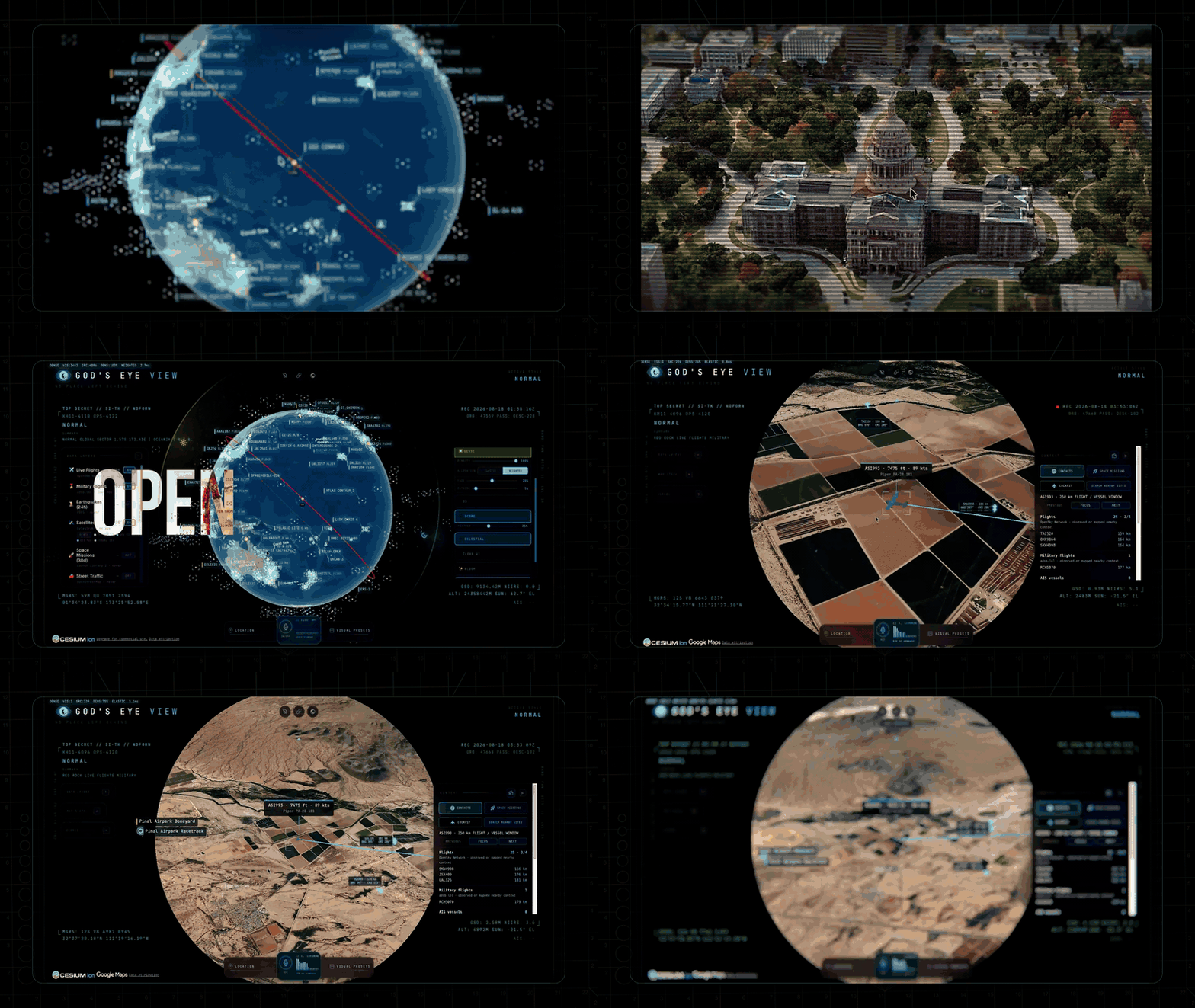
The hero animation above says it all: orbital HUD, a tracked live globe, FLIR terrain, then the reveal that the whole thing is open source. Every layer is a separate module, so you start with the included sources and add your own.
The First Five Minutes
Install it, open http://localhost:4173, pick a first-run mission, and try this sequence. The GIFs below come straight from the project README and show Google Photorealistic 3D; your starting basemap depends on the keys you add.
1. Light up the sky. Take the Live Contacts mission or switch on Flights yourself. Thousands of live aircraft glide on real telemetry with the detection mesh already reading the scene. Click one: the camera locks on, a fading trail draws behind it, and the live telemetry card comes up.
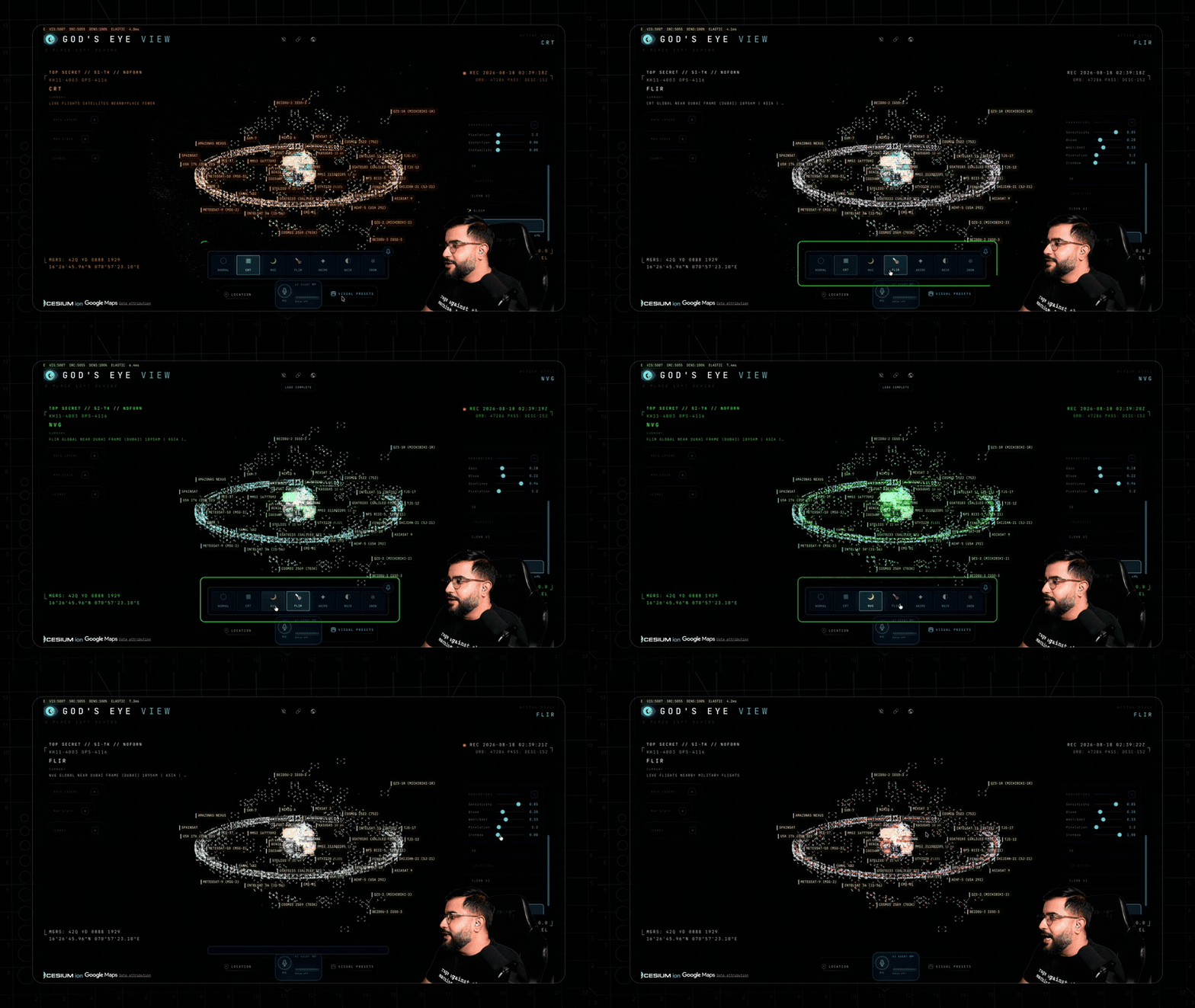
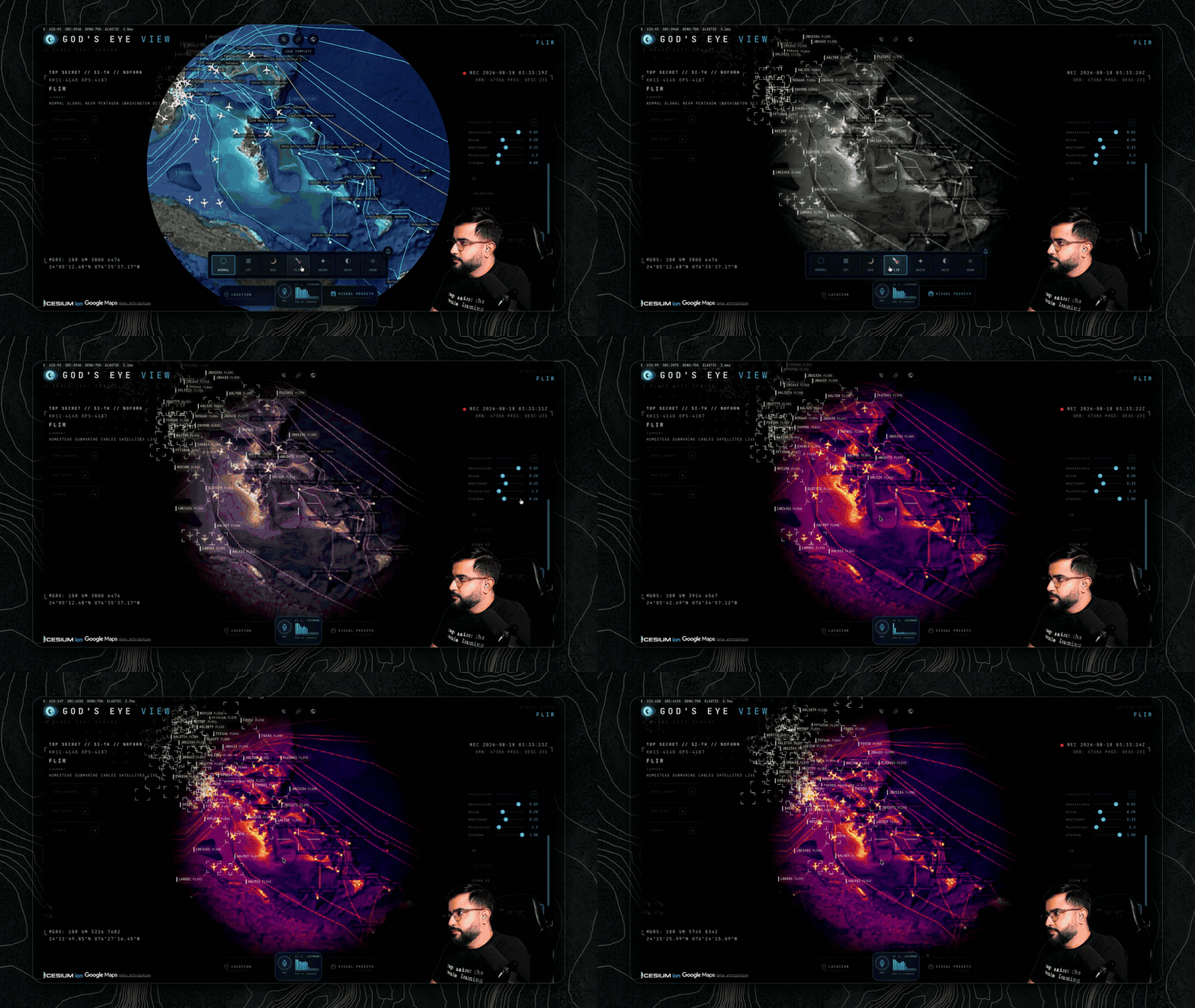
2. Take the controls. Hit COCKPIT on a tracked plane and ride it down, switching sensor modes mid-flight from normal to NVG to Ironbow FLIR.
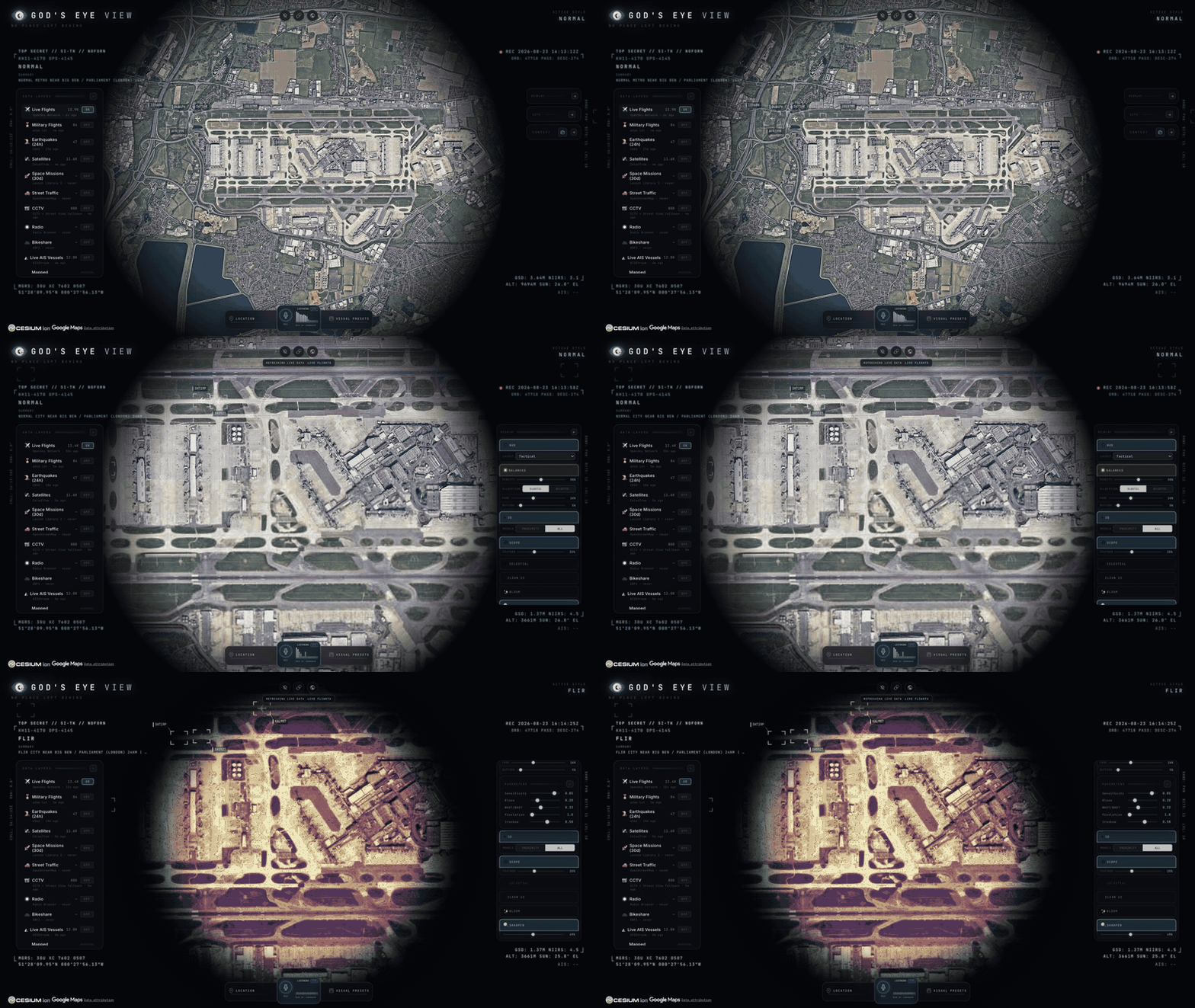
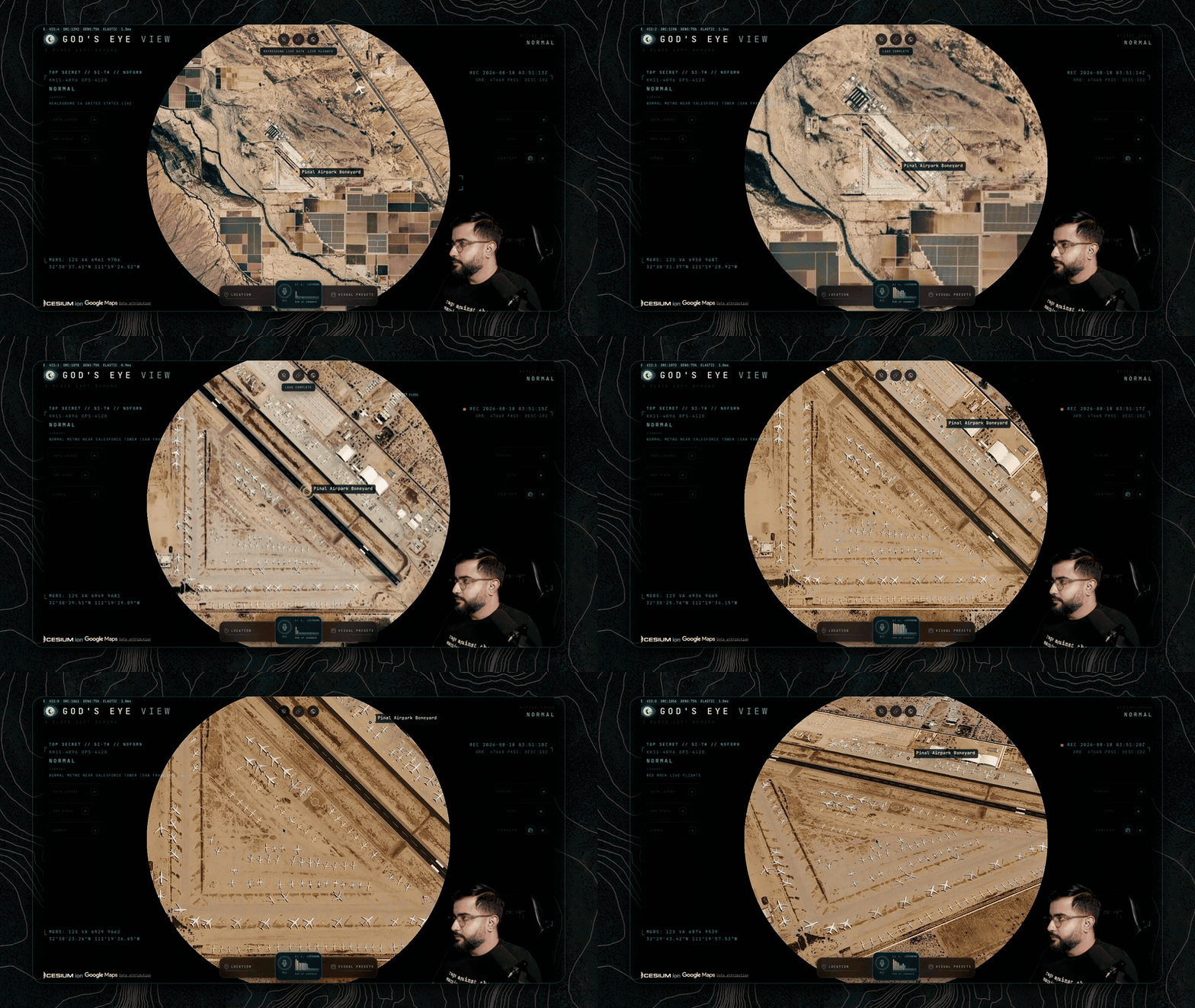
3. Drop into a busy airport. Search an airport and descend to the taxiways with 3D aircraft on. Grounded contacts, taxi trails, the whole apron working in real time.
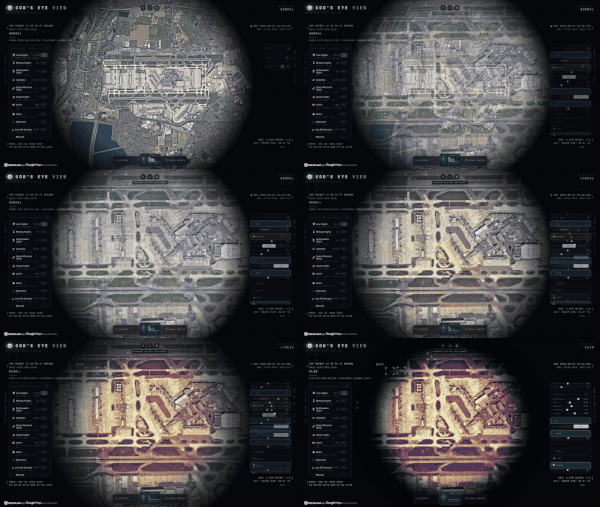
The airport descent above is the project’s signature shot: from full overhead down to taxiway inspection with real per-class 3D models (787, ATR-72, Citation, Bell 206, MQ-9), and a tracked contact swaps from glyph to 3D model as you close in. This same GIF is the featured image of this post.
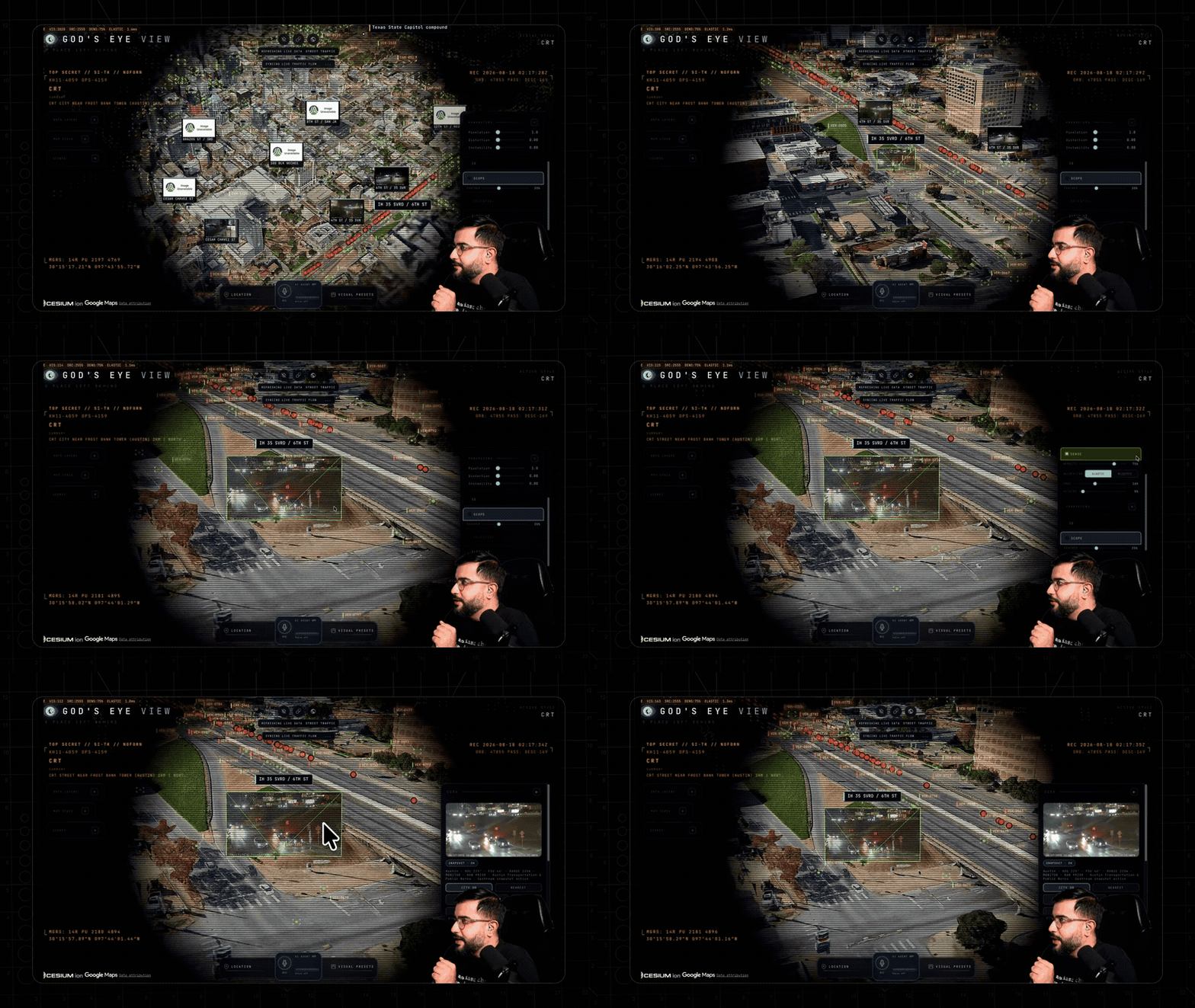
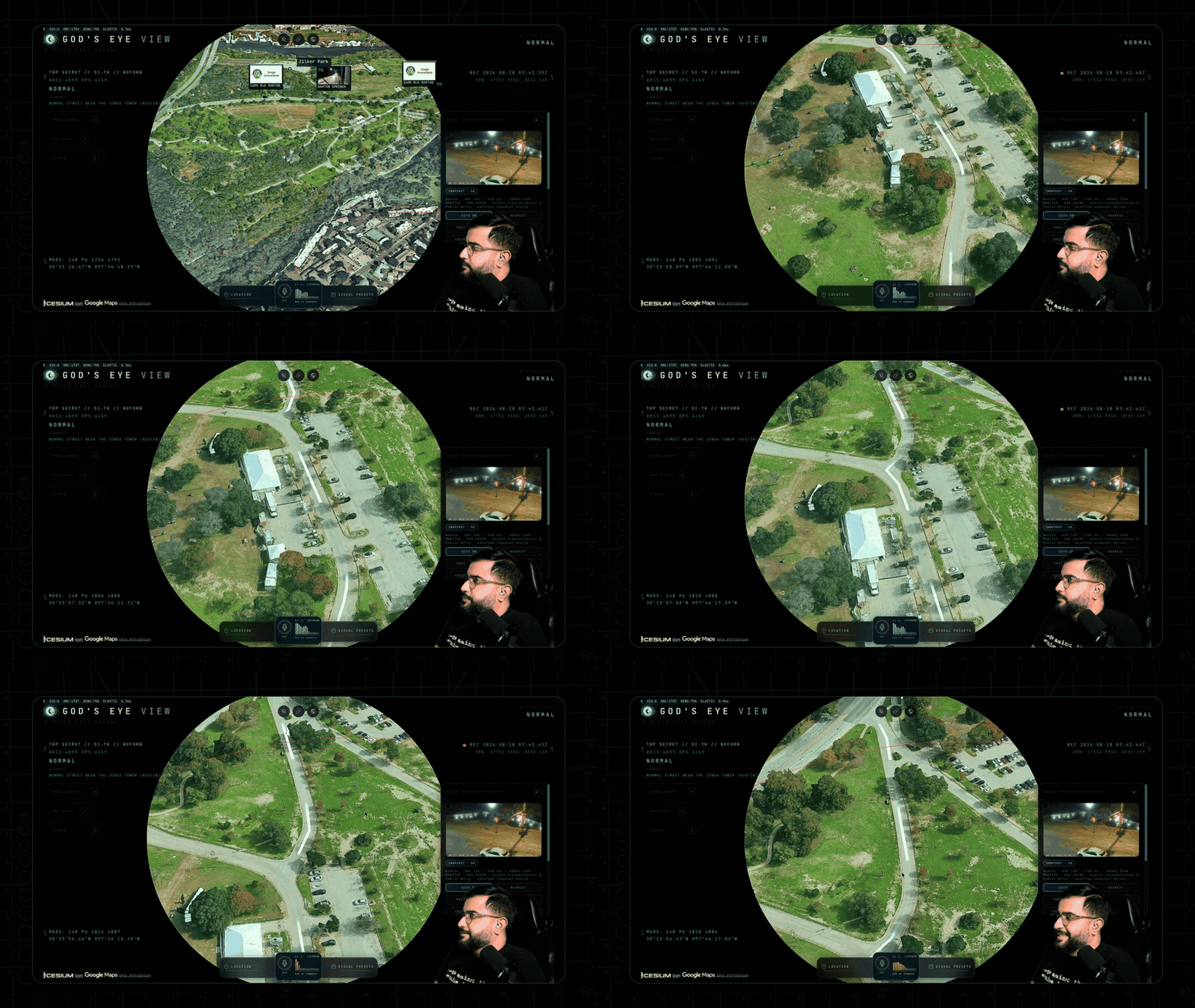
4. Look through a public camera. Turn on Cameras over Austin, London, California, Finland, or Delaware. The feeds aren’t webcam embeds: they project into the 3D city. Flip coverage to VIEWSHED and every camera draws its estimated coverage volume, where it reaches and where it goes blind.
5. Track something in orbit. Turn on Satellites and click the ISS. You ride along at orbital distance, orbit ring and all, propagated with real SGP4 math.
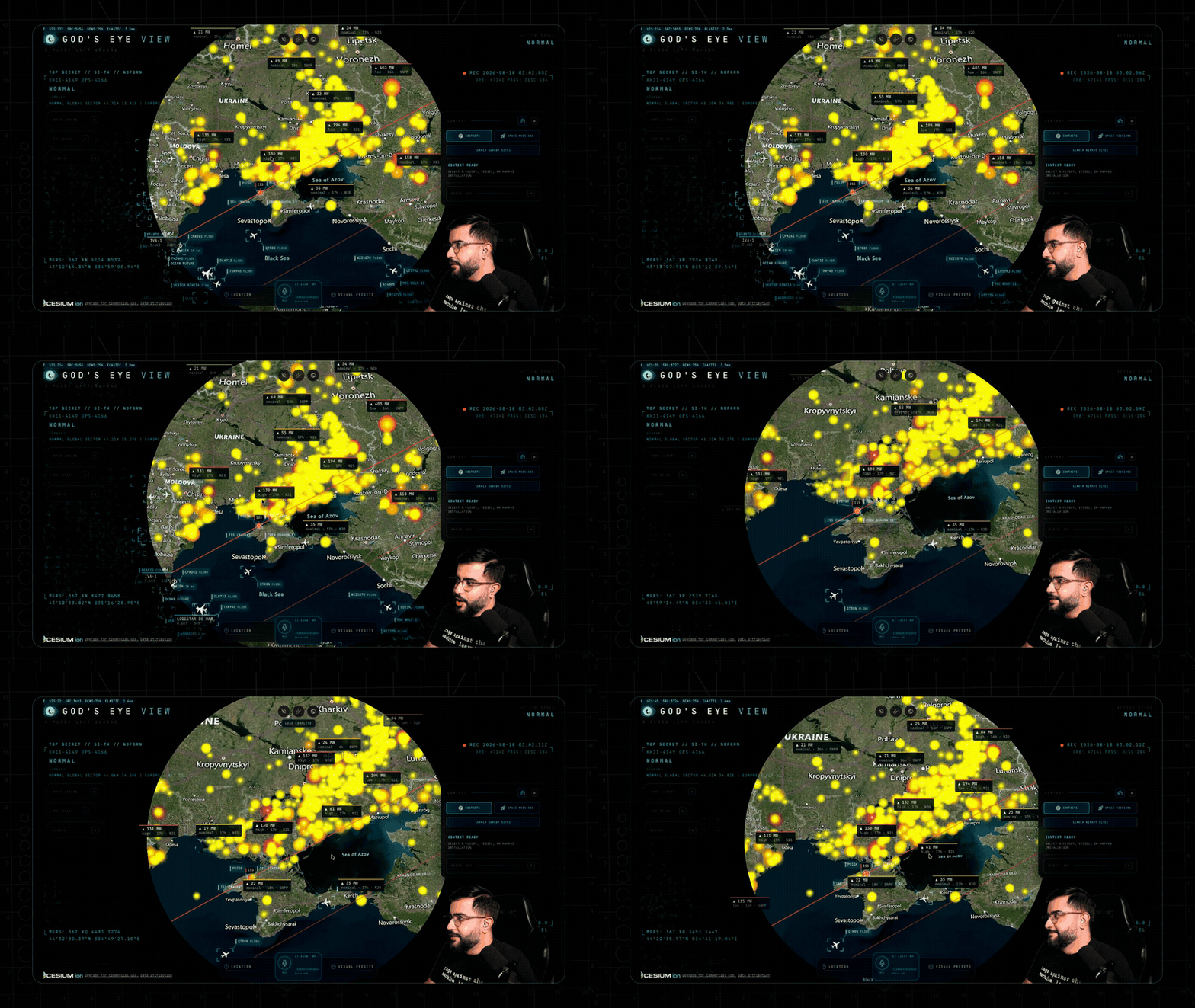
6. Switch the optics. Tap 1 to 7 and the whole live planet re-renders through CRT, NVG, FLIR, Noir, or Snow shaders.
7. Talk to it (needs an OpenAI key): “Take me to LAX and select the nearest airborne aircraft.” 8. Come home with Reset Globe, or just say “zoom out to a globe view.”
Ride Inside Any Flight: The Cockpit
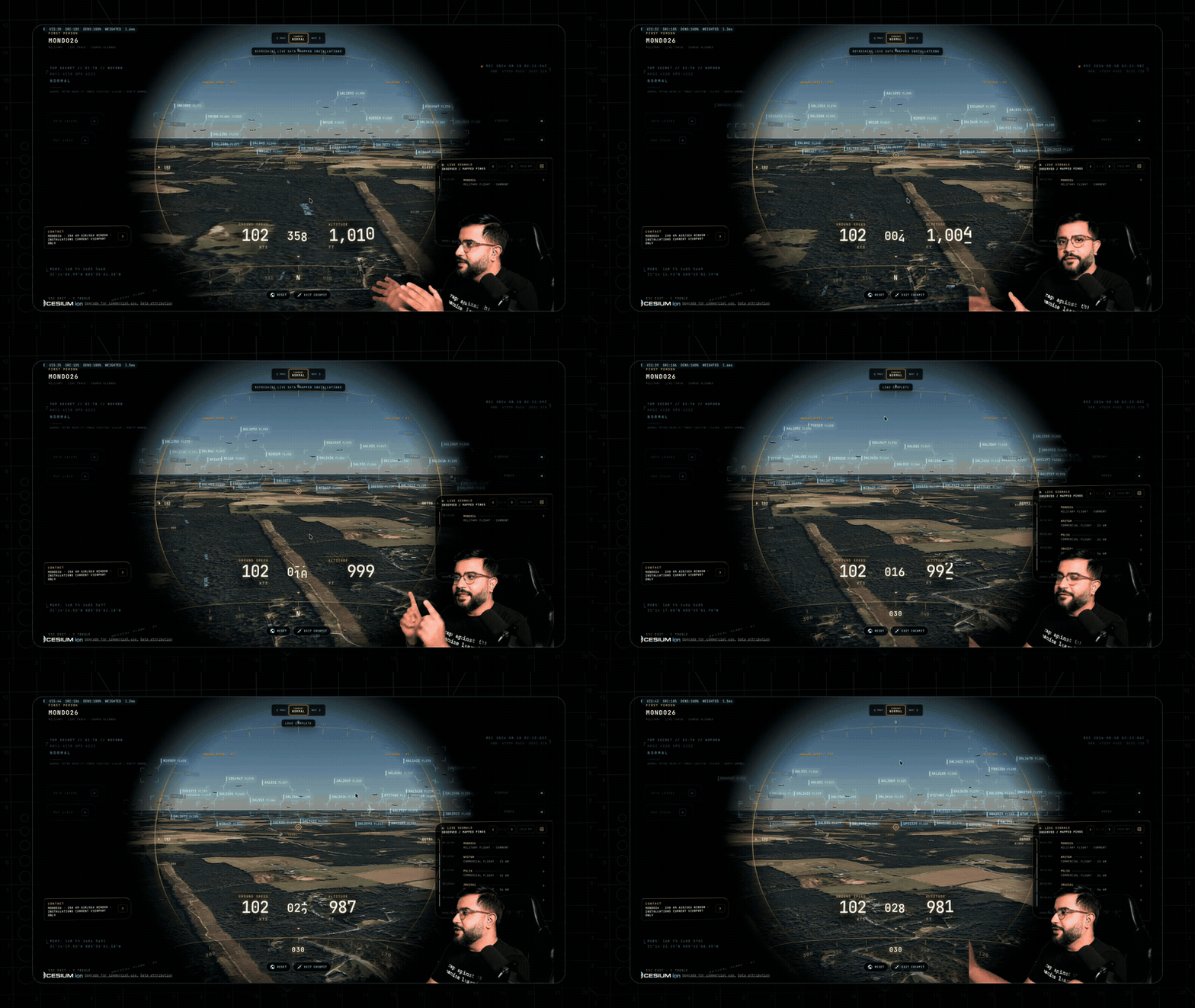
Every plane should let you do this. Cockpit mode is built from live flight data: the camera rides your contact with real terrain holding underneath all the way down, sensor styles come along for the ride, and Contacts keeps a 250 km roster one click away so you can jump plane to plane and fall straight into the next cockpit. The cockpit even carries a briefing strip with nearby live signals, regional headlines, and real local weather, plus an opt-in WX mode rendering volumetric clouds from actual observations.
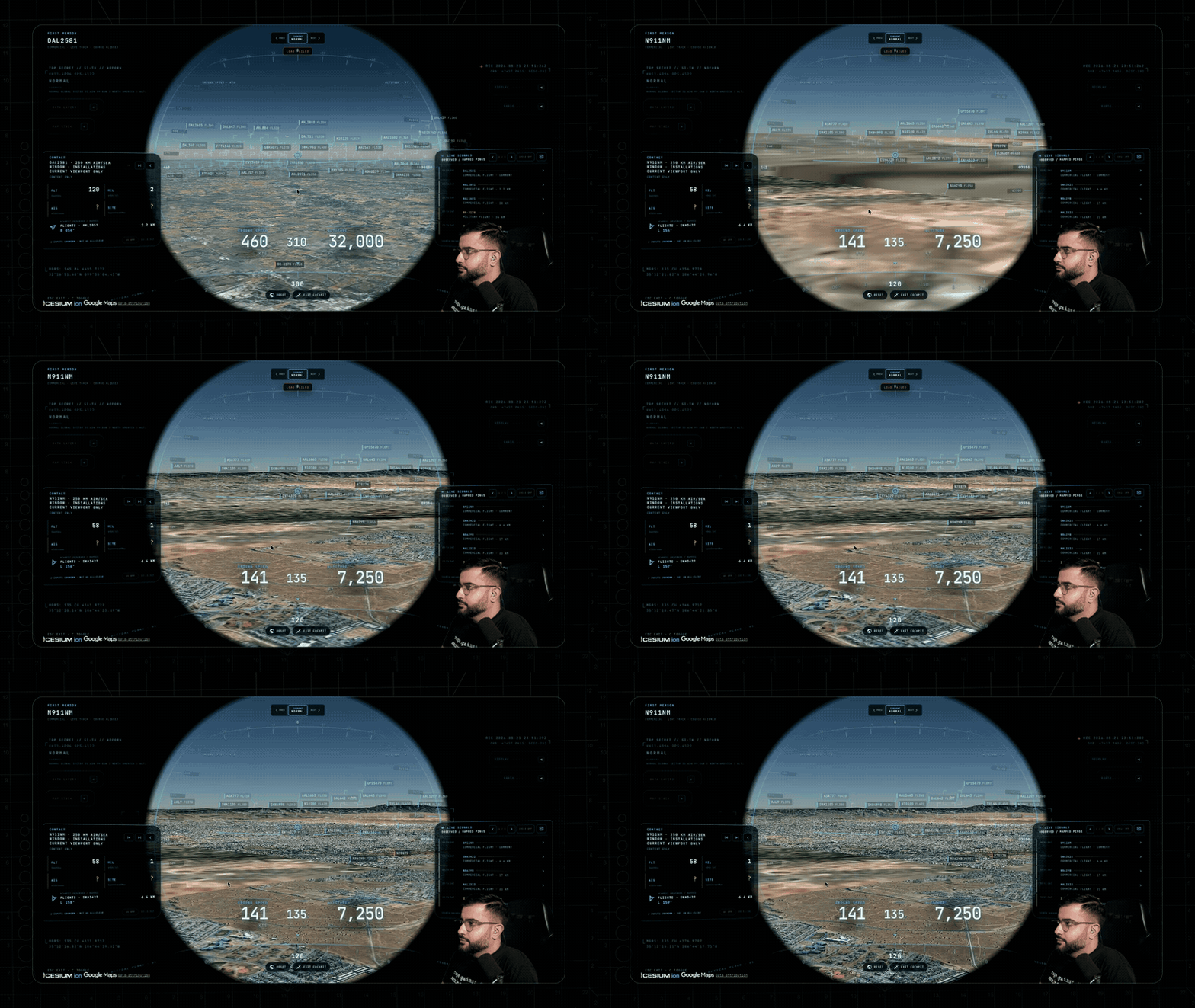
A live military contact ridden through Normal, NVG, and Ironbow FLIR shows how the sensor stack doubles as an analysis tool: the same traffic read three ways, with dense detection boxes and IDs overlaid.
Talk to the Planet
Click GEV MIC, grant the microphone, and just talk. The agent pulls live scene context (coordinates, street names, active layers, view scale) before answering, reads viewport screenshots for signage at street level without hallucinating labels, and only confirms actions that actually succeeded. Your OpenAI key never touches the browser: the client gets a short-lived session token.
- Direct it: “Take me to Tokyo.” “Orbit around this area slowly.” “Zoom out to a globe view.”
- Annotate it: “Outline the state of Texas.” draws the actual enclosing boundary. “How far is LAX from DFW?” spans an arrow and speaks the distance.
- Interrogate it: “How many flights are over Texas right now?” “Which ships are headed to Oakland?” “When does the ISS pass over next?”
- Operate it: “Switch to night vision and turn on the flights layer.” “Track that plane.” “Enter Cockpit.”
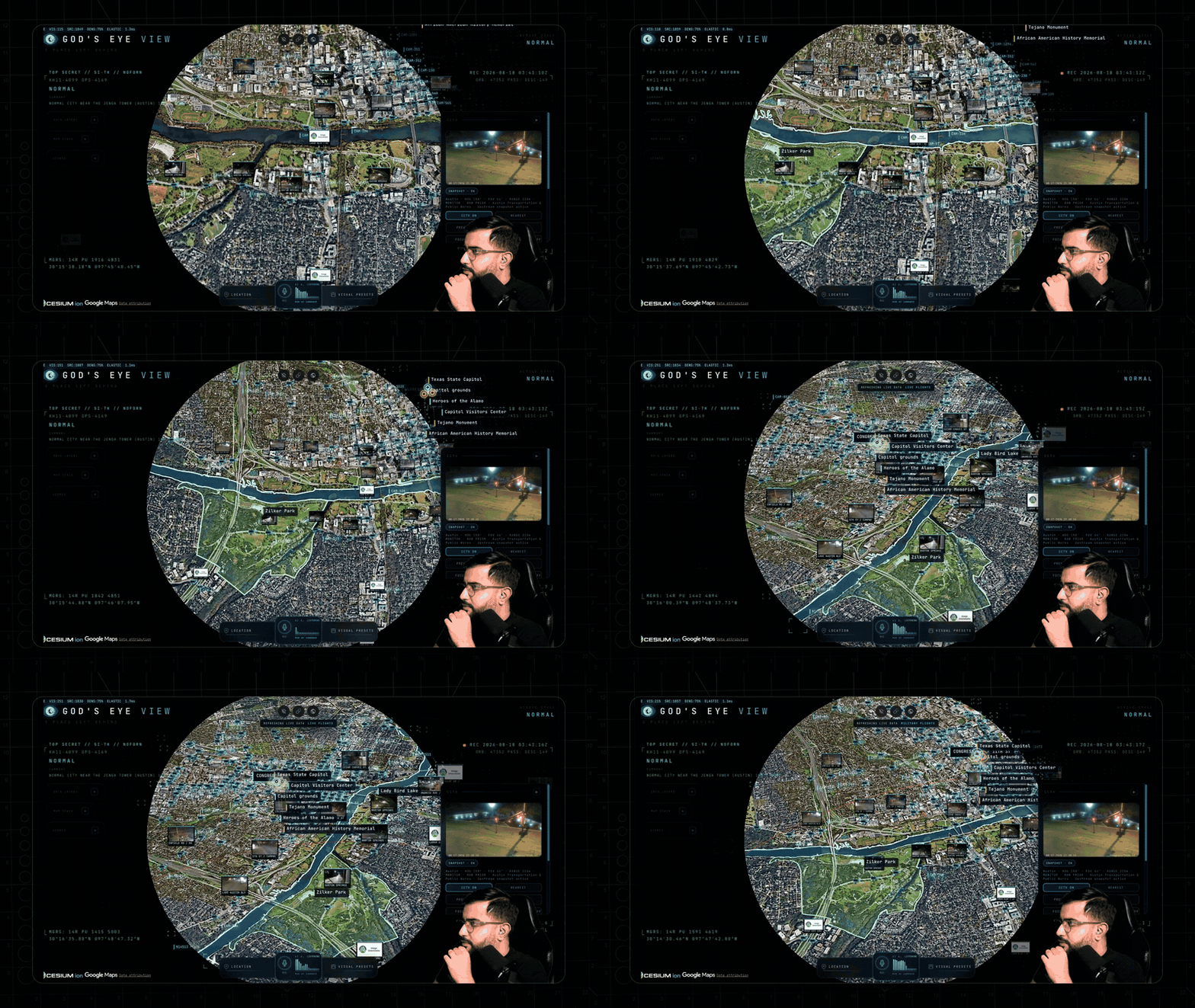
Voice annotations become real boundary polygons, marks, and routes that persist until you say “clear the map.” Prefer hands to voice? DISPLAY then Draw gives the same whiteboard with Area, Line, and Pin tools.
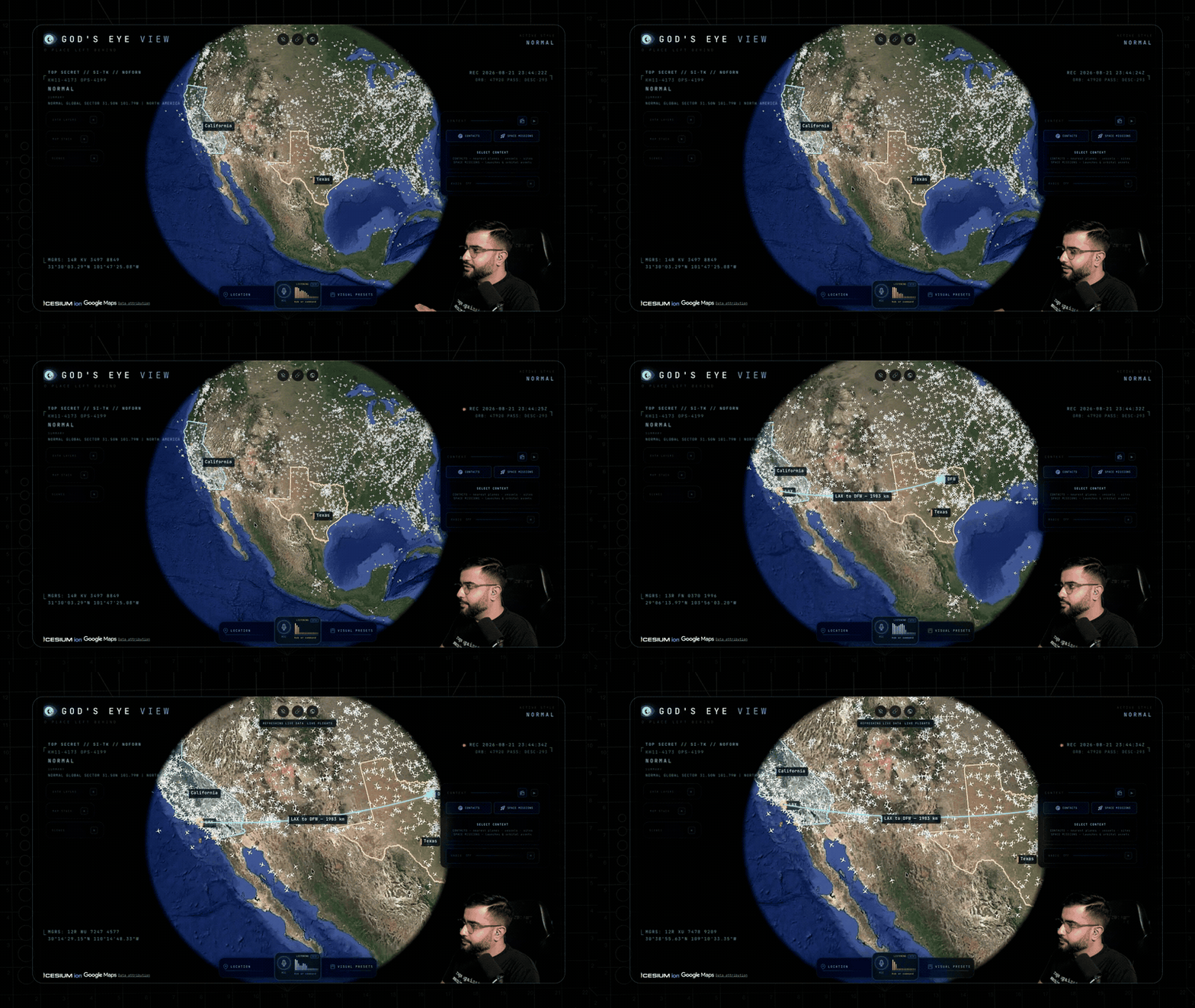
God’s Eye View is also an MCP server, so Claude Desktop, Codex, or ChatGPT desktop can open places on the live globe right inside the conversation.
What’s on the Globe: Ham-Relevant Layers First
Twenty layers and map sources ship with the app, eighteen with a keyless path. The full table is in the README; these are the ones radio amateurs will open first:
| Layer | What you get | Source | Key |
|---|---|---|---|
| Live Flights | 11,000+ live aircraft plus route history | OpenSky + adsb.lol | None |
| Military Flights | ADS-B military traffic in amber, emergencies in red | adsb.lol | None |
| Satellites | 838-object catalog by class, full Starlink shell on demand | CelesTrak | None |
| Radio | Geolocated world radio with an analog tuner, up to 750 stations | Radio Browser | None |
| Earthquakes | Global seismic activity, last 24h | USGS | None |
| Active Fires | Live NASA FIRMS detections, trailing 24h | NASA FIRMS | Free key |
| Wind and weather | Animated GFS/ECMWF wind, rain radar, satellite clouds, lightning, cyclone tracks | NOAA | None |
| Live Vessels | Thousands of ships worldwide | AISStream | Free key |
| Transit | Live buses, trams, metros, trains, ferries with trails | GTFS-Realtime feeds | None |
| Mapped ALPR cameras | Tag locations from OpenStreetMap, one city view at a time | OpenStreetMap | None |
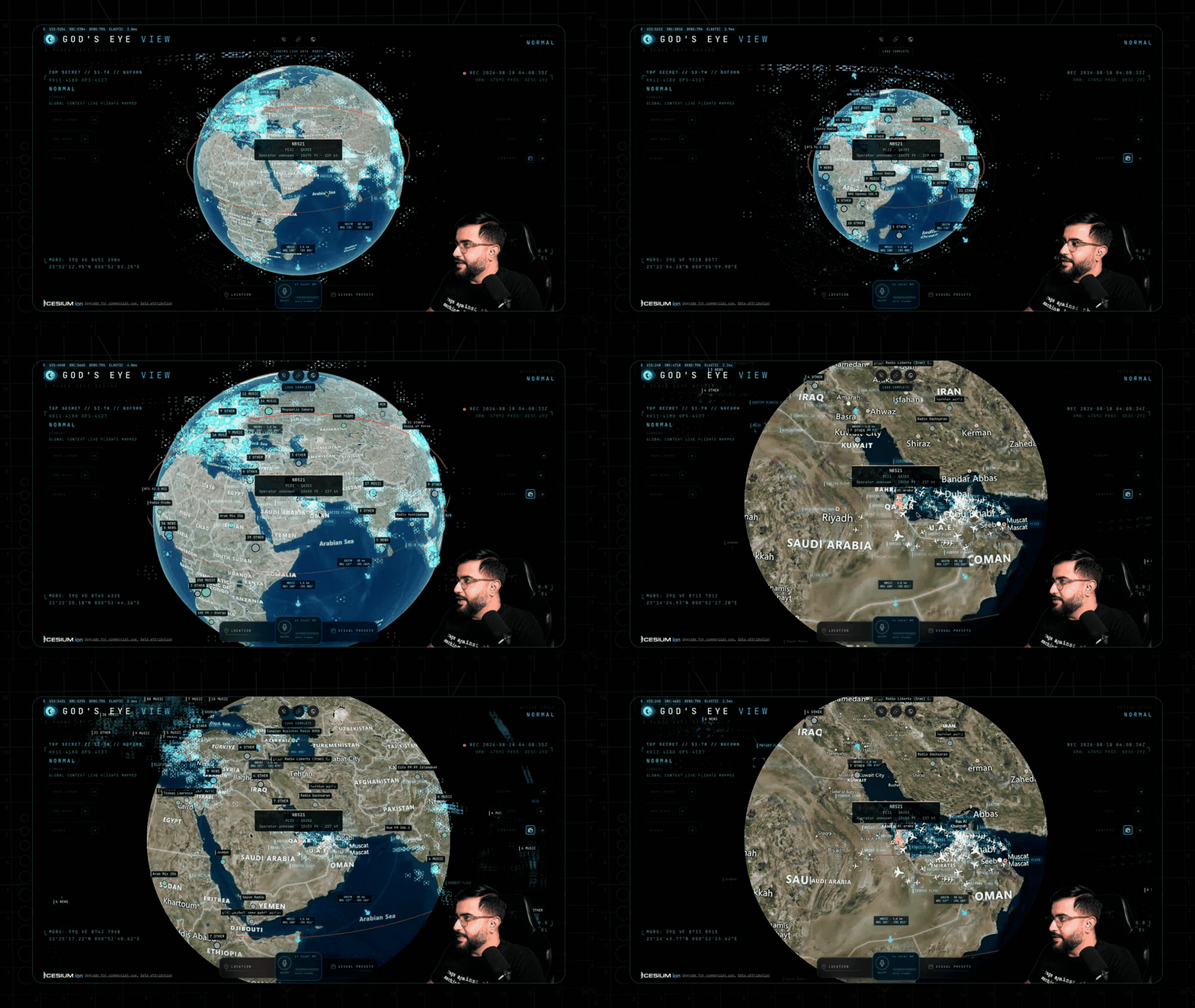
Ask for radio near anywhere and the globe starts broadcasting. Every station is a real place you can fly to, and dragging the analog tuner needle snaps between up to 750 real broadcasters. For shortwave listeners this is a lovely visual cousin of the dial: find a broadcaster, see exactly where it sits, then go work the bands.
Why Hams Will Love It
- ADS-B shared benefit. If you feed ADS-B from a Raspberry Pi (see the EmComm Tools OS guide for the dump1090 side), God’s Eye View shows you the same sky from the network side. Compare what you hear locally against the global picture.
- Satellite tracking. The CelesTrak layer with rise, peak, and set predictions complements the Plan-13 tracking in the 9M2PJU HamClock setup, with the added thrill of riding the ISS at orbital distance.
- Situational awareness. Earthquakes, fires, cyclones, and radar on one globe is exactly the backdrop EmComm groups brief from. The scene director can even record cinematic camera tours for after-action clips.
- No account, no keys to start. Flights, satellites, earthquakes, cameras, radio, and launches work keyless. Photorealism upgrades (free Cesium ion token, or metered Google key) are opt-in through the in-app POWER UP panel, never a file edit.
- Shareable views. Camera, style, layers, and even one tracked target serialize into a URL. A live target becomes a handoff to the next operator, not a bookmark.
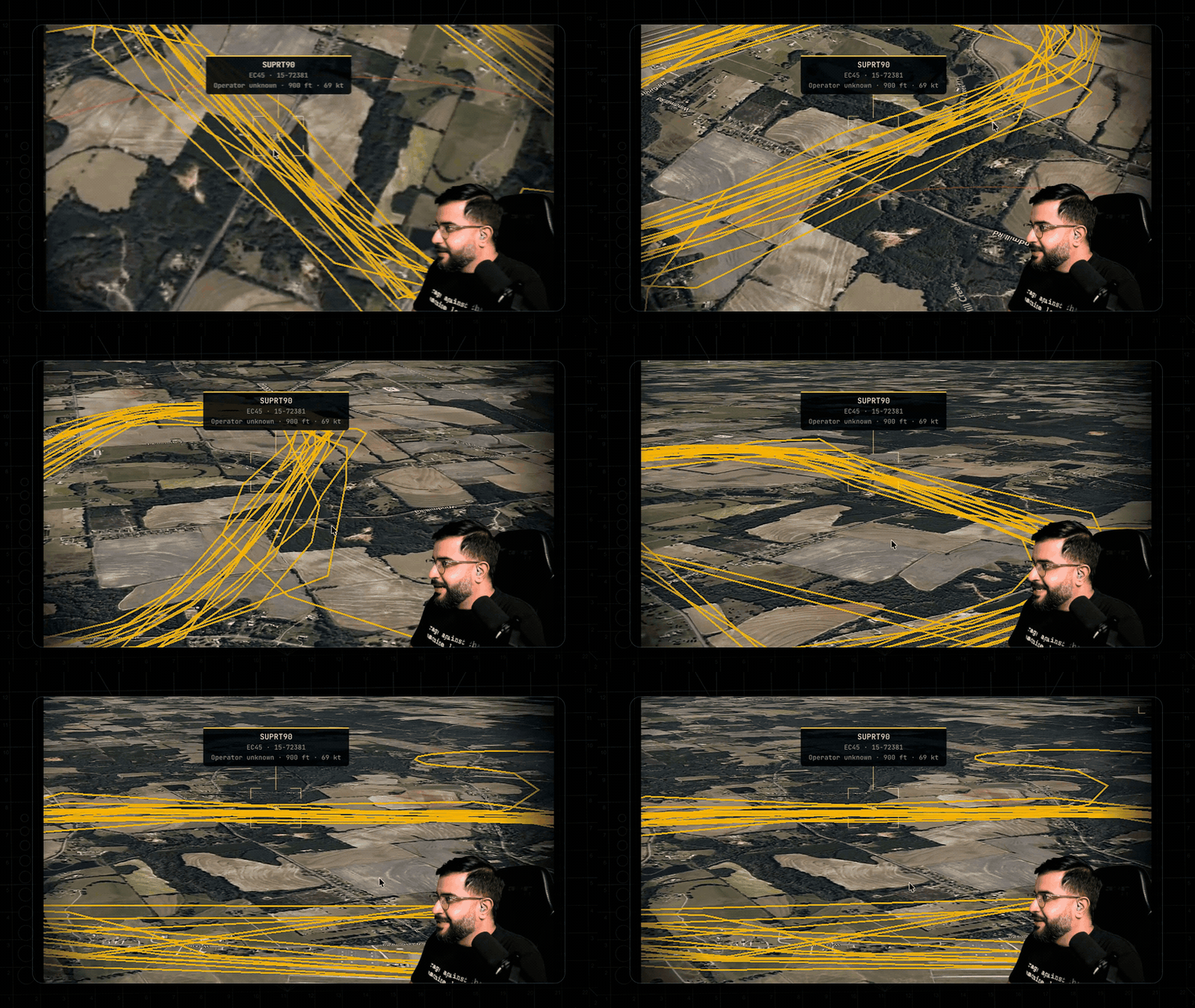
Ask the planet why military helicopters are circling and it backfills ~24 hours of real trace history, resolved as stacked 3D loops. That’s the kind of signal-chasing visualization that makes RF mysteries tangible.
Under the Hood
Vanilla JavaScript, CesiumJS, and Vite: no framework, fast to read and hack on. Aircraft and ships hold true real-world headings at every camera angle via per-frame screen-space course projection. Choppy 15 to 30 s feeds render one interval behind realtime with interpolation plus dead reckoning between fixes. Satellites propagate with SGP4 and GMST-realigned orbit rings. Entity heights align to Google 3D tiles so aircraft park on aprons instead of floating. An OpenSky credit governor, TomTom tile budget, and disk-cached TLEs bound request rates. Every private-key API is brokered through a hardened server-side proxy. The browser only ever sees Google Maps and Cesium ion keys.
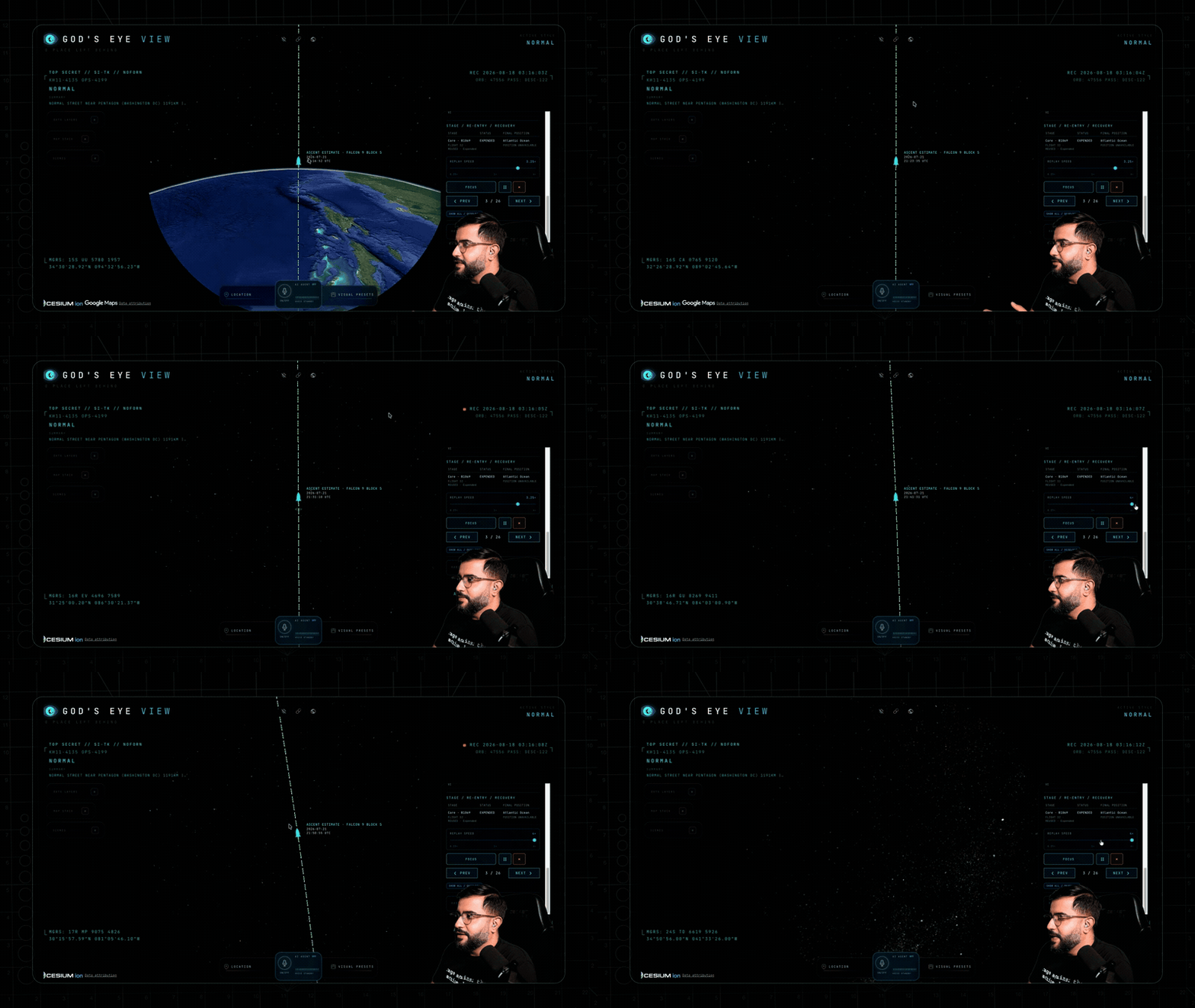
The Space Missions layer replays launches from the last 30 days with payload, stage, and recovery detail, scrubbable from 0.25x to 4x and honestly labeled RECONSTRUCTED ESTIMATE.
Bundled static infrastructure adds 4,351 datacenters, 704 dams, and 712 submarine cables. Missing a layer? The README invites issues and pull requests.
Install It Three Ways
| Path | Commands | Notes |
|---|---|---|
| Pinokio, one click | Install Pinokio 8.2+, open the app page, Install, Start | Windows, macOS, Linux; fixed installer, finds a free port |
| Terminal | git clone, npm ci, npm run doctor, npm run dev |
Node 24.14+ or 26.x; opens http://localhost:4173 |
| Docker | docker compose up |
No Node needed; keys, cache, and logs stay in the folder |
The server binds localhost only, keys live in owner-only local files, and deleting .env forgets them. Behind a reverse proxy or on a NAS, set IDs and allowed hosts per the README; the local MCP server and ChatGPT OAuth voice need the native path, not Docker.
Field Missions Worth Trying
| Mission | How |
|---|---|
| Ask the planet | Select a military track, watch 24 h of trace resolve as stacked loops |
| Final approach | Track an airliner, hop into the cockpit, ride it down |
| Night watch | Fly home, switch to NVG, let HUD and detection read the scene |
| Port call | Vessels over Long Beach, click a tanker, then NEAREST camera for ground truth |
| Tokyo FM | Orbit Shibuya with Radio on, drag the tuner needle across real stations |
| Fire line | FIRMS over California, dive to a detection, NEAREST camera for ground view |
| Walking route | Ask for a route, watch it trace the 3D city, then fly it like a drone shot |
| Launch replay | Space Missions, pick a launch, ride T-minus to orbit |
| Boneyard walk | Descend into dense rows of retired airframes, fully resolved |
Honest Limitations
The README is upfront and so is this post: traffic is simulated along real roads from aggregate data (only TomTom flow speeds are live observations), CCTV poses and launch trajectories are coarse estimates, bundled flood data is non-commercial, older installs must update (Overpass now refuses old clients), Pinokio’s embedded view can stutter where an external hardware-accelerated browser doesn’t, and photorealism ultimately depends on third-party terms and quotas. It is early-stage software with a fast-moving main branch.
God’s Eye View vs Alternatives
| Tool | Cost | Live aircraft | 3D cockpit | Voice agent | Open source |
|---|---|---|---|---|---|
| God’s Eye View | Free (keys optional) | Yes (11k+) | Yes | Yes (30 tools) | Yes, MIT |
| Flightradar24 | Freemium | Yes | No (AR view on mobile) | No | No |
| ADS-B Exchange / tar1090 | Free | Yes (unfiltered) | No | No | Partly |
| Google Earth | Free | Via plugins | No (Street View instead) | No | No |
| Cesium Stories | Freemium | DIY | No | No | Platform, not app |
Nothing else combines the live feeds, the cockpit, and the voice-directed camera in one hackable page.
Frequently Asked Questions
What is God’s Eye View in one sentence?
It’s a free open source 3D globe in your browser fusing live aircraft, ships, satellites, weather, cameras, and radio with cockpit rides and voice control.
Do I need API keys to start?
No. Flights, satellites, earthquakes, cameras, radio, launches, wind, and radar all work keyless, with Esri satellite imagery as the default basemap.
How do I install it with no terminal?
Install Pinokio 8.2 or later, open the God’s Eye View app page, click Install, then Start, on Windows, macOS, or Linux.
Can I control it by voice?
Yes, with an OpenAI API key for the Realtime agent, or an opt-in local ChatGPT and Codex OAuth sign-in on the same machine for the experimental path.
Is my data or API key exposed?
The app runs on localhost, keys stay in owner-only local files, private-key APIs go through a server-side proxy, and there’s no account system at all.
Sources and Further Reading
- God’s Eye View repository: https://github.com/bilawalsidhu/gods-eye-view
- Quick start and first-run missions: https://github.com/bilawalsidhu/gods-eye-view#readme
- YouTube walkthrough and series playlist: https://www.youtube.com/watch?v=GRJaKcXZS94
- Pinokio one-click install: https://pinokio.co/apps/github-com-bilawalsidhu-gods-eye-view
- OpenSky Network: https://opensky-network.org/
- CelesTrak two-line elements: https://celestrak.org/
- USGS Earthquake Hazards Program: https://earthquake.usgs.gov/earthquakes/feed/
- RainViewer Weather Maps API: https://www.rainviewer.com/api.html
73 de 9M2PJU





Post Comment