amateur radio
android
open source
Technology
Android privacy, Auditor app, auto reboot, Daniel Micay, degoogled phone, duress PIN, exploit mitigations, Google Pixel, GrapheneOS, ham radio privacy, hardened malloc, mobile security, privacy OS, sandboxed Google Play, secure Android, Seedvault backup, Titan M2, user profiles, Vanadium browser, verified boot
9M2PJU
0 Comments
GrapheneOS Explained: The Private and Secure Mobile OS With Android App Compatibility
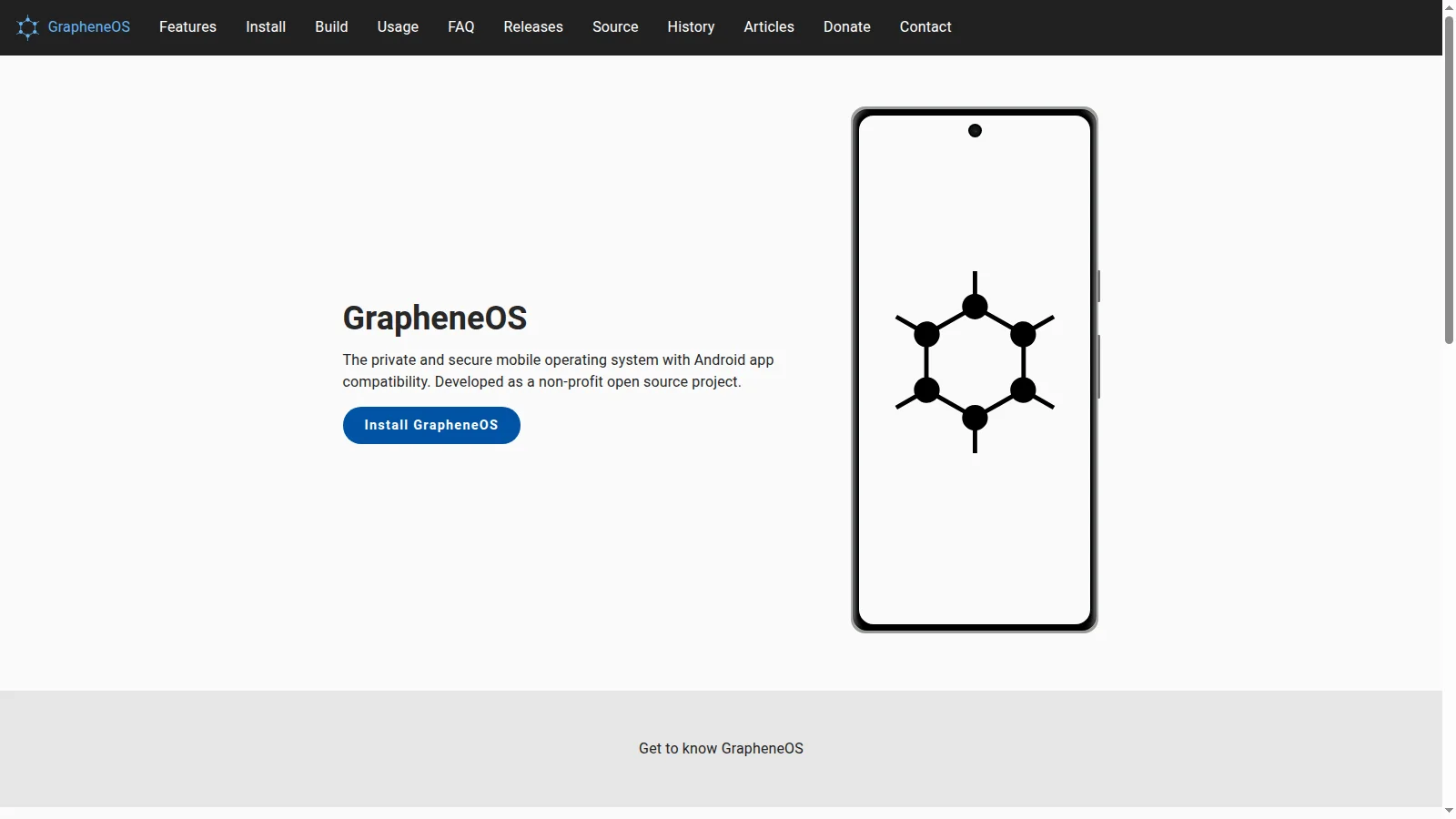
Your phone knows where you sleep, who you call, what you photograph, which repeater you keyed up last night, and which hospital you visited last month. On a stock phone that knowledge is shared by default with the OS vendor, the app vendors, the ad networks they bundle, and anyone who can buy the resulting data. Most people accept this as the price of a working phone. GrapheneOS exists because a small group of researchers refused to accept that trade.
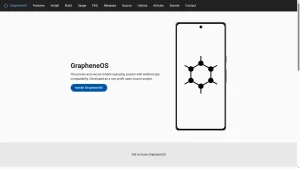
GrapheneOS at https://grapheneos.org/ is the project this article unpacks end to end: what it is under the hood, where it came from, what it feels like to live on every day, who gains the most from switching, who should probably wait, how to install it without bricking a Pixel, how amateur radio operators can use it in the field, and, frankly, what law enforcement officers and lawyers should understand about its encryption and seizure implications. No hype, no fear, just the technical reality as documented on the official site, in the source code, and in the project’s extensive FAQ and features pages.
Last updated: November 2026. Covers official device support from Pixel 6 through Pixel 10a, 7 year update guarantees on Pixel 8 and later, and current features documented at grapheneos.org.
TL;DR: GrapheneOS is a non-profit open source mobile OS based on the Android Open Source Project that runs on Google Pixel phones with locked verified boot. It hardens the OS against exploitation with a hardened allocator, hardened kernel, hardened browser, and rapid security updates, adds practical privacy controls such as a Network permission, Sensors permission, Storage Scopes, Contact Scopes, USB-C port control, auto-reboot, and a duress wipe PIN, and runs official Google Play as fully sandboxed regular apps with no special privileges. It suits journalists, activists, lawyers, clinicians, system administrators, business owners, and any everyday user who wants Android apps without OS level Google integration, including amateur radio operators who want a clean field phone. It isn’t for people who need a non-Pixel phone, carrier locked devices, or guaranteed compatibility with every banking app and game. Law enforcement should know it uses strong filesystem encryption with Titan M2 backed throttling, reboots return data to rest, a duress PIN can irreversibly wipe the device, and there’s no backdoor or vendor key to compel.
What GrapheneOS Is
GrapheneOS is a privacy and security focused mobile operating system with Android app compatibility, developed as a non-profit open source project, that runs on Google Pixel phones with locked verified boot and ships no Google apps or services in the OS itself.
Unpack that definition and five properties fall out. First, it starts from the Android Open Source Project baseline, so regular Android apps install and run, including most apps that depend on Google Play. Second, it is hardened from the bottom up: sandboxing, exploit mitigations, and the permission model are all strengthened rather than bolted on. Third, privacy is structural, not a settings theme: there are no Google apps or services in the base OS, no analytics or telemetry phoning home, and default connections go to GrapheneOS servers instead of Google where a connection is needed at all. Fourth, it only supports hardware that can actually deliver on those promises, which in practice means recent Pixels with a secure element, verified boot with rollback protection, and long firmware support. Fifth, it’s a non-profit open source project with public source code, public releases, and a donation funded model, not a venture backed phone company.
The official site states the philosophy plainly on the features overview: substance over branding, exploit resistance against real adversaries, usability preserved where possible, and no bundling of incomplete third party Google service reimplementations such as microG. Users who want Google services can install the real thing inside the sandbox, covered in detail below. That single design decision explains most of what makes GrapheneOS different from every other custom Android distribution.
Where GrapheneOS Came From
GrapheneOS was founded by Daniel Micay in late 2014 as a solo research project. The early work was deeply technical and unglamorous: a port of OpenBSD malloc to Android’s Bionic libc, a port of PaX kernel hardening patches to supported kernels, and compiler toolchain hardening. Much of that era’s output landed upstream in AOSP, the Linux kernel, and LLVM, or heavily influenced the upstream fixes that replaced it. The full timeline is on the project’s history page.
In late 2015 a company was incorporated to sponsor the work through support contracts and custom variants. While under that sponsorship the project was known as CopperheadOS. The relationship collapsed in 2018 when the CEO attempted to seize control of the project, seized infrastructure, and took donations. The project walked away, rebranded first to AndroidHardening and then to GrapheneOS, and continued as a fully independent open source effort. The former sponsor has no association with the project today. Readers researching old CopperheadOS references should treat anything published by that company after 2018 as hostile to the project, which the history page documents directly.
Since the split, the project has grown to multiple full time and part time developers funded by donations, plus collaborating companies. In March 2023 the GrapheneOS Foundation was created as a Canadian non-profit to handle donation intake and distribution. That matters for trust: there’s no acquisition exit, no ad business, and no enterprise upsell shaping the roadmap. The donate page and public articles record show where money and effort go.
How GrapheneOS Protects You
GrapheneOS organizes its defenses in layers: shrink what attackers can reach, make the remaining bugs harder to exploit, contain breaches that still happen, and make persistence and data extraction expensive. What follows is a plain language tour of the mechanisms documented on the features page.
Attack surface reduction
The cheapest vulnerability is the one that can’t be reached. GrapheneOS strips unnecessary code, disables optional radios by default, and gates risky interfaces behind explicit user action. NFC, Bluetooth, and ultra wideband stay off until needed. Native debugging with ptrace is blocked for bundled apps. Most visibly, the USB-C port and pogo pins control blocks new USB connections as soon as the device locks, at both the hardware USB controller level and the kernel level, including USB-C alternate modes such as DisplayPort. The default mode is charging only when locked, and a full Off mode also disables charging protocol attack surface. This single toggle defeats a whole class of locked device forensic tools that depend on USB.
Exploit mitigations that matter
Most remote and local code execution starts as memory corruption in unsafe languages. GrapheneOS answers with its own hardened_malloc, a hardened Bionic libc, a hardened kernel with slab canaries plus zero on free, four level page tables with high entropy ASLR on arm64, and hardware memory tagging on ARMv9 Pixels where the silicon supports it. Android Runtime JIT profiling is replaced with full ahead of time compilation, dynamic code loading is blocked for nearly the entire base OS, and user installed apps get optional toggles to block dynamic code loading from memory and storage plus WebView JIT. On ARMv9, branch target identification, pointer authentication, and shadow call stack coverage go beyond stock Android. For readers who don’t follow allocator internals, the practical summary is simple: exploit chains that work reliably against stock firmware tend to break, crash, or become unreliable on GrapheneOS, which is exactly the point.
Sandboxing and verified boot
The Android app sandbox, the browser renderer sandbox, media codec sandboxes, and user profiles all sit on top of a hardened SELinux and seccomp policy plus the hardened kernel underneath. Verified boot is strengthened with continuous fs-verity enforcement for out of band system app updates, downgrade protection, and disabled compressed APEX to cut boot chain attack surface. An enhanced hardware attestation story through the Auditor app lets a second device verify the OS running on the first, which is rare in the mobile world and directly useful for high risk users who need to confirm a phone hasn’t been tampered with.
Patching speed
GrapheneOS ships full monthly Android Security Bulletin patches plus its own fixes, and on GKI devices it tracks the latest Linux kernel LTS point releases rather than waiting for quarterly freezes. At various points this has put GrapheneOS months ahead of stock Pixel firmware on kernel patch level, worth hundreds of upstream fixes. The project also reports vulnerabilities upstream itself, including Pixel specific issues and missed backports it discovers during its own integration work.
Apps and services built by the project
The OS ships a small set of purpose built apps: Vanadium, a hardened Chromium based browser and WebView with per site JIT control; a minimal security focused PDF Viewer; a modern Camera app; the Auditor attestation app; a Setup Wizard; Seedvault encrypted backups; and a GrapheneOS app repository client that updates bundled apps out of band. The usage guide documents each one. Notably absent by design: anything from Google, any bundled app store with ads, and any third party app choices imposed on the user.
Privacy Controls You Can Actually Touch
Security keeps attackers out. Privacy decides what legitimate apps are allowed to see. GrapheneOS adds a set of user facing controls that stock Android lacks.
- Network permission toggle. Deny an app all network access, direct and indirect, including localhost tricks used to bridge profiles. The OS reports the network as down so apps degrade gracefully instead of crashing.
- Sensors permission toggle. Block accelerometer, gyroscope, compass, barometer, thermometer, and other sensors not covered by Camera, Microphone, or Activity Recognition permissions. Apps receive zeroed data, and the OS posts a notification so the user knows which app asked.
- Storage Scopes. Instead of handing an app your whole photo library, let it believe it has storage permission while it only sees its own files plus the specific folders you add. This fixes the all or nothing storage dilemma that pushes users to over share.
- Contact Scopes. Same idea for contacts: present an empty address book by default and grant access to selected contacts or groups only.
- Secure Paste. Replaces the global clipboard free for all with per app control. Apps can’t silently sip clipboard content set by other apps.
- USB-C port and pogo pins control. Covered above, but it is as much a privacy control as a security one: no data leaves over a cable you didn’t authorize.
- Auto-reboot. After a configurable 10 minutes to 72 hours of lock time, default 18 hours, the phone reboots itself so encryption keys leave memory and data returns to rest. Implemented in init so a system process crash can’t suppress it.
- Duress PIN and password. A separate credential that irreversibly wipes the device including installed eSIMs the moment it is entered at any unlock prompt. If the duress credential ever equals the real one, the real unlock wins so accidents can’t wipe the phone.
- Two factor fingerprint unlock. Fingerprint plus a short PIN completes unlock, pairing a strong primary passphrase with convenient secondary unlock. Failed PIN attempts count toward the standard limit.
- Longer passwords and PIN scrambling. Up to 128 character passwords by default, plus optional scrambled PIN pad layout against shoulder surfing and side channels.
- Hardened user profiles. Up to 32 profiles, per profile encryption keys, end session buttons that purge keys without a full reboot, per user app install controls, and notification forwarding controls. Profiles are the single most powerful privacy tool in the OS.
- Private screenshots. Strips EXIF build fingerprint and local time metadata from screenshots by default, with an opt in toggle for users who want timestamps back.
- Network location choice. Opt in local position estimation with a GrapheneOS proxy to Apple data today and a self built database in progress, with in memory caching that keeps working briefly offline. No Google network location in the base OS.
- Wi-Fi privacy and LTE-only mode. Per connection MAC randomization with DHCP state flush, IPv6 privacy fixes backported where needed, and an LTE-only mode that disables 2G, 3G, and 5G radio code to shrink cellular baseband attack surface.
- Privacy by default. No Google in the base OS, personalized keyboard learning off, sensitive lock screen notifications hidden, passwords hidden during entry, and default service endpoints pointed at GrapheneOS for connectivity checks, time, PSDS satellite data, SUPL, and remote provisioning, each with toggles to use Google or disable where applicable.
Together these controls change the daily question from do I trust this app into what exactly does this app get. That shift is the whole appeal for privacy conscious users.
Sandboxed Google Play: How Android Apps Still Work
The most misunderstood GrapheneOS feature is also the reason most people can switch without giving up their apps. GrapheneOS will never ship Google Play services in the OS and will never bundle microG. Instead it offers sandboxed Google Play: the official Google Play Store, Play services, and Services Framework installed as ordinary apps inside one user profile, with zero special privileges, no system backend role, and no access to other profiles.
Because Play runs as a regular app, it can only see what the user grants it inside its own profile, and only apps in the same profile that explicitly choose to call it can use it. Nearly everything works: Play Store purchases and license checks, in app billing, Play Asset and Feature Delivery, Firebase Cloud Messaging push, dynamically downloaded modules, SafetyNet and Play Integrity where the app doesn’t insist on a Google certified OS verdict, and rerouted or native network location at the user’s choice. Android Auto is supported through an extension of the same compatibility layer with reduced privileges, documented in the usage guide.
What doesn’t work is anything that inherently requires OS privileges: device admin style remote control, privileged background powers stock firmware grants Play, and apps that hard refuse to run unless the OS passes Google certification. In practice the working set covers banking apps, transit apps, messaging apps, and games for most users, but outliers exist per bank and per country, so testers should install their must have apps in a secondary profile during week one and confirm push notifications, tap to pay, and QR login flows before committing.
Who Should Use GrapheneOS
Short answer: anyone with a supported Pixel who wants Android apps without OS level Google integration and is willing to spend an afternoon learning profiles. Longer answer by role:
- Journalists and editors handling sensitive sources. Profiles separate source communications from personal life, auto-reboot bounds seizure exposure, Auditor verifies device integrity before travel, and Vanadium with JIT disabled by default shrinks drive by web risk.
- Activists, organizers, and human rights workers. Same toolkit plus duress PIN planning, per connection Wi-Fi randomization at venues, and LTE-only mode in hostile radio environments.
- Lawyers, clinicians, and fiduciaries. Contact Scopes and Storage Scopes enforce least privilege on client and patient data, encrypted Seedvault backups satisfy continuity needs, and no OS level ad telemetry simplifies confidentiality duties.
- System administrators and security engineers. Fast patching, memory tagging,exec spawning protections, and a readable source tree make it the rare phone that rewards inspection instead of punishing it.
- Business owners and finance staff. A dedicated Owner profile plus a banking profile with sandboxed Play isolates money apps from games and social apps. Longer passwords plus two factor fingerprint unlock raise the bar for opportunistic theft.
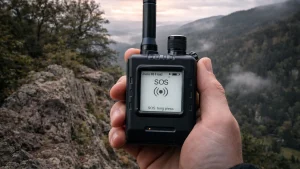
- Amateur radio operators and emergency communicators. A clean field phone with offline maps, APRS clients, and logging apps in their own profile, no background ad SDKs burning battery, USB-C lockdown when the phone sits in a go kit, and auto-reboot before a deployment ends. More in the ham section below.
- Parents and educators. Secondary profiles per child or classroom with app installation disabled after setup, Network permission off for games that have no business online, and sensors off for flashlight grade utilities.
- Everyday privacy seekers. Anyone tired of being the product can run the same apps with fewer identifiers leaking: per profile advertising IDs, hardened WebView, private screenshots, and a firewall style Network toggle instead of a root only hack.
Who Gains the Most: Practical Advantages
Beyond roles, these concrete wins convince skeptics:
- One phone, many identities. Owner for administration, personal for daily use, banking for money, travel for border crossings, and an ephemeral guest that gets deleted afterward. Each has its own encryption keys and app set.
- Banking grade theft resistance. Titan M2 backed Weaver throttling plus short auto-reboot windows mean a snatched locked phone quickly becomes a brick that only yields data to the correct passphrase, not to a cable and patience.
- App compatibility without surrender. Sandboxed Play delivers push notifications and paid apps while the base OS stays Google free, which neither stock Android nor most degoogled forks achieve simultaneously.
- Battery and focus. No bundled bloat, no OS level ad services, and Network denied games simply stop chattering in the background.
- Verifiable integrity. Auditor plus attestation gives a checkable claim that the OS is genuine, useful before elections, protests, travel, and maintenance handoffs.
- Longevity. Pixel 8 and later carry a 7 year minimum update guarantee from launch, so a single purchase can serve through multiple license cycles and deployment seasons.
Who Should Probably Wait
Honesty requires the other list. GrapheneOS is a poor fit today for:
- Anyone without a supported Pixel. Official builds target Pixel 6 through Pixel 10a including Fold and Tablet variants. There’s no maintained generic image, and carrier locked US models that can’t unlock the bootloader can’t install it at all.
- Users dependent on one incompatible app. A small minority of banking, transit, DRM video, and anti cheat game apps refuse non certified OS builds. Check the community compatibility reports and test before migrating a primary number.
- People who need out of box hand holding. Initial setup asks the user to understand profiles, app sources, and notification setup. Technicians can preconfigure phones for family, but solo non technical users should budget help.
- iPhone committed households. If FaceTime, iMessage history, AirDrop workflows, and Apple Watch integration are load bearing, switching one member to GrapheneOS creates friction no OS feature can fix.
- Photographers married to computational pipelines. Pixel cameras still shoot well on GrapheneOS through its Camera app, but Google Camera ports and cloud photo workflows vary by model and release.
None of these are permanent verdicts. The compatibility set grows monthly, and older users often keep a secondary stock device for one stubborn app while moving everything else.
Devices, Support Lifetimes, and Installation
GrapheneOS publishes production builds for Pixel 6, 6 Pro, 6a, 7, 7 Pro, 7a, Fold, Tablet, 8, 8 Pro, 8a, 9, 9 Pro, 9 Pro XL, 9 Pro Fold, 9a, 10, 10 Pro, 10 Pro XL, 10 Pro Fold, and 10a. Pixel 8 and later carry a 7 year minimum support guarantee from launch with hardware memory tagging support on ARMv9 cores. Pixel 6 and 7 carry the older 5 year guarantee and remain supported through October 2026 to May 2028 depending on model. End of life Pixels back to Nexus devices are documented for history but receive no builds. Full detail lives in the device support FAQ section and the releases page.
Installation uses the official install guide: unlock the bootloader on a non carrier locked device, flash through the browser based WebUSB installer or the command line, then relock the bootloader so verified boot enforces the GrapheneOS images. Relocking is the step that separates GrapheneOS from hobbyist ROMs that leave the bootloader open. Carrier devices, especially US carrier financed phones, may permanently forbid unlocking, so buy factory unlocked direct from Google or a retailer that guarantees unlockable bootloaders. Keep the phone charged, keep the cable wired rather than hubbed, and don’t interrupt the first boot while profiles and keys provision.
Updates arrive over the air roughly every six hours of check in via the System Updater against releases.grapheneos.org, with delta packages to save bandwidth, signature verification plus downgrade protection, and verified boot as a second enforcement layer. Leave the updater enabled on a permitted network. Sideloaded offline updates are documented for air gapped workflows.
Daily Life on GrapheneOS
A workable first week layout looks like this. Keep Owner minimal: system settings, Auditor, app repository, and nothing social. Create a Personal profile for daily messaging and browsing with Vanadium as default. Create a Money profile with sandboxed Google Play, the Play Store, and banking apps only. Create a Radio or Field profile for amateur apps, offline maps, and logging tools. Enable auto-reboot at 18 hours or shorter, set USB-C to charging only when locked, deny Network to games and utilities that work offline, grant Storage Scopes instead of full media access, and turn on Seedvault encrypted backups to a USB drive you control.
Get apps from three places in order: the GrapheneOS app repository for bundled components, the sandboxed Play Store inside the profiles that need Play, and F-Droid or direct APKs for open source tools. Push notifications work through sandboxed Play where the app uses Firebase, or through the app’s own connection such as Signal or Proton services. Contact and calendar sync can run through any DAV provider rather than Google. Tap to pay depends on the wallet app and Play Integrity stance, so verify with a small purchase before a trip. Android Auto works where the car head unit and app set cooperate through the compatibility layer. None of this requires root, and rooting would actively weaken the security model the OS is selling.
GrapheneOS for Amateur Radio Operators
Hams have specific reasons to care. A summit, contest site, or emergency operations center is exactly where a leaky phone hurts: background SDKs uploading location, ad filled flashlight apps reading sensors, and a single profile mixing family photos with served agency traffic. On GrapheneOS the field phone becomes a tool again.
Put APRS clients, offline MBTiles map viewers, repeater directories, logging apps, and WebSDR shortcuts in a dedicated radio profile with its own notification policy. Deny Network to apps that log locally, grant Storage Scopes only to the folders holding maps and ADIF exports, and kill sensor access for utilities that don’t need it. USB-C lockdown means the phone riding in a chest rig or plugged into a field laptop exposes no data interface while locked. Auto-reboot means a phone left in a go box overnight returns to rest by morning. Vanadium handles club portals, WebSDR, and log uploads with hardened JIT defaults. Sandboxed Play stays confined to the profile that needs one commercial app, while the radio profile stays clean and offline capable. For cross border activations, an ephemeral travel profile with only the logbook and maps can be deleted on return, leaving no lingering identifiers tied to the home profiles.
Two cautions. USB accessories such as RTL-SDR dongles, TNCs, and programming cables need explicit user consent per profile and draw power accordingly, so test the exact dongle and cable before an activation. And LTE-only mode is an attack surface control, not a coverage booster: in weak signal areas it can drop usable 5G or 3G fallback, so evaluate per site rather than leaving it forced.
What Law Enforcement Should Know
This section is written for officers, investigators, digital forensics examiners, prosecutors, defense counsel, and oversight bodies. It is factual, not legal advice, and it applies equally to any modern encrypted phone, with GrapheneOS specifics called out.
There is no backdoor and no vendor key to compel. GrapheneOS is open source, ships no remote administration, and the project holds no user keys. Legal process directed at the project can’t produce user data because there’s nothing to produce. Requests must be directed at the device holder or at third party service providers holding their own copies, under applicable law and judicial authorization.
Encryption is filesystem based with hardware bound keys. Each user profile has unique random keys protected by the lock credential plus a high entropy Weaver token in the Titan M2 secure element on Pixels. Brute force is throttled in hardware with escalating delays after five failures, reaching hours, days, and years, with a hard stop after 20 failed attempts. Offloading the guess work to faster hardware doesn’t help because a hardware bound secret inside the SoC participates in derivation. The practical result is that a strong alphanumeric passphrase is infeasible to brute force. While a short PIN depends entirely on the throttling and the seizure state.
Seizure state decides everything. Before First Unlock, keys aren’t in memory and extraction is at its hardest. After First Unlock but locked, some keys may remain, but GrapheneOS auto-reboot returns the device to rest after the configured interval, default 18 hours, and per profile End Session purges that profile’s keys immediately. USB-C lockdown blocks new data connections once locked. Examiners should assume a window of minutes to hours, not days, before a properly configured device reverts to rest, and plan Faraday isolation plus power maintenance accordingly. Don’t depend on keeping the phone unlocked by touching the screen, which can constitute a search in many jurisdictions and may trigger duress or wipe policies configured by the user.
A duress credential can irreversibly wipe the device. If the user configured one, entering it at any unlock prompt wipes the phone including eSIMs without a reboot and without an interrupt path. Accidental entry is guarded because the real credential always wins ties. But deliberate entry by a holder who prefers destruction to disclosure is instant and complete. Agencies should train for this possibility, document prompts given, and avoid compelling credential entry without legal authority and a clear record, since a compelled duress entry destroys evidence.
Tampering is detectable, and modification is evident. Verified boot with rollback protection, Auditor attestation, and signed deltas mean a modified OS won’t boot locked without detection. Examiners should photograph boot state warnings, record OS version and patch level, and avoid bootloader or firmware operations that destroy data. Standard write blocking expectations from disk forensics don’t transfer to live encrypted phones.
Lawful and ethical handling still applies. Follow jurisdiction rules for search authority, compelled decryption, and biometric compulsion, which vary sharply by country and, in the United States, by evolving case law. Minimize data scope to the authorized profiles and time ranges, use the profile separation the OS provides as a guide to relevance rather than copying everything by default, and preserve chain of custody for any Seedvault backup media or USB drives seized alongside the phone. Nothing in GrapheneOS prevents a lawful search of an unlocked device or of data held by third parties; it only prevents bypassing the lock without the credential.
Don’t confuse hardening with hostility. H Privacy researchers, dissidents under authoritarian regimes, and ordinary citizens use the same protections as criminals, just as door locks serve both. Evaluate the device, not the OS brand, and avoid adverse inferences from the mere use of privacy tools, which courts and oversight bodies increasingly recognize as legitimate.
How GrapheneOS Compares
| System | Base and apps | Google inside OS | Verified boot locked | Security updates | Privacy controls | Best for |
|---|---|---|---|---|---|---|
| GrapheneOS on Pixel | AOSP hardened, sandboxed Play optional | None in base OS | Yes, GrapheneOS keys | Monthly plus out of band, fast kernel LTS | Network, Sensors, Storage and Contact Scopes, USB control, auto-reboot, duress | High risk users and anyone wanting Android apps minus OS Google |
| Stock Pixel OS | Google Android | Deeply integrated | Yes, Google keys | Monthly, slower kernel cadence | Standard Android permissions | Users invested in Google services and Pixel cameras |
| iPhone iOS | Apple closed source | No Google, Apple services instead | Yes, Apple keys | Fast, long support | Strong app review plus tracking prompts | Apple ecosystem users wanting curated privacy |
| LineageOS | AOSP community ports, wide devices | Optional GApps package | Usually unlocked, no rollback enforcement | Varies by maintainer, often delayed | Privacy Guard style extras, weaker hardening | Reviving old hardware with community builds |
| CalyxOS | AOSP with microG, Pixels and Fairphone | microG bundled | Locked on Pixels where supported | Monthly but tied to device set | Firewall, auto updates, Seedvault pioneer | Users wanting degoogled daily driver with microG convenience |
| /e/OS Murena | Lineage fork with cloud account | microG bundled plus Murena cloud | Varies, often unlocked | Varies by device | Tracker blocker, cloud optional | Users wanting Apple style account plus degoogling |
Read the table as a posture guide. GrapheneOS maximizes exploit resistance and least privilege on a narrow set of strong hardware. Stock Pixel maximizes service integration on the same hardware. IOS maximizes curated ecosystem privacy on Apple hardware. LineageOS maximizes device coverage at the cost of boot chain guarantees. CalyxOS and /e/OS trade some hardening for microG convenience and account ecosystems. Only GrapheneOS in this list refuses both OS level Google and OS level microG while still running official Play sandboxed.
Honest Limits
GrapheneOS can’t fix the cellular network, which remains inherently trackable by carriers and anyone with carrier grade access. Airplane mode is the only complete cellular silence, and even then Wi-Fi, Bluetooth, and GNSS are separate radios with their own policies. It can’t stop users from handing data to apps they grant, from reuploading contacts to a cloud account, or from installing a malicious keyboard that sees everything typed. Web fingerprinting,RUBY style side channels across apps, and physical observation all survive any OS. Banking and DRM outliers will refuse to run, camera pipelines differ from stock on some models, and carrier locked phones can’t join at all. The project documents these boundaries rather than marketing around them, which is why the FAQ repays a full read before purchase.
Getting Started Checklist
- Confirm need: list the five apps that would block a switch and test them on a borrowed Pixel or community report first.
- Buy right: factory unlocked Pixel 8 or later for the 7 year guarantee, non carrier financed, new or reputable refurbished with return rights.
- Install clean: follow the official install page, use a direct USB cable, and relock the bootloader when instructed.
- Structure profiles: Owner minimal, Personal daily, Money with sandboxed Play, Radio for field apps, Travel ephemeral as needed.
- Harden defaults: auto-reboot 18 hours or less, USB-C charging only when locked, Storage and Contact Scopes instead of broad grants, Network off where offline works.
- Back up: enable Seedvault to media you hold, record recovery details offline, and rehearse a restore before any trip.
- Verify: run Auditor pairing with a second device, read the usage guide end to end, and subscribe to release notes so an update surprise never catches a deployment week.
Sources and Further Reading
- GrapheneOS, the project homepage: https://grapheneos.org/
- Features overview, hardening and privacy controls: https://grapheneos.org/features
- Frequently asked questions, devices, encryption, connections: https://grapheneos.org/faq
- Official install instructions: https://grapheneos.org/install/
- Usage guide, sandboxed Google Play, profiles, backups: https://grapheneos.org/usage
- Release notes and update history: https://grapheneos.org/releases
- Source code and issue tracker: https://github.com/GrapheneOS
- Project history including CopperheadOS split: https://grapheneos.org/history/
- Community forum: https://discuss.grapheneos.org/
- Auditor attestation app and service: https://attestation.app/about
- Android Verified Boot documentation: https://source.android.com/docs/security/features/verifiedboot
- Android Open Source Project: https://source.android.com/
- Hardened allocator design and docs: https://github.com/GrapheneOS/hardened_malloc
- Privacy Guides Android distributions, independent perspective: https://www.privacyguides.org/en/android/distributions/
73 de 9M2PJU.


Post Comment