AmbientWeatherServer: Self-Host a WS-2000 Personal Weather Station with SQLite History and APRS-IS Publishing
TL;DR:
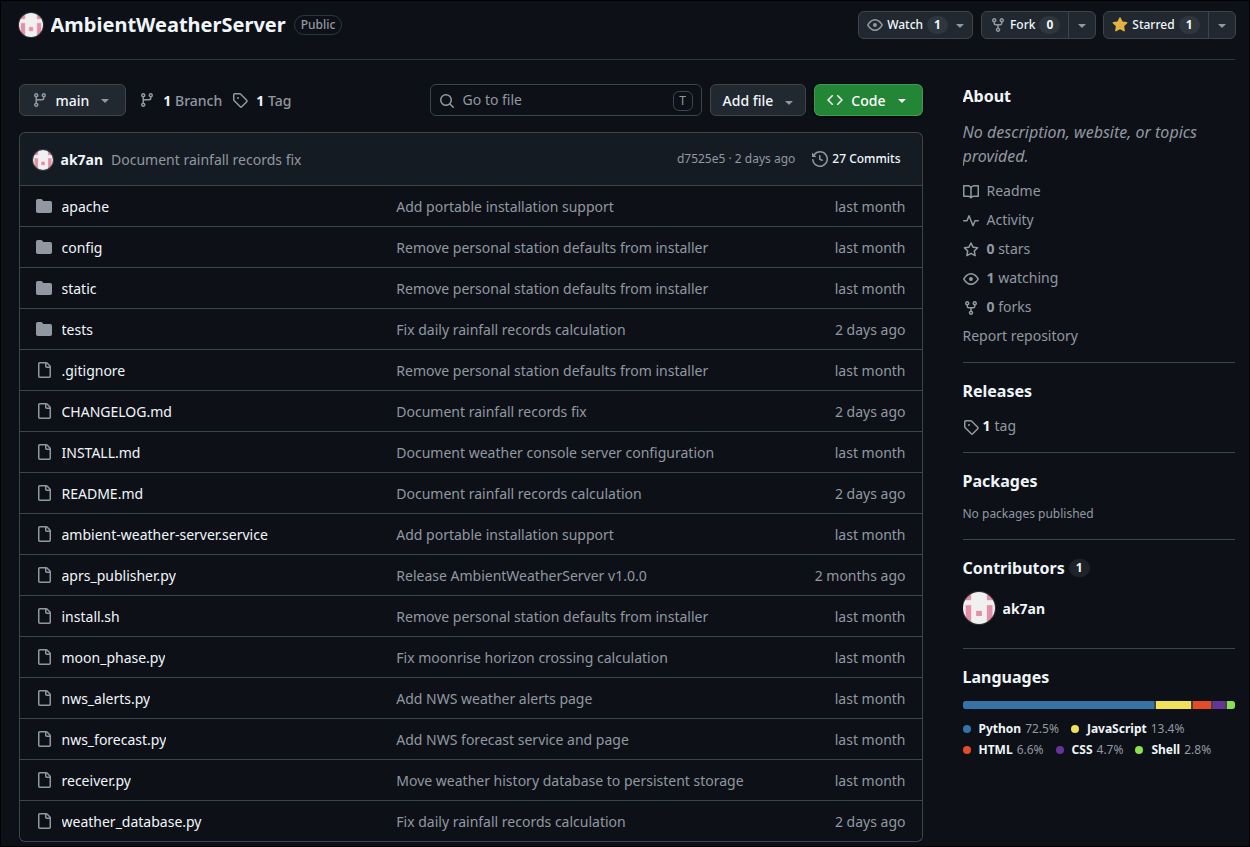
AmbientWeatherServeris an open-source, private weather server designed for the Ambient Weather WS-2000 personal weather station. It captures raw sensor telemetry over your local network on port 8088, archives high-resolution observations in a standalone SQLite database, calculates offline astronomical metrics and true average temperatures, caches National Weather Service (NWS) forecasts and active alerts, and publishes standard APRS-IS and CWOP weather packets for amateur radio operators without requiring cloud services or subscriptions.
What Is AmbientWeatherServer?
AmbientWeatherServer is an open-source, self-hosted personal weather station server designed to receive local network telemetry from Ambient Weather WS-2000 consoles, record high-resolution observations into a persistent SQLite archive, and publish real-time weather packets directly to the APRS-IS and CWOP networks without relying on cloud services. Developed by ak7an and released under the MIT License, the software provides weather enthusiasts and radio amateurs with complete data sovereignty, robust analytics, and automated emergency telemetry.
+-----------------------------------------------------------------------------+
|                       AmbientWeatherServer Architecture                     |
|                   (Python 3 · SQLite3 · Apache · systemd)                   |
+--------------------------------------+--------------------------------------+
                                       |
    +----------------------------------+----------------------------------+
    |                                                                     |
    v                                                                     v
+-----------------------------------+     +-----------------------------------+
|      WS-2000 Console Ingest       |     |     Analytics & Background Feeds  |
| · HTTP GET/POST on Port 8088      |     | · SQLite History Archive (Queue)  |
| · /data/report Protocol Decoder   |     | · True Sample Averaging Engine    |
| · Derived Metrics (Dew Point,     |     | · Offline Sidereal Moon Math      |
|   Feels Like, Sea-Level Pressure) |     | · NWS GeoJSON Forecast & Alerts   |
| · 10-Min Vector Wind Averaging    |     | · APRS-IS & CWOP Uplink Daemon    |
+-----------------+-----------------+     +-----------------+-----------------+
                  |                                         |
                  +--------------------+--------------------+
                                       |
                                       v
+-----------------------------------------------------------------------------+
|                      Apache Reverse Proxy & Web Interface                   |
| · Static Asset Delivery (/weather/) · Restrictive JSON APIs (/api/*)        |
| · Live Responsive Dashboard · Dark/Light Modes · Interactive Wind Compass   |
| · Historical Reports & CSV Export · Station Records · NWS Weather Alerts   |
+-----------------------------------------------------------------------------+
Modern consumer weather stations such as the Ambient Weather WS-2000 (manufactured by Fine Offset / Ecowitt) provide precise outdoor meteorological sensing, including temperature, relative humidity, wind speed, wind gust, solar radiation, UV index, and rainfall accumulation. Standard deployments typically stream these readings directly to third-party commercial cloud platforms.
Cloud-tethered weather monitoring introduces several operational challenges:
- Data Sovereignty and Privacy: Station location coordinates and micro-climate environmental telemetry are stored on external vendor servers.
- Service Outages and Internet Gaps: Network disconnects or vendor cloud maintenance interrupt real-time monitoring and leave permanent gaps in historical data logging.
- Rate Limits and Downsampling: Cloud APIs frequently enforce strict request quotas and downsample sensor readings to save bandwidth.
- Amateur Radio Isolation: Proprietary consumer dashboards lack native mechanisms to broadcast weather packets over the Automatic Packet Reporting System (APRS) or the Citizen Weather Observer Program (CWOP).
AmbientWeatherServer resolves these issues by turning any standard Linux host (such as a Raspberry Pi, Debian server, or Ubuntu system) into a local receiver and telemetry hub. By utilizing the WS-2000 console’s native “Customized Server” upload mode, observations flow directly across the local area network into an independent, self-contained software stack.
System Architecture and Component Overview
AmbientWeatherServer is built in clean Python 3 without heavy web framework dependencies. It relies on standard library HTTP server modules, native SQLite bindings, and low-level socket programming to maintain a minimal resource footprint (~20-40 MB RAM) suitable for long-term embedded operation.
+-----------------------------------------------------------------------------+
|                          Daemon Component Breakdown                         |
+-----------------------------------------------------------------------------+
 [WS-2000 Console] ──(HTTP LAN @ 8088)──► [receiver.py]
                                               │
          ┌────────────────────────────────────┼──────────────────────────────┐
          │                                    │                              │
          ▼                                    ▼                              ▼
 [weather_database.py]                 [aprs_publisher.py]           [moon_phase.py]
  · Dedicated Write Queue Worker        · APRS 1.01 TNC2 Formatting   · Offline Moonrise/Set
  · Sample Bucketing (60s-3600s)        · APRS-IS & CWOP Sockets      · Illumination Math
  · /var/lib/.../weather-history.db     · Exponential Backoff Retry   · Station Horizon Model
          │                                    │                              │
          └────────────────────────────────────┼──────────────────────────────┘
                                               │
                                               ▼
                                      [nws_forecast.py & nws_alerts.py]
                                       · Server-Side NWS REST API Queries
                                       · 24h Grid / 30m Forecast / 60m Alert Cache
                                       · Stale-Data Outage Fallback
1. Dedicated System User and Hardened File Permissions
The software runs as a non-root system service under the dedicated ambient-weather-server user. Operating directories are partitioned according to the Linux Filesystem Hierarchy Standard (FHS):
- Application Core:
/opt/AmbientWeatherServer(read-only code execution). - Static Assets:
/var/www/ambient-weather-server(served directly by Apache). - Persistent Archive:
/var/lib/ambient-weather-server(database file set to mode0640). - Private Configuration:
/opt/AmbientWeatherServer/config/aprs-private.json(restricted to mode0600so APRS passcodes remain hidden from unauthorized local accounts).
2. Thread-Safe State Management
The ingest daemon maintains an in-memory normalized observation record protected by Python threading primitives. When client browsers request /api/weather, the server returns the cached normalized state in sub-millisecond time without triggering disk read I/O or locking the historical database.
Local Network Ingest: How the WS-2000 Protocol Works
The Ambient Weather WS-2000 console contains an integrated Wi-Fi controller that supports broadcasting weather telemetry to custom HTTP destinations. Rather than polling the station, AmbientWeatherServer operates as a passive listener on port 8088.
+-----------------------------------------------------------------------------+
|                       Console Upload & Decoding Pipeline                    |
+-----------------------------------------------------------------------------+
 [Console Sensor Array] ──(868/915 MHz RF)──► [WS-2000 Display Console]
                                                      │
                                    (HTTP POST /data/report)
                                                      │
                                                      ▼
 [receiver.py Ingest] ◄─────────────── Parses Form/Query String Parameters
        │
        ├──► Extract Raw Telemetry: tempf, humidity, baromrelin, baromabsin,
        │    winddir, windspeedmph, windgustmph, rain counters, solarradiation, uv
        │
        ├──► Compute Derived Values:
        │    · Dew Point (Magnus-Tetens Approximation)
        │    · Feels Like (Wind Chill <= 50°F / Heat Index >= 80°F)
        │    · Calculated Sea-Level Pressure from Absolute Pressure & Elevation
        │    · 10-Minute Rolling Vector Average Wind Speed and Direction
        │    · Local Solar Ephemeris (Sunrise, Sunset, Daylight Remaining)
        │
        └──► Broadcast to Active Subsystems: Database Queue, APRS-IS, Live API
1. Ingested Sensor Parameters
The console submits weather data using standard URL-encoded form parameters to /data/report. AmbientWeatherServer maps and validates every incoming metric:
| Parameter Key | Description | Unit / Format |
|---|---|---|
stationtype |
Hardware station identifier | String (e.g. EasyWeatherV1.6.4) |
dateutc |
Console timestamp | UTC Date/Time (YYYY-MM-DD HH:MM:SS) |
tempf |
Outdoor dry-bulb temperature | Degrees Fahrenheit (°F) |
humidity |
Outdoor relative humidity | Integer Percentage (1-100%) |
tempinf / humidityin |
Indoor console temperature & humidity | °F / Percentage (%) |
baromabsin |
Raw absolute barometric pressure | Inches of Mercury (inHg) |
baromrelin |
Console-adjusted relative pressure | Inches of Mercury (inHg) |
winddir / windspeedmph |
Instantaneous wind direction & speed | Degrees (0-360°) / Miles per Hour (mph) |
windgustmph / maxdailygust |
Instantaneous wind gust & daily max gust | Miles per Hour (mph) |
hourlyrainin / dailyrainin |
Incremental rainfall counters | Inches of liquid precipitation (in) |
weeklyrainin / monthlyrainin |
Extended cumulative rain totals | Inches (in) |
yearlyrainin / eventrainin |
Annual rainfall and current storm event | Inches (in) |
solarradiation / uv |
Solar irradiance and ultraviolet index | W/m² / Integer UV index |
battout / battin |
Sensor array and indoor sensor battery flags | Binary health status (1 = OK, 0 = Low) |
2. Real-Time Meteorological Calculations
The receiver doesn’t simply forward raw data; it calculates broad derived meteorology on each observation pass:
- Dew Point: Calculated from outdoor temperature and relative humidity using the standard Magnus-Tetens formula.
- Feels Like: Employs an intelligent dual-branch algorithm. When the temperature is 50°F or lower and wind speed exceeds 3 mph, the National Weather Service Wind Chill formula is applied. When temperature is 80°F or higher with humidity above 40%, the Rothfusz Heat Index regression formula is computed. In intermediate conditions, the raw ambient temperature is preserved.
- Sea-Level Pressure: Normalized from raw absolute pressure (
baromabsin) using the station’s configured geographic elevation above sea level, providing consistent barometric readings independent of console calibration drifts. - 10-Minute Vector Wind Averaging: Wind speed and direction are decomposed into Cartesian orthogonal vectors (
uandvcomponents) over a rolling 10-minute buffer to calculate true meteorological vector-average wind direction.
SQLite Weather History and Analytics Engine
Long-term weather logging requires reliability, crash tolerance, and fast analytical querying. AmbientWeatherServer stores historical records in a local SQLite database at /var/lib/ambient-weather-server/weather-history.sqlite3.
+-----------------------------------------------------------------------------+
|                      SQLite Storage & Aggregation Engine                    |
+-----------------------------------------------------------------------------+
  Incoming Ingest ──► [sample_bucket_utc()] ──► [Thread-Safe Queue]
                                                       │
                                                       ▼
                                             [Dedicated Write Worker]
                                                       │
                                                       ▼
                                    [/var/lib/.../weather-history.sqlite3]
                                                       │
          ┌────────────────────────────────────────────┼──────────────────────────────┐
          │                                            │                              │
          ▼                                            ▼                              ▼
 [Daily/Monthly/Yearly Aggregations]         [Station All-Time Records]       [CSV Streamer]
 · True Sample Average (AVG(tempf))          · High/Low Temperature           · ISO Date Ranges
 · Daily Rain Totals from Max Counter        · Max Sustained Wind & Gusts     · 366-Day Safety Guard
 · Data Completeness vs DST Bounds           · Peak Solar & Pressure Extrems  · Browser Direct Download
                                             · Longest Continuous Dry Spell
1. Sample Bucketing and Ingest Decoupling
While the WS-2000 console can upload telemetry every 16 to 60 seconds, writing every unbuffered ping to disk causes excessive flash write amplification on SD cards and SSDs. AmbientWeatherServer groups observations into uniform sample buckets (sample_bucket_utc) using a configurable sampling interval (default: 300 seconds / 5 minutes. Configurable between 60 and 3600 seconds).
A dedicated background thread reads from an in-memory queue and executes atomic SQLite insert transactions, ensuring that HTTP request handling is never blocked by database disk writes.
2. True Sample Averaging vs Midpoint Approximations
Many basic weather applications calculate monthly and yearly average temperatures using the midpoint formula:
\text{Midpoint Average} = \frac{\text{Daily High} + \text{Daily Low}}{2}
This mathematical shortcut introduces severe skew during asymmetrical diurnal weather events (such as prolonged cold fronts or rapid mid-day temperature spikes). AmbientWeatherServer computes true mathematical averages across the entire dataset:
\text{True Average} = \frac{1}{N} \sum_{i=1}^{N} T_i
Every valid 5-minute sample in the selected period is factored into the aggregate calculation, providing genuine climatological accuracy.
3. Data Completeness Metrics
The history engine calculates an empirical completeness score for every daily, monthly, and yearly summary. By factoring in station timezone offsets, daylight saving time transitions (23-hour or 25-hour local days), and elapsed hours in ongoing periods, the system displays the exact percentage of expected observations successfully recorded.
4. Station Records and Climatological Extremes
The Station Records module (records.html / records.js) queries the local database to report personal all-time station records:
- Temperature: All-time minimum and maximum outdoor temperatures.
- Wind: Maximum sustained wind speed and highest instantaneous gust.
- Barometric Pressure: Highest and lowest recorded sea-level pressure.
- Solar Radiation: Peak solar irradiance in W/m².
- Precipitation: Wettest calendar day (maximum daily rain counter recorded within a single station-local calendar day), wettest calendar month, and wettest calendar year.
- Longest Dry Spell: The longest consecutive run of station-local calendar days with total precipitation below 0.01 inches. Missing data days break the sequence to prevent false records.
APRS-IS and CWOP Telemetry for Amateur Radio
For licensed amateur radio operators and emergency communicators, weather telemetry is an essential public service. AmbientWeatherServer includes an automated publishing engine that transmits live weather observations to the global APRS-IS (Automatic Packet Reporting System – Internet Service) network and the Citizen Weather Observer Program (CWOP).
+-----------------------------------------------------------------------------+
|                         APRS-IS / CWOP Publishing Chain                     |
+-----------------------------------------------------------------------------+
 [Live Weather State]
        │
        ▼
 [validate_weather_freshness()] ──► Drops telemetry older than max_age_seconds (180s)
        │
        ▼
 [build_weather_payload()] ───────► Formats APRS 1.01 Compressed/Uncompressed String:
        │                           !DDMM.mmN/DDDMM.mmW_ddd/sss gggg tttt rrrr pppp PPPP hhh bbbbb
        ▼
 [build_tnc2_packet()] ───────────► Wraps into standard TNC2 Frame:
        │                           9M2PJU-13>APRS,TCPIP*:!0308.45N/10141.90E_...
        ▼
 [AprsISConnection] ──────────────► TCP Socket to APRS Tier-2 / CWOP Core Server
        │                           (rotate.aprs2.net:14580 or cwop.aprs.net:14580)
        ├── Passcode Auth: Verified APRS-IS Passcode (Amateur) or "-1" (CWOP)
        └── Keepalive & Exponential Backoff Reconnect (5s, 15s, 30s, 60s)
1. Packet Structure and Meteorological Fields
The publisher converts station observations into standard APRS weather data format according to the Bob Bruninga (WB4APR) APRS 1.01 specification:
CALLSIGN-SSID>APRS,TCPIP*:!DDMM.mmN/DDDMM.mmW_c...s...g...t...r...p...P...h...b...Comment
!DDMM.mmN/DDDMM.mmW_: Station latitude, longitude, and weather station symbol (/_for primary table weather station,\_for alternate, orW_overlay).c... / s...: 10-minute average wind direction in degrees and wind speed in statute miles per hour.g...: Peak wind gust in mph over the last 10 minutes.t...: Outdoor temperature in degrees Fahrenheit (with support for negative sub-zero values).r...: Liquid rainfall in hundredths of an inch over the past hour.p...: Liquid rainfall in hundredths of an inch over the past 24 hours.P...: Liquid rainfall in hundredths of an inch accumulated since midnight.h...: Relative humidity percentage (00denotes 100%).b...: Barometric sea-level pressure in tenths of a hectopascal / millibar (5 digits).
2. Operational Modes: Amateur APRS vs. CWOP
AmbientWeatherServer supports dual operating modes configured via web interface:
- Amateur Radio Mode: Authenticates to the APRS Tier-2 server network (e.g.
rotate.aprs2.net:14580) using your FCC/IARU callsign with an SSID (such asN0CALL-13or9M2PJU-13) and verified APRS-IS passcode. - CWOP Mode: Authenticates to CWOP ingest servers using your assigned Citizen Weather Observer Program station ID (e.g.
CW1234orDW5678) using the standard-1weather-only passcode convention.
3. Safety Guards and Web Test Transmission
To maintain network hygiene on APRS-IS:
- Freshness Enforcement: Telemetry older than
max_weather_age_seconds(default: 180 seconds) is immediately discarded to prevent broadcasting stale reports during station dropouts. - Test Packet Tool: The web administration page includes a Send Test Weather Packet button that transmits a single live packet to verify APRS-IS uplink connectivity before enabling automated background publishing.
Offline Astronomical Engine: Moon Phase and Rise/Set Math
AmbientWeatherServer includes a fully offline lunar calculation engine (moon_phase.py) written in pure Python without requiring heavyweight external ephemeris libraries like PyEphem or Astropy.
+-----------------------------------------------------------------------------+
|                         Offline Lunar Calculation Flow                      |
+-----------------------------------------------------------------------------+
 [Station GPS & Local Date] ──► [_julian_date()] ──► [_greenwich_sidereal_degrees()]
                                                            │
          ┌─────────────────────────────────────────────────┴────────────────────────┐
          │                                                                          │
          ▼                                                                          ▼
 [Mean Synodic Lunation Math]                                       [Apparent Horizon Search]
 · Reference Epoch: 2000-01-06 18:14 UTC                            · Low-Precision Geocentric Ecliptic Pos
 · Mean Cycle: 29.530588853 Days                                    · Right Ascension & Declination Shift
 · Computes: Phase Name, Lunar Age (Days),                          · Iterates Local Apparent Sidereal Time
   Illumination Percentage, Next Full/New Moon                      · Identifies Precise Moonrise & Moonset
1. Lunation Cycle and Illumination
Using a reference new-moon epoch (January 6, 2000 at 18:14 UTC) and the mean synodic month length of 29.530588853 days, the software computes:
- Lunar age in days.
- Fractional illumination percentage (
0\%to100\%). - Named lunar phase (New Moon, Waxing Crescent, First Quarter, Waxing Gibbous, Full Moon, Waning Gibbous, Last Quarter, Waning Crescent).
- Projected timestamps for the next Full Moon and New Moon.
2. Sidereal Horizon Crossing Calculations
To calculate station-local Moonrise and Moonset times, the module converts mean lunar orbital elements into right ascension (\alpha) and declination (\delta), evaluates local apparent sidereal time, and executes an iterative apparent-horizon crossing search across the 24-hour station-local calendar day. Normal mid-latitude rise and set times match official astronomical almanacs within approximately 15 to 30 minutes.
National Weather Service Forecasts and Active Alerts
For stations located within the United States and its territories, AmbientWeatherServer interfaces directly with the National Weather Service API (api.weather.gov) to deliver official 7-day period forecasts and real-time emergency weather alerts.
+-----------------------------------------------------------------------------+
|                       NWS Caching and Failover Mechanism                    |
+-----------------------------------------------------------------------------+
 [Station Latitude / Longitude]
        │
        ▼
 [NWS API Resolver] ──► GET api.weather.gov/points/{lat},{lon}
        │               (Grid Metadata Cached for 24 Hours)
        │
        ├──► GET /gridpoints/{office}/{gridX},{gridY}/forecast
        │    · 7-Day Daytime/Nighttime Period Text & Probability of Precipitation
        │    · Cached Locally for 30 Minutes (Throttled to max 1 query per 5 min)
        │
        └──► GET /alerts/active?point={lat},{lon}
             · Active Watches, Warnings, and Advisories with Full Instructions
             · Cached Locally for 60 Minutes (Throttled to max 1 query per 60s)
        │
        ▼
 [Outage Fallback Layer] ──► If NWS returns 5xx or network drops, serves cached
                             stale data with clear informational banner warnings
1. Compliant Client Implementation
All outgoing HTTP requests to the NWS API specify the mandatory User-Agent header (AmbientWeatherServer/1.1) and request GeoJSON structures via Accept: application/geo+json.
2. Multi-Tiered Disk Caching and Upstream Outage Protection
To prevent rate-limit bans and maintain dashboard availability during upstream NWS network hiccups:
- Grid Metadata Cache: Point metadata is cached in
runtime/nws-forecast-cache.jsonfor 24 hours. - Forecast Cache: Detailed 7-day forecasts are refreshed no more frequently than every 30 minutes.
- Alert Cache: Active alerts are cached in
runtime/nws-alerts-cache.jsonfor 60 minutes. - Failover Behavior: If an upstream query fails, the local server continues serving the most recent cached forecast or alert payload accompanied by an unobtrusive visual warning banner.
Web Dashboard and Interface Tour
AmbientWeatherServer features a clean, responsive web interface written in vanilla HTML5, CSS3, and JavaScript without bloated client-side JavaScript frameworks.
+-----------------------------------------------------------------------------+
|                           Web Application Layout                            |
+-----------------------------------------------------------------------------+
 |
 +-- /weather/              [Live Dashboard] Real-time sensor tiles, wind
 |                          compass, pressure trends, daylight countdown,
 |                          indoor/outdoor conditions, offline moon phase card.
 |
 +-- /weather/reports.html  [Historical Reports] Daily, monthly, yearly
 |                          tabular summaries, sample completeness indicators,
 |                          CSV export, and print-ready paper/PDF styling.
 |
 +-- /weather/records.html  [Station Records] All-time high/low temperatures,
 |                          wind gust peaks, pressure extremes, wettest periods,
 |                          and longest continuous dry spells.
 |
 +-- /weather/forecast.html [NWS Forecast] Official 7-day period cards with
 |                          weather condition icons and detailed text.
 |
 +-- /weather/alerts.html   [Active Alerts] Color-coded severe weather warnings,
 |                          watches, and advisories with official instructions.
 |
 +-- /weather/configure.html[Web Admin] Station metadata, GPS coordinates,
                            elevation, sampling interval, UI themes, and
                            private APRS-IS / CWOP credentials.
1. Live Weather Dashboard (index.html)
The main dashboard displays live updates with dynamic styling:
- Animated Wind Compass: Displays instantaneous wind direction, 10-minute average vector heading, wind speed, and maximum daily gusts.
- Barometric Pressure Gauge: Illustrates current sea-level pressure alongside 3-hour pressure trend indicators (rising, falling, or steady).
- Thermal Comfort Indicators: Highlights outdoor dry-bulb temperature, calculated Dew Point, and dynamic Feels Like values.
- Solar and Rain Telemetry: Shows instantaneous solar irradiance in W/m², UV index, and incremental rain totals (hourly, daily, weekly, monthly, yearly).
- Astronomy Tile: Displays sunrise, sunset, daylight remaining countdown, and the offline Moon phase card.
- Appearance Modes: Supports Light mode, Dark mode, and automatic system preference detection.
2. Historical Reports and Print Engine (reports.html)
The Reports interface enables station owners to drill down into archived history:
- Filter by specific day, month, or calendar year.
- View true average temperatures, diurnal ranges, cumulative rain, and completeness percentages.
- Download filtered datasets directly as CSV files (supporting up to 366 consecutive days per export).
- Native
@media printCSS rules format the page into clean, publication-ready reports for paper printing or archiving as PDF documents.
AmbientWeatherServer vs. Alternative Weather Platforms
To understand how AmbientWeatherServer compares with existing open-source and proprietary weather software, consider the following technical matrix:
+------------------------------------------------------------------------------------------------+
|                               Weather Platform Comparison Matrix                               |
+--------------------------+---------------------+-------------------+---------------------------+
| Feature / Attribute      | AmbientWeatherServer| WeeWX             | Ambientweather.net Cloud  |
+--------------------------+---------------------+-------------------+---------------------------+
| Primary Hardware Focus   | Ambient WS-2000     | Universal / Multi-| Ambient Weather Ecosystem |
|                          | / AMBWeather Native | Hardware Drivers  | Only                      |
| Software Architecture    | Lightweight Python3 | Python Daemon +   | Proprietary Cloud SaaS    |
|                          | Daemon + SQLite     | Report Generators | Multi-Tenant Infrastructure|
| Cloud Independence       | 100% Local / Zero   | 100% Local        | No (Cloud Mandatory)      |
|                          | External Reliance   |                   |                           |
| Database Engine          | Persistent SQLite3  | SQLite3 or MySQL  | Proprietary Cloud DB      |
| Sample Averaging Method  | True Mathematical   | True or Midpoint  | Cloud Aggregations        |
|                          | (All Sample Points) | (Configurable)    | (Downsampled over time)   |
| Integrated APRS-IS / CWOP| Yes (Built-in Native| Extension Plugin  | No (Requires 3rd-party    |
| Telemetry Publishing     | Socket Client)      | Required          | bridging tools)           |
| Offline Astronomy Engine | Yes (Built-in       | Requires PyEphem  | Cloud Rendered            |
|                          | Sidereal Math)      | Dependency        |                           |
| NWS Forecast & Alerts    | Yes (Native Cached  | Extension Plugin  | Proprietary Forecast      |
| Integration              | GeoJSON Client)     | Required          | Feed                      |
| Web Configuration UI     | Yes (Built-in Web   | No (Manual File   | Web & Mobile App          |
|                          | Admin Interface)    | Configuration)    | Management                |
| Web Server Integration   | Apache Proxy / Alias| Apache / Nginx /  | Hosted Cloud Frontend     |
|                          | Pre-Configured      | Standalone Web    |                           |
| Memory Footprint         | ~20 - 40 MB RAM     | ~40 - 90 MB RAM   | Zero Local Memory         |
| License                  | Open Source (MIT)   | Open Source (GPL) | Proprietary / Closed      |
+--------------------------+---------------------+-------------------+---------------------------+
While WeeWX is a powerful and mature ecosystem for multi-brand hardware integration, it often requires manual configuration file editing, external plugin management for APRS/CWOP uplinks, and heavy ephemeris library installations. AmbientWeatherServer provides an out-of-the-box, turnkey solution tailored specifically for WS-2000 owners who want an integrated web admin, native APRS-IS publishing, offline astronomy, and high-performance SQLite history without setup complexity.
Step-by-Step Installation and Quick Start
AmbientWeatherServer includes an automated installer script tested on Debian 13, Ubuntu 24.04 LTS, and Raspberry Pi OS (Bookworm 64-bit).
+-----------------------------------------------------------------------------+
|                          Installation & Setup Workflow                      |
+-----------------------------------------------------------------------------+
 [1. Clone Repository] ────► git clone https://github.com/ak7an/AmbientWeatherServer.git
                                   │
 [2. Run Installer] ───────► sudo ./install.sh
                                   │ (Configures systemd unit, creates ambient-weather-server user,
                                   │  sets up /var/lib/... database, enables Apache modules)
                                   ▼
 [3. Configure Console] ───► Open WS-2000 Display Console -> Setup -> Customized Server
                                   · Protocol: AmbientWeather
                                   · IP Address: <Your Server LAN IP>
                                   · Port: 8088
                                   · Path: /data/report
                                   · Interval: 60 Seconds
                                   ▼
 [4. Web Administration] ──► Navigate to http://your-server/weather/ -> Configure
                                   · Set Station Name, GPS Latitude/Longitude, Elevation
                                   · Configure APRS-IS / CWOP Settings & Send Test Packet
1. Run the Installer
On your Linux host or Raspberry Pi, clone the repository and execute the installation script:
# Clone the repository
git clone https://github.com/ak7an/AmbientWeatherServer.git
cd AmbientWeatherServer

# Run the automated installer
sudo ./install.sh
The installer performs the following operations automatically:
- Installs required packages (
python3,apache2,sqlite3). - Creates the system user and group
ambient-weather-server. - Installs the daemon to
/opt/AmbientWeatherServer. - Deploys static web assets to
/var/www/ambient-weather-server. - Initializes the persistent data directory
/var/lib/ambient-weather-server. - Configures and enables Apache reverse proxy modules (
alias,proxy,proxy_http). - Registers and starts the
ambient-weather-server.servicesystemd daemon.
2. Configure the WS-2000 Console
To direct observations from your weather station console to AmbientWeatherServer:
- Tap the Settings icon on your WS-2000 console screen.
- Navigate to Weather Server setup.
- Select Customized Server (or Custom).
- Enter the following parameters:
- Protocol:
AmbientWeather(orAMBWeather) - Server IP / Hostname: The local LAN IP address of your server (e.g.
192.168.1.130) - Port:
8088 - Path:
/data/report - Upload Interval:
60seconds (or desired interval)
- Save the configuration. Within one or two upload cycles, the console begins streaming observations to the server.
3. First-Run Web Configuration
Open your web browser and navigate to:
http://your-server-ip/weather/
- Click Configure in the top navigation bar.
- Enter your Station Name, Latitude, Longitude, Elevation (feet), and local Time Zone.
- Under APRS / CWOP Settings:
- Choose your operating mode (Amateur Radio APRS or CWOP).
- Enter your station callsign (e.g.
9M2PJU-13) and APRS-IS passcode, or your CWOP Station ID. - Click Send Test Weather Packet to verify APRS-IS uplink transmission.
- Toggle Enable Background Publishing to
trueand click Save Settings.
Maintenance, Backup, and Database Safety
1. Service Management and Logs
Manage the background daemon using standard systemd utilities:
# Inspect service status
sudo systemctl status ambient-weather-server.service --no-pager

# Monitor live ingest and APRS logs
sudo journalctl -u ambient-weather-server.service -f

# Restart the service
sudo systemctl restart ambient-weather-server.service
2. Non-Locking Live SQLite Database Backups
Because SQLite uses active write transactions, copying the database file directly while the service is running can result in corrupted backups. Use SQLite’s online .backup command:
# Perform an online, non-blocking backup of the historical weather archive
sudo sqlite3 \
  /var/lib/ambient-weather-server/weather-history.sqlite3 \
  ".backup '/var/lib/ambient-weather-server/backups/weather-history-$(date +%Y%m%d).sqlite3'"
3. Upgrading Software
To update an existing installation to the latest code while preserving all historical weather data and private configurations:
cd /path/to/AmbientWeatherServer
git pull
sudo ./install.sh
The installer automatically detects existing databases and configuration files, creates a timestamped backup, safely migrates schemas, and restarts the service cleanly.
Frequently Asked Questions (FAQ)
Which weather station models are compatible with AmbientWeatherServer?
AmbientWeatherServer is compatible with the Ambient Weather WS-2000, WS-5000, and any Ecowitt or Fine Offset station console that supports the “Customized Server” HTTP upload mode transmitting in the AmbientWeather/AMBWeather protocol format.
Does AmbientWeatherServer require an internet connection to function?
No. The core receiver, SQLite history logger, derived metrics engine, local web dashboard, and offline Moon phase calculations operate entirely over your local network. An internet connection is only needed for optional APRS-IS publishing and National Weather Service forecasts.
How does APRS-IS publishing differ from standard RF APRS?
AmbientWeatherServer publishes weather packets over the internet directly to APRS-IS tier-2 servers using TCP sockets on port 14580. It doesn’t transmit radio frequencies directly and doesn’t require an external radio transceiver or hardware TNC.
Why does AmbientWeatherServer use SQLite instead of MySQL or InfluxDB?
SQLite is serverless, zero-configuration, and self-contained within a single file. It eliminates background database server maintenance and provides high query performance with minimal RAM usage, making it ideal for 24/7 reliability on single-board computers like Raspberry Pis.
How does the server prevent data loss during system updates?
Persistent weather data lives outside the source tree at /var/lib/ambient-weather-server/weather-history.sqlite3. The installer and startup scripts perform atomic operations, verify schema integrity, and back up the database before executing updates, preventing accidental data loss.
Sources and Further Reading
- AmbientWeatherServer GitHub Repository – Official source code by
ak7an - Ambient Weather WS-2000 Product Information – WS-2000 hardware documentation
- APRS Protocol Reference Specification (APRS 1.01) – Bob Bruninga (WB4APR) specification
- Citizen Weather Observer Program (CWOP) Official Portal – CWOP registration and weather data guide
- National Weather Service (NWS) API Documentation – Official weather.gov developer API reference
- SQLite Online Backup API Guide – Technical details on live SQLite database backups
- Apache HTTP Server mod_proxy Guide – Reverse proxy architecture reference
73,
9M2PJU









Post Comment