SimTX: The Multiplayer Shortwave Radio Simulator With One Shared Band and Real Propagation
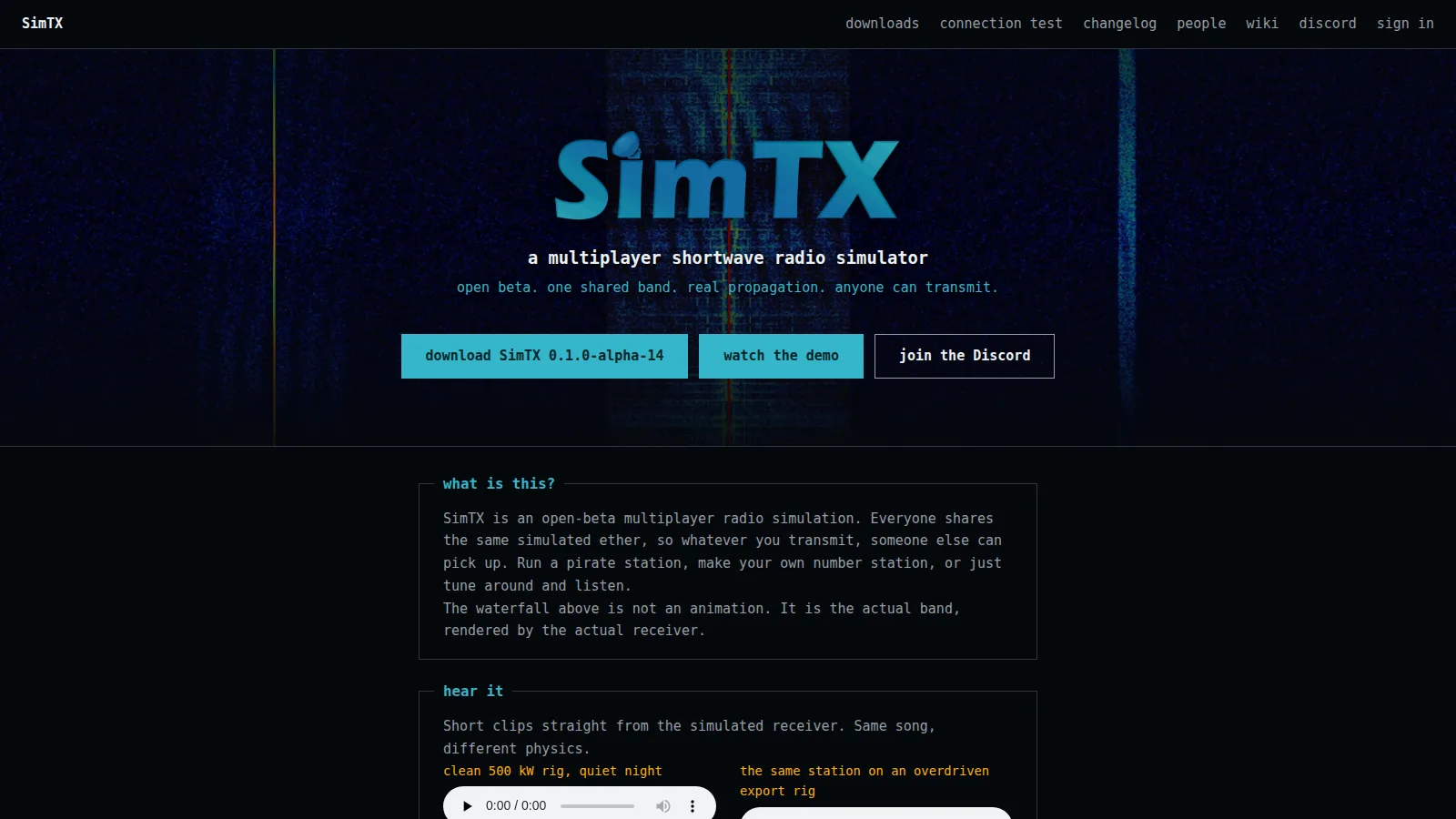
TL;DR: SimTX (https://simtx.net/) is an open-beta multiplayer shortwave radio simulator by qrmcat where everyone shares one simulated ether. Download the SimTX 0.1.0-alpha-14 desktop app or legacy Java client, sign in with Discord, create a station, and transmit mic audio, files, or GNU Radio IQ. Propagation uses IRI-2020 ionosphere with live ionosonde data, ITU-R noise and groundwave, and Watterson fading. Receive through any rtl_tcp SDR program such as SDR++.
What Is SimTX?
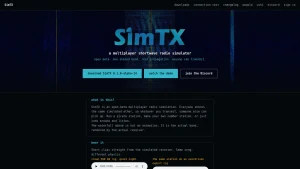
SimTX is a multiplayer shortwave radio simulator in which every operator shares the same simulated ether, so anything one station transmits another station can receive. Run a pirate broadcast station, build your own numbers station, test antennas and modes across day-night propagation, or just tune around and listen. The waterfall on the homepage isn’t an animation. It’s the actual band rendered by the actual receiver DSP chain.
The project is in open beta at https://simtx.net/, created by qrmcat. The tagline says it all: one shared band, real propagation, anyone can transmit. A demo video walks through a full Amsterdam to Budapest path, and short audio clips let you hear the same song through clean, overdriven, calm, and storm-ravaged physics.
Watch the SimTX demo on YouTube
Hear It: Same Song, Different Physics
The homepage has a “hear it” section with short clips taken straight from the simulated receiver. The source music is Conspiracy, The Function 2007 invitation, played through the sim. Four clips show the range:
- Clean 500 kW rig, quiet night: full fidelity, low noise, stable carrier.
- Same station on an overdriven export rig: compression, clipping, splatter bleeding into adjacent channels.
- Calm band, gentle fading: slow Watterson flutter, Doppler spread, multipath phase rotation.
- Kp 7.5 geomagnetic storm: absorption swallows the signal, noise floor rises, copy collapses.
The “see it” video broadcasts a whole song from a simulated Amsterdam and receives it 1145 km away in Budapest. Every fade, storm effect, and splatter product in that video comes out of the sim DSP chain, not post-production.
How Real Is the Simulation?
The wiki documents the models and their sources in depth at https://wiki.simtx.net/. The stack is serious:
- Ionosphere: IRI-2020 climatology with live ionosonde data assimilated on top. Day/night terminator, season, solar activity, and geomagnetic storms all move the usable window in real time.
- Groundwave and noise: ITU-R groundwave curves and noise models. Sea water conducts best, city sites are tens of decibels noisier than quiet rural ones, and atmospheric noise dominates the low bands at night.
- Fading channel: every skywave link runs through a Watterson channel with Doppler shift, multipath delay spread, and storm degradation.
- Transmitter hardware pain: power amplifiers heat up, compress, clip, splatter, and sag when pushed. Overmodulated AM (index above 1.0) distorts audibly. Short CW rise times generate key clicks.
- Receiver chain: SDR-style DSP end to end, with bandwidth-dependent noise floor, carrier leak and opposite-sideband suppression controls, and realistic mode sensitivity ordering from CW at the top to wide FM at the bottom.
This is why SimTX works as a training tool. Frequency choice, antenna choice, power, mode, bandwidth, time of day, and space weather all interact the way they do on real HF.
What You Get: Multiplayer Shortwave World
The homepage lists six pillars, and each one is functional in the current builds:
- Multiplayer shortwave world: server plus clients architecture. Anyone can transmit, everyone else can listen. Sessions queue when all transmitter slots are taken.
- Transmit anything: microphone, audio file at native sample rate, or raw IQ from GNU Radio over TCP. WFM accepts baseband directly. PipeWire Stereo feeds broadcast stereo.
- Real propagation: IRI-2020 ionosphere, ITU-R noise and groundwave models, skip zones, LUF/MUF window, NVIS short-range dome, multi-hop long path loss.
- Real hardware pain: PA thermal modeling, compression, splatter, SWR metering, tuner matching, steel mast radiators for LF/MF with automatic tuner in the 0.4.0 line.
- SDR-friendly: built-in rtl_tcp server. Point SDR++, SDR Console, or any rtl_tcp capable program at 127.0.0.1:1234 and tune normally.
- Living ionosphere: day/night cycle, seasons, storms, live space weather assimilation. The 4625 kHz default sits in the low-middle transition and behaves very differently at noon versus midnight.
Modulation Modes Reference
Set the receiver to the same mode family as the transmitter. The Auto bandwidth option fills the typical width. All values below come from the official Modulation Modes wiki page.
| Mode | Full name | Typical bandwidth | Minimum | Audio range |
|---|---|---|---|---|
| AM full carrier | Double sideband, full carrier (ordinary AM) | 10 kHz | 160 Hz | 80 to 4500 Hz |
| AM suppressed carrier | Double sideband, suppressed carrier | 6 kHz | 160 Hz | 100 to 2800 Hz |
| USB | Upper sideband | 2700 Hz | 300 Hz | 350 to 2700 Hz |
| LSB | Lower sideband | 2700 Hz | 300 Hz | 350 to 2700 Hz |
| CW | Continuous wave Morse keying | 150 Hz | 50 Hz | n/a (keyed carrier) |
| NFM | Narrowband FM | 12.5 kHz | 2.5 kHz | 200 to 3000 Hz |
| WFM | Wideband FM broadcast, stereo capable | 180 kHz | 50 kHz | 30 Hz to 15 kHz |
| IQ | External complex IQ input (GNU Radio) | 48 kHz | 100 Hz | n/a |
| WSPR | Weak Signal Propagation Reporter path | 6 Hz | 6 Hz | 0.5 to 3 Hz |
| FT8 | Franke-Taylor FT8 path | 50 Hz | 50 Hz | 20 to 80 Hz |
Practical notes from the wiki:
- Use AM full carrier with Auto bandwidth for the first audio-file test. Narrow voice work belongs on USB or LSB with the correct sideband at the receiver. By convention LSB below 10 MHz and USB above, but SimTX doesn’t enforce it.
- WFM needs far more signal than SSB for the same readability and supports stereo only from the PipeWire Stereo source.
- IQ passes externally generated complex baseband straight to the channel. Selecting the GNU Radio IQ source forces IQ mode.
- FT8 and WSPR modes don’t compose messages. The source must already contain encoded signal audio.
- USB, LSB, and suppressed-carrier AM expose carrier leak and opposite-sideband suppression controls for deliberately imperfect radios. CW exposes key rise time. AM exposes modulation index.
Propagation Basics Every SimTX Operator Should Know
The Propagation Basics wiki page teaches reception in a useful order: verify your own TX monitor first (it sits before propagation), confirm server, frequency, mode, and bandwidth at the receiver, check distance and bearing, pick a band suited to the time of day, retune the antenna, and only then add power.
Two ways a signal travels
- Groundwave follows the ground outward. It dominates short range out to a few tens of kilometers on all bands and farther on lower frequencies, favors vertical polarization and good ground (sea water is best), and shrinks fast as frequency rises.
- Skywave refracts off the ionosphere and returns hundreds to thousands of kilometers away, with extra loss per hop on multi-hop paths. Between groundwave range and the first skywave return lies the skip zone, where a station is inaudible even though it is heard both closer and farther away.
The frequency window: LUF and MUF
Every skywave path has a usable window. Above the maximum usable frequency the signal escapes to space. Below the lowest usable frequency the D-layer absorbs it. The window breathes with the sun: MUF rises with solar activity and daylight and runs higher toward the equator, LUF rises in daylight and drops at night, and frequencies just below MUF usually propagate best.
- Low bands below about 5 MHz: night-time bands, short to medium range by day because absorption kills long daytime paths.
- Middle bands 5 to 12 MHz: workable day and night depending on path. The 4625 kHz starter frequency is really a low-band example at 4.625 MHz.
- High bands above about 14 MHz: daytime and high solar activity bands, closed at night.
- Grey line: dawn and dusk terminator paths on low and middle bands get enhanced.
NVIS, long range, VHF and satellites
- NVIS (50 to 500 km) needs near-vertical radiation reflected straight back down, a frequency well below the vertical MUF (typically 2 to 8 MHz), and a high-angle antenna such as a low dipole, inverted-V, or loop. This is where modest wire antennas beat beams.
- Beyond about 1000 km the antenna must launch at low elevation angles: Yagi, vertical, or high dipole, frequency near the path MUF, daylight placed for the band.
- Above about 30 MHz the ionosphere rarely returns signals, so range is line of sight. SimTX uses a 150 m terrain map, so ridges block, height and horizon beat power, and satellites are audible only above the horizon with Doppler shift that grows with band.
Noise and mode sensitivity
Readability is signal above the receiver noise floor. Atmospheric noise rules the low bands at night, man-made noise can bury a city receiver tens of decibels above a rural one, and wider bandwidths admit more noise. Approximate sensitivity order from most to least robust: CW, WSPR, FT8, narrow SSB, AM, NFM, WFM. Narrow modes hear deeper because they admit less noise.
The Apps: Desktop App vs Legacy Java Client
There are two transmitter lines. The modern desktop app is recommended. The legacy Java client still gets fixes but can’t launch or track satellites.
| Build | Version | Platforms | Size | Stations | Needs |
|---|---|---|---|---|---|
| SimTX desktop app | 0.1.0-alpha-14 | Windows .exe | 26.9 MB | Ground and satellites | Nothing else |
| SimTX desktop app | 0.1.0-alpha-14 | macOS .dmg Apple Silicon | 15.3 MB | Ground and satellites | Right-click Open on first run |
| SimTX desktop app | 0.1.0-alpha-14 | Linux AppImage | 84.7 MB | Ground and satellites | Any distribution |
| SimTX desktop app | 0.1.0-alpha-14 | Linux .deb | 14.7 MB | Ground and satellites | Debian and Ubuntu, signed APT repo |
| SimTX desktop app | 0.1.0-alpha-14 | Linux .rpm | 14.7 MB | Ground and satellites | Fedora, signed RPM repo |
| SimTX desktop app | 0.1.0-alpha-14 | Linux .pkg.tar.zst | 14.8 MB | Ground and satellites | Arch Linux repo |
| SimTX desktop app | 0.1.0-alpha-14 | Linux .xbps | 13.8 MB | Void Linux repo | |
| SimTX desktop app | CLI builds | Windows 4.2 MB, macOS 10.0 MB, Linux 4.4 MB | Ground and satellites | Integrations and headless use | |
| Legacy Java client | 0.4.1 | Any system, .jar | 10.3 MB | Ground only | Java 21 or newer |
Run the Java client with java -jar simtx-transmitter-0.4.1.jar. The published SHA-256 is 0d1b3ab83df244444802eaa10d970ebd694fe8d037c848279f9969bf02d395f3. Linux packages also come from signed APT, RPM, Arch, and Void repositories so the package manager keeps SimTX updated.
Recent changelog highlights show active development: 0.4.1 fixed a getFinalDriveDb startup failure, 0.4.0 added LF/MF steel mast radiators with automatic tuner plus checksum-cached NEC decks, 0.3.7 reworked WFM baseband input and propagation-loss math with sample rates to 384 kHz, 0.3.6 added int16 IQ compression, and the 0.3.0 and 0.2.x lines added central accounts, anonymous/linked/supporter tiers, secure sign-in, Discord boost sync, auto-updates with SHA-256 verification, and protocol v23.
Getting Started: First Transmission in Five Steps
The Getting Started wiki guide goes from install to first reception. TX means transmit, RX means receive.
- Install the app. Windows 64-bit .exe, macOS Apple Silicon .dmg (right-click then Open the first time), or Linux .deb, .rpm, Arch, Void, or AppImage. Ubuntu 24.04 or Debian 13 or newer is needed.
- Sign in and connect. Open the app, press Sign in, approve the device in the browser (Copy link works too), then choose a server such as SimTX Demo and press Connect. The window shows server name plus Connected. Work offline opens the app without a server.
- Create your first station. In the Transmit tab press Create a station, enter Name and Callsign, Pick on globe for location, then open the dipole and set length 31 m and height 10 m to suit the starter frequency. Press Create station.
- Make a first transmission. Set frequency 4625 kHz, power 100 W, modulation AM Double Sideband Full Carrier with Auto bandwidth ticked, source Audio file with a short clip chosen, then Start TX. The session shows Running. Queued means all transmitter slots are busy and it will start when one frees. Select the session for Radio deck meters. Listen to own TX plays pre-propagation audio. Stop ends it.
- Receive. Open the Receive tab, pick My station, Public station, or Ad-hoc for any location without an account. Set center 4625 kHz and sample rate 250000 Hz (0.25 MSPS for shortwave, 1.024 MSPS or higher for FM and wide signals). Press Start RX, then in SDR++ add an rtl_tcp source at 127.0.0.1:1234 and tune 4625 kHz AM.
Continue from there with Transmission Sources (mic, streams), Antenna System (frequency and choice), Lua extensions (modes, processors, tools, themes without coding), and the full Transmit and Receive tab guides.
Stations, Satellites, Rotators, and Coverage Maps
The Stations tab is the heart of the desktop app. The wiki screenshot shows a Demo hilltop station on a globe of Europe and Africa with an orange TX beam at 300 degrees, a blue RX beam at 180 degrees, dashed lines to satellites, orbit rings, and sidebar details.
- Stations: callsign, location picked on the globe, antennas (dipoles, verticals, Yagis, LF/MF steel masts with tuner, 70 cm Yagi templates fixed in 0.4.0), radios, power, SWR graph, visibility. Save and share setups through the Catalog.
- Satellites: launch a satellite, follow passes, account for Doppler (largest on higher bands), and deorbit it. Only the desktop app supports satellites. The Java client is ground only.
- Rotators and tracking: turn an antenna to a heading or follow a satellite pass automatically.
- Map and coverage: the globe view, station lists, who is on the air, coverage maps with map-quality controls, and the link health report.
The Health tab shows server load. Settings covers theme, audio, connection, push-to-talk, and extensions, plus a command palette and keyboard shortcuts. Troubleshooting covers sign-in, connection, audio, reception, and session states.
Receiving With SDR++ and Other Programs
The desktop app bridges to your own SDR program on your own computer. The Receive tab bridge defaults to 127.0.0.1 port 1234 over rtl_tcp. Most SDR applications support rtl_tcp. The wiki uses SDR++ as the example with screenshots.
- Use 250 kHz (0.25 MSPS) for shortwave and lower bands, 1.024 MSPS or higher for FM and wide signals.
- Try the 60 m shortwave band 4700 to 5100 kHz or the FM band 87.5 to 108 MHz with RTL-AGC or manual gain.
- If nothing appears, confirm server, frequency, mode, and bandwidth match, try manual gain, and check that you tuned the right frequency.
- Community guides also cover SDR Console, DATV receive and transmit tutorials, and DRM transmission.
Because the bridge is standard rtl_tcp, the same flow works for GNU Radio, SDRangel, GQRX paths, and logging pipelines. One operator reported the argon.simtx.net:1240 style host-port form when the port box is hidden.
Lua Extensions, CLI, and API for Developers
SimTX is extensible without forking the app:
- Lua extensions: install modes, audio processors, tools, and themes without writing compiled code. The catalog hosts shared presets and packages with publishing, audio add-ons, actions, and a package editor. Extension modulation modes appear in the same selector as built-ins with their own controls and media inputs. Separate Lua APIs cover extensions, modulation, audio add-ons, actions, and themes.
- CLI documentation: headless and integration use, with command-line builds for Windows, macOS, and Linux.
- SimTX API reference: documents the account service and game protocol message by message with a quick start, framing, connection and handshake, device login, game tickets, control and moderation sessions, limits and errors, compatibility and versioning, and the extension catalog protocol. Packet pages include details such as AntennaPointingUpdate.
- NEC decks: antenna model decks are fetched by checksum and cached, with validation, conductivity, and ground handling improved in recent releases.
Accounts, Connection Test, and Community
Create a SimTX account with Discord. Discord verifies identity and SimTX keeps the account. Tiers include anonymous, linked, and supporter transmitters with different limits, plus secure transmitter sign-in, supporter recognition, and automatic Discord boost synchronization. The connection test page on the site checks whether your network can reach the servers before you install anything. People, changelog, downloads, wiki, Discord, and demo video links sit in the footer of every page.
The people page lists operators and roles such as Developer, Moderator, and Supporter alongside callsign-style identities like WKVB/WKXB on TXITY at 7.05 MHz and Telefaxed (M7LWF). The Discord invite on the current site build is https://discord.gg/TkR7QJ5NDC and the wiki points to the same community. The site footer credits music in the clips and notes the project is made with love by qrmcat. Hacker News also picked up the launch under “SimTX, a multiplayer shortwave radio simulator”.
SimTX vs Other Ways to Listen and Learn
| Platform | Shared TX | Propagation sim | Hardware pain | SDR integration | Cost |
|---|---|---|---|---|---|
| SimTX | Yes, everyone on one ether | Yes, IRI-2020 plus ionosonde, ITU-R, Watterson | Yes, PA heat, clip, splatter, SWR | Yes, rtl_tcp to SDR++ and others | Free open beta |
| WebSDR / KiwiSDR | No, listen only to real antennas | Real world by definition | Real world by definition | Browser audio, no rtl_tcp TX loop | Free, hosted nodes |
| OpenWebRX | No, local or shared RX only | Real world | Real world | Yes, RX focused | Free open source |
| HamSphere | Yes, simulated bands | Simplified | Simplified | Built-in client only | Paid tiers |
| Real HF station | Yes, real ether with licence | Real ionosphere | Real finals and SWR | Rig plus SDR | Hardware and licence cost |
SimTX occupies the gap between passive WebSDR listening and keying a real transmitter. You get the full transmit loop, including mistakes: overdrive splatter, wrong sideband, mistuned antenna, dead band at the wrong hour, all audible immediately. That makes it useful for clubs, classes, and self-training before touching real finals.
Practical Ham Radio Uses
- Learn band planning by ear: run the same AM file at 4625 kHz day versus night, then move to 40, 20, and 10 m equivalents and log the LUF/MUF window shift.
- Practice numbers and pirate formats: build a numbers station with file source plus scheduled sessions, or run a music pirate and watch distant listeners report fading in Discord.
- Test antennas without a tower: compare low dipole NVIS dome against Yagi low-angle DX on 50 to 500 km versus 1000 km plus paths.
- Train new operators: let students overmodulate, splatter, and pick the wrong sideband in sim where the only cost is a laugh, then show the clean version.
- Demo satellites: launch, track with rotator, and chase Doppler on passes, including the Java-client limitation as a teaching point.
- Prototype GNU Radio flows: feed IQ straight into the IQ mode path, then receive through the rtl_tcp bridge into SDR++ or a recording pipeline.
- EmComm and club nights: run a net on a scheduled frequency, practice relay when the skip zone opens, and compare city-noise versus rural-noise receive sites.
Honest Limitations
- Open beta means versions move fast (0.1.0-alpha-14 desktop, 0.4.1 Java) and protocol v23 requires matched servers and account service.
- Transmitter slots are finite. Sessions can sit Queued until a slot frees.
- Satellites need the desktop app. The Java client is ground only.
- FT8 and WSPR modes pass through encoded audio. They don’t compose messages for you.
- The sim models documented physics, not every local RFI source, faulty connector, or neighbor plasma TV. City versus rural noise is modeled as environment class, not your exact street.
- Account creation depends on Discord for identity, which won’t suit everyone.
Frequently Asked Questions
What is SimTX in one sentence?
SimTX is a multiplayer shortwave simulator where all operators share one simulated ether with real ionospheric propagation.
Do I need a licence to transmit on SimTX?
No. All transmissions stay inside the simulation, so no amateur licence or hardware is needed to practice.
What do I need to receive SimTX signals?
The desktop app Receive tab plus any rtl_tcp SDR program such as SDR++ at 127.0.0.1 port 1234.
Can I transmit microphone, files, or GNU Radio IQ?
Yes. Sources include mic, audio files at native rate, streams, PipeWire stereo, and raw GNU Radio IQ.
Which app should I download for satellites?
The 0.1.0-alpha-14 desktop app. The legacy 0.4.1 Java client handles ground stations only.
Sources and Further Reading
- SimTX homepage: https://simtx.net/
- SimTX downloads: https://simtx.net/downloads
- SimTX changelog: https://simtx.net/changelog
- SimTX wiki main page: https://wiki.simtx.net/
- Getting Started guide: https://wiki.simtx.net/index.php/Getting_Started
- Propagation Basics: https://wiki.simtx.net/index.php/Propagation_Basics
- Modulation Modes: https://wiki.simtx.net/index.php/Modulation_Modes
- How to Receive: https://wiki.simtx.net/index.php/How_to_receive
- SimTX demo video (Amsterdam to Budapest): https://www.youtube.com/watch?v=ZFBshce4I1Y
- SimTX Discord: https://discord.gg/TkR7QJ5NDC
- IRI-2020 ionosphere model: https://irimodel.org/
- ITU-R groundwave and noise recommendations: https://www.itu.int/en/ITU-R/study-groups/rsg3/Pages/default.aspx
- Watterson ionospheric channel model (CCIR 520 / ITU-R F.1487): https://www.itu.int/rec/R-REC-F.1487
- Hacker News discussion: https://news.ycombinator.com/item?id=49890503
73



Post Comment