OpenCAD Studio: Free Open Source DWG CAD for Desktop and Web
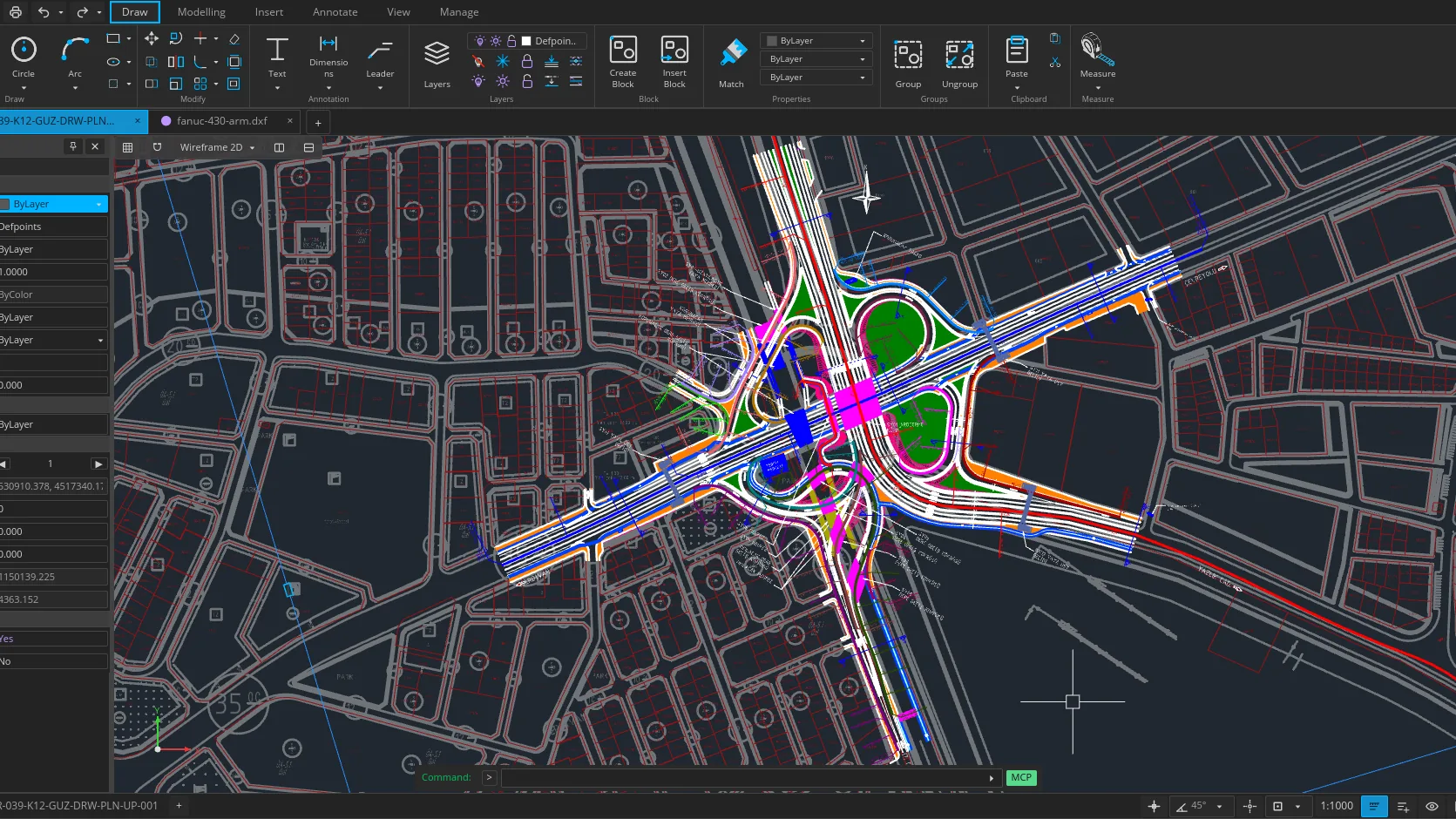
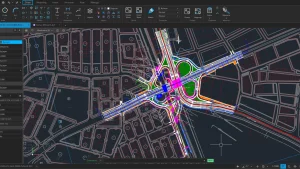
Hakan Seven has released OpenCAD Studio, a GPL-3.0 CAD application built with Rust that opens, edits and saves native DWG and DXF drawings, drafts in 2D, models solids in 3D, and runs both in the browser with no account and on Windows, Linux and macOS desktops. For homebrewers who draw chassis panels, 3D printed enclosures and antenna hardware, it removes the last reason to keep a proprietary CAD license around.
TL;DR: OpenCAD Studio is a free GPL-3.0 Rust CAD app by Hakan Seven with native DWG/DXF read and write (R14 to 2018), 2D drafting, kernel backed 3D solids, GPU viewports, a no-account web app, desktop builds for Windows/Linux/macOS, and automation including an MCP endpoint for AI tools.
What OpenCAD Studio Is
OpenCAD Studio is an open source 2D drafting and 3D solid modeling application, built with Rust, that reads and writes native DWG and DXF files and runs as both a browser web app and a desktop program.
The project lives at opencadstudio.com with source on GitHub under the GNU General Public License v3.0. A single shared editing core powers both editions: the web app opens a drawing from your device, lets you edit it, and downloads the result, while the desktop app adds file associations, thumbnails, system printing, PDF output, native plugins, scripts and headless automation. At the time of writing the repository shows around 3,800 stars, 456 forks and more than 7,000 commits, with releases published for Windows x64 and ARM64, macOS Apple Silicon and Intel, and Linux x64 and ARM64.
Why Native DWG Support Changes the Calculation
DWG is the de facto working format of mechanical drawing, and for decades practical DWG compatibility meant either Autodesk products or libraries licensed through the Open Design Alliance. Free tools either imported DWG through lossy conversion or avoided it entirely, which made every drawing a potential trap: open it in the wrong program and dimensions shift, xrefs break or plot styles vanish.
OpenCAD Studio treats DWG as a first class citizen instead of an import filter. It opens and saves DWG directly with versioned save targets from R14 through 2018, does the same for DXF, and can even open BAK backup and SV$ autosave files when the original goes missing. Your drawings stay on your device in both editions, and the source code is public, so the format support can be inspected rather than trusted. That combination of native files plus local files is the core promise of the project.
2D Drafting: Commands, Snaps and Drawing Sheets
The drafting workflow will feel familiar to anyone coming from AutoCAD-style software. Draw and edit with command autocomplete, object snaps and tracking, and organize the drawing with layers, blocks and external references. Core commands include LINE, PLINE, OFFSET, TRIM and FILLET, alongside curves, splines and hatches.
Documentation gets equal weight. Add text, dimensions, leaders, tolerances and tables, then arrange paper space layouts with viewports and plot styles, loading and editing CTB and STB plot style tables. Model space holds the geometry, paper space holds the presentation, and desktop PDF plotting turns layouts into files a PCB fab, laser cutter or club printer can consume. Survey style work is covered too, with LandXML CgPoint import and CSV extraction of entity properties for parts lists and schedules.
3D Modeling with a Geometry Kernel
Beyond drafting, the program builds and shapes solid models. Create primitives, then extrude, revolve, sweep and loft profiles into solids. Combine or subtract them with Boolean operations handled by the geometry kernel, with ACIS entity tessellation driving what you see in the viewport.
Views come in orthographic and perspective cameras, and both the 2D and 3D viewports are GPU accelerated through wgpu, the Rust graphics abstraction. Mesh workflows round out the picture: import polygon meshes as OBJ or vector shapes as SVG and SVGZ, and export 3D mesh data as STL for 3D printing or STEP AP203 for mechanical handoff. An STL exported from a solid model can go straight to a slicer, which is exactly the bridge homebrewers need between a drawn idea and a printed part.
One Core, Two Ways to Work
The same editing core ships in two forms, and the choice comes down to where the drawing lives and what surrounds it.
| Capability | Web app | Desktop app |
|---|---|---|
| Price and account | Free, no account, no installation | Free, no account |
| Platforms | Any modern browser | Windows 10/11, macOS 11+, 64-bit Linux |
| Open and save DWG/DXF | Yes, via local file download | Yes, plus native file associations and thumbnails |
| PDF output and system printing | No | Yes |
| Plugins and command scripts | No native plugins | Yes, versioned plugin API |
| Headless conversion and automation server | No | Yes, including MCP endpoint |
| Best for | Quick edits, borrowed machines, trying the program | Daily work, large drawings, print and plugin workflows |
Start in the browser to evaluate the program in two minutes. Move to the desktop build when file associations, printing or automation start to matter. Drawings move between the two as plain DWG or DXF files, so nothing is ever locked into one edition.
File Workflows at a Glance
| Format or workflow | Support |
|---|---|
| DWG | Read and write, save targets R14 through 2018 |
| DXF | Read and write, save targets R14 through 2018 |
| BAK and SV$ | Open drawing backups and autosave files |
| OBJ | Import polygon meshes |
| SVG and SVGZ | Import vector shapes as a block |
| LandXML | Import survey points |
| STL | Export 3D mesh data for printing |
| STEP AP203 | Export 3D mesh data for mechanical handoff |
| Plot layouts and selected geometry on desktop | |
| CSV | Extract entity property data |
| CTB and STB | Load and edit plot style tables |
Getting Started in Minutes
The fastest path is the web app. Open the web app page, load a drawing from your device, edit it and download the result. Nothing installs and nothing asks for an account.
For the desktop, every link on the download page points at the latest GitHub release, and all files are mirrored there with release notes:
- Windows: signed MSI installer for x64 or ARM64 with Start menu shortcuts, DWG and DXF associations and drawing thumbnails, or a portable EXE that runs without installation.
- macOS: DMG for Apple Silicon or Intel, drag into Applications, then approve the first launch in System Settings under Privacy and Security. Note the app is ad hoc signed but not currently notarized by Apple.
- Linux: AppImage for x64 or ARM64, make executable and run. A Flatpak via FlatPark tracks new releases, and each release also carries a snap that installs with the
--dangerousflag since it isn’t in the Snap Store yet.
The interface speaks 23 languages, from Arabic and Hindi to Japanese and Vietnamese, and follows the system language unless overridden in settings.
Automation, Plugins and AI Control
For a CAD program, the automation story is unusually complete. The desktop binary converts drawings headlessly, serves a persistent automation endpoint over stdin/stdout or TCP, and exposes a self contained MCP endpoint so compatible AI clients can drive the live editor. Its audit and verified save operations check the DWG/DXF target version, flag lossy records, reopen the output, compare a semantic manifest and return a SHA-256 hash.
Desktop plugins run in separate processes and talk to the host through a versioned plugin API, with a template and registry in the repository. The browser build doesn’t load native plugins, which is the main functional reason heavy users graduate to the desktop. Builders who prefer source can compile with a current stable Rust toolchain following the README, with system graphics and font libraries on Linux and a Trunk based flow for the web build.
OpenCAD Studio vs Other Free CAD Tools
No single free CAD program wins every category, so pick by file format and task.
| Tool | License | DWG read and write | 2D drafting focus | 3D solids | Runs in browser | Best for |
|---|---|---|---|---|---|---|
| OpenCAD Studio | GPL-3.0 | Yes, native R14 to 2018 | Yes | Yes, kernel backed | Yes | DWG based 2D/3D work with no license cost |
| FreeCAD | LGPL-2.0 | Import via converters, no native write | Moderate, TechDraw workbench | Yes, parametric OpenCASCADE | No | Parametric mechanical design and assemblies |
| LibreCAD | GPL-2.0 | DXF focused, DWG via import | Yes, 2D only | No | No | Pure 2D drawings with a small footprint |
| QCAD | GPL-3.0 Community Edition | DXF native, DWG via paid Pro add-on | Yes | No | No | Polished 2D drafting, DWG costs extra |
| Blender | GPL | No CAD format support | No | Yes, mesh based | No | Organic 3D and rendering, not dimensioned drawings |
If the deliverable is a DWG sheet or a dimensioned part, OpenCAD Studio is the only free option that keeps the file native end to end. If the job is parametric assemblies, FreeCAD still leads. For meshes and renders, Blender remains king.
Six Ham Radio Uses for a Free DWG Workstation
- Chassis front panels. Draw the exact panel for a homebrew transceiver or amplifier, dimension every hole, and export PDF or DXF for drilling or laser cutting.
- 3D printed enclosures. Model a case for an ESP32 shack accessory, export STL, and print it. The path from sketch to printed part never leaves free software.
- Antenna hardware. Draft mast brackets, element clamps and guy anchors with real dimensions and tolerances instead of cardboard templates.
- Shack layouts. Put the operating desk, grounding bus, feedline entries and antenna switch on one dimensioned sheet before drilling a single hole.
- Club site plans. Document a repeater hut, Field Day layout or antenna farm so the next committee inherits drawings instead of folklore.
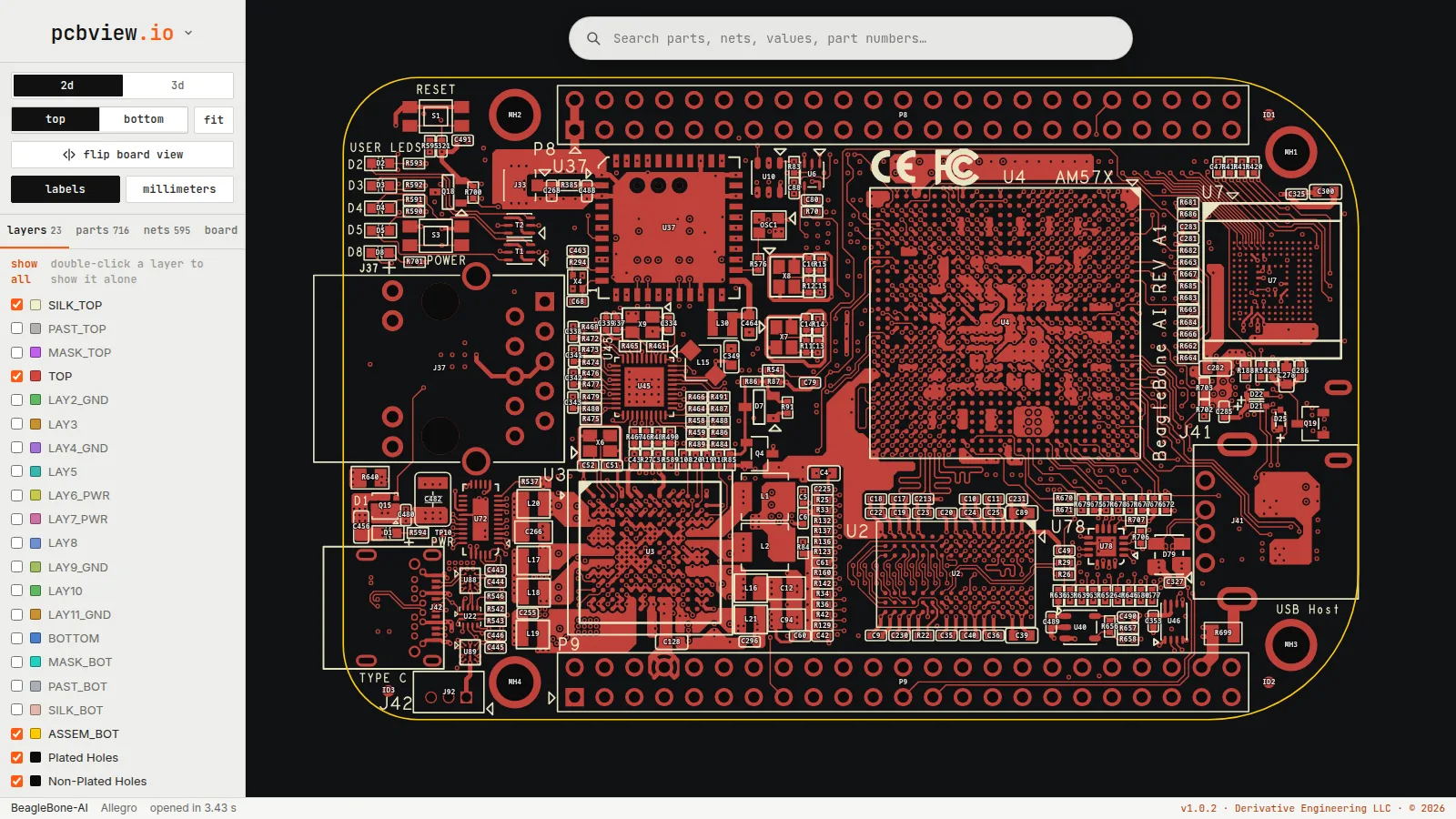
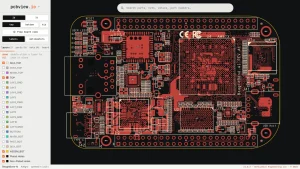
- Boards and panels from the same project. Pair a mechanical drawing with the electronics: review the PCB in a browser based PCB viewer while the enclosure and mounting holes take shape in OpenCAD Studio.
Honest Limitations
- Under active development. The project says so itself: keep backups of important production drawings and report reproducible problems through GitHub Issues, where around 70 are open at the time of writing.
- Experimental IFCCAD route. An alpha format exchanges supported CAD drawings as
.ifcxfiles, but general IFC BIM models aren’t supported, later versions may not reopen these files, and backward compatibility isn’t guaranteed. Keep originals plus separate DWG/DXF copies. - Browser has no native plugins. Automation, plugins and headless conversion are desktop only, so scripted workflows need the installed app.
- Platform rough edges. The macOS build isn’t notarized so Gatekeeper needs a manual approval, and the Linux snap installs only with
--dangerousand doesn’t self update. The Flatpak and AppImage paths are smoother. - Production file caution. For anything critical, keep versioned backups outside the program and verify round trips by reopening saved files before deleting originals.
Why It Matters
Dimensioned drawings are infrastructure. They turn a one-off homebrew build into something a club member can reproduce, turn a good antenna bracket into ten identical brackets, and turn a shack full of good intentions into a documented station. Proprietary CAD licensing has always taxed that process, either in money or in format friction.
OpenCAD Studio attacks both costs at once: the price is zero under a GPL-3.0 license anyone can audit, and the format is DWG handled natively instead of converted hopefully. Built in Rust with GPU accelerated viewports, scriptable from the command line and drivable by AI tooling, it’s also built like modern software rather than a clone of decades old software. Draw the panel, print the enclosure, document the station, and keep the files in a format the next ham can open. Support the work through GitHub Sponsors if it earns a place in your shack.
Sources and Further Reading
- OpenCAD Studio homepage
- OpenCAD Studio web app
- OpenCAD Studio download page
- OpenCAD Studio source on GitHub
- Latest desktop releases
- GPL-3.0 license text
- Sponsor Hakan Seven on GitHub
- FreeCAD parametric modeler
- LibreCAD 2D CAD
- QCAD 2D CAD
- Blender 3D creation suite
- Open Design Alliance DWG interoperability
- wgpu Rust graphics abstraction
- Rust programming language
- PCBView.io browser PCB viewer on HamRadio.my
73 de 9M2PJU






Post Comment