BinKeep: See Inside Any EXE, ELF or Mach-O Binary in Your Browser
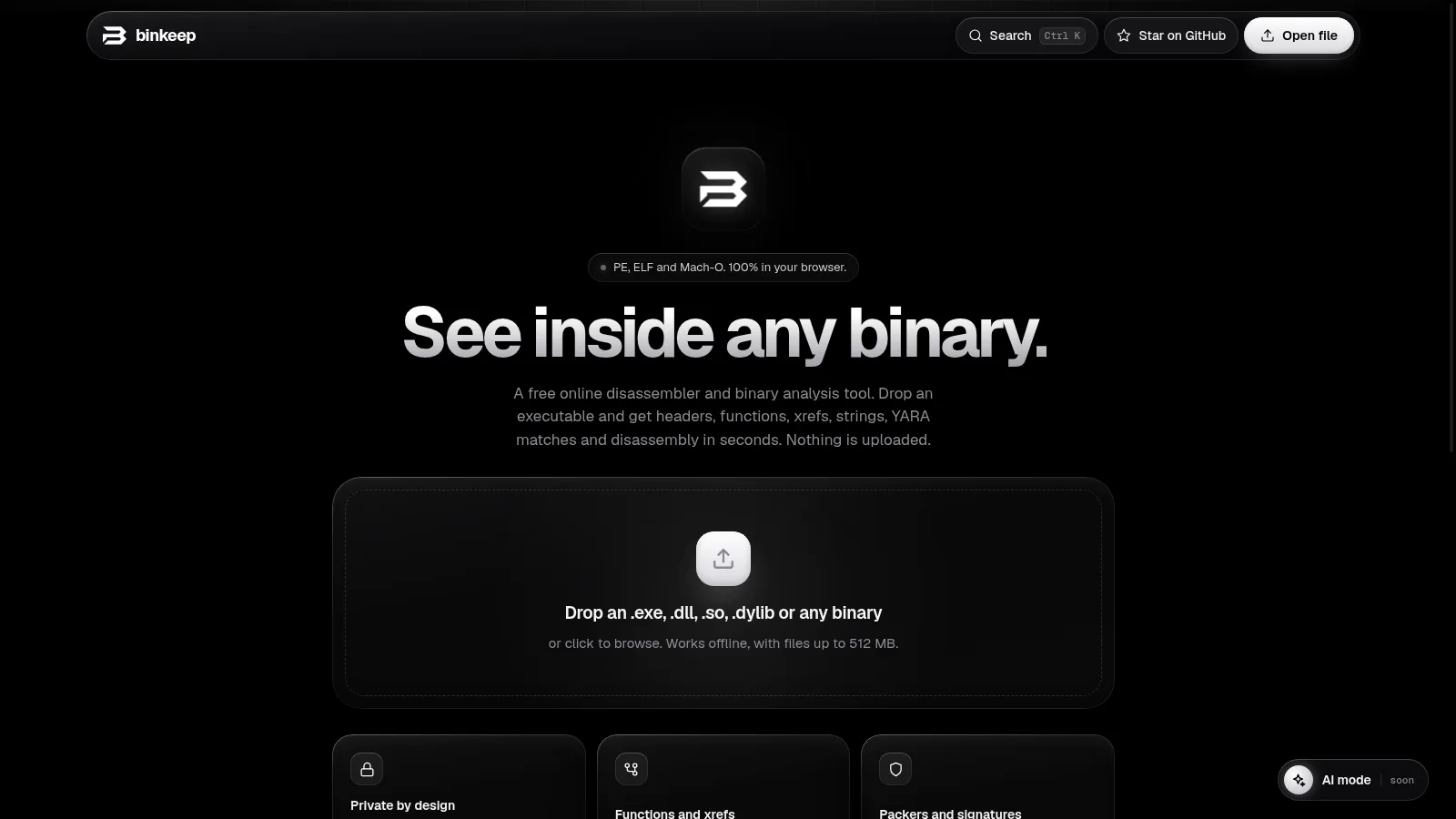
Every ham with a Windows shack PC knows the ritual. A new logging tool, a CPS update for a Chinese handheld, an SDR utility from a small developer site, a firmware file for a radio. You download it, Windows SmartScreen shrugs, and you double-click and hope. Antivirus says nothing, which proves nothing. What you really want is a quick first look: what does this binary import, what strings hide inside it, is it packed with UPMS or Themida, was its signature tampered with. BinKeep gives you that first look in seconds, in a browser tab, with nothing uploaded anywhere.
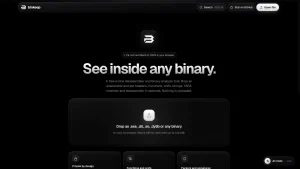
TL;DR: BinKeep by kano92-dir is a free MIT-licensed online disassembler and binary analysis tool that runs entirely in your browser. Drop in a Windows PE, Linux ELF or macOS Mach-O file up to 512 MB and get headers, entropy graph, security mitigations, imports with threat-hint tags, strings, resources, function lists with cross-references, Capstone-powered disassembly for x86, x64, ARM and ARM64, control flow graphs, real libyara rule matching, packer detection, Authenticode digest verification, two-file comparison, and shareable links that carry the report in the URL fragment. No install, no account, works offline after first load. Open https://kano92-dir.github.io/binkeep/, drop a file, and read the Overview tab first.
What BinKeep Is
BinKeep is a free open source web-based reverse engineering tool by kano92-dir that parses, disassembles and analyzes Windows PE, Linux ELF and macOS Mach-O binaries entirely inside the browser, with no upload, no install and no account.
It isn’t a Ghidra replacement, and it doesn’t pretend to be. It covers the first few minutes with an unknown binary: triage, quick checks, and deciding whether the file deserves a deeper look in a full disassembler. That narrow mission is exactly what makes it good. There’s nothing to install, nothing to configure, and no sample to send to a third-party scanning service. The file is read with the browser File API and parsed in the page by JavaScript plus Capstone and libyara compiled to WebAssembly. The only network requests are the app files and fonts, and the site content security policy blocks the page from sending data anywhere else.
Why Radio Amateurs Should Care
Ham radio operators download and run more obscure binaries than almost any other hobby group. Think about a typical shack PC: vendor CPS tools for Baofeng, Quansheng, Retevis and TIDRADIO handhelds, community firmware flashers, loggers, digital mode programs, SDR applications, rotator controllers, satellite trackers, each from a different small website or forum attachment. Every one of those is a trust decision, and most hams make it blind.
BinKeep fits five real shack workflows:
- Download triage. Before running a new CPS or utility, drop it into BinKeep and read the imports and strings. A simple serial-port programmer has no business importing credential-theft or process-injection APIs. Tagged imports plus the strings list make that check take about a minute.
- Firmware curiosity. Radio firmware updates and microcontroller tools are often ELF files or raw binaries. Even files BinKeep can’t fully parse still get hex, strings, entropy and YARA, which is often enough to confirm a version string or spot an embedded payload.
- Signature sanity. BinKeep recomputes the Authenticode digest and compares it with the signed value, so you can see whether a supposedly signed installer was modified after signing. The certificate chain itself isn’t verified against a trust store, but digest mismatch is a hard stop signal.
- Build comparison. Vendors quietly reissue downloads. The Compare feature diffs headers, sections, imports, exports and strings between two builds, so you can see what actually changed between version 1.2 and 1.2a.
- Learning reverse engineering. Students and club workshop attendees can follow the official guide and experiment with real binaries on any laptop with a browser, including a locked-down library or school machine where installing Ghidra is impossible.
At a Glance
| Fact | Value |
|---|---|
| Program | BinKeep by kano92-dir |
| App URL | https://kano92-dir.github.io/binkeep/ |
| Guide URL | https://kano92-dir.github.io/binkeep/guide.html |
| Source code | https://github.com/kano92-dir/binkeep |
| License | MIT, free to use, study, modify and redistribute |
| Platform | Any modern browser, installable as an app, works offline after first load |
| Formats | Windows PE32/PE32+ including .NET, Linux ELF32/ELF64 both endians, macOS/iOS Mach-O 32/64 plus universal fat binaries, anything else gets hex, strings, entropy and YARA |
| Architectures disassembled | x86, x64, ARM, ARM64 via Capstone in WebAssembly |
| Max file size | 512 MB |
| YARA | Real libyara in WebAssembly with pe, elf and math modules, rules kept in the browser |
| Sharing | Report compressed into the URL fragment, never sent to any server, plus Markdown or JSON export |
Supported Formats and What Each One Gets
Windows PE coverage includes PE32 and PE32+ executables, DLLs and drivers (.exe, .dll, .sys) plus .NET assemblies. Linux coverage includes 32-bit and 64-bit ELF in both little-endian and big-endian flavors, covering executables, .so libraries and object files. MacOS and iOS coverage includes 32-bit and 64-bit Mach-O plus universal fat binaries. For a universal binary the arm64 slice is analyzed first, then x86_64.
Fully parsed executables get the complete treatment: headers, mitigations, packer detection, signatures, functions, cross-references, disassembly, control flow graphs, imports, symbols, strings, resources and YARA. Any other file is still useful input: it gets a hex view that stays fast on large files, string extraction, the entropy graph and YARA matching. That fallback is what makes BinKeep handy for firmware blobs, object files and unknown attachments, not just proper executables.
Opening a File and Why Nothing Leaves Your Machine
Go to the app and drop a file on the page, or click Open file. The file is read with the browser File API and parsed locally. There’s no server side at all: BinKeep is a set of static files, and after the first visit the service worker caches it so it opens with no network connection. You can also install it as an app from the browser menu.
Three design facts make the privacy claim verifiable rather than just a promise. First, static hosting means there is nowhere for your file to go; GitHub Pages serves files and runs no code. Second, the share link carries the compressed report in the part of the URL after #, which browsers never send to any server, and the file itself is never included. Third, the page content security policy blocks the app from sending data anywhere except its own files and fonts. Malware analysts still handle live samples the usual way, ideally in a virtual machine and kept out of cloud-synced folders, because BinKeep reads but never runs the bytes. The precaution is about your lab hygiene, not about BinKeep phoning home.
Reading the Overview Tab
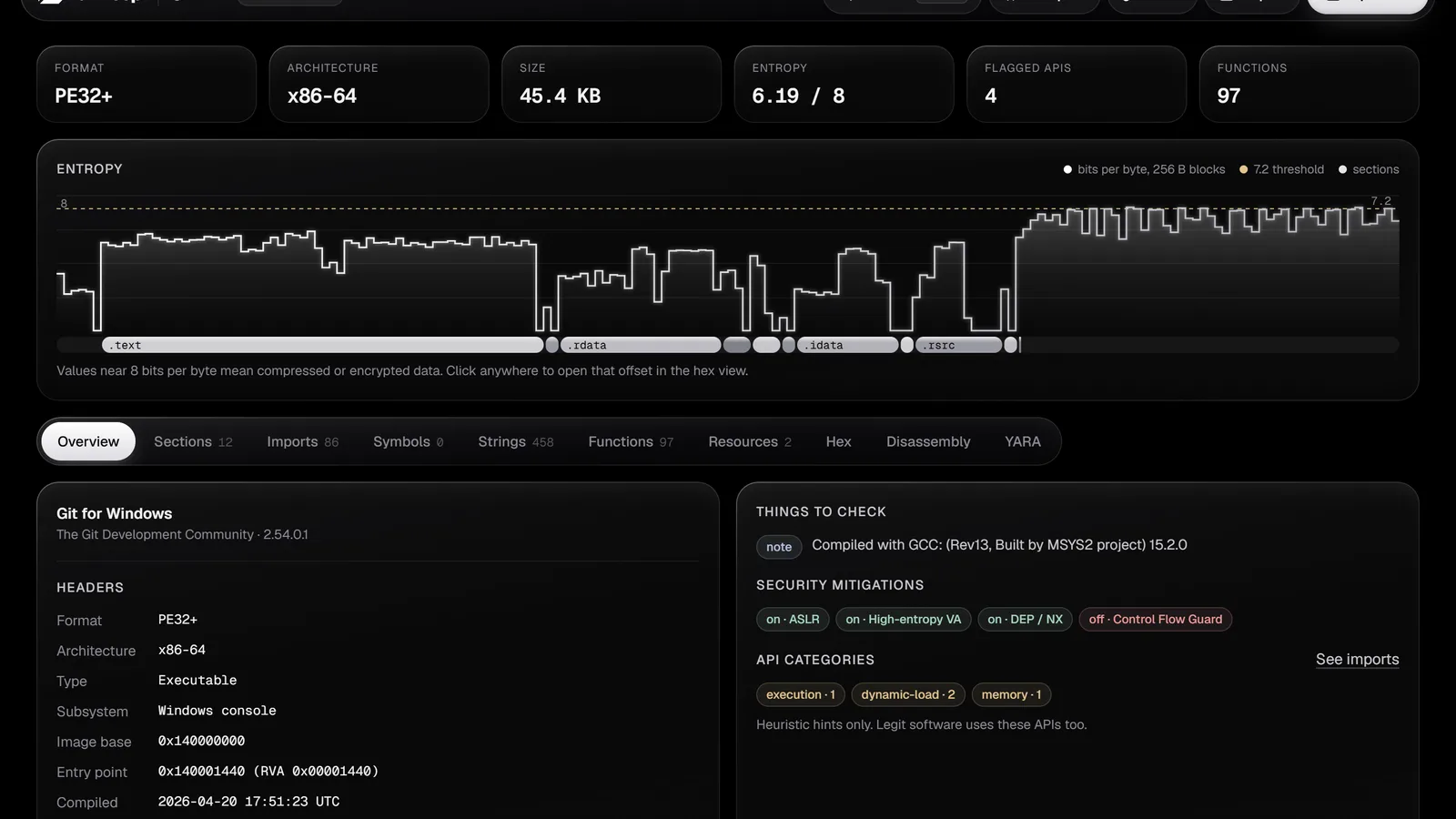
The top row shows the format, architecture, size, overall entropy, the number of flagged API imports and the number of functions found. Below that, the entropy graph plots how random each block of the file is, with section bands underneath. Normal code sits around 5 to 6.5 bits per byte. Long stretches near 8 usually mean compressed or encrypted data, which is common in packed malware, installers and embedded resources. Clicking anywhere on the graph opens that offset in the hex view, which turns a suspicious spike into a one-click investigation.
Headers list the entry point, image base, compile time, subsystem, linked libraries and, for Mach-O, the platform and SDK. A Things to check panel collects anything unusual, such as an entry point in a non-executable or unexpected section, or a section that is both writable and executable. A compile time in the future is flagged next to the timestamp, though it usually means a reproducible build rather than foul play.
Security mitigations show which protections the binary was built with: ASLR, DEP and Control Flow Guard for PE; PIE, NX, RELRO, stack canaries and FORTIFY for ELF; PIE, stack canaries, ARC and the hardened runtime for Mach-O. For a ham triaging a download, a 2026 utility with no ASLR and no DEP isn’t proof of evil. But it is proof of an ancient or careless toolchain, and that informs how much trust to extend.
Imports, Symbols, Strings and Resources
The Imports tab lists every library and function the binary links against. Functions used by common techniques carry category tags such as process injection, anti-debugging, networking, cryptography and persistence. These are hints, not verdicts: legitimate software calls the same APIs. After code analysis, each import shows how many places in the code call it, and a Called by code filter hides imports that are never used, which cuts most of the noise.
Symbols lists exports and, for ELF and Mach-O, the symbol table. Strings extracts ASCII and UTF-16 text, sorts URLs, IP addresses, file paths, registry keys and module names into categories, accepts a regular expression filter, and offers a Referenced by code toggle that keeps only strings some instruction actually points to. That one toggle is the difference between 4,000 lines of library noise and the 60 strings that matter.
For PE files, the Resources tab shows version info, the manifest including the requested execution level such as requireAdministrator, the application icon, and any resource that starts with an executable or archive header. Droppers often hide a second payload in resources. So a privilege-escalation manifest plus an embedded executable resource is exactly the combination worth a closer look.
Functions and Cross-References
BinKeep finds functions with a full linear sweep over the code sections, combined with the function tables the format provides: .pdata on x64 Windows, LC_FUNCTION_STARTS on Mach-O, plus exports, symbols and the entry point. Files with up to 8 MB of code are analyzed automatically; for larger ones, press Analyze code in the Functions tab.
Every call, jump, data reference and import use becomes a cross-reference. The function list shows how many places call each function and how many calls it makes, sortable by address, caller count, size or name. Clicking any cross-reference count in the app jumps to the use sites. This is the core reverse engineering loop, start from a suspicious import or string, follow the xrefs into the code that uses it, and it works the same here as in tools a hundred times heavier.
Disassembly and Control Flow Graphs
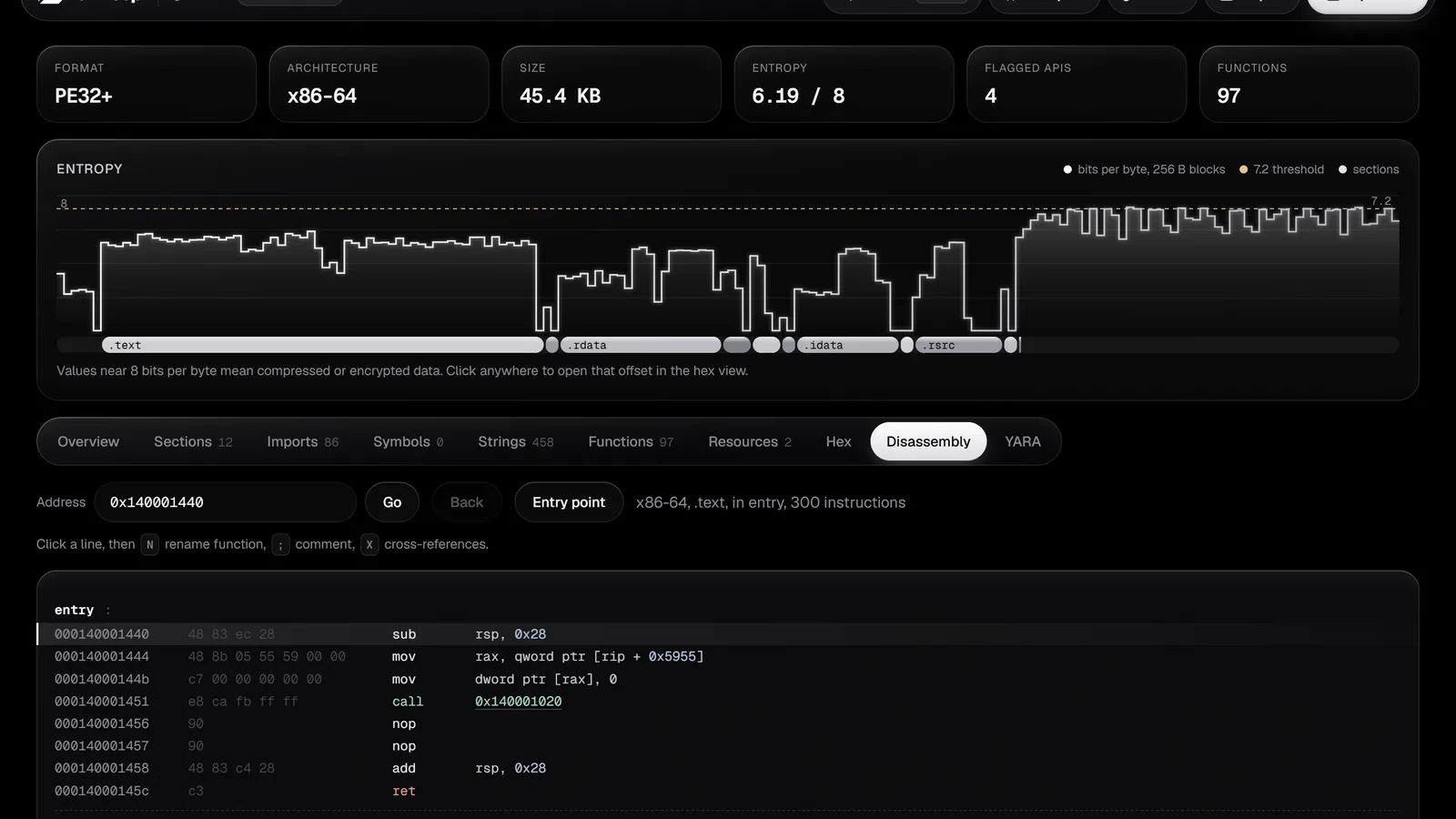
The disassembler is Capstone compiled to WebAssembly. Calls through the import table get real names such as call CreateRemoteThread, string references show inline, and branch targets are links you can follow, with a Back button to return. Type an address or function name into the address box and press Go.
Any function can also be viewed as a control flow graph: basic blocks with taken, not taken and loop edges, pan and zoom, with the Space key switching between listing and graph. Select a line and press N to rename the function, semicolon to add a comment, or X to list cross-references. Names and comments are saved in your browser for that exact file, keyed by SHA-256, and appear everywhere in the app. That persistence turns a one-off look into an annotated session you can resume later.
Real YARA in the Browser
The YARA tab runs genuine libyara compiled to WebAssembly, with the pe, elf and math modules available. Write or paste rules, load a .yar file, and press Run rules or Ctrl plus Enter. Matches show the rule metadata and each matched string with its offset, and clicking an offset jumps to it in the hex view. Rules using the pe, elf or math modules need the matching import line at the top, exactly like desktop YARA.
Your rules stay in the browser and run automatically on every file you open. So a personal rule set doubles as a quick scanner. The classic first rule for download triage checks for the remote-thread-injection trio in one place:
import "pe"

rule suspicious_injection
{
  meta:
    description = "Imports used for classic remote thread injection"
  condition:
    pe.imports("kernel32.dll", "VirtualAllocEx") and
    pe.imports("kernel32.dll", "WriteProcessMemory") and
    pe.imports("kernel32.dll", "CreateRemoteThread")
}
A match doesn’t convict the file, some legitimate tools inject for debugging or overlay features. But it tells you exactly which question to ask next and where to look.
Packers, Signatures and Toolchain Hints
The Packing card names known packers and protectors such as UPX, Themida, VMProtect, ASPack, MPRESS, PECompact, Enigma and common .NET obfuscators, matched by section names and byte signatures. With no known signature, heuristics still flag high code entropy, very few imports or an entry point in an unusual place. A packed file mostly shows its unpacking stub. So read the rest of the report with that in mind: imports and strings describe the wrapper, not the payload.
The Signature card parses Authenticode on PE files: signer, issuer, validity dates and timestamp. BinKeep recomputes the file digest and compares it with the signed value, showing whether the file changed after signing. For Mach-O files it shows the code signature identifier, team ID, whether signing is ad-hoc, and whether the hardened runtime is on. Toolchain hints round out the picture by recognizing Go, Rust, Nim, PyInstaller, NSIS, Inno Setup, AutoIt, Electron, .NET and GCC fingerprints, which often explains an odd import list or a huge binary at a glance.
Comparing Two Builds
With a file open, press Compare and pick a second file. The Compare tab lists the headers, mitigations, sections, imports, exports and strings that changed between them. Patch diffing at a glance is the obvious use, but the ham version is subtler: vendors of CPS tools and SDR programs often reissue the same version number with different contents, and a quick compare tells you whether the new download is a rebuild, a repack, or something wearing the old version number as a costume. Comparing a suspicious sample against a known clean copy of the same program is equally direct: identical sections with a few added imports and new strings is a story worth investigating.
Sharing, Exporting and the Command Palette
Share copies a link containing the report itself, compressed into the URL fragment. Whoever opens the link sees a read-only report, with no file attached and nothing stored on any server. Export saves the same report as Markdown or JSON for notes, club write-ups or further scripting.
Navigation centers on the command palette: Ctrl K or Cmd K on macOS, plus slash as an alias, jumps to any function, import, symbol, string, address or action. G goes to an address, N renames the selected function, semicolon comments the selected line, X lists cross-references, and Ctrl plus Enter runs the YARA rules. Learn the palette first and the dozen shortcuts second; the palette alone covers nearly everything.
Hosting It Yourself
BinKeep is a static site with no build step. GitHub Pages hosting works as is: push the repository, then pick the main branch and root folder in Settings, Pages. Any static file server works for local use as long as it serves .js as text/javascript and .wasm as application/wasm. The bundled third-party code ships in the vendor/ folder with license texts beside it: Capstone via capstone-wasm 1.0.3 under BSD, libyara-wasm 1.2.1 under ISC, and YARA itself under BSD-3-Clause. The whole project is MIT licensed, so clubs and schools can fork, brand and host their own copy freely.
BinKeep vs the Alternatives
| Tool | Runs in browser | Upload needed | Cost | Disassembler | Decompiler | YARA | Best moment |
|---|---|---|---|---|---|---|---|
| BinKeep | Yes, offline after first load | No, everything stays local | Free, MIT open source | Yes, Capstone x86, x64, ARM, ARM64 | No, planned | Yes, real libyara with pe, elf and math | First minutes with any binary on any machine |
| Ghidra | No | No | Free, Apache 2.0 open source | Yes, many architectures | Yes, built in | Via scripts | Deep full analysis when you commit to a sample |
| IDA Free | No | No | Free for non-commercial, closed source | Yes, x64 only in free tier | Cloud-based in free tier | Via plugins | Familiar IDA workflow on a personal machine |
| Cutter and Rizin | No | No | Free, GPL open source | Yes, many architectures | Via Rizin plugins | Via Rizin | Open source desktop reversing with graphs |
| VirusTotal | Yes | Yes, sample shared with vendors | Free tier with limits | No | No | Search, not run-your-own | Second opinion from 70 plus engines when sharing is acceptable |
| Detect It Easy | No | No | Free, MIT open source | No, packer and compiler detector | No | Custom signatures | Instant packer and compiler identification on desktop |
The honest stack is BinKeep first, then escalate. If BinKeep shows a clean import list, a matching signature and an NSIS installer fingerprint, you probably just downloaded an installer and can proceed normally. If it shows UPX packing, injection imports and an embedded executable resource, send the hash to VirusTotal from a machine that never touches your logbook, then open the sample in Ghidra inside a VM. Each tool answers the question it was built for.
Honest Limits
BinKeep states its limits plainly, and they are worth repeating. Function discovery is a linear sweep, so data inside code sections can be misread as instructions, and functions reached only through pointers can be missed; the format-native tables make results far more complete when present. The Authenticode certificate chain isn’t checked against a trust store, only the file digest, so a validly signed but malicious file still looks signed. There’s no decompiler yet, only disassembly and graphs, though one is planned. API tags are hints: backup tools, accessibility software and game overlays call injection-adjacent APIs for legitimate reasons. And analysis quality follows the file: packed samples reveal mostly their stub until unpacked elsewhere.
First Look in Five Steps
- Open the app at https://kano92-dir.github.io/binkeep/ and drop the downloaded file onto the page. Anything up to 512 MB works.
- Read the Overview tab. Check the format, entropy graph, Things to check panel and mitigations before touching anything else.
- Scan imports and strings. Look for tagged APIs, enable Called by code and Referenced by code to cut noise, and follow cross-references into the code.
- Run your YARA rules. Paste a triage rule set once; it stays in the browser and runs on every future file automatically.
- Decide the next step. Clean report means proceed with normal caution. Suspicious report means hash it, check VirusTotal from a safe machine, and escalate to Ghidra in a VM.
For club nights, the whole flow projects well: drop a real CPS installer on the shared screen, read the Overview together, and let attendees call out which imports look interesting. It is reverse engineering as a spectator sport, and nobody needs to install anything to play along.
Sources and Further Reading
- BinKeep web app
- BinKeep user guide
- BinKeep source repository on GitHub
- Capstone disassembly engine
- YARA pattern matching documentation
- Ghidra software reverse engineering suite
- Cutter free and open source reverse engineering platform
- VirusTotal free file and URL analysis
- Detect It Easy packer and compiler detector
73 de 9M2PJU

Post Comment