Keeping Your ThinkPad Cool on CachyOS with ThinkFan
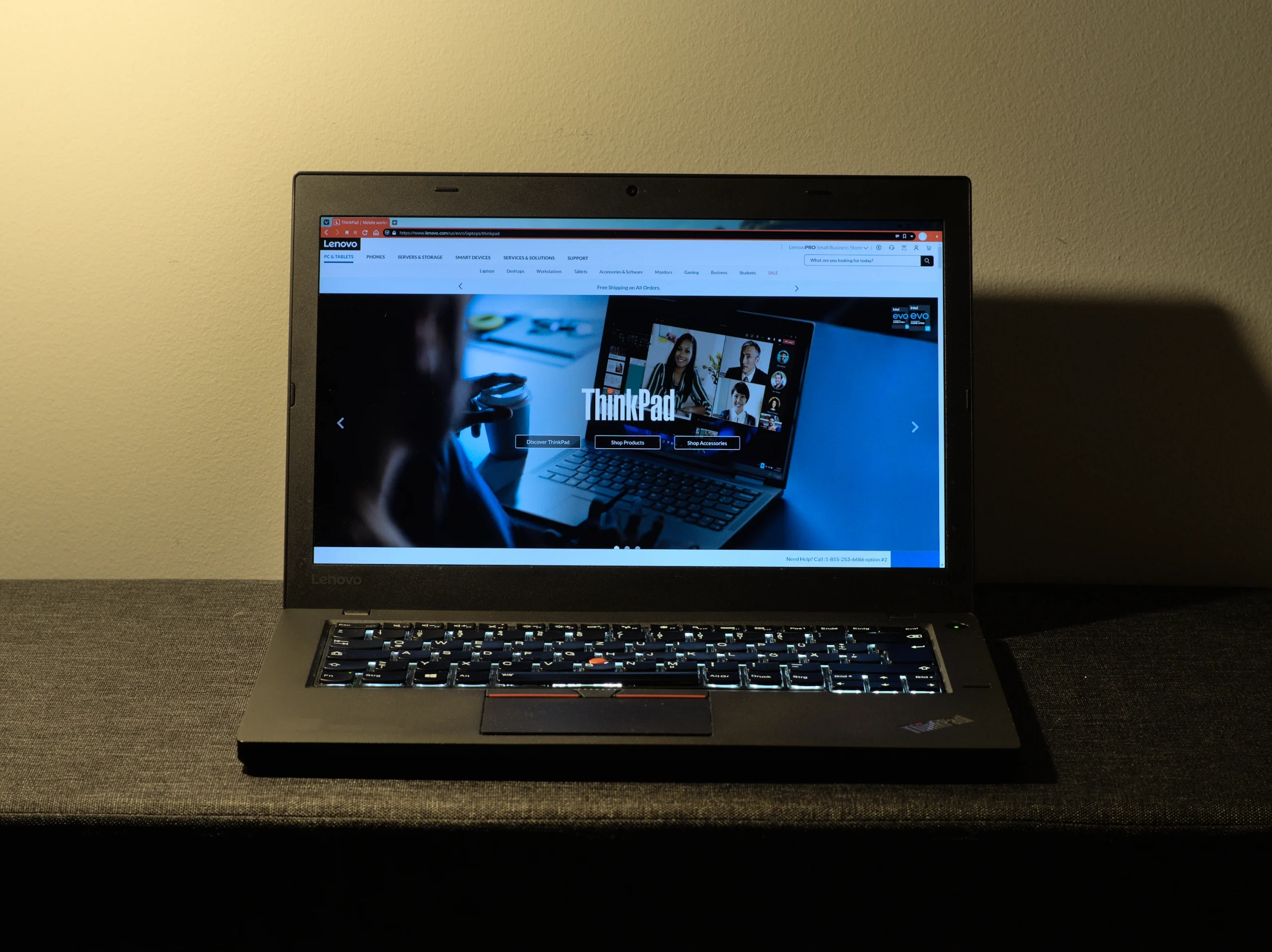
If you’re using an older laptop like the ThinkPad T460 in a hot, enclosed environment (like many of us in Malaysia), thermal management becomes crucial. Without proper cooling, your laptop will thermal throttle, overheat, or just feel uncomfortably warm during use.
This post walks through how I configured ThinkFan on CachyOS to provide aggressive, smart fan control – perfect for rooms without air conditioning.
❄️ Why ThinkFan?
ThinkFan is a lightweight daemon that adjusts your fan speed based on temperature readings. On ThinkPads, it interfaces with the system via the thinkpad_acpi module and /proc//sys interfaces.
Benefits:
- Auto-adjusts fan speeds based on real temps
- Lower idle temps
- Avoids overheating during heavy tasks
- Fully customizable fan curves
🛠️ What You Need
- A ThinkPad laptop (in my case, a T460)
- CachyOS or any Arch-based distro
- Root access
thinkfanandlm_sensorspackages installed
📦 Step 1: Install ThinkFan & lm_sensors
sudo pacman -S thinkfan lm_sensors
🔧 Step 2: Enable Kernel Modules
Ensure the ThinkPad ACPI module is loaded:
echo "options thinkpad_acpi fan_control=1" | sudo tee /etc/modprobe.d/thinkpad_acpi.conf
Then run:
sudo modprobe -r thinkpad_acpi
sudo modprobe thinkpad_acpi fan_control=1
To make it permanent across reboots, ensure the module is loaded:
echo thinkpad_acpi | sudo tee -a /etc/modules-load.d/thinkpad.conf
🌡️ Step 3: Detect Sensors
sudo sensors-detect
Accept defaults. Then reboot.
🔍 Step 4: Identify Your Sensors
Run:
for i in /sys/class/hwmon/hwmon*/name; do echo "$i: $(cat $i)"; done
Example output:
/sys/class/hwmon/hwmon0/name: AC
/sys/class/hwmon/hwmon1/name: acpitz
/sys/class/hwmon/hwmon2/name: BAT0
/sys/class/hwmon/hwmon3/name: thinkpad
/sys/class/hwmon/hwmon4/name: pch_skylake
/sys/class/hwmon/hwmon5/name: iwlwifi_1
/sys/class/hwmon/hwmon6/name: coretemp
🧾 Step 5: Create the ThinkFan Config
Edit or create /etc/thinkfan.conf:
hwmon /sys/class/hwmon/hwmon6/temp1_input
hwmon /sys/class/hwmon/hwmon4/temp1_input
hwmon /sys/class/hwmon/hwmon3/temp1_input
hwmon /sys/class/hwmon/hwmon1/temp1_input

# Fan steps: (fan_level, temp_low, temp_high)
# Aggressive cooling - starts early and ramps fast

(0  0     48)
(1  45    52)
(2  50    56)
(3  54    60)
(4  57    65)
(5  60    70)
(6  65    75)
(7  70    80)
This fan curve is designed to start cooling early (as low as 45°C) and quickly reach max fan speed as temps rise – ideal for Malaysia’s hot climate.
🚀 Step 6: Enable and Start the Service
sudo systemctl enable --now thinkfan
Check its live logs:
sudo journalctl -u thinkfan -f
You should see output like:
Temperatures(bias): 51(0), 51(0), 45(0), 50(0), 50(0), 51(0) -> Fans: level 3
When things heat up:
Temperatures(bias): 55(0), 55(0), 46(0), 60(0), 58(0), 55(0) -> Fans: level 5
🧊 Final Result: Cool & Quiet(ish)
With this setup, my ThinkPad T460 stays cool even when:
- Browsing with multiple tabs
- In a room with no air-conditioning, no window, just a slow ceiling fan
📌 Notes
- You can always tweak the fan curve for quieter behavior if needed.
- If you’re using KDE or GNOME, add a temp widget for real-time visuals.
- Don’t forget to clean your fans every few months – software can’t fix dust buildup.










Post Comment