android
open source
Technology
9M2PJU, AES-256-GCM, Android privacy, Argon2id, BIP-39 recovery phrase, CipherNest, Cryptomator alternative, encrypted cloud storage, Ente alternative, Flutter Android, Google Drive encryption, GPL-3.0, HPKE, offline backup, OneDrive encryption, Proton Drive alternative, X25519, zero-knowledge storage
9M2PJU
0 Comments
CipherNest: Zero-Knowledge Encrypted Storage Inside Your Own Google Drive and OneDrive
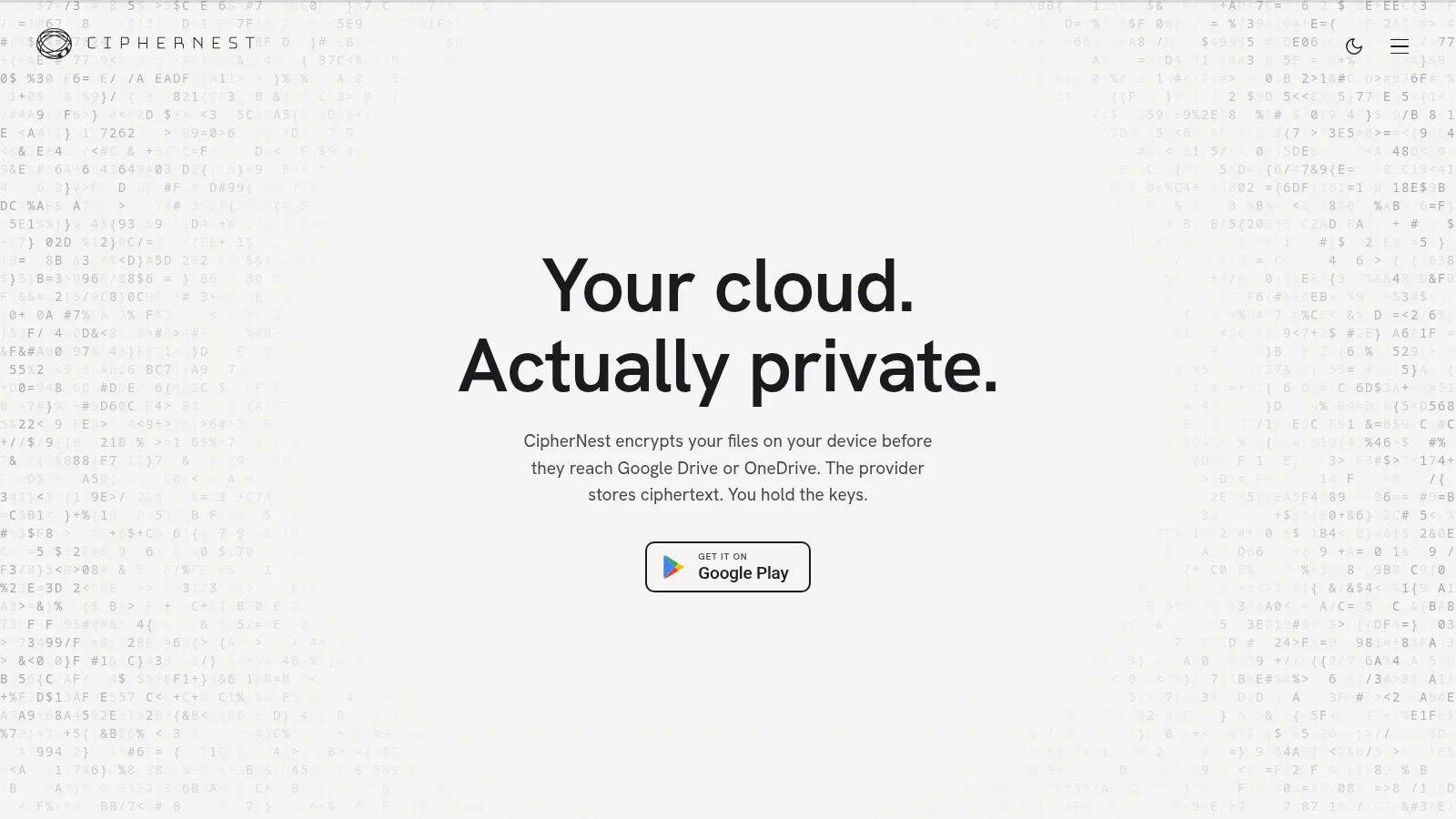
TL;DR: CipherNest encrypted cloud storage is a free open source Android vault that encrypts files on your phone before upload to your own Google Drive or OneDrive. AES-256-GCM chunks, HPKE sealed file keys, BIP-39 recovery phrase and no file server. Free to 1,000 files, then Plus lifts the cap. Setup, crypto tour and comparison table inside.
What CipherNest Is
CipherNest encrypted cloud storage is an open source Android app that encrypts photos, videos and files on your device before uploading the ciphertext to your own Google Drive or OneDrive account.
If you already pay for Google One or Microsoft 365, you know the trade. Search, thumbnails and AI organisation work because the provider can read everything. CipherNest flips that model. It creates a folder inside the cloud you already own, writes only opaque objects like 9f3a...c2e1.cnest, seals filenames and folder structure inside encrypted metadata, and keeps the keys on your phone. Google or Microsoft stores the blobs but can’t read them. The project runs no file server, holds no keys, and publishes the full source under GPL-3.0-or-later at https://github.com/ciphernest-io/CipherNest.
Why Zero-Knowledge Storage Matters Now
Cloud storage became smart by becoming readable. Providers index text in PDFs, group faces in photos, transcribe voice notes and feed the results into search and AI assistants. That convenience has a cost: every file is available for scanning, subpoena, breach or reuse in model training under a future terms update.
Privacy tools split into two camps. The first camp says leave Big Tech and move to a new encrypted cloud. That works, but you buy new storage, migrate terabytes, share new links with family, and learn a new sharing model. The second camp says keep your cloud and add a client-side encryption layer. That’s where Cryptomator earned its reputation on desktop, and where CipherNest now fits for Android-first users.
CipherNest is built by solo developer Usman Shafs, took more than a year of work, reached version 1.0.0 on Google Play, and shows 275 commits in the public repo with 8 stars at the time of writing. The pitch is simple: your cloud, actually private. No migration, no second storage bill, no account on a new service. The app asks Google only for the narrow drive.file scope so it can touch only files it created, and the OneDrive equivalent on Microsoft. Everything else in your Drive stays out of reach by design.
For radio amateurs the use case is concrete. Field day photos with callsigns and faces, scans of licenses and QSL cards, repeater site access notes, club membership sheets, and phone backup of an activation weekend. You want those backed up off the phone, but you don’t want them indexed or previewed by a provider. A zero-knowledge vault in your existing Drive solves backup without creating a new account to manage.
How CipherNest Works Under the Hood
The README, threat model and site agree on one principle: encryption happens on the device, every time, before the network. The server stores ciphertext it can’t interpret.
Key design points, all verifiable in source:
- Client-side everything. Files are encrypted on the phone before upload. Keys derive on-device from a BIP-39 recovery phrase and are never sent anywhere.
- Chunked authenticated encryption. File bodies use AES-256-GCM in 512 KiB chunks. Each chunk uses a counter nonce and additional authenticated data binding it to the file content id, its index and the total chunk count. Reordering, truncation, duplication and splicing between files fail authentication instead of decrypting to plausible garbage.
- Per-file keys sealed with HPKE. Each file gets a fresh AES-256 key, sealed to the vault long-term X25519 public key with HPKE per RFC 9180 using DHKEM X25519 with HKDF-SHA256 and AES-128-GCM. The implementation is checked against the RFC Appendix A.1 test vectors. Sealing needs only the public key, which lets background upload encrypt while the vault is locked.
- Password stretching with Argon2id. Where a password is used, it uses Argon2id at 64 MiB memory, two passes, 32 byte output, with fresh random salt.
- Encrypted names and structure. Filenames and types are sealed with HPKE in cloud object metadata. Folders and albums live in the encrypted vault index, not in provider folder trees. The provider sees object counts, sizes and timing, not names or types.
- Narrow cloud scope. Google
drive.filescope plus the OneDrive equivalent. The app can’t list or read the rest of your cloud. - Sync without a server. Restore the same recovery phrase on a second device and both stay in sync, including folders and albums. Offline changes on both sides merge on reconnect. No CipherNest storage server sits in the middle.
- Share links with fragment keys. The file key travels in the URL fragment after
#, which browsers never send to servers. The recipient browser decrypts locally after fetching ciphertext through a small Cloudflare Worker relay that sees encrypted bytes only. - Hardened secret screens. Recovery phrase and share-key screens set Android
FLAG_SECURE, excluding them from screenshots, screen recording and recents snapshots. Gallery screens stay capturable by design.
The stack is Flutter with Dart, JDK 17, compile SDK 36, minimum Android 9.0 API 28. Build requirements list Flutter 3.38.5 stable. Release builds require a signing keystore and never fall back to a debug key.
What CipherNest Honestly Does Not Protect
The best part of this project is how plainly it lists limits. A vault that oversells itself is worse than no vault, and CipherNest puts the gaps in the README and in THREAT_MODEL.md instead of hiding them.
- Compromised device. Root malware on an unlocked phone, or forensic extraction of a powered-on device unlocked since boot, defeats at-rest protection. The local metadata database is currently readable in that scenario: filenames, folder names and timestamps. File contents stay encrypted on disk, but items decrypted into cache since last lock may remain.
- Share links are bearer tokens. Anyone holding a link can decrypt that one file. Expiry is enforced by viewer and relay, but a recipient who downloaded in-window keeps the copy, and a forwarded link works for the next holder.
- Forgotten recovery phrase. No reset exists. The server holds no keys, so support can’t recover files. Write the 12 words on paper.
- Traffic analysis. The provider and any network observer see that you use CipherNest, how many objects exist, their sizes, and when they change. No padding is applied.
- Deletion. Encryption protects confidentiality, not availability. Anyone who can delete cloud objects can destroy the vault. Keep provider trash and versioning enabled.
- Passwordless device lock. With no app password set, anyone who unlocks the phone opens the vault. Convenient, but understand the trade.
- No independent audit yet. The project ships an OWASP MASVS self-assessment in
docs/MASVS_REPORT.mdwith open findings and dispositions, and the author states a funded third-party audit is being pursued. Don’t describe it as audited until that lands.
That honesty is why the project is worth covering. It tells you exactly where the walls are.
Getting Started in About Ten Minutes
1. Install from Play or GitHub
Two install paths exist, signed with different keys. Pick one, since Android won’t update one over the other without an uninstall. Your vault survives either way because the recovery phrase restores everything.
- Google Play: CipherNest on Google Play. Automatic updates.
- Direct APK: the latest GitHub release at CipherNest releases with SHA-256 beside it. Manual updates, for users without Play.
Verify the APK before install:
sha256sum ciphernest-1.0.0.apk
apksigner verify --print-certs ciphernest-1.0.0.apk
Compare the checksum with the release page, then compare the signer certificate SHA-256 digest with the fingerprint published at https://ciphernest.io/security. The fingerprint lives on a different host from the download. So replacing the GitHub file alone doesn’t pass the check. Play builds carry a different Play App Signing certificate and are verified through Play itself. If either check fails, don’t install and report it to [email protected].
2. Create a vault and save the recovery phrase
On first run the app generates 12 random BIP-39 words on the device. That phrase is the vault. It derives file keys, device identity and subscription linkage. It never leaves the phone.
Write it on paper and store it away from the phone. A password manager copy helps, but paper survives dead phones. The password you set after that is local to one device only. It unlocks the app on that phone. You can use a different password per device. The phrase restores access on a new phone. The password doesn’t.
3. Connect Drive or OneDrive
Sign in with Google or Microsoft. CipherNest creates its own folder in that cloud. On Google it uses the least-privilege file scope. On Microsoft, work or school accounts may prompt for admin consent because the publisher isn’t yet verified by Microsoft. Personal accounts connect normally.
No data migrates. Existing Drive files stay where they are. Anything already in Drive must come through the phone to enter the vault: download, add to CipherNest, then delete the plain copy if you want it gone from provider view.
4. Add photos, enable backup, organise
The app feels like a gallery and file manager, not a crypto tool. Resizable photo timeline grouped by day, albums, favourites, folders, a Phone Backup folder for auto backup, PDF document viewer, music tracks with playlists, and in-app video playback straight from the vault. The built-in photo editor covers paint, text, crop, rotate, tune and filters.
Enable background auto backup on a schedule or on app open. Existing albums can be backed up in place without fuss. New shots encrypt and upload on their own.
5. Share by link with care
Pick a file, create a link, set expiry, add a password for anything sensitive. The key sits in the URL fragment for plain links, so treat the link like the file. Send the password through a different channel. Remember the recipient keeps any copy downloaded before expiry.
CipherNest Versus the Alternatives
The official site comparison is unusually fair. Every rival listed is described as a good product. The table below follows the same shape with plain wording.
| Item | CipherNest | Cryptomator | pCloud with Crypto | Proton Drive | Ente |
|---|---|---|---|---|---|
| What it is | Encryption layer over your cloud | Encryption layer over your cloud | Cloud storage with paid crypto add-on | Encrypted cloud storage | Encrypted photo storage |
| Keep existing Drive or OneDrive | Yes | Yes | No, new storage | No, new storage | No, new storage |
| Full file management | Yes | Yes, desktop strength | Yes | Yes | Photos first, files limited |
| Encrypted by default | Yes, everything | Yes, vault contents | No, only Crypto folder | Yes | Yes |
| Mobile first design | Yes, Android first | No, desktop first | Yes | Yes | Yes |
| Photo gallery and timeline | Yes | No real gallery | Yes | Basic | Yes, excellent |
| Encrypted video streaming | Yes, in-app playback | No | Yes | No | Yes |
| Open source | Yes, GPL-3.0 | Yes, GPL-3.0 | No | Yes, selected parts | Yes |
| Independent audit | Not yet, self-assessment published | Yes | No | Yes | Yes |
| Price shape | Free to 1,000 files, then 1.99 USD per month | Free desktop, about 29.99 EUR once on mobile | Storage plan plus about 4.99 USD per month for Crypto | Free 5 GB, then from 4.99 USD per month | Free 10 GB, then from 2.99 USD per month |
The short version from the project itself: if you live in a laptop file browser, Cryptomator fits. If your files are photos on a phone, CipherNest was built for that. If you want to leave Google and Microsoft entirely, Proton Drive or Ente match better, at the cost of new storage and migration.
Pricing Without Hostage Taking
Free means the whole app with no card and no trial clock. Every feature, both providers, gallery, backup, sharing and video. The single limit is 1,000 file uploads, counting Recycle Bin contents until emptied.
Plus removes the cap only. Same app, same crypto, same features. Pricing on the site is 1.99 USD per month, 19.99 USD per year, or a 39 USD lifetime option while seats last, with regional Play pricing. If you stop paying, files stay readable, downloadable and deletable. You return to the free limit for new uploads. Nothing is locked.
Plus ties to one Google account and one recovery phrase at a time. A new vault starts on Free. Open Settings, CipherNest Plus, Restore purchase inside the vault you want, and Plus moves there. Subscriptions and refunds run through Google Play.
For Hams, Preppers and Field Operators
This blog covers radio, but the backup logic transfers directly. An activation weekend generates hundreds of photos and videos, plus scans that should never sit in plain cloud text: license PDFs, equipment receipts, site access letters, medical notes for a long hike. A zero-knowledge vault in existing Drive space keeps that archive off the phone without feeding it to indexing.
Practical pattern:
- Keep a
Radiofolder and aFamilyalbum separate, so sharing one never exposes the other. - Auto backup the phone camera folder during travel, then move keepers into albums when home.
- Export ADIF logs and Codeplug backups as files into the vault alongside photos, so one restore brings back station and memories together.
- Print the recovery phrase and store it with passports, not in the same bag as the phone.
- Remember deletion risk: enable Drive trash retention and versioning, since encryption can’t stop deletion.
CipherNest is Android only today. A web viewer exists for share links, and a fuller web version plus more providers like pCloud and Dropbox are on the roadmap. IPhone and desktop clients depend on demand. The encryption and sync format were designed so new clients can join without reformatting existing vaults.
Building From Source
The Android project lives under frontend/:
git clone https://github.com/ciphernest-io/CipherNest.git
cd CipherNest/frontend
flutter pub get
flutter build apk --release --no-tree-shake-icons
The --no-tree-shake-icons flag is required because an icon package uses non-constant IconData. For Play bundles use flutter build appbundle --release --no-tree-shake-icons. You need Flutter 3.38.5 stable, JDK 17, compile SDK 36, target SDK 36, minimum Android 9. Release builds need frontend/android/key.properties pointing at your own keystore. A self-signed build won’t update over a Play or GitHub build.
Contributions use GPL-3.0-or-later with DCO sign-off. Open an issue before changing file formats, key derivation or blob layout, since those are frozen once real vaults exist.
Sources and Further Reading
- CipherNest source repository: https://github.com/ciphernest-io/CipherNest
- CipherNest official site: https://ciphernest.io
- CipherNest security page: https://ciphernest.io/security
- CipherNest source mirror page: https://ciphernest.io/source
- Threat model: https://github.com/ciphernest-io/CipherNest/blob/main/THREAT_MODEL.md
- Security policy: https://github.com/ciphernest-io/CipherNest/blob/main/SECURITY.md
- Changelog: https://github.com/ciphernest-io/CipherNest/blob/main/CHANGELOG.md
- Google Play listing: https://play.google.com/store/apps/details?id=io.ciphernest.vault
- HPKE RFC 9180: https://www.rfc-editor.org/rfc/rfc9180.html
- Cryptomator project: https://cryptomator.org/
- Proton Drive: https://proton.me/drive
- Ente photos: https://ente.io/
73 de 9M2PJU

Post Comment