Kitty Terminal Emulator: High-Performance GPU Acceleration, Graphics Protocol, and Practical Shack Workflows
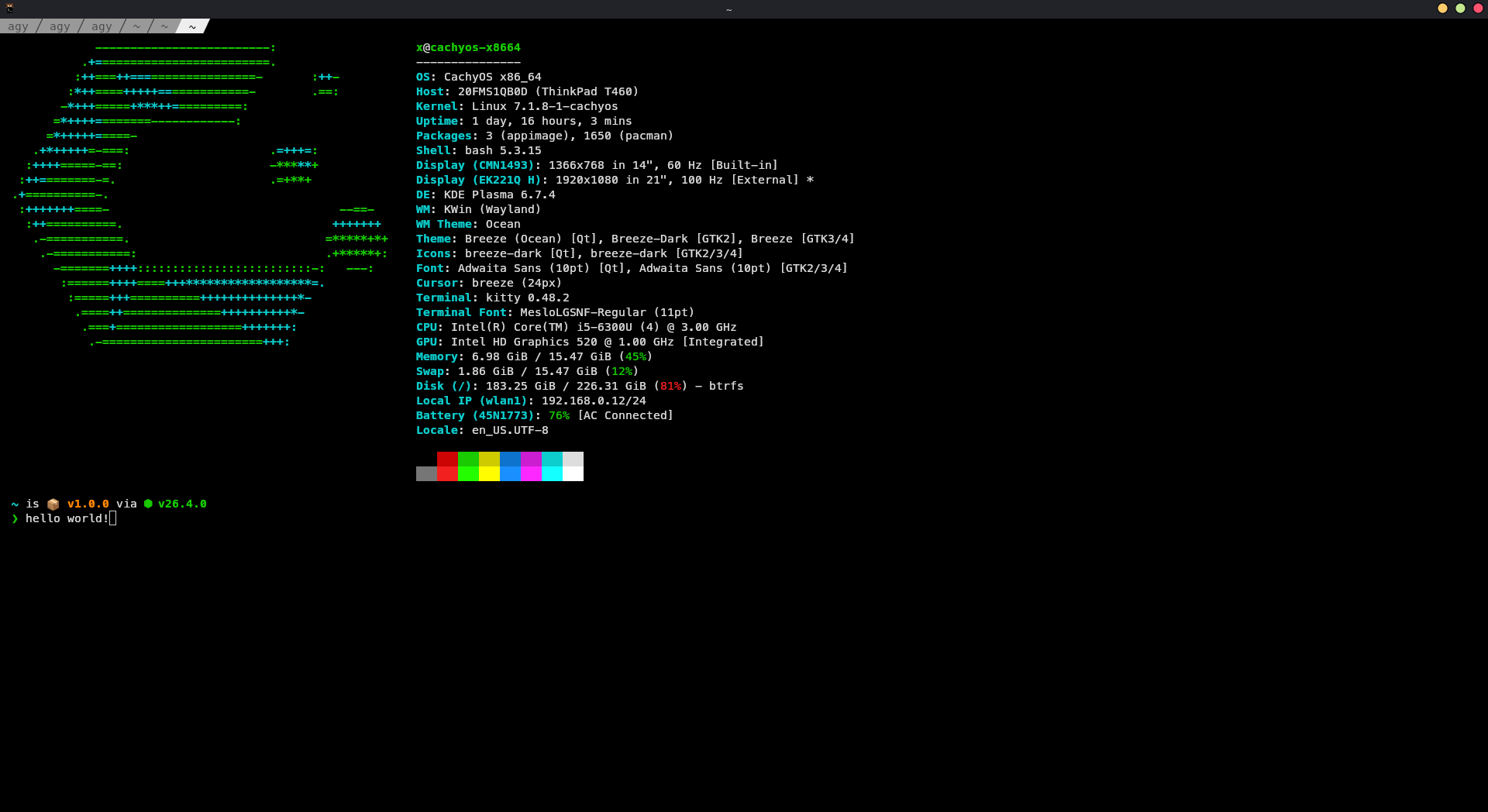
TL;DR: Kitty is a fast, GPU-accelerated, open-source terminal emulator created by Kovid Goyal that offloads text and graphics rendering to OpenGL. It pioneers modern terminal standards including high-resolution graphics rendering, disambiguated keyboard protocols, built-in tiling layouts, and an extensible Python kitten framework, making it an exceptional workstation hub for Linux sysadmins and amateur radio digital shacks.
Most terminal emulators still carry the baggage of 1970s hardware video terminals. Even on modern multi-core workstations equipped with dedicated graphics cards, traditional terminal software renders glyphs entirely on the CPU, processes escape sequences synchronously on a single thread, and restricts graphical output to crude ASCII art or archaic Sixel bitmaps. When scrolling through megabytes of real-time packet radio telemetry, SDR compile logs, or high-volume debug traces, legacy terminal emulators routinely choke, introducing visible input latency and dropping frames.
Kitty fundamentally breaks away from this legacy model. Created and maintained by Kovid Goyal (the author of the Calibre ebook suite), Kitty is an open-source (GPLv3), GPU-accelerated terminal emulator for Linux and macOS. By offloading text rasterisation and rendering to OpenGL shaders, executing terminal parsing via SIMD vector CPU instructions, and decoupling I/O across threaded workers, Kitty achieves sub-millisecond input response times and silky-smooth rendering regardless of buffer size.
Beyond raw speed, Kitty acts as an architectural pioneer for the entire modern terminal ecosystem. It introduced the Kitty Graphics Protocol, the Extended Keyboard Protocol, OSC 8 hyperlinks, desktop notification integration, and a rich Python-driven plugin framework called “Kittens”. This guide explores the architectural internals of Kitty, breaks down its core protocols, provides practical configuration patterns, compares it against contemporary alternatives, and demonstrates how to use its capabilities for high-efficiency amateur radio, telemetry, and Linux operations.
Last updated: August 2026.
What Is Kitty?
The Kitty terminal emulator is an open-source, cross-platform terminal program that uses the computer graphics processing unit (GPU) and SIMD vector CPU instructions to deliver low-latency text rendering, high-resolution inline graphics, and keyboard-driven window multiplexing.
+-----------------------------------------------------------------------+
|                       KITTY TERMINAL ARCHITECTURE                     |
+-----------------------------------------------------------------------+
|  Input Devices (Keyboard, Mouse) -> Extended Keyboard Protocol        |
|                                  |                                    |
|                                  v                                    |
|  +-----------------------------------------------------------------+  |
|  | Multi-Threaded Core (C & Python Engine)                        |  |
|  | - PTY I/O Thread (Non-blocking reads / writes)                  |  |
|  | - Parser Thread (SIMD Vector CPU parsing of ANSI/VT escapes)   |  |
|  | - State Manager (Screen grid, scrollback ring buffer, unicode)  |  |
|  +-----------------------------------------------------------------+  |
|                                  |                                    |
|                                  v                                    |
|  +-----------------------------------------------------------------+  |
|  | GPU Rendering Engine (OpenGL 3.3+ / Metal)                      |  |
|  | - Glyph Texture Atlas (HarfBuzz text shaping & Freetype)       |  |
|  | - Vertex / Fragment Shaders (Text, backgrounds, ligatures)      |  |
|  | - Kitty Graphics Protocol Engine (PNG, RGBA direct placement)   |  |
|  +-----------------------------------------------------------------+  |
|                                  |                                    |
|                                  v                                    |
|  Display Output (Wayland / X11 / macOS Cocoa) -> VSync Framerate Sync  |
+-----------------------------------------------------------------------+
Unlike terminal applications built on heavy web engines or standard desktop widget toolkits, Kitty is engineered in optimized C and Python. Text shaping is handled by HarfBuzz, font rendering is managed through FreeType, and the final pixel composition is piped directly to the GPU via OpenGL shaders. The result is a terminal that runs at the native refresh rate of your display (60 Hz, 144 Hz, or higher) without loading the host CPU during heavy data throughput.
Under the Hood: Rendering Pipeline and Performance Engineering
To understand why Kitty remains responsive under heavy terminal loads where legacy emulators stutter, we must examine its internal pipeline:
1. GPU Offloading and Shader Composition
Traditional terminal emulators draw characters sequentially on the CPU and push software bitmaps to the windowing system using standard 2D drawing APIs (such as Cairo or X11 GCs). Under rapid scrolling, the CPU spends enormous cycle budgets redrawing character cells, calculating clipping rectangles, and transferring frame buffers over the system bus.
Kitty shifts this entire process into video memory:
– Glyph Atlas: As characters and symbols are encountered, Kitty rasterises them into an OpenGL texture atlas stored in VRAM.
– Batched Vertex Arrays: Terminal cells are represented as compact vertex data containing coordinates, colour attributes, and texture UV coordinates.
– Shader Pipeline: The GPU processes these vertices in parallel, executing fragment shaders to apply foreground colours, background tints, text attributes (bold, italic, strikethrough), and custom underline styles.
Because the data transmitted from CPU to GPU per frame consists only of compact vertex buffers rather than raw bitmap frames, bus bandwidth utilisation remains minimal.
2. Threaded I/O and SIMD Vector Parsing
Kitty decouples data reading from data rendering. A dedicated I/O thread reads data from the pseudo-terminal (PTY) into memory rings. The parser evaluates ANSI escape sequences and UTF-8 byte streams using SIMD (Single Instruction, Multiple Data) vector instructions on modern x86_64 (AVX2/SSE) and ARM (NEON) processors.
This threaded separation ensures that even if a background process outputs hundreds of megabytes of text in a tight loop (such as compiling GNU Radio or dumping packet logs), the UI thread continues receiving keyboard events, maintaining interactive latency without dropping keystrokes.
3. VSync Synchronisation and Input Latency
Kitty synchronises rendering with the display monitor VSync signal. Instead of drawing on every arbitrary PTY read, Kitty coalesces screen updates to match the refresh cycle, eliminating screen tearing and reducing thermal dissipation on mobile laptops. Kitty measures and minimises the time delta between receiving an input event and presenting the resulting glyph on screen, frequently achieving input latency below 5 milliseconds.
Pioneering Terminal Protocols
Kitty has served as an incubator and champion for modern terminal standards that have since been adopted by other contemporary emulators such as Ghostty, WezTerm, and Neovim.
+-------------------------------------------------------------------------+
|                    MODERN TERMINAL PROTOCOLS BY KITTY                   |
+-------------------------------------------------------------------------+
| 1. Kitty Graphics Protocol    | 24-bit True Colour, PNG/RGBA, Animations|
| 2. Extended Keyboard Protocol | Full Key Modifiers, Disambiguated Keys  |
| 3. Underline & Styling Spec   | Curly, Dotted, Dashed, Coloured Underlines|
| 4. OSC 8 Hyperlinks           | Direct Embedded Clickable URLs          |
| 5. Desktop Notifications      | OSC 99 / OSC 777 System Notifications   |
| 6. Shell Integration Hooks    | Automatic Prompt Marking, Output Capture|
+-------------------------------------------------------------------------+
The Kitty Graphics Protocol
For decades, displaying graphics inside a terminal required either crude Sixel graphics (a 6-pixel vertical block protocol dating from 1980s DEC printers) or terminal-specific hacks. Sixel suffers from severe color quantization, slow transmission, and zero window-resize awareness.
The Kitty Graphics Protocol solves this by defining escape sequences that transmit high-resolution images (RGB, RGBA, or PNG-compressed byte streams) directly into the terminal memory.
Key features of the Graphics Protocol:
– Zero Quantisation: Supports 24-bit True Colour and 8-bit alpha channels for transparent backgrounds.
– Placement Control: Images can be positioned relative to the cursor, pinned to specific cell coordinates, or layered beneath or above text (z-indexing).
– Unicode Placeholders: Supports placeholder characters so CLI applications (such as terminal file managers and image viewers) know exact character dimensions without redrawing the entire screen.
– Shared Memory Transfers: When running locally on the same host, Kitty can read images directly from shared memory (POSIX shared memory / shm_open), eliminating escape sequence serialization overhead entirely.
# Display an image directly in the terminal using the built-in icat kitten
kitty +kitten icat /path/to/satellite-pass.png

# Display image with explicit cell constraints
kitty +kitten icat --place 40x20@10x5 /path/to/weather-chart.png
The Extended Keyboard Protocol
Classic ANSI terminal keyboard handling is notoriously ambiguous. For example, traditional terminals send the exact same ASCII control character (\x1b) for the Escape key, Alt+[ key, and escape prefixes. Similarly, pressing Ctrl+I sends the same byte as the Tab key (\x09), and Ctrl+M is indistinguishable from Enter (\x0d).
Kitty introduced the Extended Keyboard Protocol (progressive enhancement via CSI u sequences):
– Disambiguation: Ctrl+Tab, Shift+Enter, Ctrl+Backspace, and Alt+Key combinations emit unique, parseable escape codes.
– Event Types: Distinguishes between key press, key release, and key repeat events.
– Modifier Reporting: Explicitly conveys Shift, Alt, Control, Super (Windows key), Hyper, and CapsLock states to terminal applications like Neovim, Emacs, and Helix.
Advanced Underline and Text Styling
Kitty introduced escape codes for enhanced text decorations:
– Curly (wavy/squiggly) underlines for spell checks and linting diagnostics.
– Dotted and dashed underlines.
– Independent 24-bit RGB underline colours separate from the foreground text colour (e.g. green text with a red wavy underline).
Built-In Multiplexing and Tiling Layouts
Many users instinctively install tmux or screen to split terminals into multiple panes. While terminal multiplexers remain valuable for detaching remote sessions, using tmux locally introduces significant overhead:
– Captures and intercepts key sequences, interfering with editor keymaps.
– Breaks native OS clipboard integration and smooth mouse scrolling.
– Strips advanced terminal features (such as inline graphics) unless complex pass-through escape filters are configured.
Kitty contains a native, high-performance window multiplexer that runs entirely within its GPU pipeline. It supports multiple native tiling layouts out of the box:
+-----------------------+ +-----------------------+ +-----------------------+
|        STACK          | |        TALL           | |        SPLITS         |
+-----------------------+ +-----------------------+ +-----------------------+
|                       | |           |           | |           |     B     |
|                       | |           |     B     | |     A     +-----------+
|       WINDOW A        | |     A     |           | |           |  C  |  D  |
|     (Full Screen)     | |  (Master) +-----------+ +-----------+-----+-----+
|                       | |           |     C     | |           E           |
+-----------------------+ +-----------------------+ +-----------------------+
Available Window Layouts
| Layout Name | Behavior and Structure | Ideal Use Case |
|---|---|---|
| Stack | One window occupies the entire tab area; other windows are hidden behind it. | Maximising code editor or full-screen log analysis. |
| Tall | Master window on the left, secondary windows stacked vertically on the right. | Master shell on the left with build and test runners on the right. |
| Fat | Master window on top, secondary windows arranged horizontally along the bottom. | Top primary editor with bottom log output and debug consoles. |
| Grid | Windows arranged in an equal NxN grid matrix. | Multi-node monitoring, APRS logs, and telemetry streaming. |
| Splits | Arbitrary horizontal and vertical nested splits controlled on demand. | Custom multi-tool operator dashboards. |
| Horizontal | All windows placed side by side horizontally. | Multi-column log comparisons. |
| Vertical | All windows stacked vertically. | Multi-line command queues. |
Switching between layouts or cycling windows is handled instantly via native keyboard shortcuts without incurring escape-key latency.
The Kittens Ecosystem: Extending the Terminal
Kitty provides a built-in framework for extensible mini-applications known as Kittens. Written in Python and C, kittens interact with Kitty internal APIs to provide rich functionality without requiring external heavy dependencies.
+-----------------------------------------------------------------------+
|                           KITTY KITTENS SUITE                         |
+-----------------------------------------------------------------------+
|  icat             | High-resolution in-terminal image viewing          |
|  diff             | Fast syntax-highlighted side-by-side file diffs   |
|  hints            | Keyboard-driven URL, path, hash, and word picker  |
|  ssh              | Smart SSH with terminfo sync & clipboard bridge   |
|  transfer         | Direct file transfer over raw terminal sessions   |
|  broadcast        | Keystroke broadcasting across multiple windows    |
|  unicode_input    | Interactive fuzzy search for Unicode & symbols    |
|  remote_file      | Open and edit remote server files in local editor |
+-----------------------------------------------------------------------+
1. kitten hints: Keyboard-Driven Text Interaction
The hints kitten scans the visible screen buffer for specific patterns (URLs, file paths, git commit hashes, IP addresses, or arbitrary regexes) and overlays short alphabet badges. Pressing the matching key immediately performs an action (such as opening the URL in a browser, copying the hash to the clipboard, or inserting the path into the active shell).
Visible Buffer:
  Packet received from 9M2PJU-9 at 144.390 MHz [a]
  Gateway IP: 192.168.1.105 [b]
  Telemetry report: https://hamradio.my/logs [c]

Pressing 'c' immediately opens the URL in your default browser.
2. kitten ssh: Frictionless Remote Administration
Connecting to remote servers with standard ssh often causes terminfo issues because minimal server distributions lack the xterm-kitty terminfo entry, resulting in broken backspace keys, disabled colours, or visual glitches.
Running kitten ssh user@remote-host automatically:
1. Compresses and transfers the xterm-kitty terminfo database into ~/.terminfo on the remote host in milliseconds.
2. Injects shell integration scripts for remote Bash/Zsh/Fish environments.
3. Sets up secure clipboard forwarding and automatic file transfer capabilities.
3. kitten diff: Syntax-Highlighted Terminal Diffing
kitten diff file_a.c file_b.c launches a blazing-fast side-by-side terminal diff tool with syntax highlighting, inline character changes, recursive directory diffing, and image comparison support.
4. kitten broadcast: Multi-Server Synchronised Execution
When managing multiple edge nodes, repeater controllers, or field laptops, kitten broadcast mirrors your keystrokes to all active windows in a tab simultaneously, providing cluster management capabilities without third-party tools like ClusterSSH.
Practical Application: The Amateur Radio and Edge Shack Dashboard
In an amateur radio digital operations center, field EmComm station, or remote repeater site, operators constantly juggle multiple asynchronous command-line utilities:
– TNC soundmodems (direwolf) decoding AX.25 packets.
– CAT control daemons (rigctld / Hamlib) interfacing with transceivers.
– APRS iGates and packet digipeaters (aprx).
– DX Cluster telnet clients streaming real-time spots.
– SDR recording scripts, GPSD feeds, and satellite pass trackers.
+-----------------------------------------------------------------------+
|             9M2PJU AMATEUR RADIO DIGITAL SHACK DASHBOARD              |
+-----------------------------------+-----------------------------------+
| WINDOW 1: AX.25 TNC Soundmodem    | WINDOW 2: Hamlib CAT Control      |
| $ direwolf -c direwolf.conf -t 0  | $ rigctld -m 3073 -r /dev/ttyUSB0 |
| [0.0] 9M2PJU-9>APRS,WIDE1-1:!0308 | 09:42:15 Rig set to 14.074 MHz USB|
| Audio level: 48 / 50 [Optimal]    | VFO A active, PTT State: RX       |
+-----------------------------------+-----------------------------------+
| WINDOW 3: Real-Time DX Cluster    | WINDOW 4: Satellite Tracking/Logs |
| $ nc dxc.hamradio.my 7300         | $ predict -t qth.dat              |
| DX de 9M2PJU: 14025.0 9M2MT CW 599| AO-91 AOS in 04m 12s Az: 142 El:05|
| DX de JA1ABC:  7074.0 VK3ZZ FT8   | NOAA-19 WEFAX captured: [IMAGE]   |
+-----------------------------------------------------------------------+
Using Kitty startup sessions, you can launch this entire synchronized operations console with a single command or desktop shortcut.
Creating a Reusable Shack Session File
Save the following layout configuration as ~/.config/kitty/shack.session:
# 9M2PJU Amateur Radio Shack Multi-Pane Session
layout grid
title "Amateur Radio Operations Hub"

# Pane 1: Direwolf AX.25 Packet Soundmodem
launch --title "Direwolf TNC" bash -c "direwolf -c ~/.config/direwolf.conf; exec bash"

# Pane 2: Hamlib Transceiver Control Daemon
launch --title "Hamlib rigctld" bash -c "rigctld -m 3073 -r /dev/ttyUSB_RIG -s 38400; exec bash"

# Pane 3: DX Cluster Live Spot Stream
launch --title "DX Cluster" bash -c "telnet dxc.hamradio.my 7300; exec bash"

# Pane 4: Field Shell & Weather Satellite Decodes
launch --title "Field Terminal" bash
Launch the entire operations console instantly:
kitty --session ~/.config/kitty/shack.session
Production-Ready kitty.conf Configuration
Kitty is configured through a clean, human-readable plain text file located at ~/.config/kitty/kitty.conf. Below is an optimized, battle-tested configuration tailored for high-performance daily development and radio shack monitoring:
# =====================================================================
# 9M2PJU Optimised kitty.conf Configuration
# =====================================================================

# --- Typography & Fonts ---
font_family      JetBrains Mono Regular
bold_font        JetBrains Mono Bold
italic_font      JetBrains Mono Italic
bold_italic_font JetBrains Mono Bold Italic
font_size        11.5

# Disable artificial ligature rendering under cursor
disable_ligatures cursor

# --- Window Layout & Padding ---
window_padding_width 4
remember_window_size  yes
initial_window_width  1280
initial_window_height 800
enabled_layouts       splits,tall,grid,fat,stack

# Window Borders
active_border_color   #41cad2
inactive_border_color #2d3748
window_border_width   1.5pt

# --- Tab Bar Styling ---
tab_bar_edge        bottom
tab_bar_style       powerline
tab_powerline_style slanted
active_tab_foreground   #0f1923
active_tab_background   #41cad2
active_tab_font_style   bold
inactive_tab_foreground #a0aec0
inactive_tab_background #1a202c

# --- Scrollback & History ---
scrollback_lines        20000
scrollback_pager_history_size 256
scrollback_pager        nvim -c 'set ft=man' -

# --- Performance Tuning ---
repaint_delay   10
input_delay     2
sync_to_monitor yes

# --- Mouse & Cursor Settings ---
cursor_shape          block
cursor_blink_interval 0
mouse_hide_wait       3.0
detect_urls           yes
url_color             #41cad2
url_style             curly
open_url_with         default

# --- Terminal Bell ---
enable_audio_bell    no
visual_bell_duration 0.1
visual_bell_color    #2d3748

# --- Keyboard Shortcuts & Mappings ---
kitty_mod ctrl+shift

# Window Splitting (Splits Layout)
map kitty_mod+enter launch --location=split --cwd=current
map kitty_mod+v     launch --location=vsplit --cwd=current
map kitty_mod+s     launch --location=hsplit --cwd=current

# Window Navigation
map kitty_mod+h neighboring_window left
map kitty_mod+l neighboring_window right
map kitty_mod+k neighboring_window up
map kitty_mod+j neighboring_window down

# Tab Management
map kitty_mod+t new_tab
map kitty_mod+q close_tab
map kitty_mod+] next_tab
map kitty_mod+[ previous_tab

# Layout Switching
map kitty_mod+space next_layout
map kitty_mod+z     toggle_layout stack

# Interactive Hints Picker
map kitty_mod+e kitten hints
map kitty_mod+p>f kitten hints --type path --program -
map kitty_mod+p>u kitten hints --type url --program default
map kitty_mod+p>h kitten hints --type hash --program -

# Font Resizing
map kitty_mod+equal change_font_size all +1.0
map kitty_mod+minus change_font_size all -1.0
map kitty_mod+backspace change_font_size all 0

# Reload Config Instantly
map kitty_mod+f5 load_config_file
Technical Comparison: Kitty vs. Alternative Terminals
The modern terminal emulator landscape offers several compelling alternatives. Here is how Kitty compares technically across architectural parameters:
| Parameter / Feature | Kitty | Alacritty | WezTerm | Ghostty | Foot | tmux + Terminal |
|---|---|---|---|---|---|---|
| Primary Language | C & Python | Rust | Rust | Zig | C | C |
| GPU Rendering | OpenGL / Metal | OpenGL | OpenGL / WebGPU | OpenGL / Metal | CPU (Wayland Pixman) | CPU proxy layer |
| Inline Graphics Protocol | Kitty Protocol (Native) | None (Requires patches) | Kitty & Sixel | Kitty Protocol | Sixel only | Limited pass-through |
| Native Multiplexer/Splits | Yes (Built-in) | No (External only) | Yes (Built-in) | Yes (Built-in) | No | Yes (Primary purpose) |
| Plugin / Extensibility | Python Kittens | None | Lua Scripting | CLI / Zig | Minimal | Shell scripts |
| Extended Keyboard Protocol | Yes (Originator) | Limited | Yes | Yes | Yes | Passthrough issues |
| Wayland Native Support | Yes | Yes | Yes | Yes | Yes (Wayland only) | N/A (Server daemon) |
| macOS Native Support | Yes (Cocoa) | Yes | Yes | Yes | No (Linux/BSD only) | Yes |
| True Colour & Ligatures | Yes | Yes (TrueColour only) | Yes | Yes | TrueColour only | Depends on host term |
| Config Reloading | Live hot-reload | Live hot-reload | Live hot-reload | Live hot-reload | Live hot-reload | Requires command |
Architectural Tradeoffs
- Kitty vs. Alacritty: Alacritty focuses strictly on being a bare terminal pipeline without tabs, splits, or graphics protocols. Kitty embraces a complete, keyboard-driven workstation hub with built-in tiling, interactive kittens, and native image display.
- Kitty vs. WezTerm: WezTerm provides extensive Lua configuration and built-in SSH/multiplexing daemons. Kitty chooses a leaner C core with Python extensions, delivering slightly lower memory usage and snappier cold-start times.
- Kitty vs. Ghostty: Ghostty is an impressive modern entrant using Zig and the Kitty Graphics Protocol. Kitty remains the battle-tested, mature ecosystem with years of stable releases and extensive packaging across every Linux distribution and BSD repository.
Frequently Asked Questions (FAQ)
What makes Kitty faster than traditional Linux terminal emulators?
Kitty offloads glyph rendering, background fills, and text styling directly to the GPU using OpenGL shaders. By pairing GPU rendering with SIMD-accelerated escape sequence parsing and threaded PTY I/O, Kitty avoids CPU rendering bottlenecks during rapid text output.
How does the Kitty Graphics Protocol differ from legacy Sixel graphics?
The Kitty Graphics Protocol transmits full 24-bit True Colour RGB and PNG images with transparency, arbitrary cell positioning, and z-indexing. Sixel restricts graphics to 16 or 256 indexed colours without alpha transparency or coordinate-aware resizing.
Can Kitty replace tmux for window management and terminal multiplexing?
Yes, for local workflows. Kitty provides native tiling layouts (Grid, Splits, Tall, Stack), tab management, and sessions directly on the GPU without tmux key interception, clipboard conflicts, or escape-sequence filtering issues.
How do I fix the “unknown terminal xterm-kitty” error on remote SSH servers?
Use kitten ssh user@host instead of standard ssh. The SSH kitten automatically compresses and copies the xterm-kitty terminfo database to the remote host in milliseconds, preventing broken keys and missing colour capabilities.
Does Kitty work properly on both Wayland and X11 display servers?
Yes. Kitty automatically detects your environment and runs natively on Wayland without XWayland translation layers. It also fully supports X11 on Linux, BSD platforms, and native Cocoa windowing on macOS.
Summary: Why Kitty Belongs in Your Operations Stack
The terminal isn’t merely a legacy shell interface, it is the primary command deck for software development, system administration, and modern digital radio operations. Kitty bridges the gap between decades of Unix terminal heritage and modern graphics hardware.
By combining sub-millisecond input responsiveness, native window tiling, high-resolution inline graphics, and the extensible Python kitten ecosystem, Kitty provides an uncompromising workstation foundation. Whether you’re monitoring APRS digipeaters in an emergency operations center, compiling firmware for an ESP32 beacon, or managing distributed Linux server clusters, Kitty delivers the speed, reliability, and precision required for serious field and shack operations.
73 from 9M2PJU.
Sources and Further Reading
- Official Kitty Documentation – Kovid Goyal
- Kitty Graphics Protocol Specification
- The Extended Keyboard Protocol for Terminals
- Kitty GitHub Repository (kovidgoyal/kitty)
- HarfBuzz Text Shaping Engine
- 9M2PJU Ham Radio Blog and Tools