A New Way to View Your QSLs: Browser for LoTW on Android and Chrome
A New Way to View Your QSLs: Browser for LoTW on Android and Chrome
If you are an active DX chaser or just someone who relies heavily on the ARRL’s Logbook of The World (LoTW) for your award tracking, you know that the official web interface gets the job done, but it can be clunky when you just want to quickly check your confirmations from a mobile device.
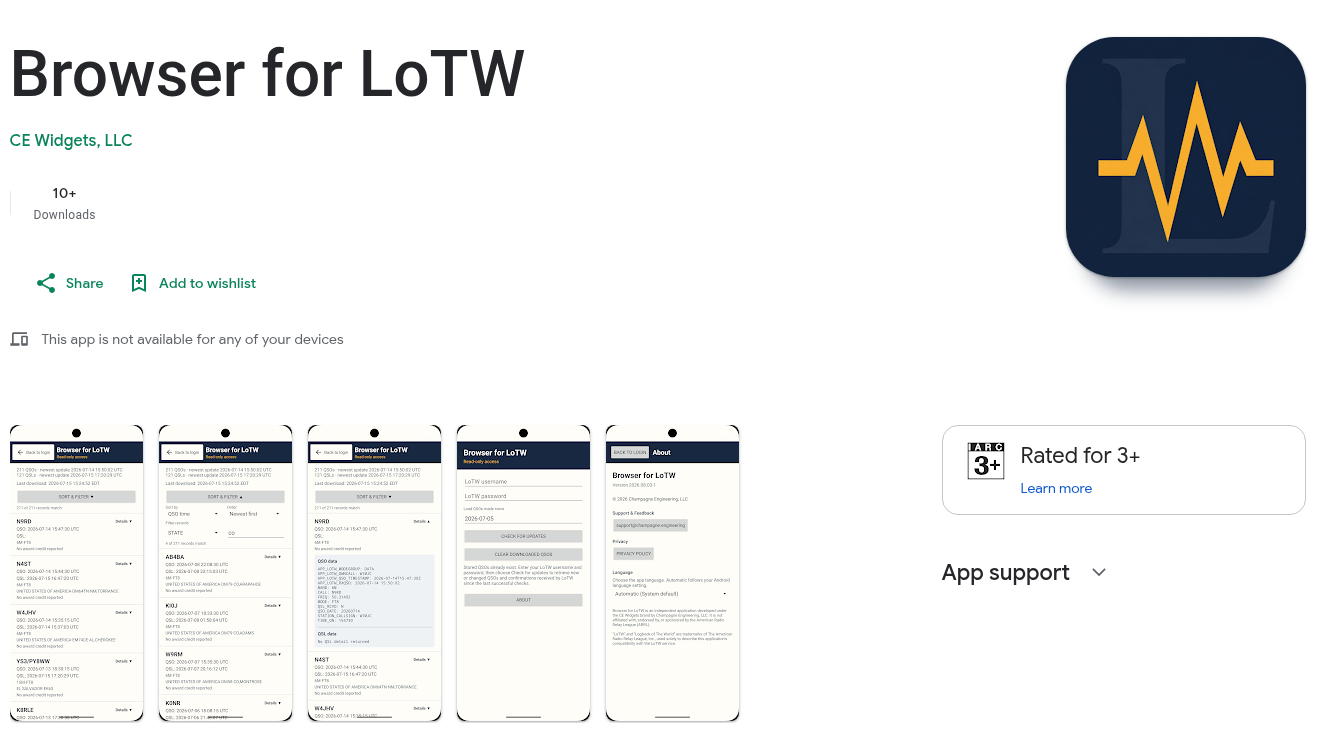
Recently, a developer in the amateur radio community released a highly useful tool: Browser for LoTW, a free, read-only viewer available as both an Android app and a Chrome extension.
What is Browser for LoTW?
Browser for LoTW is an independent, third-party application designed to retrieve and display your Logbook of The World QSO and QSL records. Once you log in (using your standard ARRL LoTW credentials), the app downloads your data and formats it into a highly searchable, easy-to-read local database on your device.
Because it is strictly a read-only client, it cannot modify your logs, delete QSOs, or sign new records. It exists purely for data retrieval and offline browsing, making it a safe companion tool for your digital logbook.
Key Features
- Offline Access: This is perhaps the biggest selling point. Once your records are downloaded to your Android device or Chrome browser, you can browse, search, and filter your QSOs offline without needing an active internet connection or waiting for page reloads.
- Advanced Filtering and Search: The app goes far beyond basic text matching. It supports advanced sorting and even regular-expression (regex) filtering, allowing you to easily hunt down specific contacts, modes, or DXCC entities.
- Cross-Platform Convenience: Having both a Chrome extension for desktop use and a native Android app means you can keep your confirmations at your fingertips, whether you are at the shack PC or checking your phone at a club meeting.
- Secure and Read-Only: As a read-only viewer, there is zero risk of accidentally corrupting your LoTW database.
Things to Keep in Mind
As with any third-party tool, it is important to remember that this software is not officially affiliated with or endorsed by the ARRL. You are trusting the application to handle your LoTW login credentials to retrieve the data. Always ensure you are downloading it from the official Google Play Store or Chrome Web Store.
For users looking to actually upload logs or manage station certificates (TQSL), you will still need to use the official ARRL tools or robust logging platforms like Wavelog or DXQSO.
Final Thoughts
The amateur radio community thrives on open source and independent software development. Tools like Browser for LoTW address specific user experience gaps in our legacy systems, making everyday operating just a little bit smoother.
If you are tired of refreshing the ARRL website on your phone just to see if that rare DXpedition uploaded their logs, this app is absolutely worth checking out on the Play Store or Chrome Web Store!


Post Comment