amateur radio
Technology
9M2PJU, ADS-B, Airspy, AIS, AM, amateur radio, APRS, AX.25, bladeRF, browser remote, CAT control, clean-room, cw, decoder plugin, demodulation, Ettus B200, FoxSDR, GQRX, hackrf, ham radio, hamlib, hamradio.my, Inmarsat-C, LimeSDR, LSB, Morse, NFM, open beta, openwebrx, POCSAG, PolyForm Noncommercial, PothosSDR, radioconda, RDS, rigctld, rtl-sdr, RTTY, sdr, SDR#, SDR++, Sdrplay, SDRSharp, shortwave listening, SoapySDR, software-defined radio, spectrum, sstv, UberSDR, USB, USRP, waterfall, WebSDR, WFM, Windows SDR, Zadig
9M2PJU
1 Comments
FoxSDR: A From-Scratch Windows SDR Receiver With Browser Remote and a Plugin Decoder Catalogue
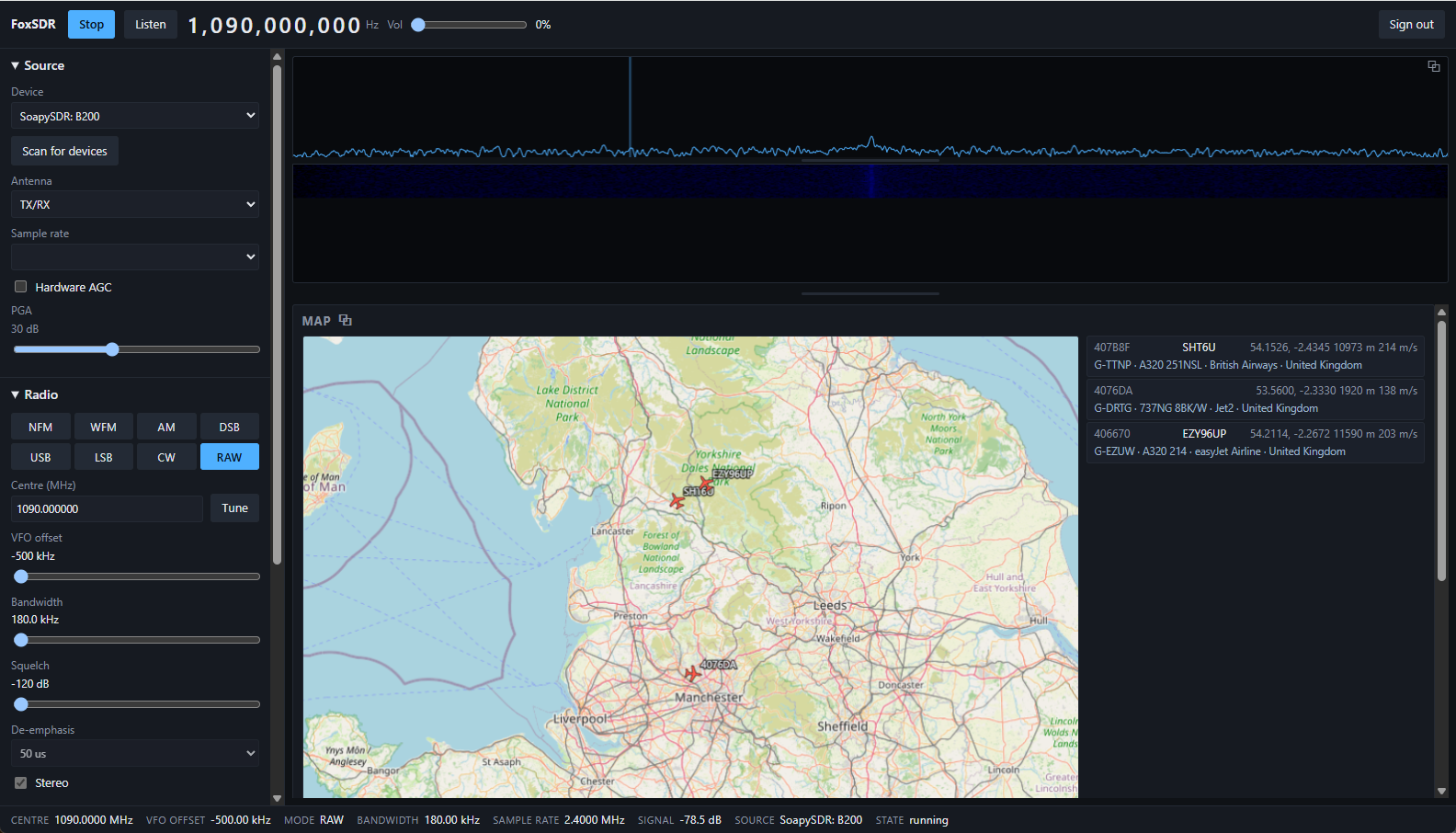
TL;DR: FoxSDR is a from-scratch software-defined radio receiver for Windows x64, currently in open beta at version 0.58.2 and free for noncommercial use under the PolyForm Noncommercial 1.0.0 licence. It gives you a live spectrum and waterfall, eight demodulation modes (NFM, WFM with stereo and RDS, AM, DSB, USB, LSB, CW), any radio SoapySDR can reach (RTL-SDR, Airspy, HackRF, USRP, Ettus B200), an eleven-plugin decoder catalogue (ADS-B, AIS, APRS, SSTV, Morse, RTTY, POCSAG, Inmarsat-C, and more), a map that plots aircraft and ships as they are decoded, Hamlib
rigctldCAT control so your logging and digital-mode software can read and set frequency and mode, and a full browser-served interface at feature parity with the desktop so the receiver can live where the antenna is. This post covers what FoxSDR is, why a clean-room SDR application matters, every feature in the current build, the full decoder catalogue with its honest verification status, the browser remote and its security posture, the plugin ABI and security model, how it compares with SDR#, SDR++, GQRX, OpenWebRX, and UberSDR, how to install and first-run it on Windows, and the open beta testing programme.
Last updated: August 2026.
What Is FoxSDR?
FoxSDR is a software-defined radio receiver application for Windows x64, written from scratch and currently in open beta. It isn’t a fork of SDR# or SDR++, it isn’t a wrapper around GNU Radio, and it links no GPL code anywhere in its tree. The author developed it against an Ettus B200 and now supports any device the SoapySDR hardware abstraction can reach, which covers the dongles and boards most hams and shortwave listeners actually own: RTL-SDR, Airspy, HackRF, USRP, LimeSDR, BladeRF, and the rest of the SoapySDR-compatible family.
The project lives at foxsdr.com with source on GitHub at wonderingStars/foxsdr and the plugin catalogue at wonderingStars/foxsdr-plugins. It’s an independent project, explicitly not affiliated with or endorsed by SDR++ or its authors.
The headline numbers from the current build: eight demodulation modes, eleven decoder plugins, any radio SoapySDR reaches, zero GPL dependencies, and 57 test suites in the build. The installer is a 3.1 MB Inno Setup package for Windows x64 only at the moment, with a Linux build that compiles and passes the same test suites but isn’t yet usable on a real desktop with a real radio.
Why Another SDR Application?
The Windows SDR landscape isn’t short of options. SDR# (SDRSharp) from Airspy has been the de facto beginner choice for over a decade, SDR++ is the rising open source cross-platform contender, GQRX is the macOS and Linux default, OpenWebRX is the multi-user web receiver, and UberSDR is the ka9q-radio-based HF skimmer platform. So what does a from-scratch receiver add?
Three things, and they are worth spelling out.
First, a clean-room licence story. FoxSDR has no GPL code and no GPL-linked dependency anywhere in the tree. ImGui, GLFW, PortAudio, nlohmann/json, and pffft are vendored at pinned revisions and built from source. FFTW (GPL) and librtlsdr (GPL) are deliberately not used. That discipline is what makes the licence a choice rather than an obligation: the application ships under the PolyForm Noncommercial License 1.0.0, free for hobbyists, amateur radio operators, students, charities, schools, and public bodies, with a separate commercial licence for business use, bundling with hardware, or building a product from it. For a ham who just wants to listen, that is free, permanently, with no trial period, no registration, no licence key, and no activation. For a vendor who wants to ship it, there’s a paid path. The plugin ABI header (plugin_abi.h) is MIT-licensed on purpose, so anyone, including commercial vendors, can write a plugin without asking for a licence.
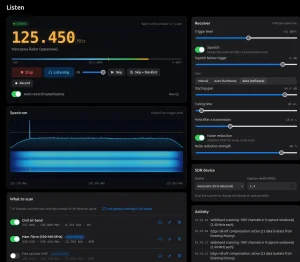
Second, a browser-served interface at feature parity with the desktop. This is the feature that makes FoxSDR genuinely useful for a real shack. The machine with the radio on it can sit in the loft next to the coax run, and you drive the whole receiver from a laptop or phone on the sofa. Same spectrum, same controls, live audio, the map beside the track list. WebSDR and OpenWebRX pioneered the web SDR, but FoxSDR isn’t a stripped-down web view of a desktop app, it’s the same interface served over HTTP on your own LAN.
Third, an honest verification culture. The plugin catalogue doesn’t say “decodes AIS” and leave it at that. It says “I/Q decoder, tested, not yet off air” for AIS, meaning the decoder has been verified against synthesised waveforms and published constants but hasn’t yet been confirmed decoding a real ship off a real antenna. ADS-B is marked “verified off air”, meaning aircraft have been decoded live from a real 1090 MHz antenna with ICAO address blocks and callsigns agreeing across independent message types. Inmarsat-C is marked “experimental” at version 0.1.0, with the page saying plainly that roughly ten of its air-interface constants are reconstructed guesses, so it will most likely decode nothing off air. That kind of honesty is rare in SDR software, and it is exactly what an open beta should look like.
The Receiver: Spectrum, Waterfall, and Modes
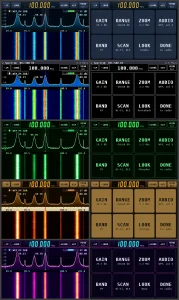
The core of any SDR application is the spectrum and waterfall, and FoxSDR draws both live. You click a signal to tune it, drag the passband to fit it, and watch a carrier come and go over minutes rather than guessing at an S-meter. The waterfall scrolls underneath the spectrum, and the whole thing is responsive enough to track aircraft flutter, fading HF carriers, and brief FM bursts.
The eight demodulation modes cover everything a general-coverage listener or ham actually uses:
- NFM (narrow FM) for 2m, 70cm, marine VHF, business band, and any narrow-FM signal.
- WFM (wide FM) for broadcast FM, with stereo decoding and pilot lock.
- AM for medium wave, shortwave broadcast, and aviation band.
- DSB (double sideband) for full-carrier AM variants.
- USB (upper sideband) for HF phone above the carrier.
- LSB (lower sideband) for HF phone below the carrier.
- CW (continuous wave) for Morse, with a narrow passband.
On top of the modes, the receiver carries the processing you expect from a mature SDR app: squelch, AGC, noise reduction, manual and automatic notch, and de-emphasis. Broadcast FM decodes in stereo with pilot lock, and RDS gives you the station name (PS), radio text (RT), programme identification (PI), and programme type (PTY). For a free beta, that’s a complete FM broadcast monitoring chain.
Hardware Support: Any Radio SoapySDR Reaches
FoxSDR doesn’t talk to radios directly. It talks to them through SoapySDR, the vendor-neutral hardware abstraction layer that has become the lingua franca of cross-platform SDR. Anything SoapySDR can reach, FoxSDR can use, with antenna selection, sample rate selection, and per-stage gain selection exposed in the UI.
The practical list of supported hardware includes:
- RTL-SDR dongles (RTL2832U), the $25 entry point.
- Airspy R0, R2, Mini, and HF+ Discovery.
- HackRF One and HackRF One with PortaPack.
- Ettus USRP B200, B210, B200mini, and the rest of the B-series (the B200 is the radio FoxSDR was developed against).
- LimeSDR and LimeSDR Mini.
- BladeRF 2.0 micro.
- SDRplay RSP1A, RSPdx, RSP2, RSPduo via the SoapySDRPlay module.
- Any other radio with a SoapySDR driver module.
No hardware at all? FoxSDR still runs. It has a built-in signal generator and I/Q file playback, so the whole application, spectrum, waterfall, demodulators, decoders, map, can be exercised without a radio attached. That is useful for testing, for classroom demos, and for the Linux CI, which runs the full test suite under WSL and a virtual display with no radio in the loop.
Working With Signals: Bookmarks, Scanner, Band Plans, Recording
A spectrum and waterfall are only useful if you can work through them. FoxSDR gives you:
- Bookmarks for the frequencies you keep coming back to, so a click takes you straight to 14.070 MHz for FT8, 145.500 MHz for FM simplex, or 1090 MHz for ADS-B.
- A band scanner that steps through a range and stops on activity, the classic search-and-discover tool for finding who is using a band.
- Band plans that label what you’re looking at, so the waterfall shows you that the chunk at 14.000 to 14.070 is CW, 14.070 to 14.099 is data, and 14.100 to 14.350 is phone, instead of leaving you to memorise the IARU region plan.
- Recording of both demodulated audio (WAV) and raw I/Q, so you can capture a pass of a weather satellite and decode it later, or save a rare DX contact as audio.
The Map: Aircraft, Ships, and Stations Plotted Together
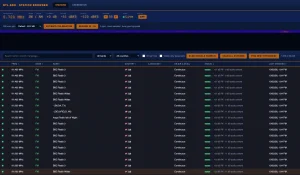
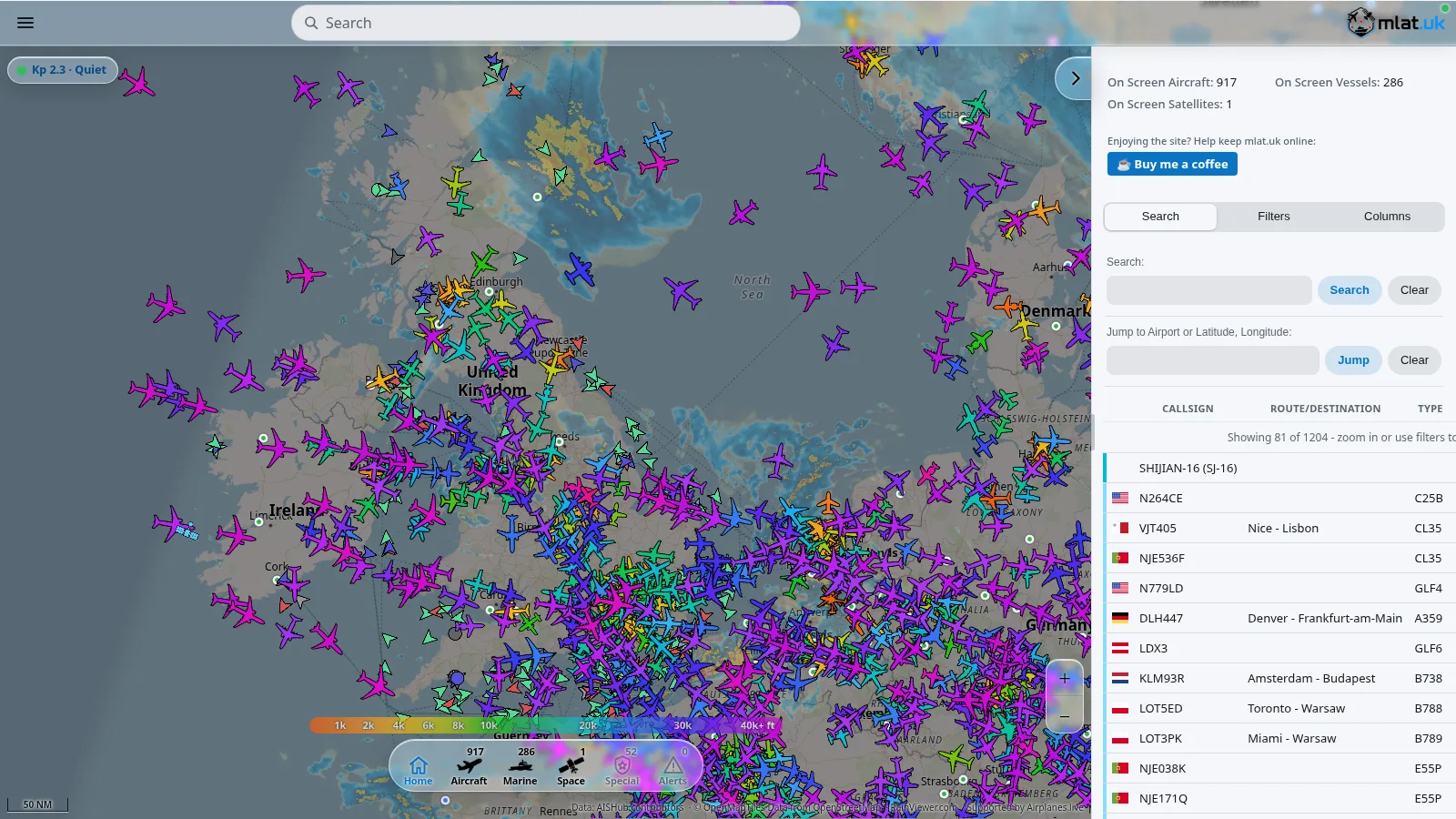
This is the feature that makes FoxSDR more than a receiver. When you have the ADS-B decoder running on 1090 MHz and the AIS decoder running on the marine band, the map plots aircraft and ships together as they’re received, with the aircraft registry lookup plugin turning a 24-bit ICAO address into a registration, type, operator, and country shown on the map and in the track list.
Decoder plugins can put their own targets and tracks on the map. So an APRS decoder can plot stations, an ADS-B decoder can plot aircraft, and an AIS decoder can plot vessels, all on the same view. A basemap plugin (Map Imagery) adds street-level tiles under the map, fetched from a tile server you run yourself, which is what keeps the imagery licensing with whoever serves it rather than baking a third-party tile provider into the app.
For a ham with a loft antenna and an RTL-SDR, the map turns a Windows PC into a live air and sea traffic monitor. For a coastal shortwave listener, it’s a marine awareness tool. For a club demo night, it’s the screen people gather around.
The Decoder Catalogue: Eleven Plugins, Honestly Verified
Eleven plugins are published today. Each entry in the in-app catalogue says exactly how well it is verified, because “decodes AIS” and “decodes AIS off the air” are different claims. Here is the full catalogue with its verification status:
| Plugin | Type | Verification | Version | Licence |
|---|---|---|---|---|
| ADS-B Aircraft Decoder | I/Q decoder | Verified off air | v1.0.0 | MIT |
| Aircraft Info | Map enrichment | Notice (lookup table) | v1.0.0 | MIT |
| AIS Ship Tracking Decoder | I/Q decoder | Tested, not yet off air | v1.0.0 | MIT |
| APRS / AX.25 Packet Decoder | Audio decoder | Tested, not yet off air | v1.0.0 | MIT |
| SSTV Image Decoder | Image decoder | Tested, not yet off air | v1.0.0 | MIT |
| Morse (CW) Decoder | Audio decoder | Tested, not yet off air | v1.0.0 | MIT |
| RTTY Teleprinter Decoder | Audio decoder | Tested, not yet off air | v1.0.0 | MIT |
| POCSAG Pager Decoder | Audio decoder | Tested, not yet off air | v1.0.0 | MIT |
| Map Imagery | Map imagery | Notice (self-hosted tiles) | v1.0.0 | MIT |
| Inmarsat-C / EGC Decoder | I/Q decoder | Experimental (v0.1.0) | v0.1.0 | MIT |
| Example RMS Reporter | Reference | Reference plugin | v2.0.0 | MIT |
ADS-B Aircraft Decoder
Aircraft position, callsign, and velocity at 1090 MHz. Decoded live off the air, with ICAO address blocks and callsigns agreeing across independent message types. This is the only decoder in the catalogue confirmed against real signals, and it’s the one to start with if you have an RTL-SDR and a 1090 MHz antenna.
Aircraft Info
Turns a 24-bit aircraft address into who it actually is: registration, type, operator, and country, shown on the map and in the track list. This is a map enrichment plugin, not a decoder, it sits on top of ADS-B and makes the tracks readable.
AIS Ship Tracking Decoder
Ship positions and voyage data on the marine band (161.975 and 162.025 MHz). Both channels at once from one receiver, plotted with everything else on the map. Tested against synthesised waveforms, not yet confirmed off a real antenna.
APRS / AX.25 Packet Decoder
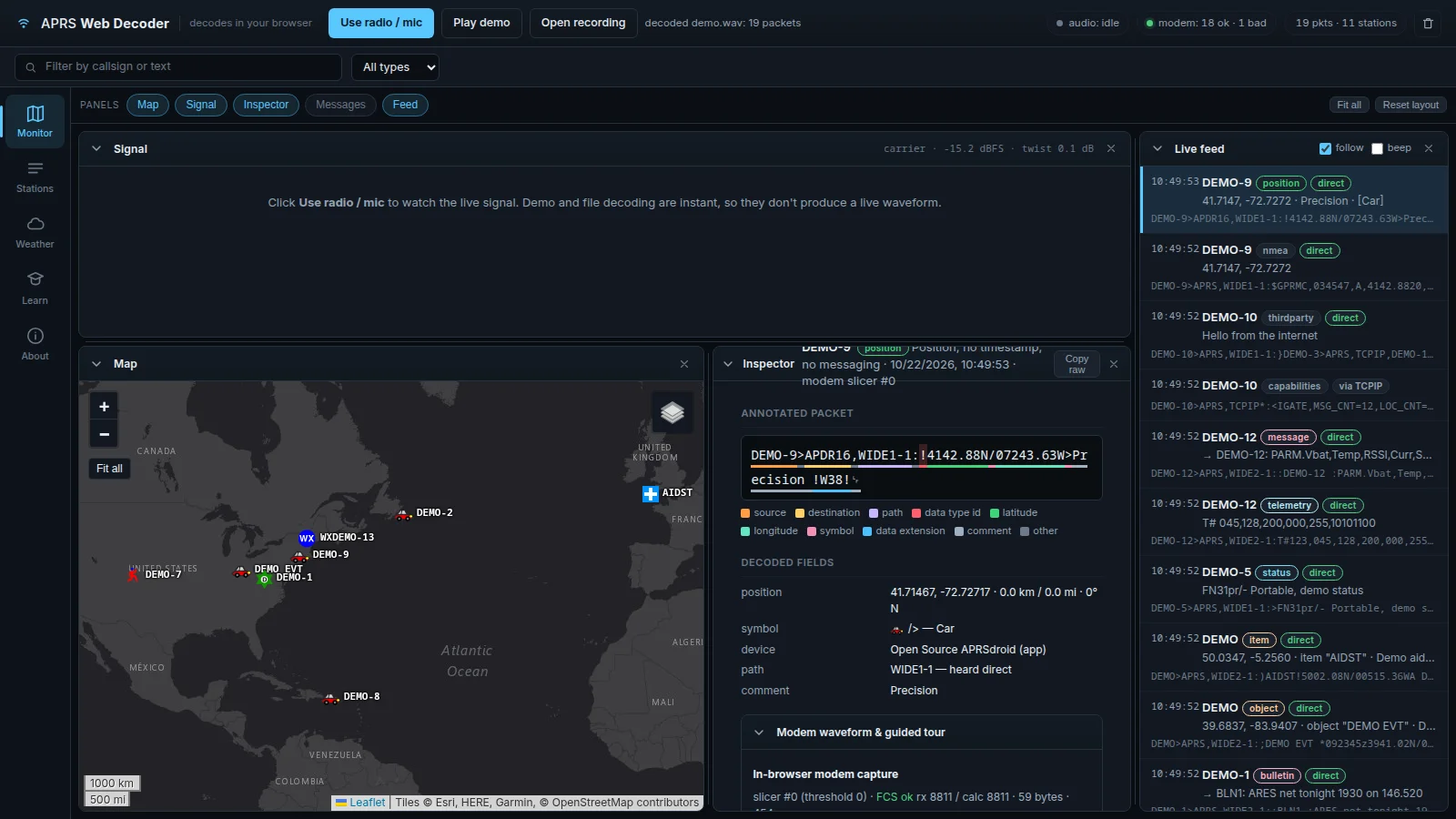
Bell 202 packet radio from 144.800 MHz NFM audio (the European APRS frequency; adjust for your region). Positions, messages, status, and telemetry, validated against the AX.25 frame check. For a ham, this is the plugin that lets you watch the local APRS traffic without running a separate TNC or direwolf.
SSTV Image Decoder
Slow-scan pictures on HF and 2m. The mode is read from the transmission’s own VIS header, and clock drift is measured from the sync pulses, corrected, and reported in ppm. That clock drift correction is the detail that separates a clean SSTV decoder from one that hands you a slanted picture.
Morse (CW) Decoder
Finds the tone, works the speed out from the signal itself, follows an operator who changes pace, and reports the words per minute it settled on. Useful for learning CW, for confirming what you copied by ear, and for logging unattended.
RTTY Teleprinter Decoder
45.45 baud amateur radioteletype on HF. Polarity is worked out from the signal rather than asked for, and both character sets (ITA2 and US TTY) are handled. For weather RTTY and contest RTTY, this is the plugin.
POCSAG Pager Decoder
All three bit rates (512, 1200, 2400 baud) and inverted polarity detected automatically. The BCH error-correcting code is implemented in full: damaged codewords are discarded rather than shown as text, which is the difference between a readable pager decode and a screen of garbage.
Map Imagery
Street-level tiles under the map, fetched from a tile server you run yourself. The licensing stays with whoever serves the tiles, which is the legally clean way to put a basemap under your decoded tracks.
Inmarsat-C / EGC Decoder
Maritime safety broadcasts. Roughly ten of its air-interface constants are reconstructed guesses, so it will most likely decode nothing off air, and it is published at 0.1.0 saying exactly that. This is the experimental end of the catalogue, and it is there so people with Inmarsat antennas and a tolerance for broken decoders can help fill in the gaps.
Example RMS Reporter
The reference plugin: reports the RMS level of the demodulated audio, and exists to show what writing one looks like. If you’re thinking of writing your own decoder, start here.
The Plugin Security Model
A plugin that can retune the receiver can also take it away from you, so FoxSDR treats retuning as a permission you grant per plugin. It is off by default, off for every newly installed plugin, and a plugin that asked and was refused says so on its panel instead of silently doing nothing.
Plugin downloads are equally careful. Decoders install from a catalogue inside the app, which is contacted only when you press Browse. Every download is HTTPS, size-capped, refused on a cross-host redirect, and verified against the sha256 in the catalogue before it is allowed to become a file. Plugins are ABI-exact: one built for a different host version is refused rather than loaded, because a struct-layout difference becomes memory corruption days later. The plugin_abi.h header is MIT-licensed, so anyone, including commercial vendors, can write a plugin without asking for a licence.
This is a more careful plugin security posture than most SDR applications, and it matters because a malicious SDR plugin that can retune and record I/Q is a capable surveillance tool.
Browser Remote: The Receiver Where the Antenna Is
FoxSDR serves its whole interface over HTTP on your own network, at feature parity with the desktop. The machine with the radio on it can sit in the loft with the coax, and you drive it from the sofa, the kitchen, or the garden on a phone or laptop. Same spectrum, same controls, live audio, the map beside the track list.
The security posture is deliberately explicit:
- Off by default, and bound to this machine (loopback) only until you change it.
- A password is required for any binding beyond loopback. Without one, the LAN bind is refused outright, rather than opening a socket with no gate on it.
- Passwords are stored hashed with PBKDF2-HMAC-SHA256. Sessions expire and are revoked whenever the settings change.
- There’s no TLS, deliberately. The app links no crypto library, so it won’t claim transport security it can’t provide. The recommendation is to put Caddy, nginx, Tailscale, or a Cloudflare Tunnel in front of it, and never port-forward it directly.
For a ham with a loft antenna and a shack downstairs, this is the feature that turns a Windows PC into a networked receiver appliance. For a club shack, it means one receiver machine and any number of operators watching the waterfall from their phones.
CAT Control: Hamlib rigctld Compatibility
FoxSDR speaks the protocol Hamlib’s rigctld uses. So logging and digital-mode software can read and set the frequency and mode over the network. You point the client at the machine running FoxSDR and pick a “NET rigctl” radio. WSJT-X, Fldigi, N1MM, Logger32, and any other Hamlib-aware software will see FoxSDR as a networked rig.
Two details matter. First, tuning inside the band already on screen moves only the VFO, so there’s no retune and no gap in the waterfall, which is the behaviour you want for FT8 operating where you’re hopping frequency within a 3 kHz slice. Second, FoxSDR always reports receive and refuses to transmit, because it’s a receiver and pretending otherwise would leave a client waiting on a signal that never goes out. If you need transmit, FoxSDR isn’t your CAT rig, and that is by design.
How Well Is It Actually Tested?
The FoxSDR page is unusually honest about verification, and it is worth quoting the tiers directly.
Confirmed against real signals: ADS-B, aircraft decoded live off the air, cross-checked across message types. The audio chain has been confirmed by ear on broadcast FM.
Verified against synthesised signals: AIS, APRS, SSTV, Morse, RTTY, and POCSAG, tested against generated waveforms and published constants. That is real evidence, and it isn’t the same thing as off-air confirmation.
Explicitly unverified: Inmarsat-C, published at 0.1.0 and marked experimental in the catalogue itself.
The build: The DSP core and every decoder carry unit tests, 54 suites in the current source, passing on both Windows and Linux. FoxSDR is working and in daily use, and still pre-1.0, the interface and the catalogue are moving.
Linux: builds, but not usable yet. A Linux build exists and passes the same 54 suites, and ten of the eleven catalogue plugins now ship Linux builds beside the Windows ones, so the decoders install and run there too. Windows is still the only supported platform, for one blunt reason: no radio has ever been driven through the Linux build. It has only run under WSL and a virtual display in CI, never on a real desktop with a real sound card. Build it and experiment, but don’t rely on it.
Comparison: FoxSDR vs SDR# vs SDR++ vs GQRX vs OpenWebRX vs UberSDR
| Feature | FoxSDR | SDR# (SDRSharp) | SDR++ | GQRX | OpenWebRX | UberSDR |
|---|---|---|---|---|---|---|
| Platform | Windows x64 (Linux builds, not usable) | Windows, community macOS/Linux | Windows, Linux, macOS | Linux, macOS | Linux server, any browser | Linux server, any browser |
| Licence | PolyForm Noncommercial (free for hobby, paid commercial) | Closed source, free | GPL-3.0 | GPL-3.0 | AGPL-3.0 | Open source (ka9q-radio based) |
| Clean-room / no GPL | Yes | N/A (closed) | No (GPL) | No (GPL) | No (AGPL) | No |
| Hardware abstraction | SoapySDR | Native + plugins | SoapySDR | GrOsmoSDR / SoapySDR | SoapySDR / owrx_connector | ka9q-radio (RX-888 MkII) |
| Browser remote | Yes, full feature parity, LAN | No (remote server plugin, limited) | No | No | Yes (primary interface) | Yes (primary interface) |
| Multi-user web | No (single operator, LAN) | No | No | No | Yes (many listeners) | Yes (community instances) |
| Demodulation modes | NFM, WFM+RDS, AM, DSB, USB, LSB, CW | NFM, WFM+RDS, AM, USB, LSB, CW, DMR, YSF, DSTAR (plugins) | NFM, WFM+RDS, AM, USB, LSB, CW, DMR, NXDN, DSTAR, YSF | NFM, WFM, AM, USB, LSB, CW | AM, FM, SSB, CW, FT8, WSPR, DMR, YSF, DSTAR, NXDN, M17, DRM, FreeDV | HF-focused, WSJT-X skimming |
| Decoder plugins | 11 (ADS-B, AIS, APRS, SSTV, CW, RTTY, POCSAG, Inmarsat-C, etc.) | Large plugin ecosystem | Plugins (DMR, NXDN, DSTAR, radio astronomy) | Few (built-in) | Many (digiham, wsjt-x, direwolf, m17) | WSJT-X, FT8, WSPR |
| Map of decoded targets | Yes (aircraft, ships, stations) | Limited (ADS-B plugin) | No | No | Yes (APRS, ADS-B) | No |
| CAT control | Hamlib rigctld (RX only) | Hamlib, Omnirig | Hamlib rigctld | Hamlib rigctld | No (receive-only server) | TCI, rigctld |
| Plugin security model | Per-plugin retune permission, HTTPS, sha256, ABI-locked | None (DLL load) | None (module load) | N/A | N/A | N/A |
| HF focus | General coverage | General coverage | General coverage | General coverage | General coverage | HF skimmer / DX cluster |
| Best for | Clean-room Windows SDR with browser remote and secure plugins | Beginner Windows SDR, large plugin ecosystem | Cross-platform open source SDR | macOS / Linux desktop SDR | Multi-user web receiver, club shack | HF DX skimming, community web SDR |
FoxSDR’s niche is clear: it is the Windows SDR that combines a clean-room non-GPL licence, a full browser remote at desktop parity, a secure plugin model, and an honest verification culture. If you want the largest plugin ecosystem, SDR# still wins. If you want cross-platform open source, SDR++ is the choice. If you want a multi-user web receiver for a club, OpenWebRX. If you want an HF skimmer, UberSDR. FoxSDR is the one to pick when the licence, the browser remote, and the plugin security matter to you.
Installing FoxSDR on Windows
The install is a standard Inno Setup installer. As of version 0.58.2:
- Download
foxsdr-setup-0.58.2.exe(3.1 MB) from foxsdr.com/download/latest. - Verify the SHA-256 against the published hash:
e9dca2696f69d8e6a93e57df868bc28b8c8a74f95ca2a57c07e803a905289887. - Run the installer. SmartScreen will warn you because the installer isn’t code-signed yet. Choose More info, then Run anyway if you’re happy to proceed. Signing is planned; the hash is how you check the file until then.
- Install radio drivers separately. Hardware support comes from PothosSDR or radioconda, see
POSTINSTALL.txtin the install folder. FoxSDR finds either in its default location by itself. It runs without either, using the signal generator or I/Q playback. - For RTL-SDR dongles, run Zadig. Windows binds RTL-SDR dongles to its DVB-T television driver, and under that driver the dongle is invisible to every SDR application, not just FoxSDR. Run Zadig, tick Options, then List All Devices, select “Bulk-In, Interface (Interface 0)”, choose WinUSB, and click Replace Driver. Once per dongle, per machine.
- Launch FoxSDR. Open the Source dropdown and pick your radio. If no radio shows up, press Refresh, the panel then reports where it searched and which vendor modules it loaded. (Builds before 0.56.0 looked in the wrong place and detected no hardware at all, so upgrade first if you are on an old build.)
The installer writes nothing outside its install directory and your own user profile, and uninstalls cleanly from Add/Remove Programs. There’s no account, no licence key, and no activation.
The Open Beta and How to Help
FoxSDR is in open beta, and the author is explicit that finding the rough edges is the most useful thing you can do with it. The 0.55.0 hardware detection bug, where every build before 0.55.0 looked for its hardware drivers in a folder that couldn’t exist and so found no receiver of any kind, reached everybody because nobody reported it. A single report would have caught it in a day.
You can sign up as a tester at foxsdr.com/#beta. You tell the project what you’re willing to test and what you’ll test it with, and you hear when a build lands that needs it. The testing areas cover the spectrum and waterfall, demodulation modes, stereo FM and RDS, squelch and AGC, bookmarks and band plans, the band scanner, audio and I/Q recording, the signal generator, the map and targets, every decoder (ADS-B, AIS, APRS, SSTV, Morse, RTTY, POCSAG, Inmarsat-C), the plugin catalogue, browser access, CAT control, the Linux build, and the installer.
Reports are one per feature per radio. “It works on mine” is worth as much as a bug, it’s how a feature ever gets to be called confirmed, and it’s what fills in the coverage table. The reporting form asks for the feature, how it went (worked, broken, couldn’t test), how bad (crash or data loss, major, minor, cosmetic), the radio used, the platform, the FoxSDR version, a one-line summary, and what happened.
If you have an RTL-SDR and a Windows PC, the lowest-effort useful contribution is to install FoxSDR, point it at 1090 MHz, run the ADS-B decoder, and report whether aircraft show up on the map. That single report moves ADS-B from “verified off air by the author” to “verified off air by multiple operators”, which is how the catalogue grows up.
A Few Honest Notes
FoxSDR is pre-1.0 and the interface and catalogue are moving. The Linux build compiles and passes tests but has never driven a real radio on a real desktop. The installer isn’t code-signed, so SmartScreen will warn you. The browser remote has no TLS by design, so you should put a reverse proxy or a tunnel in front of it for any access beyond your own LAN. The Inmarsat-C decoder is experimental and will most likely decode nothing off air. The AIS, APRS, SSTV, Morse, RTTY, and POCSAG decoders are verified against synthesised signals but not yet confirmed off air.
None of that is a reason not to use it. It’s a reason to use it, find what breaks, and report it. That’s what an open beta is for, and FoxSDR is one of the few SDR projects that says so plainly on its own page.
Why This Matters
The SDR world has been dominated by a few big names for a long time, and most of them are GPL-licensed, closed-source, or both. FoxSDR is a from-scratch, clean-room, non-GPL receiver with a browser remote, a secure plugin model, and an honest verification culture. It is free for the hobby and funded by a commercial licence for vendors. It runs on the hardware you already have, it serves its whole interface to a browser so the receiver can live where the antenna is, and it tells you exactly how well each decoder is tested instead of pretending everything works.
If you have a Windows PC and any SoapySDR-compatible radio, install it, point it at something, and tell the author what you hear. The next version is better because you did.
73, and may your signals be strong.
Frequently Asked Questions
Is FoxSDR free?
Yes, for noncommercial use. It ships under the PolyForm Noncommercial License 1.0.0, which covers hobbyists, amateur radio operators, students, charities, schools, and public bodies permanently and unconditionally. No trial, no registration, no licence key, no activation. Commercial use, bundling with hardware, or building a product from it needs a paid commercial licence.
What radios does FoxSDR support?
Any radio the SoapySDR hardware abstraction can reach. That includes RTL-SDR dongles, Airspy, HackRF, Ettus USRP, LimeSDR, BladeRF, and SDRplay, plus anything else with a SoapySDR driver module. You install PothosSDR or radioconda for the Windows drivers, and for RTL-SDR you also run Zadig once to switch the dongle to the WinUSB driver.
Does FoxSDR work on Linux?
It builds, and it passes the same 54 test suites as Windows, but it isn’t usable on a real Linux desktop yet. No radio has ever been driven through the Linux build, it has only run under WSL and a virtual display in CI. Ten of the eleven catalogue plugins ship Linux builds. Windows x64 is the only supported platform for actual radio use.
Can I control FoxSDR from my logging or digital-mode software?
Yes. FoxSDR speaks the Hamlib rigctld network protocol, so WSJT-X, Fldigi, N1MM, Logger32, and any Hamlib-aware client can read and set frequency and mode over the network by picking a “NET rigctl” radio. It is receive-only and refuses to transmit, because it’s a receiver. Tuning within the on-screen band moves only the VFO, so there’s no waterfall gap.
Is FoxSDR open source?
The application source is on GitHub at wonderingStars/foxsdr under the PolyForm Noncommercial License, which is source-available but not OSI-approved open source. The plugin ABI header (plugin_abi.h) is MIT-licensed, so anyone can write a plugin without a commercial licence. The project is clean-room, with zero GPL code or GPL-linked dependencies in the tree.
Sources and Further Reading
- FoxSDR official site (foxsdr.com) – Project home, feature list, plugin catalogue, download, and beta programme.
- FoxSDR source on GitHub (wonderingStars/foxsdr) – Application source, build instructions, issue tracker.
- FoxSDR plugins on GitHub (wonderingStars/foxsdr-plugins) – Plugin catalogue and plugin source.
- SoapySDR project – The vendor-neutral hardware abstraction layer FoxSDR uses for radio support.
- Hamlib project (rigctld) – The radio control library whose network protocol FoxSDR speaks for CAT control.
- Zadig (zadig.akeo.ie) – The Windows USB driver tool needed to make RTL-SDR dongles visible to SDR software.
- PothosSDR – Windows driver bundle providing SoapySDR modules for common SDR hardware.
- PolyForm Noncommercial License 1.0.0 – The licence under which FoxSDR is free for noncommercial use.
- SDR# (SDRSharp) by Airspy – The long-standing Windows SDR reference for comparison.
- SDR++ on GitHub – The open source cross-platform SDR receiver for comparison.
- OpenWebRX on GitHub – The multi-user web SDR receiver for comparison.
- UberSDR – The ka9q-radio-based HF web SDR platform for comparison.
- WebSDR.org background – Background on the original web SDR concept from the University of Twente.

1 comment