amateur radio
open source
Technology
AEA PK-88, amateur radio, AMD 7910, APRS digipeater, APRS telemetry, AX.25, Bell 202, fill-in digipeater, GPL-2.0, Kenneth Finnegan, KISS TNC, open source, packet radio, PhirePhly, PK-88, proportional pathing, SDCC, TAPR TNC-2, TNC-2, UIDIGI, viscous digipeating, W6KWF, WFDigi, Whiskey Fox Digi, Z80
9M2PJU
0 Comments
WFDigi: Standalone APRS Digipeater Firmware That Gives the AEA PK-88 a Second Life
TL;DR: Quick Summary
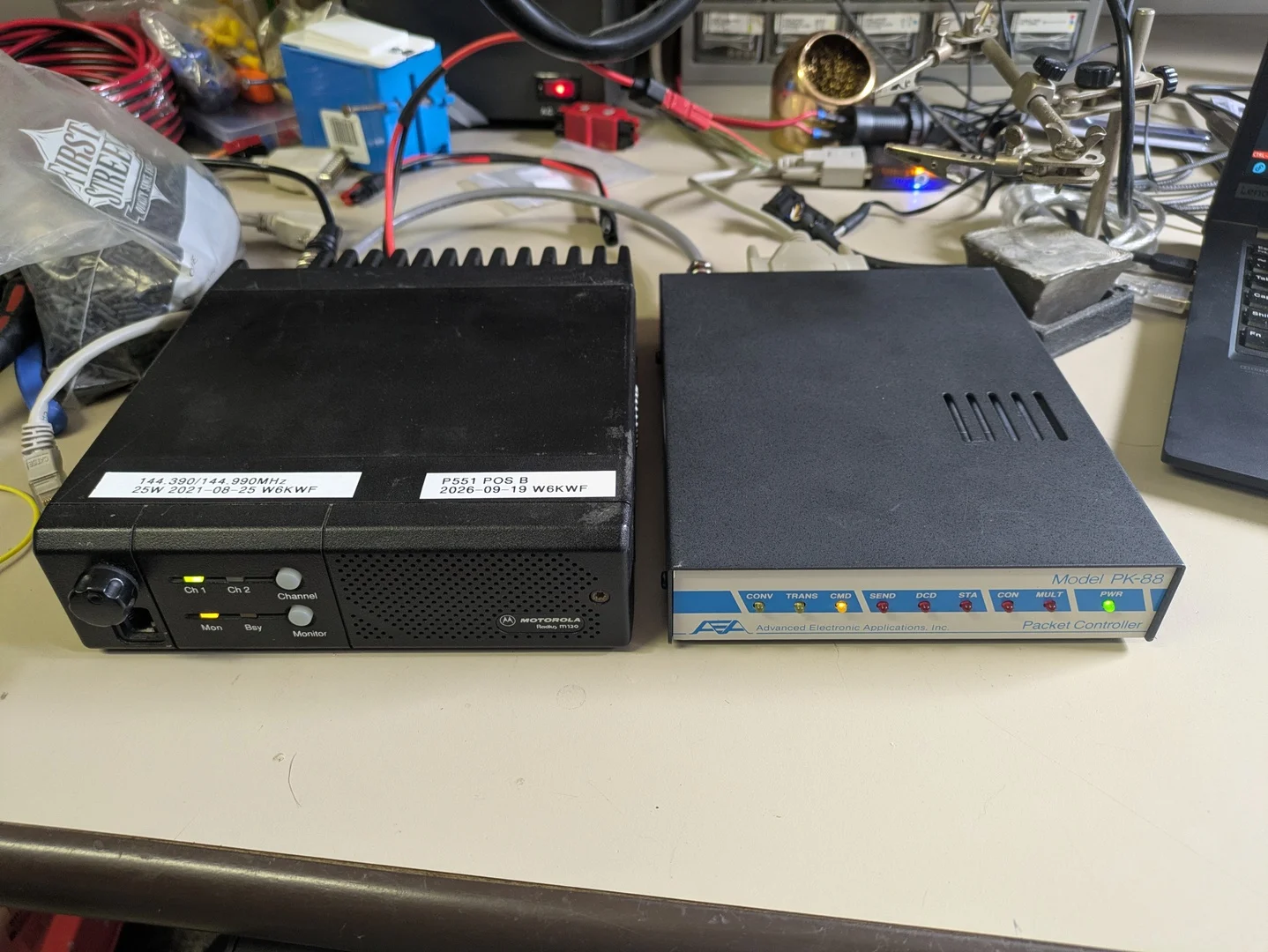
WFDigi (Whiskey Fox Digi) is free and open source (GPL-2.0) standalone APRS digipeater firmware for the AEA PK-88 and UIDIGI-compatible TAPR TNC-2 packet controllers, written from scratch by Kenneth Finnegan W6KWF (GitHub: PhirePhly). You burn a 32 KiB ROM image onto a 27C256 EPROM, swap it into the TNC in place of the 1980s stock firmware, and the box becomes a computer-free APRS digipeater with 4 fixed aliases plus 4 n-N aliases with trace-style callsign substitution, preemptive path matching, proportional beacon pathing, MAXHOPS abuse protection, DIRECTONLY fill-in mode, viscous (courtesy-wait) digipeating, 10-minute traffic telemetry, and APRS message and ?APRS? query replies. Every setting can be baked into the ROM as a cold-boot default so a dead SRAM battery can never leave a mountaintop digipeater brain-dead, and anything can still be changed later over a plain 9600 baud serial terminal. If you have ever wanted to put up a real hilltop digipeater for the price of a used TNC off eBay plus a burned EPROM, this is the project that makes it sane.
What Is WFDigi?
WFDigi is a standalone APRS digipeater firmware replacement for the AEA PK-88 and the UIDIGI-compatible TAPR TNC-2 that lets those 1980s terminal node controllers repeat APRS packets on RF with no supporting computer attached.
In practice that means the TNC stops being a dumb modem dongle for a PC and becomes the whole digipeater. It listens on 1200 baud Bell 202, matches paths against its alias tables, rewrites headers with proper trace substitution, manages transmit timing with p-persistence and slottime, beacons its own position on a rotating path schedule, reports traffic telemetry so the network can see how busy it is, and answers APRS messages and queries addressed to its own callsign. Configuration lives in battery-backed SRAM editable from the serial console, with ROM-baked defaults as the safety net underneath.

Why the PK-88? The Little Blue Box That Refuses to Die
A short history of the hardware
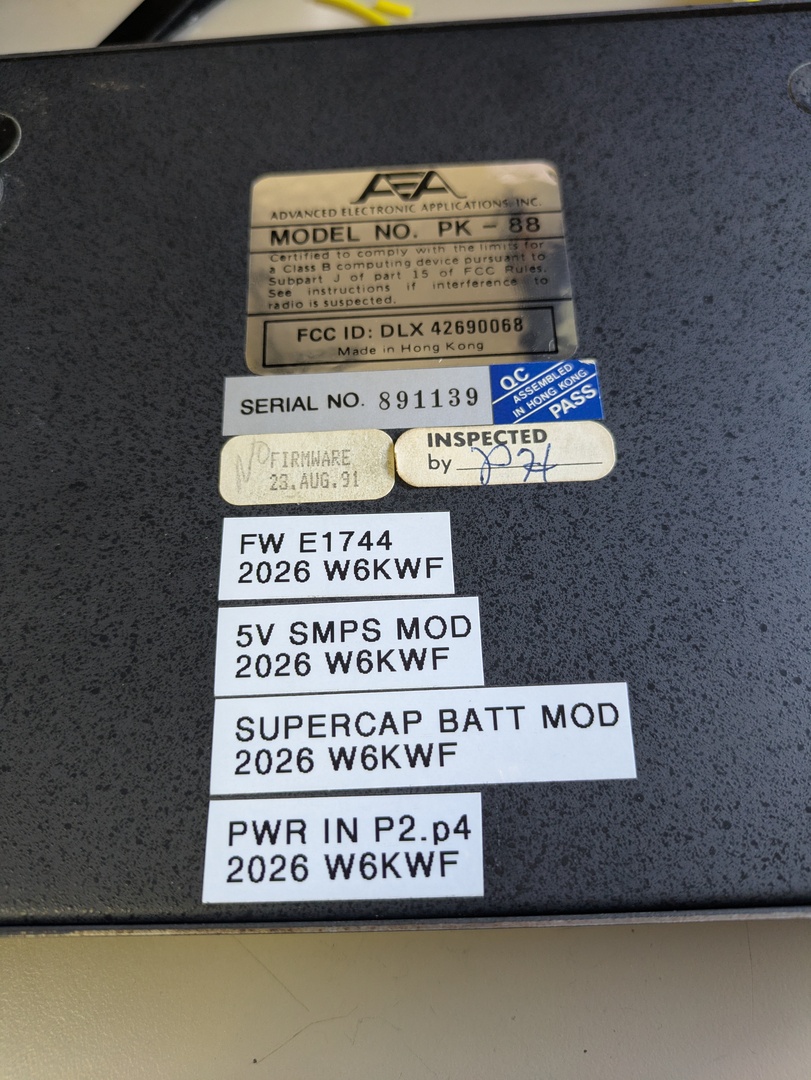
The AEA PK-88 Packet Controller hit the market around 1988 as Advanced Electronic Applications’ compact answer to the packet radio boom. Inside the low blue-grey box sits a Z80 CPU at 4.9152 MHz, a 32 KiB EPROM (socketed at IC15, which matters a great deal for this story), 32 KiB of battery-backed SRAM, a Zilog Z8530 serial communications controller splitting radio HDLC and RS-232 terminal duties across its two channels, and the AMD 7910 World Chip modem doing the actual 1200/2200 Hz Bell 202 audio work. The front panel carries eight LEDs (CONV, TRANS, CMD, SEND, DCD, STA, CON, MULT) plus power, and the rear offers TTL and RS-232 serial options plus the 8-pin radio connector.
Its firmware descends from the original TAPR TNC-2 design with AEA enhancements: connected-mode packet, a MailDrop personal mailbox, host mode, raw HDLC and KISS. The last factory firmware, version E1744, is dated August 23, 1991. Timewave eventually acquired the AEA data products line and no longer repairs PK-88 units at all, which tells you how deep into legacy territory this hardware sits.
Why Kenneth picked it for 2026 mountaintop duty
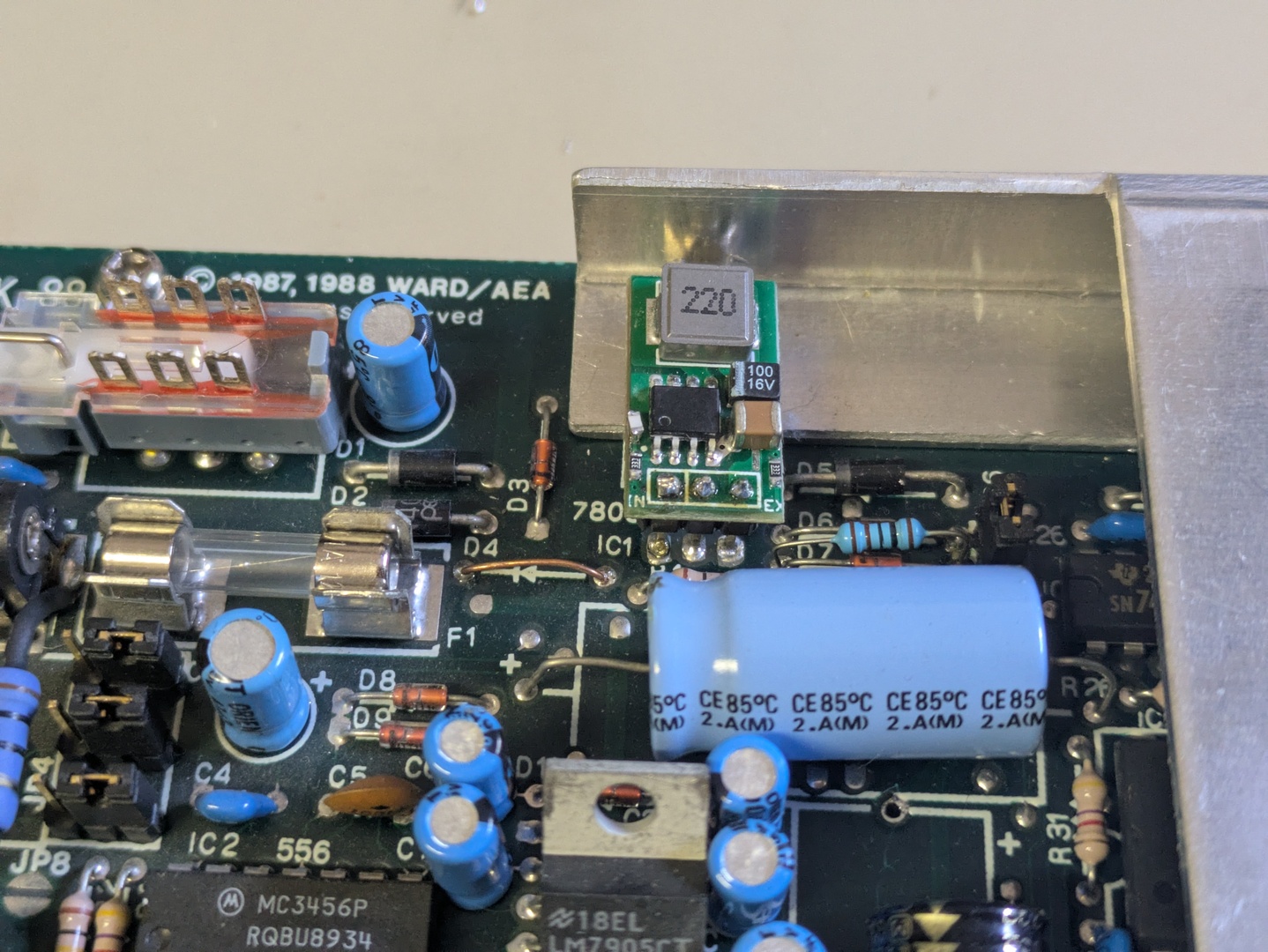
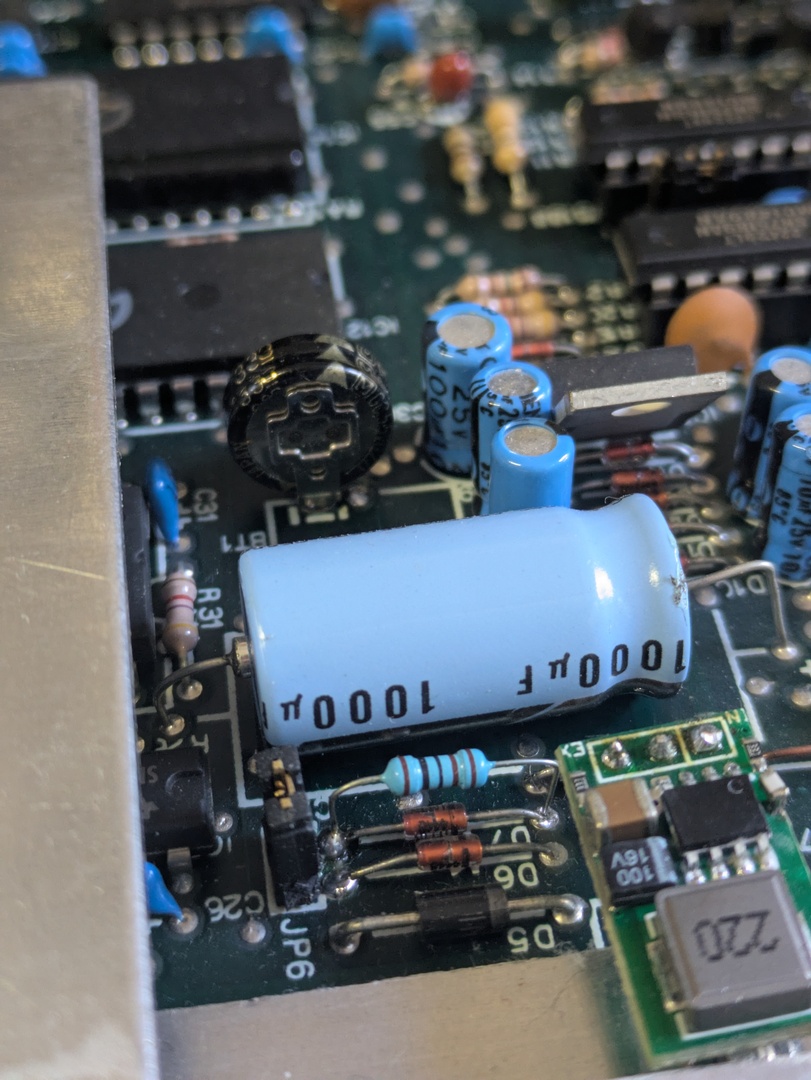
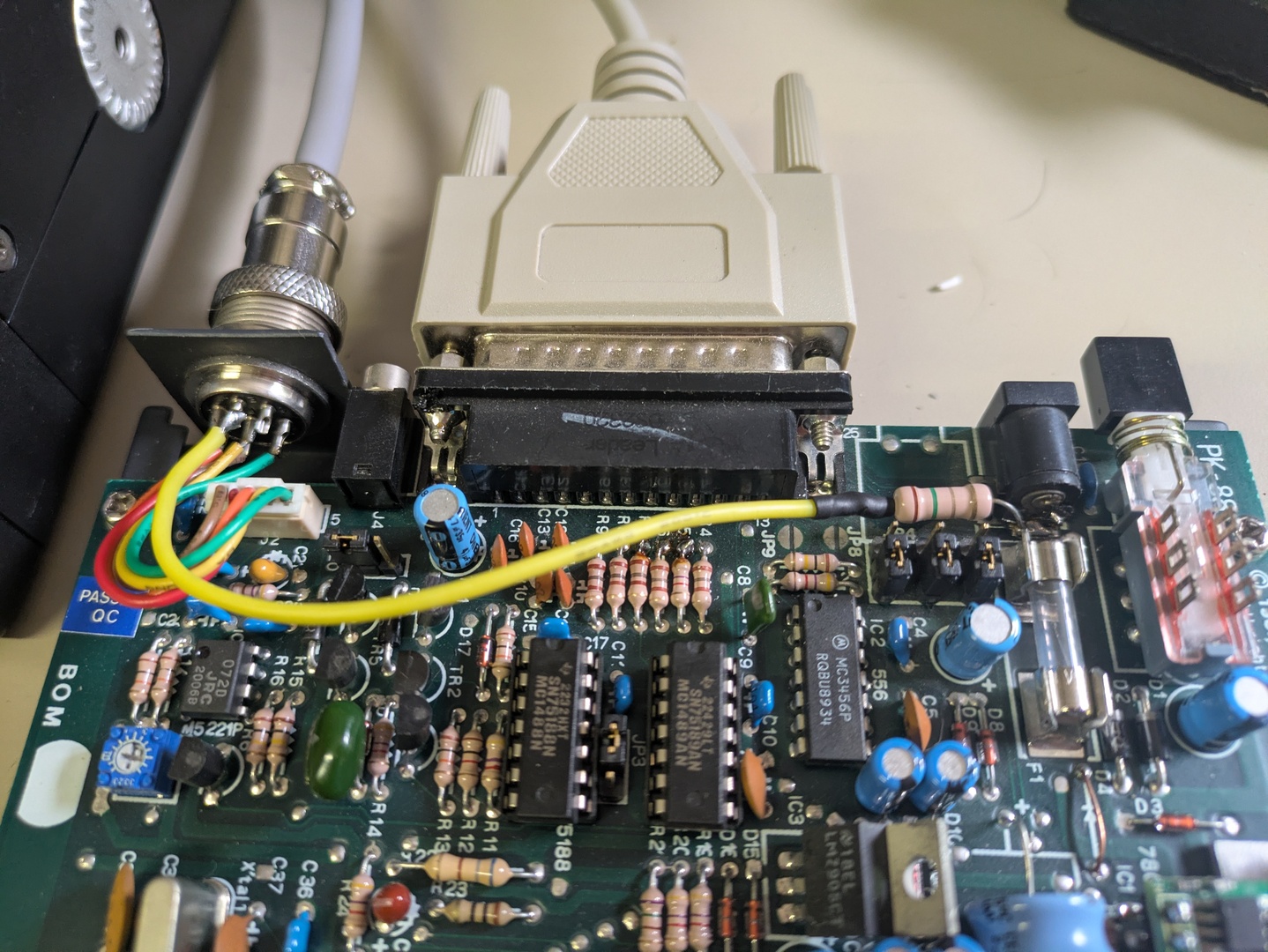
WFDigi exists because its author needed several identical, dependable digipeaters for real Northern California hilltop sites with the Salinas Valley Repeater Group, and the PK-88 won on three counts. First, modem performance: in his testing the 7910-based receive path holds its own, and the Z80 circuitry is fully documented down to the SCC register level. Second, price and supply: with patience the units trade on eBay for under $50. Third, hackability: a socketed 27C256 ROM, a published manual with schematics, and jumper blocks you can actually reason about. The author’s companion hardware-mods article walks through reburning E1744 on fresh EPROMs to outrun 30-year bitrot, swapping the soldered lithium coin cell for a 5.5 V supercapacitor with a trickle-charge resistor, replacing the heat-blasting LM7805 linear regulator with a drop-in switch-mode module, feeding 12 V in over the radio interface cable so no barrel jack can vibrate loose, and labeling every mod on the case. That’s the mindset behind WFDigi: treat a $40 box like infrastructure.
Meet the author
Kenneth Finnegan, W6KWF, writes as PhirePhly on GitHub and The Life of Kenneth on his blog. He put together a Masters thesis on APRS and its protocol design more than a decade ago, has maintained APRS software including the well-known aprx documentation presence, and builds real RF infrastructure rather than just writing about it. WFDigi carries copyright 2026 and, at the time of writing, 71 commits of clean-room Z80 C built with SDCC. The repo also ships host-side unit tests (make test) covering the digipeater, queue, dupe list, heard list and messaging logic without needing a Z80 at all, which is a reassuring sign for anyone trusting a mountaintop to new firmware.
The Feature Tour: Small ROM, Serious Manners
WFDigi fits in 32 KiB with a CRC-16 in the last two bytes, verified at every boot. Here is what that buys.
Aliases done right: 4 fixed plus 4 n-N, all with trace substitution
Four fixed alias slots (ALIAS0 to ALIAS3) plus four n-N prefix slots (NNALIAS0 to NNALIAS3) cover both regional SSn-N schemes and the universal WIDE1-1/WIDE2-1 convention. NNALIAS0 defaults to WIDE so the box works out of the box with standard paths. Every repeat performs trace-style callsign substitution, so WIDE2-2 goes out as MYCALL*,WIDE2-1 and WIDE2-1 becomes MYCALL*. Digipeating searches the whole path rather than just the first unused hop, MYCALL anywhere in the path wins first, and a packet whose MYCALL is already marked used is recognized as a loop and left alone.
Preemptive matching and MAXHOPS abuse control
Path matching is preemptive across the full address list, which keeps the digipeater responsive to aliases buried deeper in long paths. The MAXHOPS policy (default 3, range 1 to 8) quashes abusive constructs like WIDE7-7 but still digipeats them once with the path marked, so the packet moves without the network paying full price. Oversized hop requests get decremented and marked rather than blindly repeated.
DIRECTONLY and viscous digipeating for fill-in duty
DIRECTONLY restricts alias and n-N repeats to packets whose first hop is still unused, which is the textbook definition of a polite fill-in digipeater. Layer viscous mode on top (VISCOUS 3 5 is the suggested start) and the box holds a candidate repeat for a random few seconds to see whether a bigger digipeater already handled it, suppressing its own copy if so. A packet naming MYCALL explicitly still goes immediately. The combination measurably extends low-level coverage without adding congestion, and the CON front-panel lamp shows the viscous queue depth at a glance.
Proportional pathing for beacons
The BPATH list holds one to four beacon paths that rotate on each transmission. The classic BPATH WIDE1-1 - - sends one beacon in three with a hop and two direct, throttling your own RF footprint without touching a timer. The beacon interval gets a random 0 to 15 second jitter each cycle so neighboring digipeaters never lock into synchronized collisions.
Telemetry you can actually watch
With TELEMETRY on (the default), the box emits APRS telemetry every 10 minutes over its own TELPATH (default direct, so reports don’t request hops): received and transmitted frame counts plus viscous suppressions, adverse-drop counters, boot flags and a CRC-passing bit, with PARM/UNIT/EQNS/BITS definitions every four hours. Standard ?APRSU queries pull the definitions on demand. For a remote site you never visit, this channel is the difference between guessing and knowing.
It talks back: messages and queries
Numbered APRS messages to MYCALL get ack replies. General ?APRS? capability probes, ?APRSD heard-direct lists (last 50 stations heard direct, five per message), ?APRSP position requests with a 30-second cooldown, and ?APRSV version strings are all answered. Third-party frames are handled per spec. A fill-in that answers for itself is a fill-in you can interrogate from anywhere in the network.
Configuration that survives dead batteries
Every user-facing setting accepts a ROM-baked default via include/config.h, so a site that loses its SRAM battery cold-boots into a known working digipeater instead of a brick. The N0CALL transmitter interlock (blinking CMD lamp, ERR - Set Callsign on any key attempt) guarantees no unlicensed mystery signal ever leaves the box before the callsign is set. DISPLAY dumps the whole config in paste-back form, which doubles as a backup procedure: save the output, paste it into any replacement unit, done.
The Front Panel Under WFDigi: Your New Lamp Map
One of the nicest touches is that the eight PK-88 LEDs get honest new jobs instead of going dark. At power-on they scan in sequence so you can confirm the replacement firmware took. Then: CONV shows the boot ROM CRC check in progress, TRANS mirrors Z80 halt state (dim at idle is normal), CMD solid means ready while blinking means the N0CALL transmit interlock is active, SEND means keyed, DCD means the channel is busy (lit solid means fix your squelch), STA flashes on every valid decoded frame, CON means packets are waiting in the viscous queue, and MULT means the transmit queue is stacked. On the TNC-2 target only STA and CON have physical lamps, and the rest run logically. Learn this map once and you can read a hilltop box from across the room.
Installing WFDigi: ROM Swap in an Afternoon
- Build. Install SDCC (
sdcc,sdasz80,makebinon PATH) and runmake. You getbuild/wfdigi-pk88.binandbuild/wfdigi-tnc2.bin, each CRC-checked by the layout script.make testruns the host-side suite first if you want proof before you burn. - Burn. Program the matching 32 KiB image onto a 27C256 EPROM (29C256 FLASH is a plausible but untested alternative for those without a UV eraser). Fresh burns of even the stock E1744 firmware are recommended anyway against 30-year bitrot.
- Swap. Install the programmed ROM at IC15 on the PK-88 in place of the original. Document your jumpers first if the unit came from eBay.
- Connect. Terminal at 9600 baud, 8 data bits, no parity, one stop bit, with RTS/CTS flow control honored (a pasted config can overrun the Z80 otherwise). The TNC-2 target follows its hardware clock and jumper for terminal rate.
- Boot. The lamps walk, the banner prints
Whiskey Fox Digi, the CRC reports PASS, and a first boot printsCold boot...before later resets printWarm boot.... - Configure. Set
MYCALL,MYLOC,BTEXT,BEACON, and paths. Calibrate audio withCAL H/L/D. Back up withDISPLAY. For a fill-in, considerVISCOUS 3 5semantics viaVISCOUS 3 6per the quick-start guide. Bake site defaults intoinclude/config.hand rebuild for the deployed ROM. - Walk away. Telemetry and the lamp map tell you it is alive from home.
WFDigi vs the Alternatives
| Feature | WFDigi (PK-88/TNC-2 ROM) | UIDIGI / classic TNC-2 firmware | KISS TNC plus computer (aprx, DigiPi) | Modern Kantronics (KPC-3+) |
|---|---|---|---|---|
| Supporting computer needed | No, standalone | No, standalone | Yes, always on | No, standalone |
| Cost of entry | Sub-$50 used TNC plus EPROM burn | Same hardware, free firmware | TNC or soundcard plus Pi and power | $200-plus new |
| n-N and fixed aliases with trace | 4 plus 4, preemptive, traced | Varies by build, often partial | Yes, in software | Yes |
| Viscous courtesy-wait digipeating | Yes, with DIRECTONLY coupling | Rarely | Some stacks | Selected models |
| Proportional beacon pathing | Yes, 4-slot rotation | No | Configurable | Limited |
| MAXHOPS abuse policy | Yes, quash-but-carry | Basic | Yes | Yes |
| Traffic telemetry | Built-in 10-minute reports | No | External logging | No |
| APRS message and query replies | Yes, full ?APRS? family |
Minimal | Depends on software | Partial |
| Dead-battery survival | ROM-baked defaults | Forgets everything | SD card survives, Pi may not boot cleanly | EEPROM in most |
| Power draw at a solar site | Watts, Z80 plus radio | Same | Pi plus TNC, several watts more | Watts |
| Build toolchain | SDCC, make, host tests |
Vintage assemblers | apt install | Closed |
The honest summary: if you already run a computer at the site, KISS plus aprx remains excellent. WFDigi wins where the site has no computer, no budget and no patience: a sealed box on a hill that must simply come back working after every power cut.
Why It Matters
Three groups should care. Club infrastructure teams get a reproducible hilltop recipe: identical cheap TNCs, identical burned ROMs, Supercap and switch-mode mods from the author’s notes, telemetry proving each site is healthy. New packet operators get a learning instrument where every concept (paths, aliases, persistence, telemetry) is one serial command away and every state is a front-panel lamp. And the APRS network itself gets better manners: viscous fill-ins, MAXHOPS discipline and proportional beaconing are congestion hygiene the whole 144.390 shared channel benefits from. Open firmware for 1980s modems also keeps working hardware out of landfill, which is its own kind of 73.
Frequently Asked Questions
Which TNCs does WFDigi support?
The AEA PK-88 unmodified, and UIDIGI-compatible TAPR TNC-2 layouts. Each has its own ROM image. Other TNC-2 clones need matching port maps and clocks, so check HARDWARE.md first.
Do I need a computer at the digipeater site?
No. That’s the point. The TNC alone digipeats, beacons, telemeters and answers queries. You only need a terminal for the initial setup.
What if the SRAM battery dies on a mountaintop?
The unit cold-boots from ROM-baked defaults you compiled in, so it returns as a working digipeater. Replacing the cell with a supercapacitor per the author’s guide adds hardware insurance.
Is the original AEA firmware preserved?
Burn a fresh EPROM and keep the original ROM chip untouched in a drawer. The swap is fully reversible in minutes with no soldering.
How do I verify the build before burning?
Run make test on any host with gcc. It exercises aliasing, dupe suppression, viscous logic, MAXHOPS and messaging without a Z80 or programmer.
Sources and Further Reading
- WFDigi firmware repository: https://github.com/PhirePhly/wfdigi
- Command reference: https://github.com/PhirePhly/wfdigi/blob/main/COMMANDS.md
- Quick start guide: https://github.com/PhirePhly/wfdigi/blob/main/QUICKSTART.md
- Supported hardware and SCC register map: https://github.com/PhirePhly/wfdigi/blob/main/HARDWARE.md
- Front panel lamp meanings: https://github.com/PhirePhly/wfdigi/blob/main/LEDS.md
- PK-88 hardware modifications by Kenneth Finnegan W6KWF: https://blog.thelifeofkenneth.com/2026/09/pk88-hardware-mods.html
- AEA PK-88 operating manual (packet-radio.net scan): https://www.packet-radio.net/wp-content/uploads/2018/03/pk-88.pdf
- AEA repeater-builder archive (manuals, EPROM images): https://www.repeater-builder.com/aea/aea-index.html
73 de 9M2PJU

Post Comment