amateur radio
android
linux
open source
amateur radio, Android Linux, APRS, APRS iGate, DigiRig, Direwolf, EmComm, emergency communications, ft8, ham radio, HamClock, Home Assistant, ICOM IC-705, js8call, linux-android, LXQt, mayukh4, Mesa, OpenHamClock, packet radio, Pat Winlink, Raspberry Pi alternative, repurpose old phone, rtl-sdr, sdr, Snapdragon, Termux, Termux-X11, Turnip, winlink, WSJT-X, XFCE4, Zink
9M2PJU
0 Comments
Repurpose an Old Android Phone into a GPU-Accelerated Linux Ham Radio Micro-Workstation: The mayukh4/linux-android Guide
TL;DR: The open-source
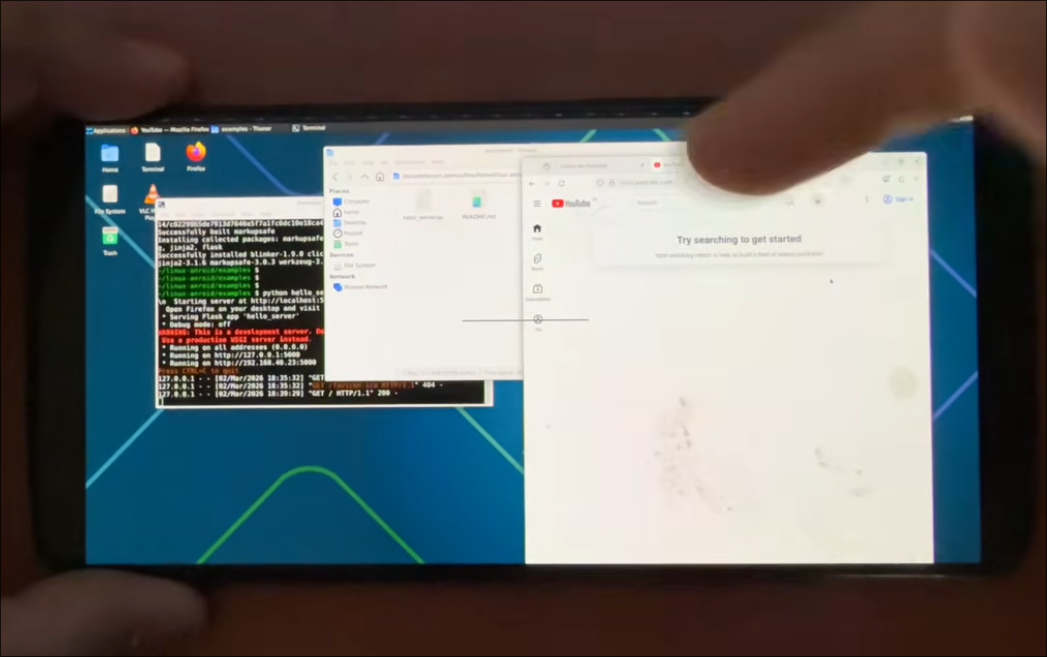
mayukh4/linux-androidproject allows you to transform any spare 64-bit Android smartphone into a full, GPU-accelerated Linux desktop (XFCE4, LXQt, MATE, or KDE Plasma) and Home Assistant server using Termux and Termux-X11 without root, a PC, or cloud services. For amateur radio operators, an old Android phone provides an integrated uninterruptible power supply (battery), touchscreen display, internal GNSS receiver, WiFi, Bluetooth, and cellular uplink. This setup turns discarded phones into low-power field workstations for WSJT-X, JS8Call, Direwolf APRS digipeaters, Pat Winlink nodes, RTL-SDR spectrum monitors, and 24/7 HamClock space weather dashboards.
Every amateur radio operator has a drawer containing one or two retired Android smartphones. These devices often feature multi-core 64-bit ARM processors, 4 GB to 8 GB of RAM, high-speed solid-state flash storage, and sharp touchscreen displays. When upgraded to a newer phone, these capable pocket computers are typically discarded or left unused.
At the same time, ham radio operators spend significant money and effort sourcing single-board computers like the Raspberry Pi 4 or Raspberry Pi 5 to run digital modes, APRS gateways, and shack monitors. Once you add the cost of a dedicated touchscreen, a protective enclosure, a cooling fan, a regulated 5V power supply, and an external battery pack for field use, a standard single-board computer setup can exceed $150 to $250.
The mayukh4/linux-android project by Mayukh Sharma solves this problem cleanly. By combining Termux, the native Termux-X11 display server, Mesa Turnip/Zink GPU acceleration, and automated installation scripts, this project turns any arm64 Android phone into a high-performance Linux workstation.
This guide explores the architecture of mayukh4/linux-android, examines how its GPU acceleration operates without root privileges, and details practical amateur radio deployments for field digital modes, emergency communications, APRS, and shack automation.
Last updated: September 2026.
What Is the mayukh4/linux-android Project?
The mayukh4/linux-android project is an open-source automation suite and framework that transforms Android smartphones into rootless, GPU-accelerated Linux desktop workstations and Home Assistant smart home servers using Termux.
+-------------------------------------------------------------------------+
|                MAYUKH4/LINUX-ANDROID SYSTEM ARCHITECTURE                |
+-------------------------------------------------------------------------+
|                                                                         |
|  [ ANDROID BASE LAYER ]                                                 |
|  - Android Linux Kernel (Linux 4.x / 5.x / 6.x)                         |
|  - Hardware Drivers: Adreno / Mali GPU, Audio Codec, USB-OTG, GNSS, WiFi|
|                                                                         |
+-------------------------------------------------------------------------+
|                                                                         |
|  [ CORE RUNTIME ENVIRONMENT (TERMUX) ]                                  |
|  - Termux Userspace ($PREFIX / Linux arm64 environment)                 |
|  - Conflict-Safe Package Installer (safe_install_pkg engine)            |
|  - D-Bus Session Daemon & System Message Bus                            |
|  - PulseAudio Sound Server (TCP / UNIX Sockets)                         |
|  - OpenSSH Server (sshd on Port 8022)                                   |
|                                                                         |
+------------------------------------+------------------------------------+
| GRAPHICS & RENDERING STACK         | LINUX DESKTOP & CONTAINER SERVICES |
+------------------------------------+------------------------------------+
| - Termux-X11 Native Display Server | - Desktop Environments:            |
| - Vulkan 1.3 Loader (generic)      |   * XFCE4 (Lightweight & Modular)  |
| - Turnip Open-Source Adreno Driver |   * LXQt (Ultra-Low RAM Footprint) |
| - Mesa Zink (OpenGL over Vulkan)   |   * MATE / KDE Plasma              |
| - Gallium llvmpipe / SwRast Fallback| - Wine / Hangover + Box64 (Win32)  |
| - Direct Ashmem / Wayland Shm IPC  | - proot-distro Ubuntu (Home Assist)|
|                                    |                                    |
+------------------------------------+------------------------------------+
|                                                                         |
|  [ AMATEUR RADIO WORKSTATION LAYER ]                                    |
|  - Soundcard Digital: WSJT-X (FT8/FT4), JS8Call, Fldigi, FLMSG, QSSTV   |
|  - Packet & APRS: Direwolf AX.25 TNC, aprx Digipeater / iGate           |
|  - Emergency Comms: Pat Winlink Web UI, ARDOP, VARA (via Wine/Box64)   |
|  - RF Monitoring: RTL-SDR, rtl_tcp, Spyserver, SDR++, dump1090-fa       |
|  - Shack Tools: OpenHamClock, Hamlib rigctld, CQRlog, Kiwix Server      |
|                                                                         |
+-------------------------------------------------------------------------+
Unlike older Android Linux installers that relied on slow VNC viewers, heavy QEMU virtualisation, or chroot environments requiring root access, mayukh4/linux-android executes directly within the native Android userspace.
Key Technical Innovations of the Project
- Termux-X11 Direct Rendering: Instead of routing video frames through a VNC loopback network socket with lossy compression, the project connects the desktop environment directly to the Termux-X11 Android application. This uses shared memory (Ashmem) and native Android surface buffers to achieve full 60 FPS refresh rates and low input latency.
- Turnip and Mesa Zink Hardware Acceleration: On Qualcomm Snapdragon devices, the script installs the open-source Turnip Vulkan driver (
mesa-vulkan-icd-freedreno) alongside Mesa Zink. Zink translates OpenGL API calls into native Vulkan primitives on the fly, providing near-bare-metal GPU rendering for desktop interfaces, web browsers, and radio waterfalls. - Conflict-Safe Package Management (
safe_install_pkg): Standardapt-getoperations in Termux frequently abort due to mutual package conflicts (such asvulkan-loader-genericversusvulkan-loader-androidor conflicting Mesa builds). The script inspects package metadata dynamically, evaluates version constraints withdpkg --compare-versions, skips genuine conflicts cleanly, and completes installation without manual user intervention. - Resilient Session Bus Architecture: The installer configures dedicated D-Bus session daemons with deterministic socket paths (
$PREFIX/var/run/dbus/session_bus_socket), preventing the settings daemon crashes that plague manual Termux desktop configurations. - Portable Path Architecture: All binaries, configuration files, and scripts use dynamic
$PREFIXvariable detection rather than hardcoded/data/data/com.termux/strings, making the installation compatible with custom ROMs, work profiles, and secondary Android user spaces.
Why an Old Android Smartphone Outperforms a Raspberry Pi in the Shack
For amateur radio operators, an old Android smartphone is often superior to a single-board computer for field operations, portable deployments (SOTA, POTA), and auxiliary shack tasks.
+-------------------------------------------------------------------------+
|               HARDWARE TOPOLOGY: ANDROID SHACK COMPUTER                 |
+-------------------------------------------------------------------------+
|                                                                         |
|   +-----------------------------------------------------------------+   |
|   |                    OLD ANDROID SMARTPHONE                       |   |
|   |                                                                 |   |
|   |   [ Octa-Core ARM64 SoC ]       [ 4-8 GB LPDDR4x RAM ]          |   |
|   |   [ Adreno GPU / Vulkan ]       [ 64-128 GB UFS Storage ]       |   |
|   |   [ High-Res Touchscreen]       [ 3000-5000 mAh Li-ion Battery] |   |
|   |   [ GNSS / GPS Receiver ]       [ 4G LTE / WiFi / Bluetooth ]   |   |
|   +-----------------------------------------------------------------+   |
|                                | USB-C OTG                              |
|                                v                                        |
|   +-----------------------------------------------------------------+   |
|   |              USB-C POWER DELIVERY DOCK / OTG HUB                |   |
|   |    - 5V/9V Power In (Solar / 12V Buck Converter / Power Bank)   |   |
|   |    - USB Host Ports (Type-A)                                    |   |
|   +-----------------------------------------------------------------+   |
|              |                             |               |            |
|              v                             v               v            |
|   +---------------------+        +-----------------+ +----------------+ |
|   | TRANSCEIVER / CAT   |        | USB SOUNDCARD / | | RTL-SDR DONGLE | |
|   | - Icom IC-705       |        | DIGIRIG MOBILE  | | - V3 / V4 SDR  | |
|   | - Xiegu G90 / X6200 |        | - DRA-Series    | | - Airspy Mini  | |
|   | - Yaesu FT-891/818  |        | - SignaLink USB | | - HackRF One   | |
|   +---------------------+        +-----------------+ +----------------+ |
|                                                                         |
+-------------------------------------------------------------------------+
Hardware Comparison Table
| Feature / Metric | Old Android Phone (linux-android) |
Raspberry Pi 4 / 5 | Dedicated Mini PC (x86) | Standalone Android Ham Apps |
|---|---|---|---|---|
| Typical Hardware Cost | $0 (repurposed hardware) | $60 – $120 (board only) | $150 – $300 | $0 (existing phone) |
| Complete System Cost | $10 – $20 (OTG adapter/hub) | $150 – $250 (screen, case, PSU) | $200 – $400 (screen, PSU) | $0 |
| Built-in Power Backup (UPS) | Yes (3000-5000 mAh internal Li-ion) | No (instant shutdown on cut) | No (requires external UPS) | Yes (internal battery) |
| Integrated Display | Yes (High-DPI multi-touch screen) | No (separate HDMI/DSI panel) | No (separate monitor) | Yes |
| Integrated GNSS / GPS | Yes (hardware multi-constellation) | No (requires USB GPS dongle) | No (requires USB GPS dongle) | Yes (app access) |
| Wireless & Cellular Uplink | Yes (WiFi, Bluetooth, 4G/LTE SIM) | WiFi/BT only (no cellular) | WiFi/BT only (no cellular) | Yes |
| Power Consumption | 2W – 5W (extremely efficient) | 5W – 15W | 15W – 45W | 2W – 4W |
| Field Resilience | High (immune to brief voltage sags) | Low (microSD card corruption) | Medium (SSD write safety) | High |
| Desktop Software Ecosystem | Full Linux Desktop (X11 / Debian) | Full Linux Desktop (ARM64) | Full Linux / Windows | Limited to APK ports |
| GPU Acceleration | Turnip / Zink (hardware Adreno) | VideoCore VI / VII | Intel UHD / AMD Radeon | Android SurfaceFlinger |
Practical Advantages for Radio Amateurs
- Built-in Battery Buffer (Zero Brownout Impact): In portable or emergency power configurations, battery voltages fluctuate when transmitting at high power. Single-board computers like the Raspberry Pi often experience undervoltage warnings, rebooting unexpectedly and corrupting their microSD cards. An Android phone absorbs voltage sags transparently through its internal battery.
- Integrated High-Precision GPS/GNSS: Synchronous modes like FT8 and JS8Call require clock accuracy within one second. The phone’s internal GNSS receiver provides precise time and position coordinates without consuming an external USB port or requiring a separate GPS puck.
- Ultra-Low Power Field Operations: A phone running Termux-X11 and WSJT-X consumes between 2 and 4 watts. A standard 20,000 mAh USB power bank or a small 10-watt folding solar panel can power the entire digital station for days of continuous field operation.
Amateur Radio Applications on linux-android
By installing mayukh4/linux-android alongside amateur radio packages, an old smartphone becomes a versatile radio shack appliance.
+-------------------------------------------------------------------------+
|                 AMATEUR RADIO SOFTWARE STACK ON ANDROID                 |
+------------------------------------+------------------------------------+
| SOUNDCARD DIGITAL MODES            | APRS & PACKET INFRASTRUCTURE       |
+------------------------------------+------------------------------------+
| - WSJT-X (FT8 / FT4 / WSPR)        | - Direwolf 1.7 (AX.25 Soundcard)   |
| - JS8Call (Tactical Text over HF)  | - aprx (Lightweight APRS iGate)    |
| - Fldigi & FLMSG (NBEMS EmComm)    | - YAAC / Xastir (APRS Mapping GUI) |
| - QSSTV (Slow Scan TV HF/VHF)      | - Pat Winlink (HTTP Web Client)    |
| - FreeDV (Digital Voice HF)        | - LinBPQ (Packet BBS Server)       |
+------------------------------------+------------------------------------+
| SDR SPECTRUM & MONITORING          | SHACK AUTOMATION & TOOLS           |
+------------------------------------+------------------------------------+
| - rtl_tcp (Network IQ Server)      | - OpenHamClock / Clear Lake Clock  |
| - Spyserver (Airspy Network Server)| - Hamlib rigctld / rotctld         |
| - SDR++ / GQRX (GUI Spectrum RX)   | - CQRlog / KLog / Wavelog          |
| - dump1090-fa & tar1090 (ADS-B)    | - Kiwix Server (Offline Wikipedia) |
| - satdump & noaa-apt (Weather Sat) | - Meshtastic CLI & MQTT Gateway    |
+------------------------------------+------------------------------------+
1. Field Digital Soundcard Station (WSJT-X, JS8Call, Fldigi)
Operating digital modes in the field normally requires carrying a heavy laptop. With mayukh4/linux-android, you run native ARM64 Linux builds of WSJT-X, JS8Call, and Fldigi directly on the phone screen.
- Audio Interfacing: Connect a USB audio interface (such as a DigiRig Mobile, Masters Communications DRA-series, or SignaLink USB) to the phone via a USB-C OTG cable. Radios with internal USB soundcards (such as the Icom IC-705, Icom IC-7300, or Xiegu X6100/X6200) connect with a single USB cable.
- Sound Architecture: PulseAudio captures radio audio from the USB codec and routes it to WSJT-X or JS8Call with low latency.
- Hardware Acceleration: Waterfall displays in WSJT-X and JS8Call render smoothly thanks to Turnip/Zink GPU acceleration, keeping CPU temperatures low and preventing thermal throttling.
- Rig Control: Hamlib (
rigctld) provides CAT control, frequency synchronisation, and automated PTT switching over the USB serial interface.
2. 24/7 Off-Grid APRS Digipeater and iGate
You can convert a discarded phone and an inexpensive VHF handheld transceiver into a resilient APRS Internet Gateway (iGate) or digipeater.
- Direwolf 1.7 Software TNC: Decodes 1200-baud AFSK audio from the radio’s speaker output via the USB soundcard with high decoding efficiency.
- aprx or Direwolf iGate: Bridges received RF packets directly to the APRS-IS network over the phone’s WiFi or 4G LTE cellular connection.
- Power Resilience: Because the phone runs from its internal battery with continuous trickle charging, your APRS iGate stays online during severe weather and local grid failures.
3. Portable Winlink Hybrid Email Gateway (Pat Web UI)
During emergency communications (EmComm) deployments where internet infrastructure has failed, email over HF/VHF radio is essential.
- Run Pat Winlink in Termux with its built-in web server enabled (
pat http). - The phone hosts a local web dashboard on port 8080 over its WiFi hotspot (
http://192.168.43.1:8080). - Any operator, emergency manager, or shelter volunteer can connect their personal smartphone, tablet, or laptop to the phone’s WiFi network and send Winlink emails using a standard web browser.
- Pat routes the outgoing messages through Direwolf (AX.25 packet) or ARDOP/VARA over HF radio without requiring external internet.
4. Remote SDR Spectrum Server and Receiver
Plugging an RTL-SDR v3/v4, Airspy, or HackRF into the phone’s USB port creates a headless network SDR server.
rtl_tcporspyserver: Streams raw I/Q radio frequency data across your local network or over a WireGuard/Tailscale VPN.- Antenna Placement: Place the phone and SDR dongle right at the antenna feedline (in an attic or outdoor enclosure) to eliminate coaxial cable loss, streaming digitized audio to your main operating desk over WiFi.
- Specialized Decoders: Run
dump1090-faandtar1090for a dedicated ADS-B aircraft radar station,rtl_aisfor maritime vessel tracking, orsatdumpfor automated NOAA/Meteor weather satellite imagery reception.
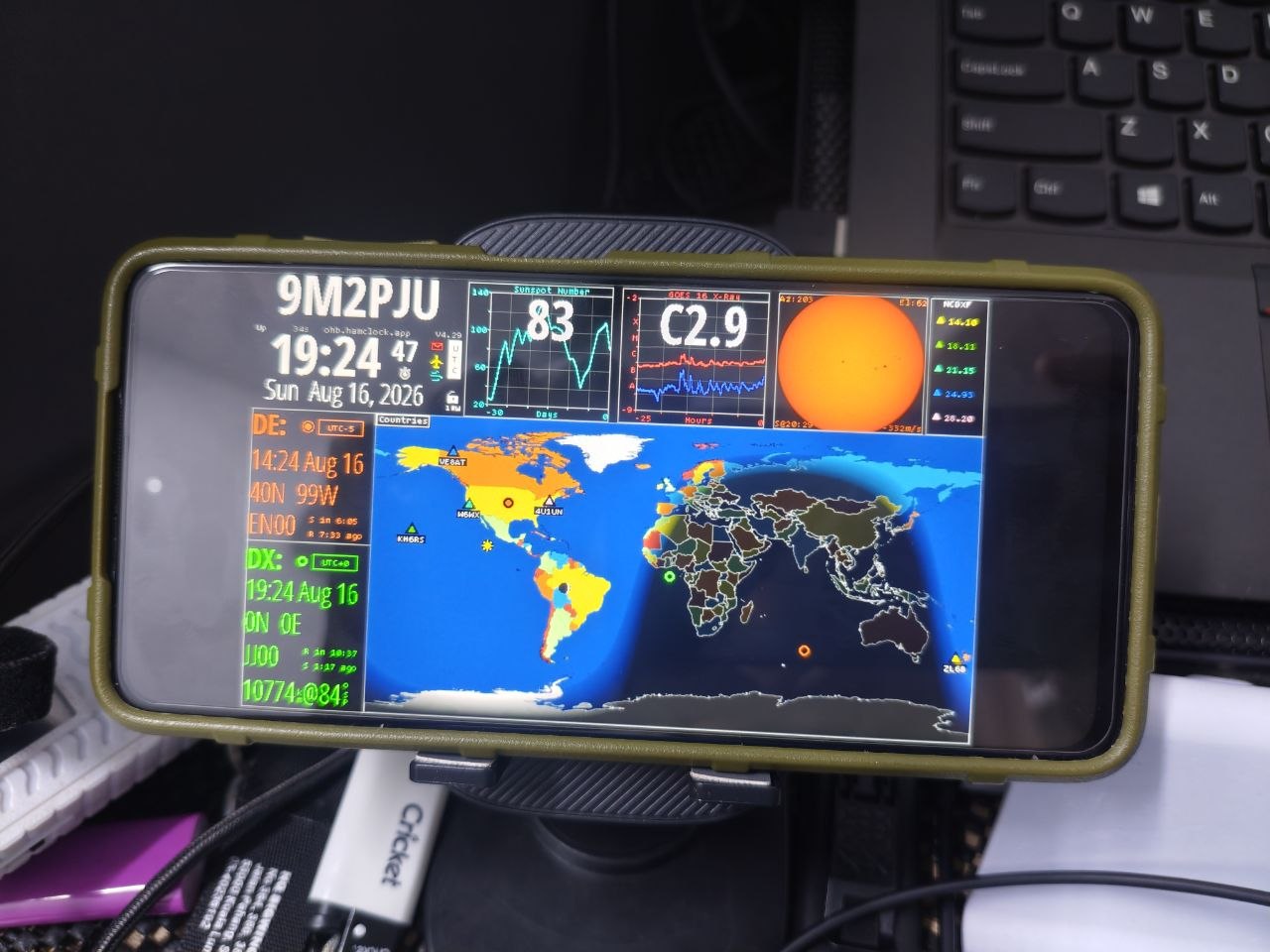
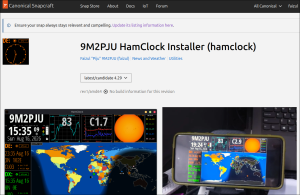
5. Always-On Space Weather & Shack Clock (OpenHamClock)
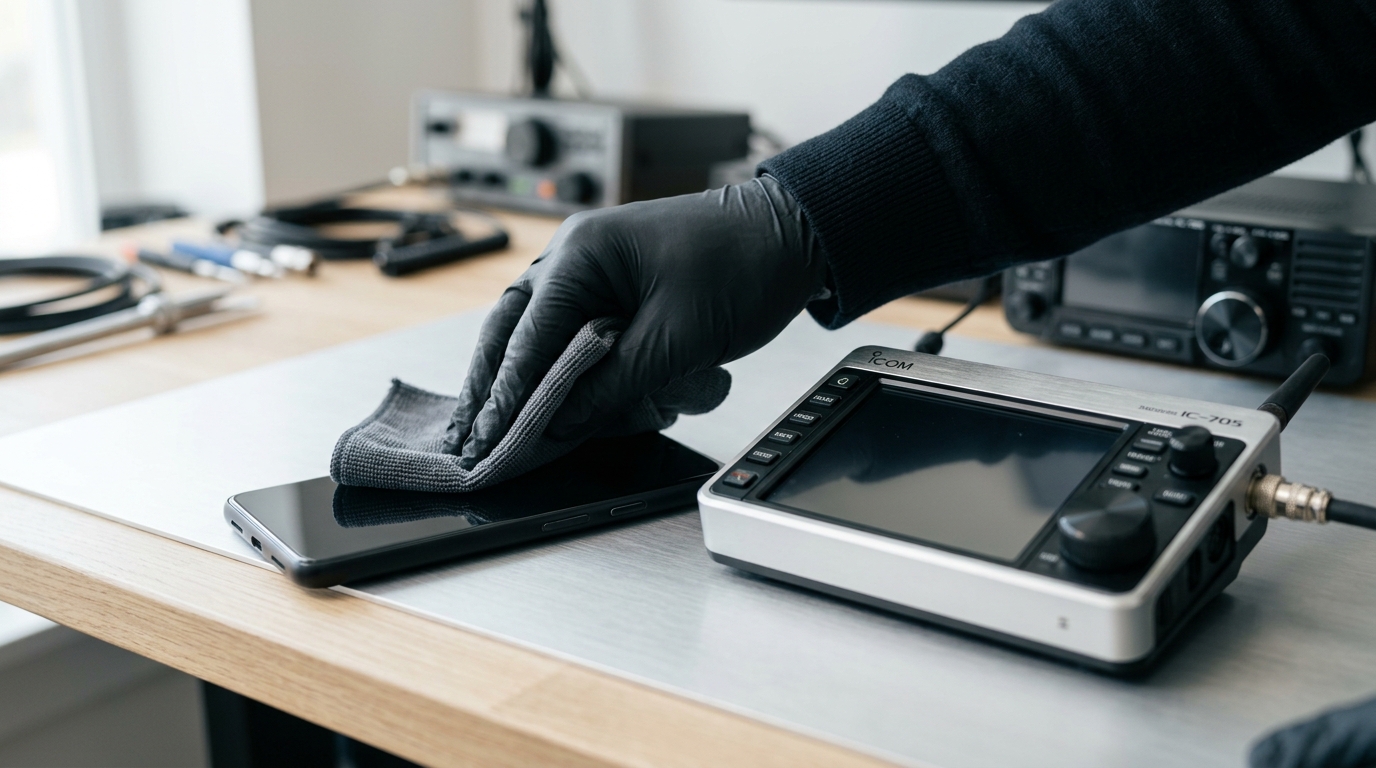
Mount the repurposed phone on an angled desk stand next to your transceiver to serve as a dedicated 24/7 shack clock.
- Run OpenHamClock or Clear Lake HamClock in fullscreen mode.
- Displays live solar flux index (SFI), sunspot numbers (SSN), geomagnetic planetary K-index, VOACAP HF propagation predictions, real-time greyline terminator maps, and live DX cluster spot feeds.
- The phone remains silent, consumes less than 3 watts, and preserves screen real estate on your primary computer.
Desktop Environments: Which One to Select?
The termux-linux-setup.sh script supports four desktop environments. Here is how they compare for ham radio use:
| Desktop Environment | Resource Usage | Memory Footprint | Recommended Use Case |
|---|---|---|---|
| XFCE4 (Default) | Low to Medium | ~250 – 350 MB RAM | Best overall choice for ham radio. Stable, highly customizable, supports application panels, and works seamlessly with WSJT-X and Fldigi. |
| LXQt | Very Low | ~150 – 220 MB RAM | Best for older phones (2 GB – 3 GB RAM). Ultra-lightweight Qt-based desktop that leaves maximum memory free for SDR processing and digital decoding. |
| MATE | Medium | ~300 – 400 MB RAM | Traditional desktop layout based on GNOME 2. Suitable for operators who prefer classic menu bars and panels. |
| KDE Plasma | High | ~550 – 750 MB RAM | Modern, feature-rich environment. Best reserved for high-end flagship phones (Snapdragon 8 Gen 1/2/3, 8 GB+ RAM). |
Step-by-Step Installation Guide
Follow these steps to set up mayukh4/linux-android on your device.
+-------------------------------------------------------------------------+
|                     INSTALLATION AND WORKFLOW STEPS                     |
+-------------------------------------------------------------------------+
|                                                                         |
|  [ STEP 1 ] Install Apps                                                |
|             Termux (via F-Droid) + Termux-X11 (via GitHub Releases)     |
|                                                                         |
|  [ STEP 2 ] Prevent Sleep & Update                                      |
|             $ termux-wake-lock && pkg upgrade -y                        |
|                                                                         |
|  [ STEP 3 ] Fetch & Run Setup Script                                    |
|             $ curl -O https://raw.githubusercontent.com/mayukh4/        |
|               linux-android/main/termux-linux-setup.sh                  |
|             $ bash termux-linux-setup.sh                                |
|                                                                         |
|  [ STEP 4 ] Launch Graphical Desktop                                    |
|             $ bash ~/start-linux.sh                                     |
|             -> Open Termux-X11 App to view Desktop                      |
|                                                                         |
|  [ STEP 5 ] Install Ham Radio Toolchains                                |
|             $ pkg install hamlib pulseaudio rtl-sdr direwolf            |
|             $ proot-distro install debian (for WSJT-X / Fldigi)         |
|                                                                         |
+-------------------------------------------------------------------------+
Step 1: Install the Required Android Applications
- Download and install Termux from F-Droid. Do not install the Google Play Store build, as it is deprecated and no longer receives updates.
- Download and install the latest Termux-X11 APK from the Termux-X11 GitHub Releases page.
- Grant storage and notification permissions to both applications when prompted.
Step 2: Acquire Wake Lock and Upgrade Base Packages
Open Termux and execute:
# Keep Termux running when the display turns off
termux-wake-lock

# Update package repositories and existing packages
pkg upgrade -y
Running pkg upgrade -y first ensures that the base C library (bionic) and package tools are aligned, preventing installation issues with libpcre and libandroid-selinux.
Step 3: Download and Run the Setup Script
Download the automated setup script from the GitHub repository and run it:
curl -O https://raw.githubusercontent.com/mayukh4/linux-android/main/termux-linux-setup.sh
chmod +x termux-linux-setup.sh
bash termux-linux-setup.sh
During execution, the script prompts you to:
- Choose your desktop environment (Select 1 for XFCE4 or 2 for LXQt).
- Choose whether to install Wine support (Select no unless you specifically need x86 Windows utilities).
The installer detects your GPU hardware properties, configures the Turnip/Zink graphics stack, sets up D-Bus and PulseAudio, installs Firefox, VLC, Python 3, and OpenSSH, and generates launcher scripts in your home directory.
Step 4: Start the Linux Desktop
Launch the desktop environment:
bash ~/start-linux.shSwitch to your phone’s home screen and open the Termux-X11 application. The XFCE4 or LXQt desktop will load on your display.
To stop the desktop when finished, return to Termux and run:
bash ~/stop-linux.shConfiguring Remote SSH Access and Ham Radio Tools
Enabling Remote Access from Your PC
OpenSSH is installed by default. This allows you to manage the phone, edit configuration files, and launch headless radio daemons from your PC or laptop over your local WiFi network.
# Set your password in Termux
passwd

# Launch the OpenSSH daemon
sshd

# Identify your phone's WiFi IP address
ip addr show wlan0 | grep 'inet '
Connect from your computer terminal (substituting your phone’s IP and Termux username):
# Connect over Termux default SSH port 8022
ssh $(whoami)@192.168.1.50 -p 8022
Installing Amateur Radio Packages
You can install many amateur radio utilities directly in Termux or inside a Debian container via proot-distro for full access to standard Debian ham radio packages:
# Install Termux-native RF tools
pkg install -y hamlib pulseaudio rtl-sdr direwolf git make cmake clang

# Install Debian container for full GUI ham radio packages (WSJT-X, Fldigi)
pkg install -y proot-distro
proot-distro install debian
proot-distro login debian -- bash -c "apt update && apt install -y wsjtx fldigi js8call gqrx-sdr pat"
To run WSJT-X inside the Debian container and display it on your Termux-X11 desktop:
# Route X11 and PulseAudio into the container
proot-distro login --shared-tmp debian -- env DISPLAY=:0 wsjtx
Best Practices for 24/7 Shack Reliability
To run an old smartphone reliably as a permanent radio shack server or APRS node, follow these practical guidelines:
- Battery Care and Thermal Management:
- Continuous charging at 100% capacity in hot environments can cause lithium-ion battery swelling over time.
- Use a smart plug or a smart USB cable with automatic cutoff to cycle charging between 40% and 80%.
- Keep the device in a well-ventilated area, away from direct sunlight and heat-generating linear power supplies.
- Disable Android OEM Battery Optimizations:
- Android power managers aggressively kill long-running background processes.
- Go to Android Settings → Apps → Termux → Battery and set it to Unrestricted (or “Don’t Optimize”).
- Always run
termux-wake-lockto keep the CPU awake when the screen is dark.
- Use a Powered USB-C OTG Hub:
- When connecting transceivers, soundcards, and RTL-SDR dongles simultaneously, use a powered USB-C hub with Power Delivery (PD) pass-through. This powers both the connected peripherals and the phone without overloading the phone’s internal battery circuit.
Frequently Asked Questions (FAQ)
Do I need to root my Android phone to run linux-android for ham radio?
No. The mayukh4/linux-android project runs entirely within the rootless Termux userspace and Termux-X11 environment. You do not need to unlock the bootloader, flash custom ROMs, or obtain root permissions.
Which desktop environment is best suited for amateur radio applications?
XFCE4 is recommended for most users due to its balance of stability, low memory usage (approx 250 MB), and complete panel support. For older devices with 2 GB to 3 GB of RAM, LXQt is the best alternative.
Can I connect external USB transceivers and soundcards to the phone?
Yes. Using a standard USB-OTG adapter or powered USB-C hub, you can connect transceivers (like the Icom IC-705), USB audio interfaces (such as DigiRig or SignaLink), and RTL-SDR dongles directly to the system.
How does GPU acceleration work on Android without root?
The project uses the open-source Turnip Vulkan driver for Qualcomm Adreno GPUs combined with Mesa Zink. Zink translates OpenGL calls to Vulkan within Termux userspace, providing hardware rendering without requiring root access.
Can I run Home Assistant and Ham Radio tools on the same phone?
Yes. The repository includes setup-homeassistant.sh to run Home Assistant Core in an Ubuntu container alongside the desktop environment, allowing your phone to function as both a smart home hub and a radio appliance.
Sources and Further Reading
- Sharma, M. (2025). linux-android: Turn an old Android phone into a GPU-accelerated Linux desktop. GitHub Repository: https://github.com/mayukh4/linux-android
- Sharma, M. (2025). Repurpose Your Old Android Phone (Full Walkthrough Video). YouTube: https://youtu.be/tYm2rQpkOcg
- Termux Development Team. (2026). Termux: Android terminal emulator and Linux environment. Termux Project: https://termux.dev
- Termux Development Team. (2026). Termux-X11: High-performance X11 server for Android. GitHub: https://github.com/termux/termux-x11
- Mesa 3D Project. (2026). Zink: OpenGL on Vulkan Driver Documentation. Mesa3D: https://docs.mesa3d.org/drivers/zink.html
- Taylor, J. K1JT. (2026). WSJT-X: Weak-Signal Digital Communication. Princeton University: https://wsjt.sourceforge.io/wsjtx.html
- Haverbeke, J. (2026). Dire Wolf: Software “Soundcard” AX.25 Packet Modem / TNC and APRS Encoder/Decoder. GitHub: https://github.com/wb2osz/direwolf
- Peterson, M. (2026). Pat: A Modern Winlink Client. Pat Winlink Project: https://getpat.io
- Home Assistant Project. (2026). Home Assistant: Open source home automation. Home Assistant: https://www.home-assistant.io
73,
9M2PJU
hamradio.my



Post Comment