amateur radio
android
open source
Technology
Android, background video recorder, bodycam, CameraX, CCTV, content creation, dashcam, EmComm, F-Droid, FadCam, FadRec, FadSec Lab, GPL-3.0, live streaming, open source, privacy, remote camera, screen recorder, screen recording, security camera
9M2PJU
0 Comments
FadCam: Free Open Source Android Background Video Recorder
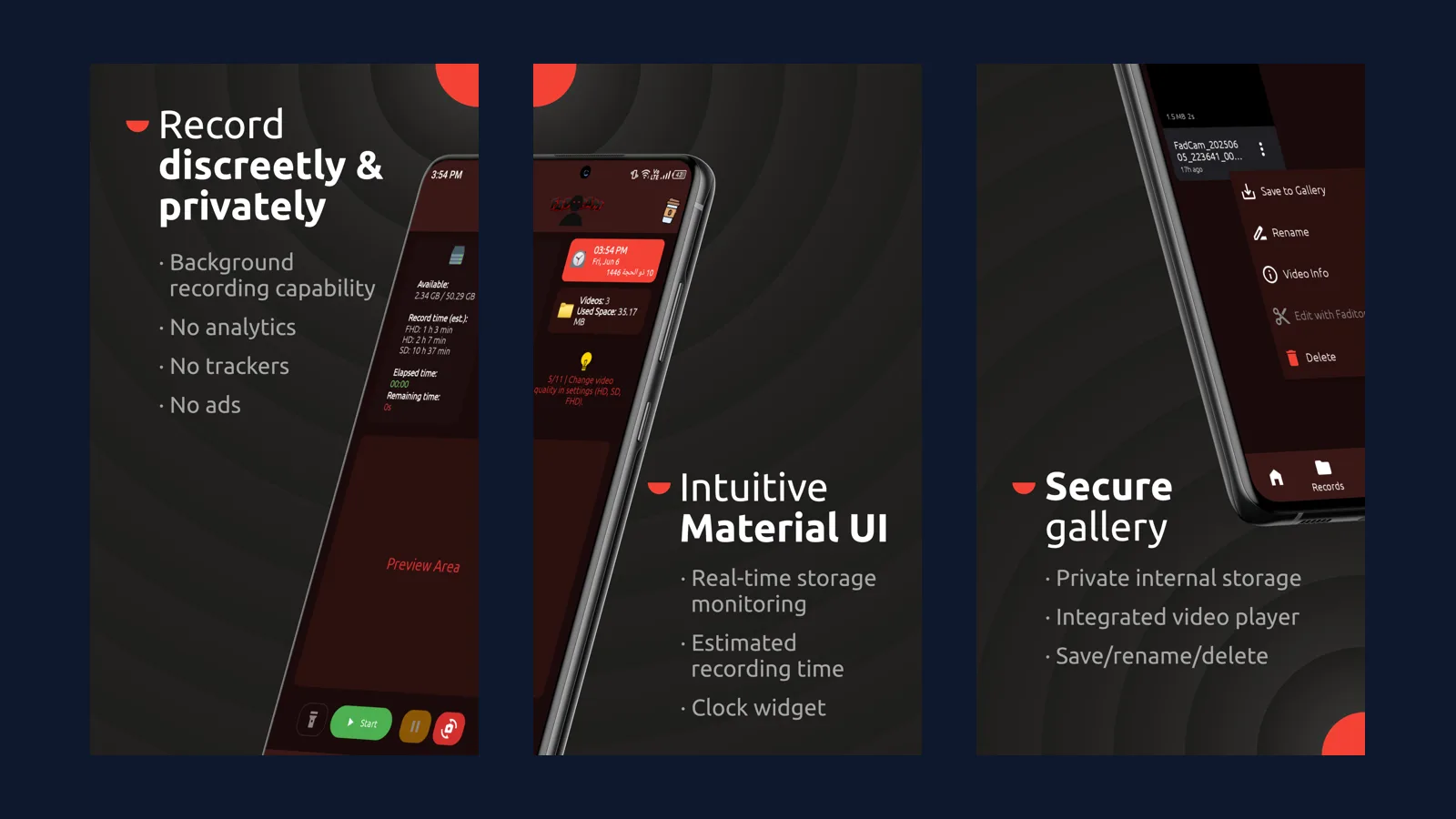
TL;DR: FadCam is a free open source GPL-3.0 Android app from FadSec Lab that turns any Android 9 or newer phone into a background video recorder with screen off, a driving dashcam mode, a screen recorder with annotations, live streaming with remote camera control over the local network, and crash-safe fragmented MP4 files. No ads, no trackers, no analytics, everything stored locally, with F-Droid, GitHub, and Amazon builds plus a disguised Pro variant for sensitive work.
Every ham has a spare Android phone in a drawer. It still has a decent camera, a big battery, and WiFi, but it no longer gets updates so it isn’t your daily driver. FadCam gives that phone a second career: a dashcam on the windshield for the drive to the SOTA trailhead, a CCTV camera watching the shack or the Field Day tent with remote monitoring from your main phone, a screen recorder for your next club training video, and a body camera for public service events. One free app, no account, no subscription, no cloud.
This guide covers what FadCam is and where it comes from, the background recording engine that makes it special, dashcam mode for drivers and riders, the FadRec screen recorder, live streaming and remote control, watermarks and geotagging, privacy architecture, themes and customization, the Pro disguised variants, installation on every channel, how it compares with the usual alternatives, practical amateur radio uses, honest limits, and where the project is heading with version 4.0.
What Is FadCam?
FadCam is a privacy-focused open source multimedia recorder for Android that records video in the background with the screen off, works as a driving dashcam, records the screen with annotation tools, streams the camera live over the local network, and exposes remote camera control through a web interface.
It is developed by anonfaded as part of the FadSec Lab suite of ad-free privacy-first applications, with source on GitHub at anonfaded/FadCam under GPL-3.0-only. At the time of writing the project carries about 2,900 stars, 252 forks, and more than 1,880 commits, ships version 3.0.1, runs on Android 9 and newer on arm64 and 32-bit ARM, and claims more than 115,000 users across 51 countries including Malaysia, with listings on 55 plus platforms. An iOS companion called FadCam Dashcam Bodycam exists on the App Store, and a Windows app named FadCrypt from the same lab covers desktop encryption.
The design goal is stated plainly in the readme: a powerful suite for ethical use only, meaning personal security, content creation, remote monitoring, research, and documentation. The developers explicitly disclaim unethical use such as unauthorized surveillance, and the app framing throughout assumes you’re recording your own drive, your own home, or your own screen.
Background Recording: the Core Trick
Most camera apps stop the moment the screen sleeps. FadCam keeps going, which is the entire point.
Background video recording runs as a foreground service with camera, microphone, and special-use service types, so Android keeps it alive while the screen is off and the phone sits in a pocket or a dash mount. That saves a striking amount of power because the display is the hungriest component in the phone, and version 3.0 cut CPU use by 45 to 50 percent with 28 to 33 percent better battery life during recording plus 30 percent less memory. Recording reliability gets its own engineering section in the docs: fragmented MP4 means the file on disk stays playable even if the app crashes or the battery dies, instead of losing the whole take to a missing file footer. Large recordings auto-split on customizable size limits so no single file grows unwieldy, and debug logging pauses during recording so troubleshooting scaffolding never costs frames.
Day to day control is simple. A live elapsed timer with an optional Doto display font, real-time storage monitoring with estimated remaining recording time per quality tier, orientation control, multiple resolutions with 60 and even 90 fps support where the hardware allows, wide-angle camera detection, and audio source and quality settings cover the capture side. The Records tab plays everything back in an integrated player with rename, video info, save to gallery, YouTube and Drive upload options, and an edit hook for the upcoming Faditor Mini, all behind a 7 theme interface with AMOLED, light, and system modes plus more than 15 launcher icons.
Dashcam Mode for Driving and Riding
Dashcam mode is background recording pointed at the road, and FadCam treats it as a first-class use case rather than an afterthought.
Mount the spare phone on the windshield, start recording, turn the screen off, and drive. Geotagging embeds location data into the recording, and the custom watermark can burn a license plate number, a street address resolved through Nominatim building-level reverse geocoding, or any free text straight into the picture. That matters for evidence: an insurance claim or a police report reads stronger when the plate, the place, and the time are in the frame rather than in a sidecar file. Customizable notification text during recording keeps the persistent notification informative without drawing attention, and the app keeps recording if another camera app is opened, a Samsung-specific green video bug from earlier builds included.
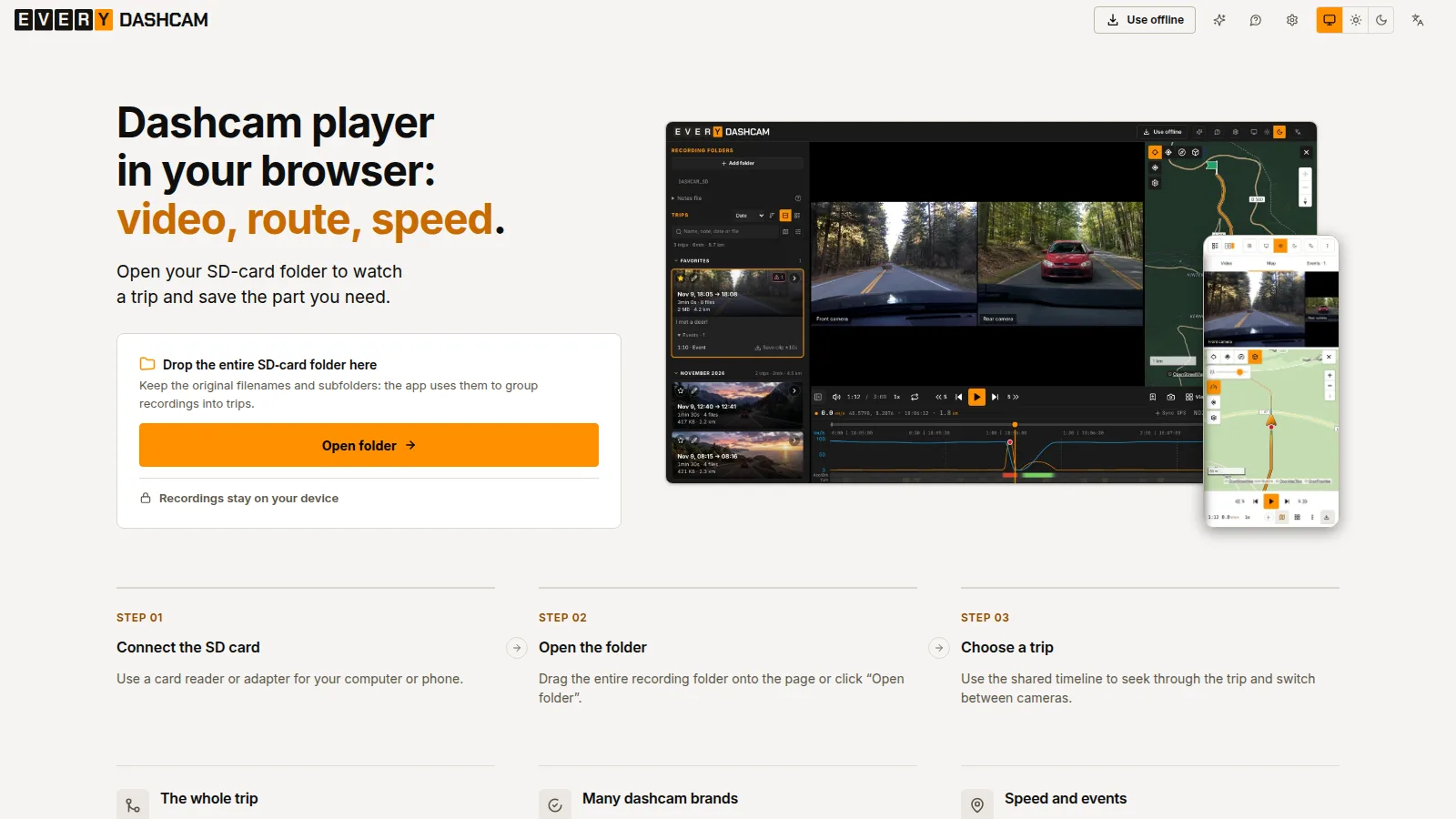
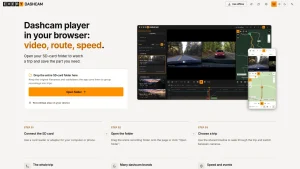
For amateur drivers this replaces a single-purpose dashcam box with hardware you already own. Riders get the same deal on a motorcycle mount with vibration caveats any phone mount shares. Pair the footage with a desktop reviewer such as EveryDashCam for GPS maps and speed overlays, and the phone that would have gathered dust becomes a full drive documentation rig for SOTA approaches, repeater site surveys, and storm spotter runs.
FadRec: Screen Recording with Real Annotations
Version 3.0 added a second app inside the app. The FadRec tab is a professional screen recorder with annotation tools aimed at tutorials, bug reports, and training videos.
The toolset will feel familiar to anyone who has marked up a whiteboard: pen, eraser, text, and shapes with multi-layer editing, version control, and unlimited undo and redo. Projects auto-save with full recovery, a sidebar overlay menu keeps record controls one tap away while presenting, and the output carries no watermark, which sets it apart from the crop of free recorders that stamp every export until you pay. The 4.0 roadmap folds this further into a planned in-app video editor, but even now the record, annotate, and share loop is complete without leaving the phone.
Club secretaries and training leads should take note. A five-minute screen recording of a logging setup, a programming walkthrough, or a net control procedure beats a wall of text in the club chat, and annotations let you circle the button that matters instead of describing it.
Live Streaming and Remote Control over the Local Network
FadCam Remote turns the recording phone into a network camera you drive from a browser.
Start the stream and any device on the same WiFi can open the web interface, watch the camera feed live, and take control: start and stop recording, change settings, toggle the torch, and check battery level, storage status, and recording state in real time. The canonical use is a home CCTV camera monitored and controlled from your daily phone or a laptop, with no port forwarding and no cloud account in the path. Everything stays on the LAN, which keeps latency low and exposure minimal, and the interface is styled to the same Material standard as the app itself.
The 4.0 preview extends this idea to a cloud dashboard for remote control from anywhere, currently shown as a preview on the project site with Discord early builds feeding back into development. Until that lands, the local network story is the one to rely on: same subnet, no internet dependency, nothing to subscribe to.
Watermarks, Geotagging, and File Safety
Three small features add up to trustworthy footage. Custom watermark text overlays any string onto the video, from a license plate to a location to an event callsign. Geotagging embeds location data at capture time, with reverse geocoding powered by Nominatim on OpenStreetMap data at building precision for accurate address watermarks. Fragmented MP4 plus auto-splitting means a crash, a dead battery, or a full disk costs you the tail of a segment, never the whole recording.
File handling rounds it out. The secure gallery keeps recordings in private internal storage with an integrated player, save to gallery promotion when you want a clip in the shared collection, rename and delete, upload to YouTube or Google Drive straight from the video menu, and a records tab tuned for large libraries after a performance pass in the 1.5 era. One caution carried over from the 3.0 breaking change: back up existing videos before major updates because container changes can strand old files, and the beta channel installs with isolated storage so testers never risk the main library.
Privacy Architecture: Nothing Leaves the Phone
Privacy is the headline, so it deserves specifics. There are no ads, no analytics SDKs, and no tracking services in the app. All videos stay on the device, no data goes to external servers, and the internet permission exists only to check for app updates. The privacy policy fits on one page and says exactly that.
The honest footnote comes from F-Droid, which flags the app with an anti-feature because the update check and the in-app whats new page contact Cloudflare and GitHub. That’s a non-free network service dependency in F-Droid taxonomy, not data harvesting, and the reproducible build status backs the claim: F-Droid builds and signs the APK from the published source tarball, currently version 3.0.1 at 66 MB. Worth knowing, worth stating, not worth losing sleep over for a camera app that otherwise never phones home with your footage.
Permissions tell the same story when read carefully. Camera, microphone, location in the foreground for geotagging, storage media permissions, notifications, wake lock, overlay for the recorder sidebar, Bluetooth for device awareness, and ignore battery optimizations so long recordings survive Doze. The correct move after install is to grant what your use needs, exempt the app from battery optimization, and lock it out of anything it doesn’t need for your workflow.
Pro Variants, Themes, and Supporting Development
FadCam is free in full, and Pro is about discretion rather than features. A lifetime purchase through the developer Patreon shop unlocks identically functional builds skinned as Notes, Calculator, or Weather, with the alternate name and icon carried consistently through the launcher, notifications, and lock screen. For personal security recording where a camera app icon invites the wrong questions, that disguise is the product. The license page draws a hard line the other way: unauthorized assembly or redistribution of Pro builds is called out as copyright infringement, so buy through the official shop link inside the app.
Customization in the free build is generous on its own: more than 7 themes, more than 15 icons, custom notification text, Greek and many other localizations, and per-quality storage estimates that make capacity planning concrete. Development funding runs through the same Patreon plus Ko-fi and a Discord community, with early access releases and priority support as the backer perks.
Installation: Pick Your Channel
Android 9 or newer on arm64-v8a or armeabi-v7a covers effectively every phone from the last decade, and there are four honest ways to get the APK.
| Channel | What you get | Best for |
|---|---|---|
| GitHub releases | Latest APK direct from the developer, fastest updates | Testers and anyone who wants the newest build today |
| F-Droid | Developer-signed reproducible build, update notifications, anti-feature labeled | Most users who want verified open source distribution |
| IzzyOnDroid | Fast third-party repo mirror of the F-Droid style build | Users already on the IzzyOnDroid repo |
| Amazon Appstore and SourceForge | Store listing and mirror download | Fire devices, sideloading where Play is absent |
The standalone beta installs alongside stable with isolated storage. So adventurous users can trial new builds without risking their library. IPhone owners in a mixed household aren’t left out entirely: the separate FadCam Dashcam Bodycam listing on the App Store covers the iOS side, though this guide and the GPL source story concern the Android app.
Setup takes five minutes. Install, grant camera and microphone, enable location only if you want geotagging, exempt the app from battery optimization, set quality and split size, add your watermark text, and run a ten-minute test recording with the screen off. Check that the file plays, that the watermark reads, and that the split landed where configured. Then mount it and go.
FadCam vs the Usual Alternatives
Background recording is a crowded corner with very different tradeoffs, so here is the honest map.
| Need | FadCam | Typical background recorder | Dedicated dashcam hardware | Screen recorder with ads |
|---|---|---|---|---|
| Price and ads | Free, GPL-3.0, zero ads or trackers | Free tier with ads or paid unlock | 50 to 200 dollars plus SD card | Free with watermark or subscription |
| Background recording with screen off | Yes, the core feature | Often yes, reliability varies | Yes, purpose built | Rarely, not the use case |
| Crash-safe files | Fragmented MP4, playable after crash | Usually standard MP4, crash loses take | Loop recording with G-sensor lock | Standard MP4 |
| Screen recording | Built in with annotations, no watermark | No | No | Yes, often watermarked |
| Remote control and streaming | Local web UI with settings and torch | Rare | Cloud plans on premium models | No |
| Privacy | Local only, reproducible F-Droid build | Cloud backup prompts, analytics common | Vendor cloud on some brands | Analytics and ad SDKs common |
| Ham and field fit | Spare phone reuse, CCTV, dashcam, training | Single-purpose | Best optics and parking mode | Tutorials only |
Nobody should pretend a phone beats a purpose-built dashcam on optics, night performance, parking surveillance wiring, or heat tolerance on a summer windshield. What FadCam wins is flexibility per dollar: the phone is already paid for, the software is free and auditable, and one device covers dashcam, CCTV, screen, and streaming duty.
Why Hams Should Care: Six Field Uses
This is where the spare phone drawer meets the go-kit. First, the windshield dashcam documents every activation drive with watermarked plate and address evidence, and pairs with a desktop GPS reviewer for route proof. Second, the shack or Field Day tent gets a CCTV camera with remote monitoring from the operating position, no cloud account, no subscription, just the LAN web UI. Third, public service events and JOTA stations get a body camera with a discreet Pro skin where the situation warrants quiet documentation. Fourth, training nights get watermark-free screen recordings with annotations for programming radios, configuring loggers, and running nets. Fifth, antenna and mast work gets a second angle for safety review, because a phone clamped to a mast section records what the climber can’t narrate. Sixth, storm spotting and ARES deployments get timestamped, geotagged video that backs the written log when the debrief asks what happened where.
Keep the legal framing boring on purpose. Record your own property, your own drive, and your own events, tell people they are on camera where the law or common courtesy expects it, and check local rules on audio recording and windshield mounts before a deployment. The app readme ethics section says the same thing in developer language.
Honest Limits Before You Mount the Phone
Five caveats keep expectations fair. Heat is the big one: a phone baking on a summer windshield throttles and can shut down, where a capacitor-based dashcam keeps going, so shade the mount and mind the season. Battery swell on a permanently mounted old phone is a real hazard, so prefer removable-battery veterans or a mount you unplug between drives. Remote control is LAN only until the 4.0 cloud dashboard ships, so plan around same-network access. Doze and aggressive vendor battery managers will kill long recordings unless the app is exempted, and Samsung-style quirks have needed past fixes, so always run the ten-minute screen-off test after updates. Fragmented MP4 trades a little compatibility friction for crash safety, and major version jumps deserve a backup first, exactly as the 3.0 notes advise.
Getting Started and What Comes Next
Install from F-Droid for the verified build or GitHub releases for the newest one, configure quality, watermark, and split size, run the screen-off test, and put the phone to work. Join the Discord for early 4.0 builds, watch the cloud dashboard preview if remote-anywhere control matters to you, and consider the Pro skin or a donation if the app earns a permanent slot in your kit.
The roadmap is public: scheduled start and stop recording times, the Faditor Mini trim editor inside the app, richer remote control, and the 4.0 cloud dashboard for anywhere access. With 115,000 plus users, reproducible builds, and an active issue tracker at 105 open against 15 pull requests, this is a living project rather than a finished artifact.
FadCam won’t replace a high-end dashcam or a studio screen suite. It replaces the excuse that you need to buy either before documenting your next drive, activation, or training night. For a free open source app running on hardware you already own, that’s a strong deal.
Sources and Further Reading
- FadCam source on GitHub
- FadCam official site
- FadCam on F-Droid
- FadCam releases
- FadCam legacy site with features and screenshots
- Cloud dashboard preview
- FadCam privacy policy
- FadCam changelog
- FadSec Lab project suite
- FadCrypt for Windows
- Nominatim reverse geocoding
- OpenStreetMap
- FadCam Discord community
- FadCam Pro shop
73 de 9M2PJU


Post Comment