amateur radio
open source
Technology
e-ink, Elecrow, EmComm, encrypted chat, field communications, GPL-3.0, LilyGO T-Deck Plus, lora, MatterMesh OS, mesh network, Meshcore, off-grid communications, open source, openstreetmap, repeater tools, RPT Scanner, sota, T-Deck, T-Deck Max, ThinkNode M9
9M2PJU
0 Comments
MatterMesh OS: Encrypted Off-Grid LoRa Chat on the LilyGO T-Deck With No Internet
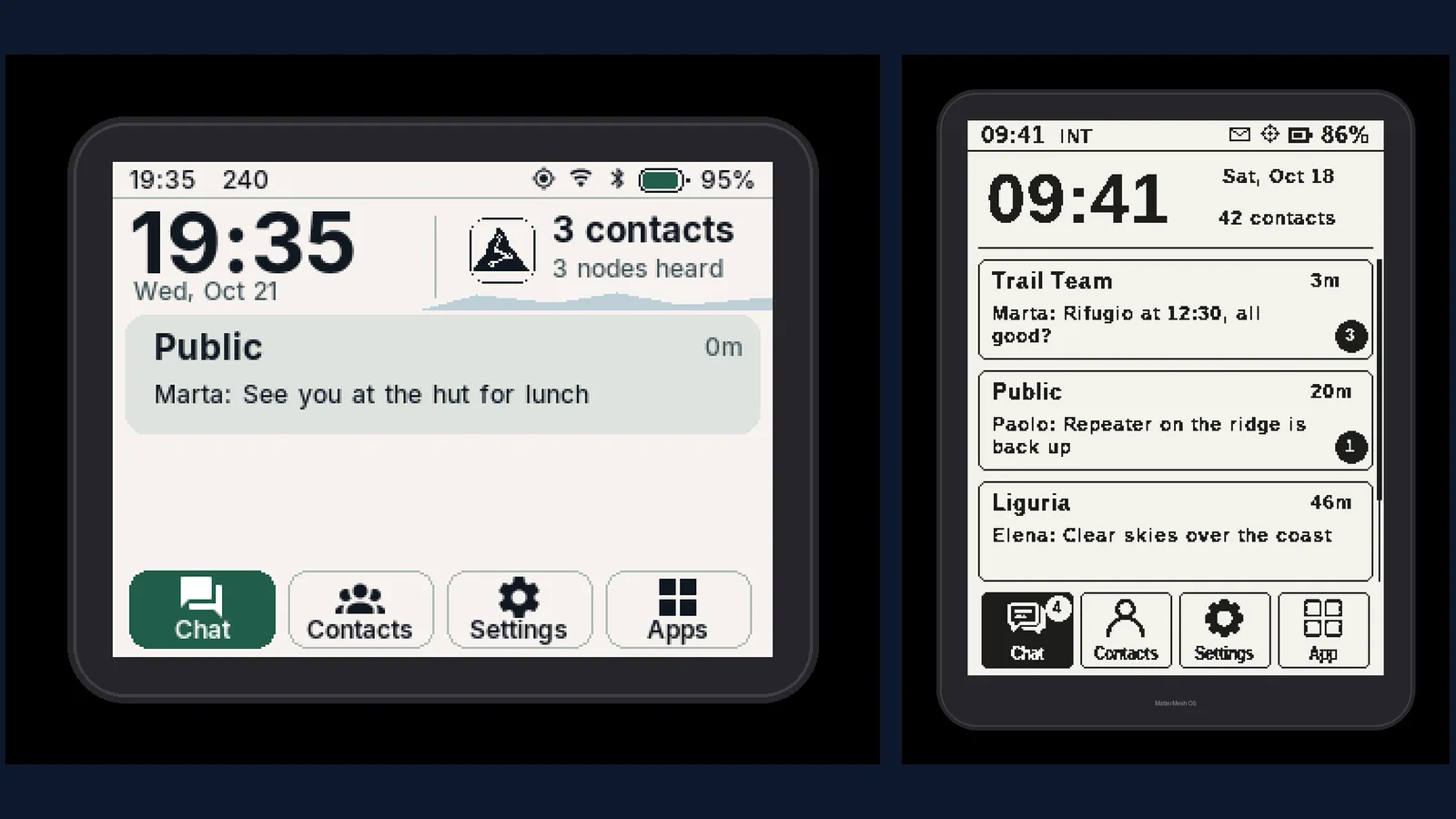
TL;DR: MatterMesh OS is a free, GPL-3.0 operating system for the LilyGO T-Deck family that brings encrypted device-to-device MeshCore LoRa mesh chat to places with no internet and no SIM. It runs on the color touchscreen T-Deck Plus, the sunlight-readable e-ink T-Deck Max, and the key-driven Elecrow ThinkNode M9, with offline maps, weather radar, signed WiFi updates, and optional 10 euro lifetime repeater and flight tracking apps. If you want a pocket communicator for summits, field days, and blackouts, this is one of the most polished options in the MeshCore world right now.
Every off-grid communicator answers the same question: what do you use when the network doesn’t reach? Cell coverage ends at the trailhead, public WiFi belongs to someone else, and satellite messengers charge a subscription for every month including the eleven you stay home. The answer used to be a handheld radio and a lot of patience. A small Italian project has a better one: a full messaging operating system on a 60 euro class handheld, speaking encrypted LoRa mesh to other nodes kilometres away, with maps, weather, and contacts on screen and not a single bar of cell signal required.
This guide covers what MatterMesh OS is, the MeshCore network it rides on and how that differs from Meshtastic, the three supported devices in detail, everything the free system includes, how to install it from a browser in about 10 minutes, the 10 euro lifetime extra apps, how the open source money model works, the honest limits, and why amateur radio operators running SOTA, POTA, and EmComm should pay attention.
What Is MatterMesh OS?
MatterMesh OS is a free and open source operating system for LilyGO T-Deck handhelds that provides encrypted MeshCore LoRa mesh messaging with maps, contacts, and field tools, working entirely without internet access or a SIM card.
It is built by the MattermeshOS organisation and published under GPL-3.0, with the complete system in the public mattermeshos/mattermesh-os repository (C++, 10 stars and 3 forks at the time of writing, created October 2026 and under active development). The network and encryption underneath come from MeshCore, the open source off-grid LoRa mesh system by Scott Powell, released under the MIT licence. The project states plainly that it isn’t affiliated with LilyGO: this is independent firmware for hardware you own.
Three facts define the product:
- It’s a whole communicator, not a radio demo. Chat with channels and direct messages, live contacts with signal and hop counts, OpenStreetMap maps with GPS, weather with radar and storm alerts, files, and a command line, all operable from the handheld keyboard.
- It covers three screens, not one. The color touchscreen T-Deck Plus, the e-ink T-Deck Max for multi-day battery life in full sun, and the Elecrow ThinkNode M9 with a fully key-driven interface and no touchscreen at all.
- The core is free forever, the extras cost 10 euro once. Mesh messaging, maps, weather, and updates cost nothing. Seven specialist repeater and tracking apps unlock per device with a single lifetime payment that also covers every future extra app.
Why MeshCore, and How It Differs From Meshtastic
Off-grid LoRa mesh has two major open ecosystems, and buyers constantly confuse them, so here is the short version.
MeshCore builds its network around dedicated repeater nodes and companion radios. Repeaters form the backbone that stores and forwards traffic, while small battery companion devices talk to a phone app over Bluetooth. Routing is deliberate rather than flood based, which keeps airtime lean as the network grows. Messages are encrypted end to end between devices, and the design scales from a hiking pair through a town network with room servers to event wide coverage. The Wikipedia overview of MeshCore describes the self-organising multi-hop relay model in more depth.
Meshtastic, the better known alternative, floods messages across every node in range by default. That simplicity made it popular, but busy channels degrade as every node repeats everything. Our earlier FieldMesh guide covers a MeshCore fork for outdoor trackers if you want the flavour of the ecosystem from another angle.
| Category | MatterMesh OS on T-Deck (MeshCore) | Typical Meshtastic handheld |
|---|---|---|
| Network model | Dedicated repeaters plus companion radios, deliberate routing | Managed flooding across all nodes |
| User interface | Full on-device OS: chat, maps, weather, contacts on screen | Usually needs a paired phone app for full use |
| Standalone use | Complete without any phone | Phone strongly recommended |
| Encryption | Encrypted device to device chat | Encrypted channels |
| Maps | Built-in OpenStreetMap with GPS | Mostly via phone app |
| Hardware | T-Deck Plus, T-Deck Max, ThinkNode M9 | Wide range of small LoRa boards |
| Licence and cost | Free GPL-3.0 core, 10 euro lifetime extras | Free open source firmware |
| Best for | Pocket communicator for hiking, events, EmComm | Sensor telemetry and mixed hardware tinkering |
The short version: if you want a device you hand to someone with no phone and no briefing, the full on-device interface is the deciding factor. If you want the widest hardware choice and sensor telemetry, Meshtastic keeps its edge.
Three Devices, One System
MatterMesh OS doesn’t ask you to pick an ecosystem and then hunt for hardware. It supports three specific handhelds, each tuned with its own interface build.
T-Deck Plus: the color all rounder
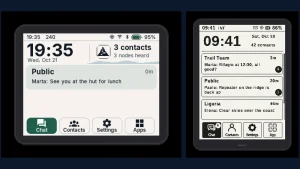
The LilyGO T-Deck Plus pairs a 2.8 inch color touchscreen with a trackball, a physical keyboard, GPS, and a LoRa radio. It works on 868 MHz and 433 MHz networks in Europe and 915 MHz in the Americas and Australia, with the band chosen at first boot, and even the 433 MHz Plus variant is fully supported. MatterMesh OS redraws the interface for the wide landscape screen and brings the MeshCore network, color OpenStreetMap, live contacts, and a lock screen that keeps receiving while locked.
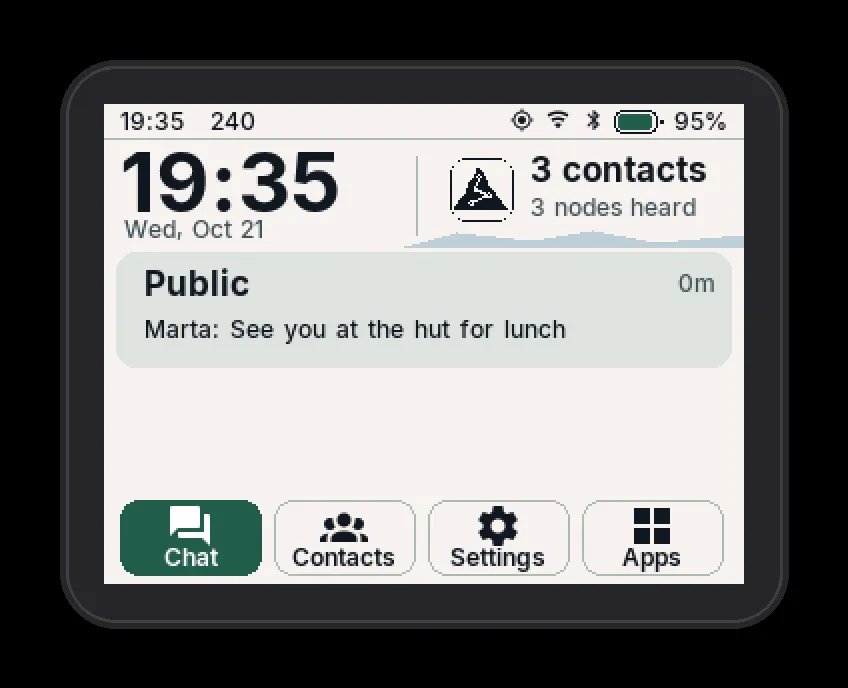
This is the default recommendation: color maps, color chat bubbles with color emoji in messages and names, three full interface themes (Alpine Light, Night Ridge, Expedition, each with its own lock screen illustration), and touch plus trackball plus keyboard input. On the lock screen the radio stays on, incoming messages arrive on the lock illustration, and Enter replies without unlocking.
T-Deck Max: the e-ink field communicator
The T-Deck Max trades color for endurance. Its black and white e-ink screen consumes power only when the image changes, stays readable in direct sunlight that washes out LCDs, and stretches battery life from hours to days. MatterMesh OS turns it into a complete MeshCore communicator with a physical keyboard, offline voice dictation (hold the MIC key and speak, transcribed on the device itself in Italian via an on-board QuartzNet model), and the full history of every chat kept on microSD so you can scroll back to the first message, not just the recent few.
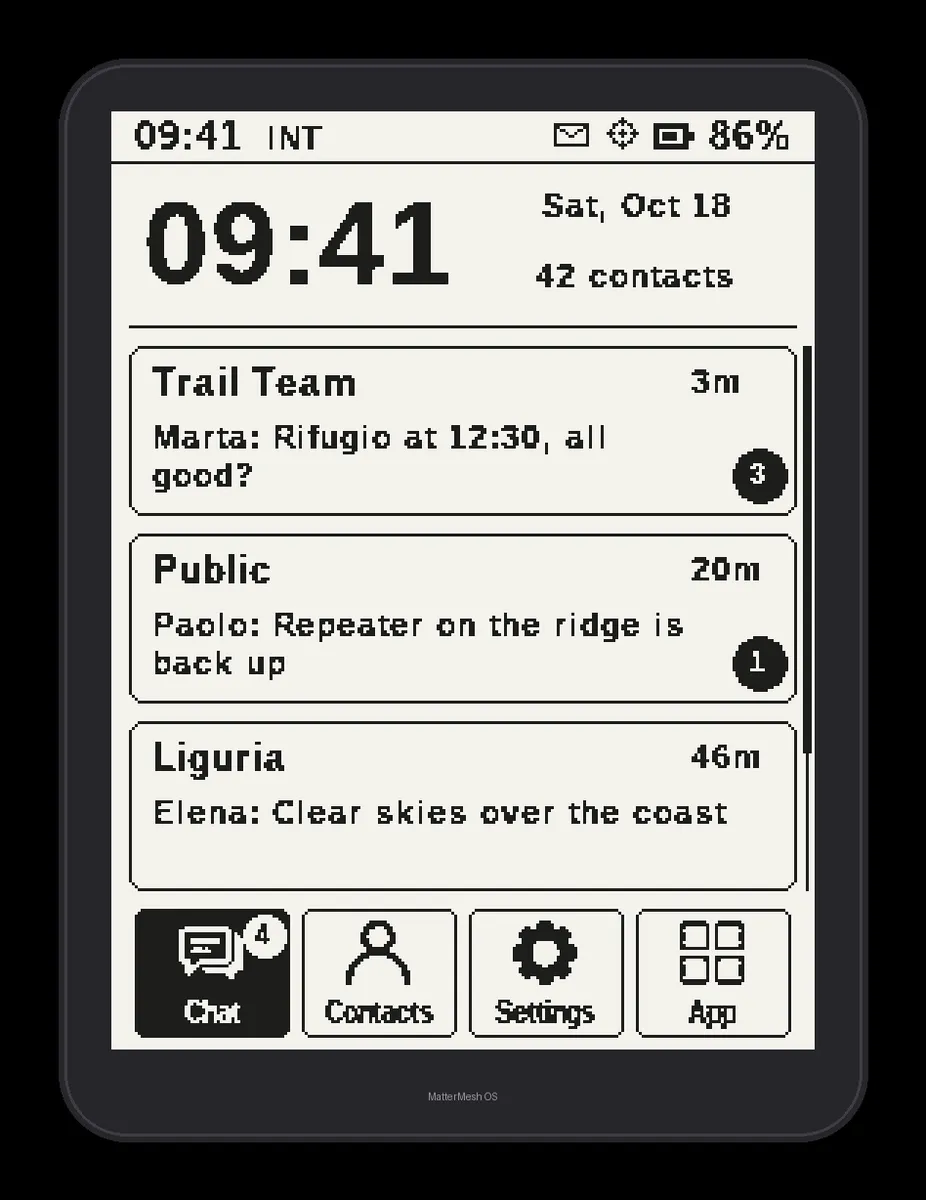
Max-specific touches show field thinking: an unread preview on the lock screen with reply via Enter, e-ink redrawn OpenStreetMap, chat confirmations showing how many repeaters heard your message, full microSD conversation history, and a physical keyboard with accented letters and emoji so you type without staring at a touchscreen. It works on 868 MHz and 915 MHz LoRa with the band chosen at first boot.
ThinkNode M9: everything with keys, nothing with touch
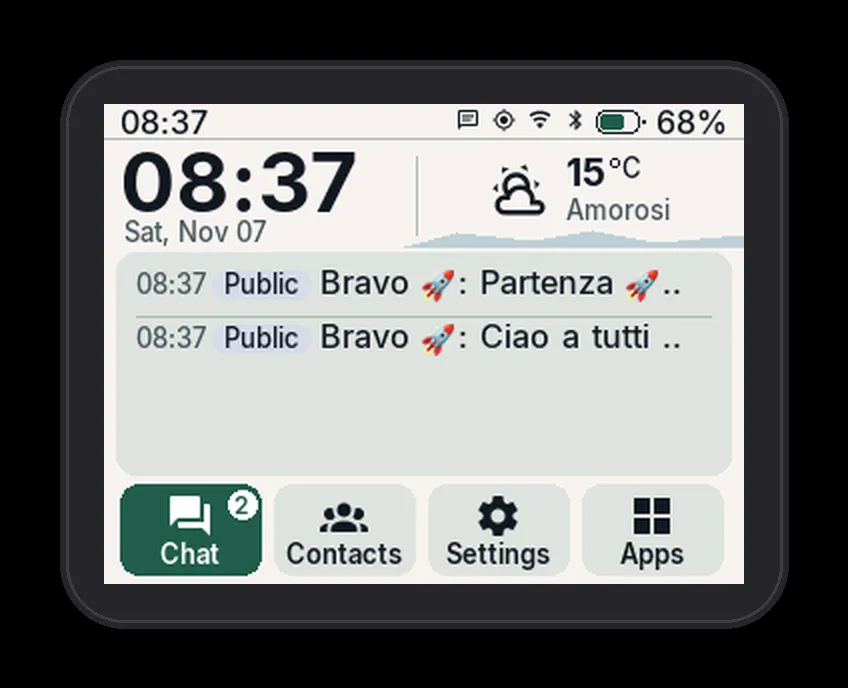
The Elecrow ThinkNode M9 is the newest target: a color display with a keyboard and D-pad but no touchscreen. The whole MatterMesh OS interface was reworked for it so every page, button, and setting is reachable with the arrow keys and confirmed with OK. No tiny buttons to centre a finger on, lists scroll, values change with left and right, and the device is usable at 100 percent without ever touching the screen.
The M9 build carries the same three themes, color chat with emoji, D-pad driven OpenStreetMap with pan, zoom, and centre on position, live contacts, the lock screen with message preview, and the companion link feature. Two practical extras stand out: it keeps chat, contacts, and identity in internal memory with a clear warning about what needs the SD card if the card stops responding, and you can silence a disruptive person from a message menu, lifting the mute from the chat menu later.
What the Free System Includes
The free tier is the real product, not a demo. Everything in this section costs nothing, today and in the future according to the project.
Mesh chat with receipts. Encrypted channels and direct messages over the MeshCore network, with repeater path display and heard confirmations showing how many repeaters picked up your message. Because every device speaks standard MeshCore, you chat with any MeshCore device, not just other MatterMesh units.
Live contacts. See who is in range right now with RSSI signal readings, hop counts, distance and direction where position data exists, and filters for companions and repeaters. For event coordination this single screen replaces a roll call.
Lock screen that keeps working. With the screen locked the radio stays listening. The latest message appears on the themed lock illustration and Enter replies immediately. On a summit ridge with gloves on, this is the difference between a tool and a toy.
Companion link. A new feature that pairs the T-Deck over Bluetooth with another MeshCore node, for example a Wio board with a better antenna on a mast. The handheld radio sleeps while chat and messages flow through the companion. Pairing uses a PIN with automatic reconnection on every reboot, you choose per connection whether to download waiting messages, and the antenna icon in the status bar stays red until the companion links (WiFi behaves the same way). This is effectively a wireless remote antenna for your pocket.
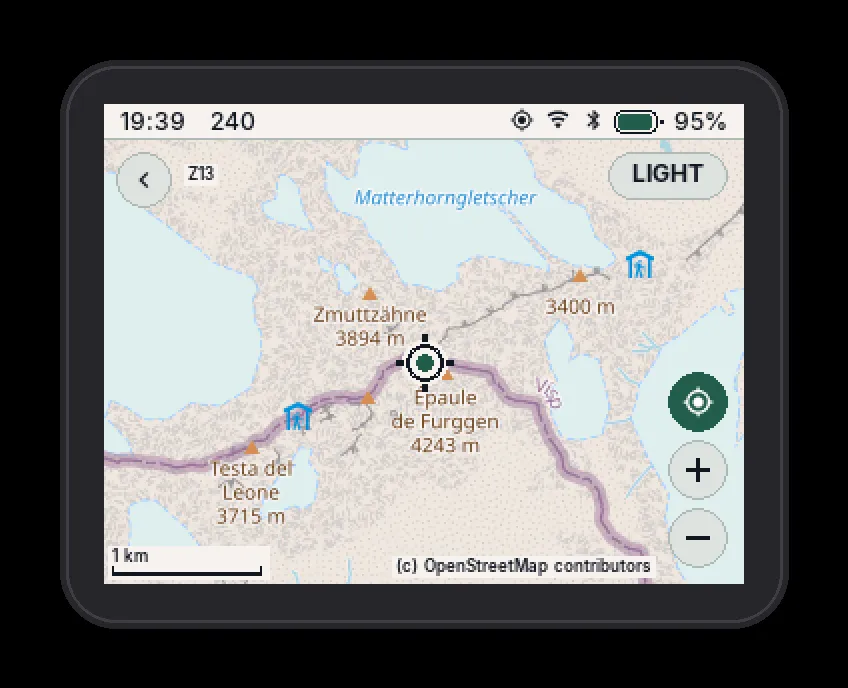
Maps and weather. OpenStreetMap with live GPS position (the site demo centres on the Matterhorn, fitting for an Alpine project), plus weather with radar and storm alerts. Both ride along offline once tiles are cached, which is exactly what you want when the forecast matters and the grid doesn’t cooperate.
Phone app link. Connect the MeshCore phone app over Bluetooth, USB, or WiFi and use the T-Deck as the radio while typing on the phone. Best of both worlds for longer messages at base camp.
Signed updates over WiFi. New versions arrive signed from the project server and install when you choose. The Max build goes further: if an update fails, the device rolls itself back to the previous version automatically.
Eight keyboard languages. German, English, Spanish, French, Italian, Portuguese, Russian, and Ukrainian, toggled per language in settings and switched live with Alt plus Space while the active language code sits in the status bar. Accented letters come from pressing the accent key before the letter (once for the first variant, twice for the second), and a search box finds languages by name or code.
Files and CLI. A file browser and a command line ship in the box, free, for poking at the system without a computer attached.
Install From Your Browser in About 10 Minutes
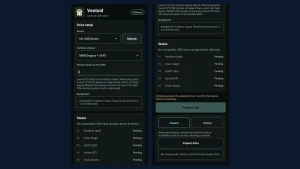
The MatterMesh browser flasher uses Web Serial, so the recipe is: a data capable USB-C cable (charge-only cables fail silently), a desktop Chrome, Edge, or Opera browser (Firefox, Safari, and phones are out), and a secure context (HTTPS or localhost). Pick the Plus, Max, or M9 Free build and press Install.
- Connect the handheld with the USB-C data cable and select its serial port when the browser asks.
- Press Install and wait for the write to finish. The device is always fully erased and restarts empty at the welcome screen.
- Set the LoRa band at first boot for your region, then join or start chatting.
Two things to know before you click. First, a browser install is always a clean install: back up anything on the device first, because messages don’t survive it. Day to day updates that preserve everything arrive over WiFi instead. Second, Linux users hitting “Failed to open serial port” need one udev rule so the browser can open the port (vendor 303a), then unplug and reconnect:
echo 'SUBSYSTEM=="tty", ATTRS{idVendor}=="303a", TAG+="uaccess"' | sudo tee /etc/udev/rules.d/70-tdeck.rules
sudo udevadm control --reload-rules && sudo udevadm trigger
Prefer the manual route? Raw .bin firmware files are published for flashing with the bmorcelli Launcher (copy to SD card) or esptool at offset 0x10000.
Extra Apps: the 10 Euro Lifetime Unlock
The money model is refreshingly blunt. The OS is free and stays free. Seven specialist apps cost 10 euro once per device, including every future extra app delivered later over WiFi at no further charge. The extras are the one part that isn’t open source.
| Extra app | What it does | Plus | Max | M9 |
|---|---|---|---|---|
| RPT Scanner | Repeaters in range with signal and hop distance | Yes | Yes | Yes |
| RPT Diagnostic | Connect to a repeater: status, path, console | Yes | Yes | Yes |
| RX Log | Every packet received with path, type, and SNR | Yes | Yes | Yes |
| Noise Floor | Radio noise over time, for picking install sites | Yes | Yes | Yes |
| Spectrum | Noise on nearby frequencies with waterfall over time | Yes | No | No |
| Trails | GPX tracks with offline maps, elevation, and arrival | Yes | No | Yes |
| Flights | Aircraft around you on the map with route, altitude, and speed | Yes | No | Yes |
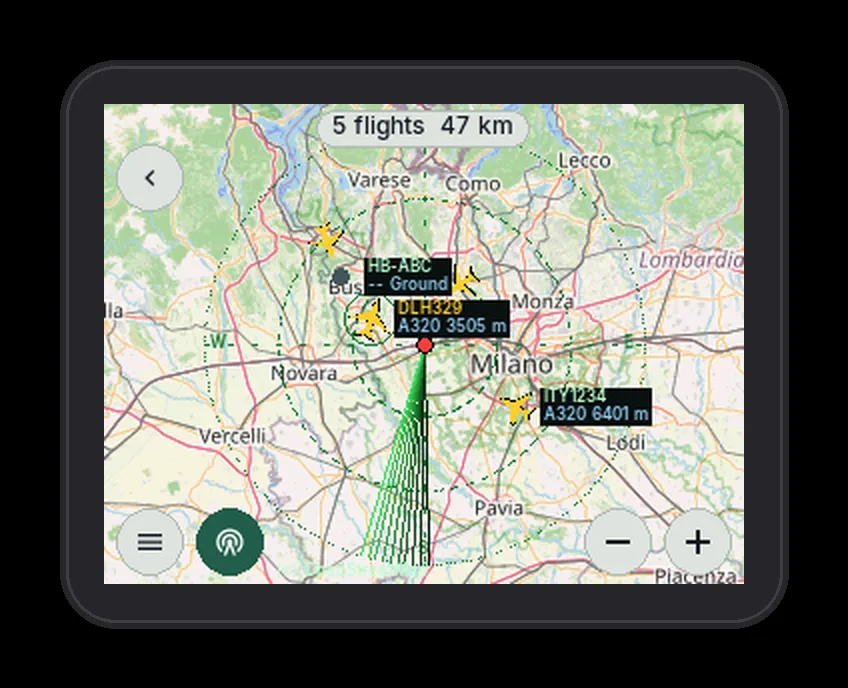
Unlocking takes three moves: open Settings then Donate/Unlock on the handheld to get your device code and QR, pay 10 euro on Ko-fi quoting the code, then run Settings then OTA update to receive the unlocked build. The licence stays with that one handheld.
The repeater quartet (Scanner, Diagnostic, RX Log, Noise Floor) is the standout for amateur radio: it turns the handheld into a MeshCore repeater management terminal. Combined with our MeshCore to TAK bridge guide, a club can run mesh situational awareness from handheld to command post.
Open Source and How the Money Works
The Free edition is GPL-3.0 software with the full system, build instructions, and docs public on GitHub. Anyone can read it, compile it, and improve it. The network layer is MeshCore under the permissive MIT licence, and even the Italian offline dictation voice model is credited (QuartzNet by christian-tarantino, Apache-2.0). Discussion, news, bug reports, and ideas live on the r/MattermeshOS subreddit, and voluntary Ko-fi donations from 1 euro fund hardware and field testing with no obligation.
The 10 euro extra app licence is how full time development gets funded: hardware to test on, field trials, and time for new features. It is per device, clearly scoped, and the free core is contractually untouched by it. For a project dating only to October 2026, the transparency (separate licences stated up front, closed parts named, rollback engineering on the Max) inspires more confidence than projects ten times its size.
Honest Limits
No review is useful without trade-offs, and the project FAQ plus the hardware reality supply them.
- Installs from the browser wipe everything. The web flasher always erases. Treat it as day-zero provisioning and use WiFi OTA for everything after.
- Builds are per device. The FAQ asks outright whether the Max build runs on the Plus and vice versa. Flash the build labelled for your hardware, not the one you wish you had.
- Not a LilyGO product. This is independent firmware with no affiliation. Warranty, hardware faults, and stock firmware questions still belong to the vendor.
- The licence is per handheld. One 10 euro payment covers one T-Deck, not your whole club fleet. Budget per device for group buys.
- Dictation is Italian-first and alpha. The on-device transcription is labelled alpha and the model is Italian. Other languages type; they don’t dictate yet.
- Browser requirements are real. No Firefox, no Safari, no phones for flashing. Keep a Chromium laptop in the club kit for provisioning day.
- Check your spectrum rules. LoRa mesh uses ISM bands (868 and 433 MHz in Europe, 915 MHz in the Americas and Australia), not amateur allocations. Verify the band plan, duty cycle, and power limits for your country before transmitting, and never assume a European default is legal where you operate.
Why It Matters for Ham Radio
Amateur radio keeps absorbing adjacent technology, and off-grid mesh is next on the list. A SOTA activator with a T-Deck Max in a chest pocket has days of battery, sunlight readable maps, and a team channel that works from ridges where phones show no service. A POTA or Field Day crew can coordinate across a large site without burning repeater airtime. An EmComm group gets encrypted tactical chat that survives the infrastructure it is deployed to replace, with repeater health, spectrum noise, and flight picture available on the same handheld that carries the messages.
The repeater management angle deserves emphasis. MeshCore networks live or die on repeater placement, and the RPT Scanner plus Noise Floor combination is exactly the survey instrument: walk the hill, see which repeaters hear you and how loudly, record the noise floor before committing a solar node to the site. Pair the survey with the broader Reticulum and mesh networking guide for the full off-grid picture, and the handheld graduates from gadget to infrastructure tool.
Sources and Further Reading
- MatterMesh OS official site
- MatterMesh OS browser flasher
- mattermeshos/mattermesh-os on GitHub
- MeshCore official site
- MeshCore on GitHub: meshcore-dev/MeshCore
- MeshCore overview on Wikipedia
- r/MattermeshOS community on Reddit
- Support MatterMesh OS on Ko-fi
- LilyGO T-Deck Plus product page
- FieldMesh: the outdoor MeshCore firmware with GPS tracking
- MeshCore to TAK bridge for Android
- Reticulum mesh networking guide: RMAP, Crosstalk, Columba
73 de 9M2PJU

Post Comment