amateur radio
open source
Technology
AMBE codec, APRS, Baofeng DM-1701, Baofeng DM-32UV, codeplug, DMR firmware, DMR Tier II, IP over DMR, MIT license, MMDVM hotspot, open source firmware, qdmr, Radioddity DB25-D, RadioFoundry, repeater roaming, Retevis RT84, rigctld, single frequency repeater, TYT MD-380, TYT MD-9600
9M2PJU
0 Comments
RadioFoundry: Free MIT Open Source DMR Firmware That Installs From Your Browser
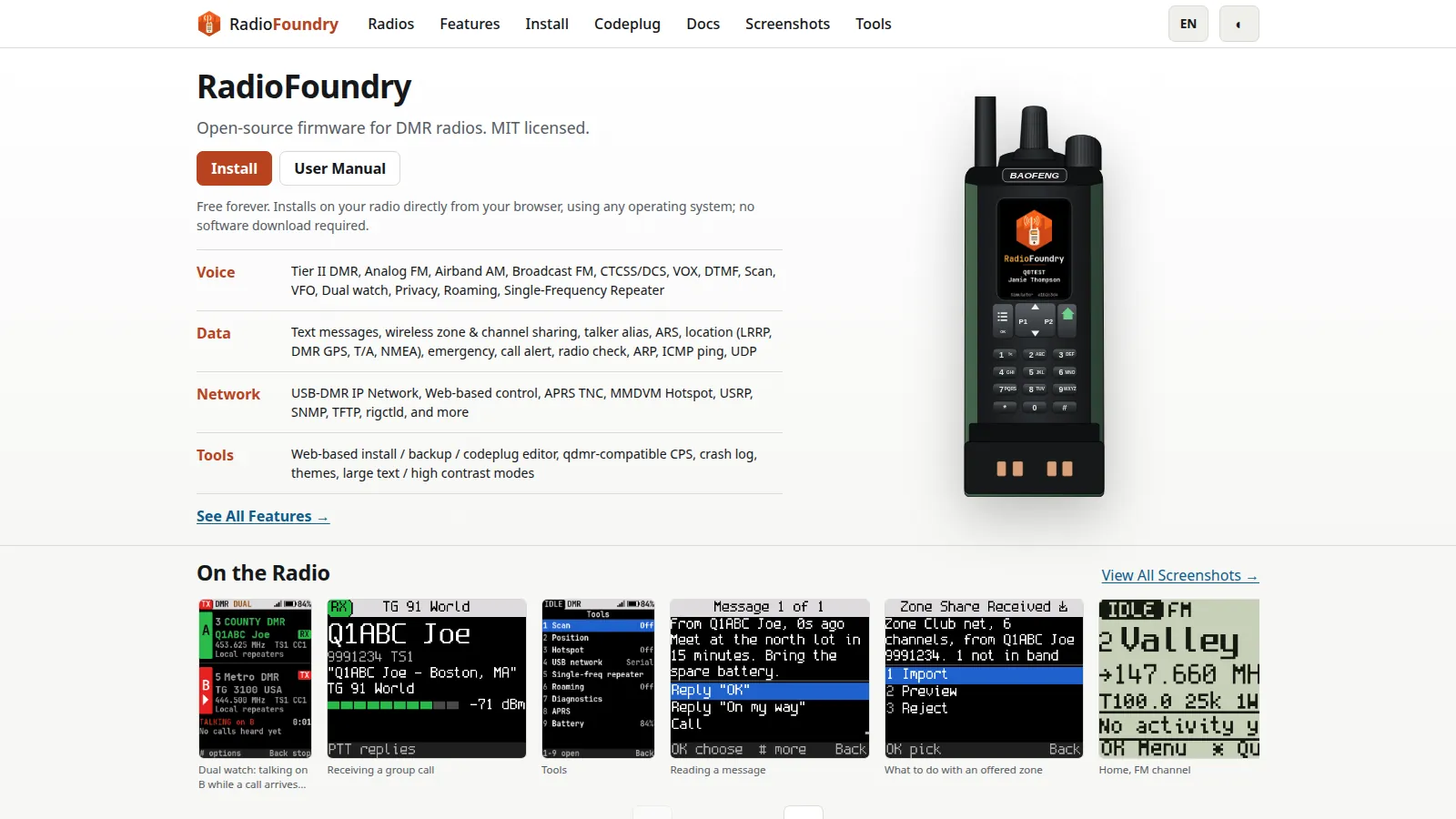
A forty dollar DMR handheld can talk to a repeater thirty kilometers away, send a text message over RF, report its GPS position to APRS, and serve as an MMDVM hotspot for the shack. The catch has always been the stock firmware: menu systems designed by committee, missing features the hardware is perfectly capable of, Windows-only programming software, and code you can’t inspect. RadioFoundry is the project trying to end that bargain, with one shared open source core that runs on many affordable radios and installs straight from a web page.
This post walks through what RadioFoundry is, which radios it supports, how the browser installer and codeplug editor work, why its network features stand out, and where the honest limits sit.
TL;DR: RadioFoundry is free MIT licensed open source firmware for affordable DMR radios from Baofeng, TYT, Retevis, Radioddity, and Kydera. It installs from Chrome or Edge with no software download, adds Tier II DMR voice and data, FM, dual watch, VFO, roaming, APRS, an MMDVM hotspot mode, and IP-over-DMR networking with rigctld and web control. Six radios are supported today, more are in progress. It is beta software with over 1,000 successful installs, and the AMBE voice codec comes from your own stock firmware file for legal reasons.
What RadioFoundry Is
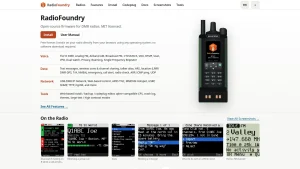
RadioFoundry is free MIT licensed open source firmware for affordable DMR radios, built as one shared core that runs on many models with only a thin per-radio board layer, and installed directly from a web browser with no software download. The project homepage lists four pillars: voice (Tier II DMR, analog FM, airband AM, broadcast FM, CTCSS and DCS, VOX, DTMF, scan, VFO, dual watch, privacy, roaming, single-frequency repeater), data (text messages, wireless zone and channel sharing, talker alias, ARS, location, emergency, call alert, radio check, ARP, ICMP ping, UDP), network (USB-DMR IP network, web-based control, APRS TNC, MMDVM hotspot, USRP, SNMP, TFTP, rigctld), and tools (web install, backup, codeplug editor, qdmr-compatible CPS, crash log, themes, large text and high contrast modes).
Why Another DMR Firmware
Cheap DMR radios exist because the silicon got cheap, not because the firmware got good. A forty dollar handheld today carries a real DMR modem chip, a capable microcontroller, and an RF front end that covers two bands, yet the vendor firmware often leaves standard DMR features on the floor: no text messaging worth using, no location reporting, no roaming, no way to program the radio without a Windows CPS, and no path for the community to fix bugs.
The community has attacked this before, and RadioFoundry names its predecessors openly. Travis Goodspeed KK4VCZ and the md380tools contributors did the first open work on the MD-380 family. Roger Clark VK3KYY, Kai Ludwig DG4KLU, Daniel Caujolle-Bert F1RMB and the OpenGD77 contributors built open firmware for the GD-77, MD-UV380, DM-1701, MD-9600, and others. The OpenRTX team documented hardware across many models. Jonathan Naylor G4KLX and the MMDVMHost contributors opened up hotspots and repeaters. Cort Buffington N0MJS and the HBlink contributors opened up DMR networking. Hannes Matuschek DM3MAT and the qdmr contributors built the open programming software RadioFoundry radios work with.
RadioFoundry positions itself as the next step with two deliberate differences. First, the license: MIT, with a clean-room rulebook that keeps GPL code, non-commercial code, and vendor SDKs out of the tree, so anyone can use the firmware for anything including commercial products. The project FAQ is blunt about the motive: commercial use is why forty dollar DMR radios exist at all, and nobody loses when a product ships better firmware. Second, the architecture: one core that never checks which radio it runs on, with a board file describing chips, bands, power levels, screen, and keys. Work on one radio helps every other radio, which is how a small team covers six models and counting.
The Feature Tour: Voice, Data, Network, Tools
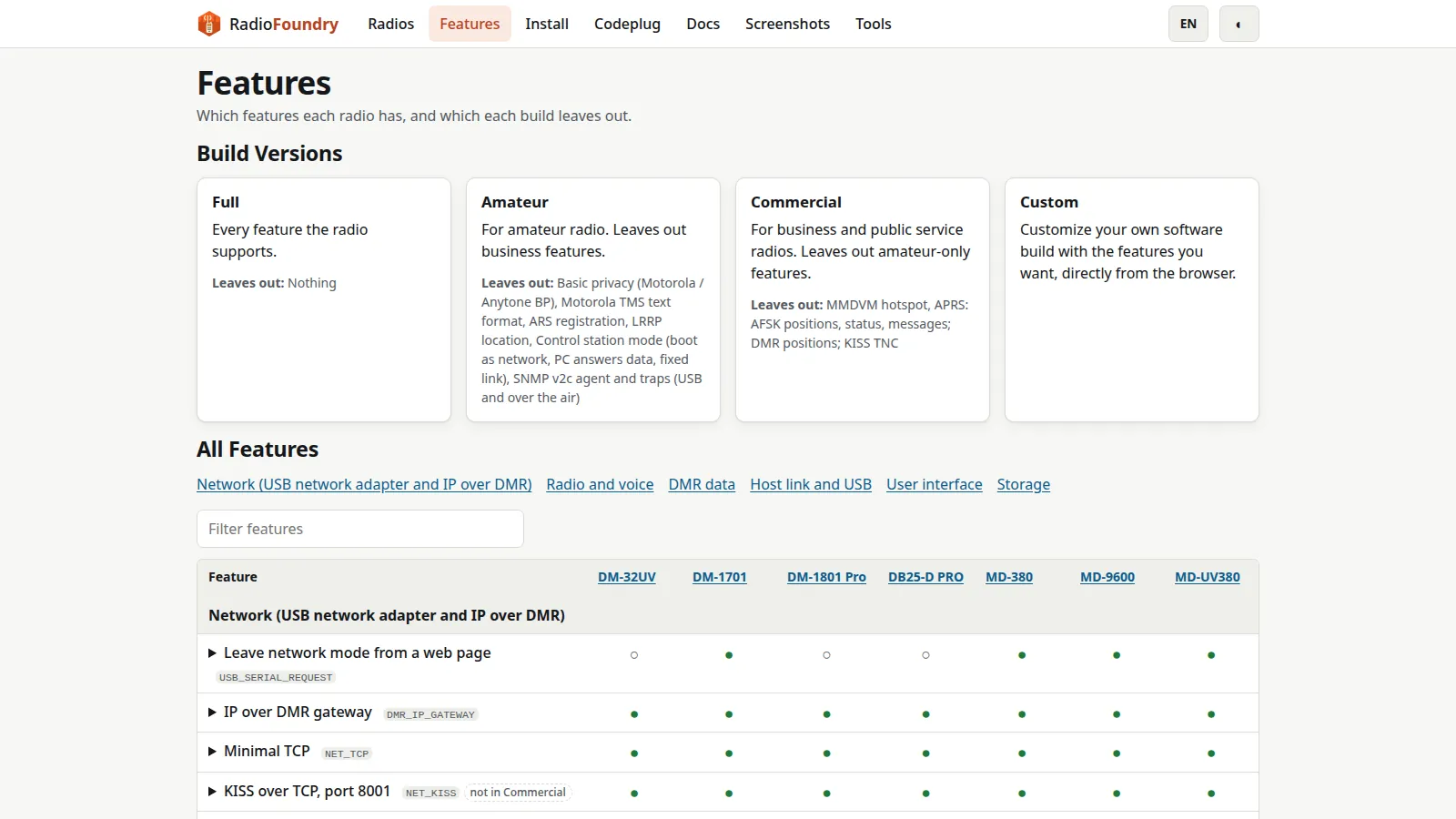
The full feature list is a per-radio matrix, because not every chip combination can do everything. But the shape of the project is the same everywhere.
Voice starts with the expected: Tier II DMR group and private calls with talker alias, analog FM with CTCSS and DCS encode and decode, DTMF transmit from the keys, roger beep and 1750 Hz burst on FM, VOX where the hardware allows it, and airband AM plus broadcast FM receive on radios whose RF chips tune there. On top sits the part stock firmware usually skips: VFO operation in FM and DMR with split TX support, scan plus dual watch that follows DMR calls in progress, repeater roaming that surveys sites during idle beacons and moves to the strongest repeater, and single-frequency repeater operation through MMDVM.
Data is where DMR earns its keep over FM. RadioFoundry implements ETSI IP text messaging, Motorola TMS text format, call alert and radio check in Motorola and ETSI forms, ARS registration, LRRP location answers, ETSI GPS info embedded in voice calls (so you see the caller distance and bearing), emergency alarm and emergency call with hot mic, and the standout party trick: wireless zone and channel sharing. Hand another RadioFoundry radio your zone over the air and it offers to import it, preview included.
The network side is what separates this project from every other third-party DMR firmware. The radio can present itself over USB as a network adapter that routes IP over DMR, with a status page and JSON endpoint, KISS over TCP, an APRS-IS client, mDNS advertisement, TFTP codeplug access, SNMP agent and traps, and a Hamlib rigctld compatible control port. Switch it to hotspot mode and it becomes an MMDVM modem for Pi-Star, WPSD, and the networks behind them. Two radios can even pair as an experimental split-duplex repeater on one MMDVM host.
The tools close the loop: web-based install, backup, and codeplug editor, a CPS protocol compatible with qdmr, crash log with over-the-air crash reporting, one-knob frequency trim in advanced settings, color themes, and large text plus high contrast display modes for accessibility.
Build Versions: Full, Amateur, Commercial, Custom
Not every deployment wants every feature, and some features cost flash space, so RadioFoundry ships four build flavors from the same source with feature switches.
| Build | What it includes | What it leaves out | Best for |
|---|---|---|---|
| Full | Every feature the radio supports | Nothing | Experimenters and developers who want it all |
| Amateur | Everything ham oriented, including MMDVM hotspot and APRS with KISS TNC | Basic privacy, Motorola TMS text, ARS, LRRP, control station mode, SNMP | Licensed amateurs, club stations, SOTA and portable use |
| Commercial | Everything business oriented, including privacy, TMS, ARS, LRRP, control station, SNMP | MMDVM hotspot, APRS and KISS TNC | Business, public service, and EmComm fleets that need dispatch features |
| Custom | Whatever you tick in the browser | Whatever you untick | Builders trimming flash or auditing exactly what ships |
Supported Radios
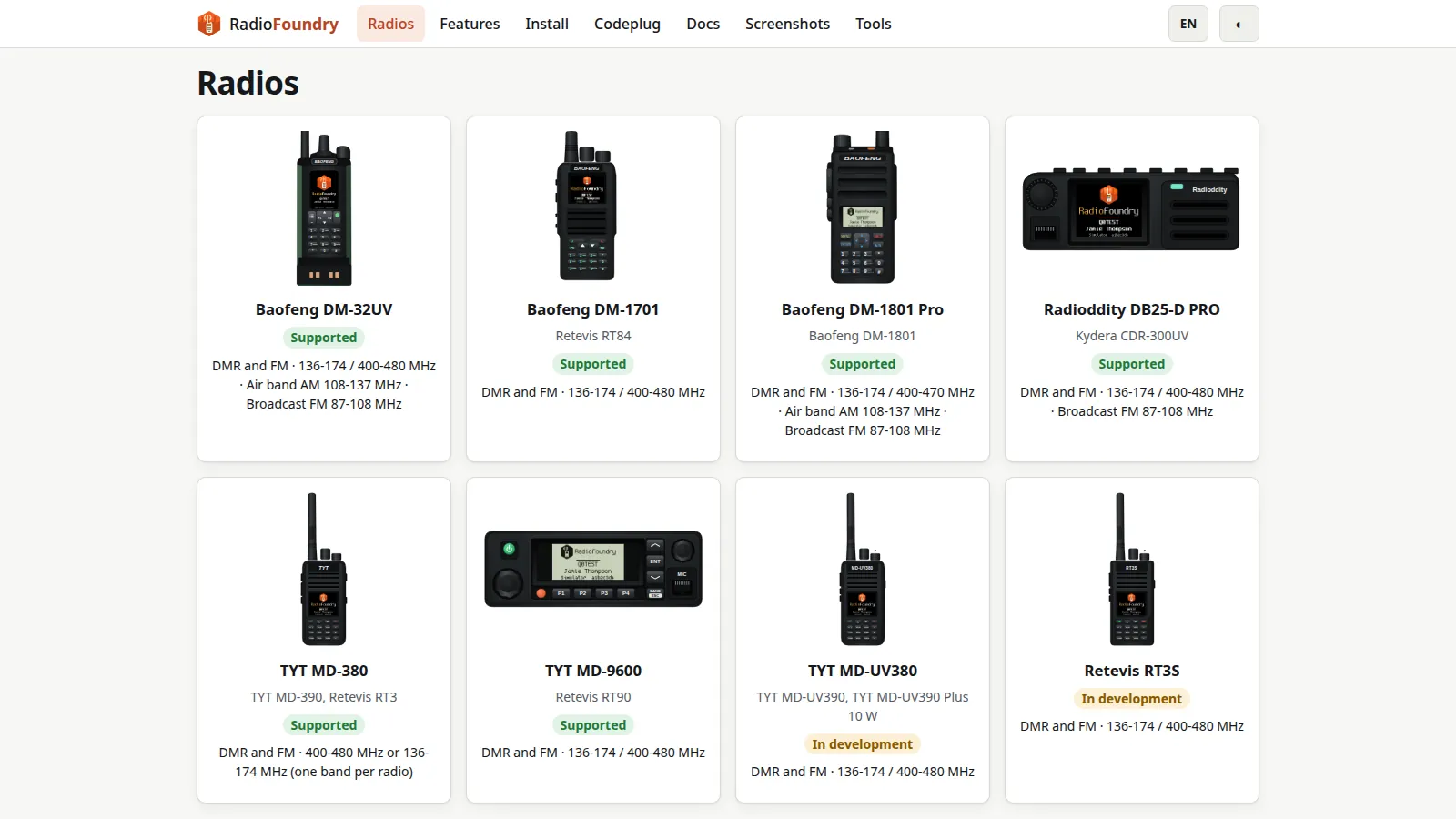
Six radios are fully supported today, one family is in development, and a long tail is planned or in progress. The radios page tracks status per model with bring-up checklists.
| Radio | Also covers | Status | Highlights |
|---|---|---|---|
| Baofeng DM-32UV | – | Supported | Color 240×320, DMR and FM, airband AM, broadcast FM, APRS both ways, hotspot and split duplex halves on air |
| Baofeng DM-1701 | Retevis RT84 | Supported | Color 160×128, DMR voice and data, text, emergency, scan, hotspot, single frequency repeating, USB network services on air |
| Baofeng DM-1801 Pro | Baofeng DM-1801 | Supported | Mono 128×64, FM with CTCSS and DCS, DMR voice with the stock codec, hotspot, PPP network services on air |
| Radioddity DB25-D PRO | Kydera CDR-300UV | Supported | Mobile, color display, DMR and FM, hotspot, DMR VFO, cable programming and settings storage working |
| TYT MD-380 | MD-390, Retevis RT3 | Supported | Color 160×128, DMR voice and SMS simplex and via repeater or hotspot on either slot, codeplug and ID database programming |
| TYT MD-9600 | Retevis RT90 | Supported | Mobile, mono display, one image for all board revisions, full power levels checked on a wattmeter both bands |
| TYT MD-UV380 family | MD-UV390, RT3S, 10 W Plus | In development | Code built on the UV380 family port, nothing run on a radio yet |
| GD-77 family | GD-77S, DM-1801 v1, RD-5R | In progress | New NXP platform port in active pull request |
| Radioddity GD-88 | – | In progress | Dual receiver HR_C7000 platform, should reuse the DM-32UV port |
| Anytone 868 and 878 family | BTECH, Alinco, GD-AT10G | Planned | Needs a new SCT3258 vocoder platform first |
Two warnings from the project are worth repeating. First, check TX frequency against an external reference (counter, service monitor, or MMDVMCal) before relying on it, because accuracy comes from each radio factory calibration and one MD-380 measured 1.9 kHz high. Second, a DM-1801 bought new today isn’t the v1 hardware the GD-77 family port targets, and the look-alike DR-1801 is an unrelated radio, so check your exact variant before flashing.
Installing From the Browser
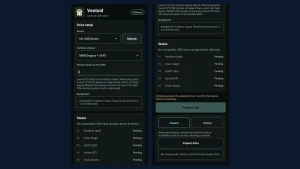
The web installer is the recommended route, and it is the part that feels most different from traditional radio firmware. Plug the radio in, open Chrome or Edge on a desktop computer (or Chrome on Android), and the page backs up the stock firmware, installs RadioFoundry, and restores on demand. Nothing to download, and codeplug files never leave the computer. Command line tools and manual steps in the user manual cover scripting and browsers that can’t talk to a radio.
The project is upfront that this is beta software. More than 1,000 installations have succeeded, but a transfer can still stop partway on a slow programming cable (retrying is safe), the original codeplug may not carry over (the installer saves a backup file, keep it), and some features may misbehave on some radios. Error reports from a failed step go straight to the team, and fixes land almost daily. The safety net that matters: the installer never touches the bootloader, so a radio that stops working can always be reinstalled or restored to manufacturer firmware.
First boot asks for the essentials: your DMR ID, callsign, and basic settings, all settable on the radio itself and saved into the codeplug. From there the home screen, quick settings, zones, channels, contacts, and tools menus follow one consistent design on every display size.
The Codec Question, Answered Honestly
DMR voice needs the proprietary AMBE+2 vocoder from DVSI, and RadioFoundry never ships it in the repository or in any binary. Each radio keeps running the codec from its own stock firmware. The rfoundry tool takes the codec from a stock firmware file you download yourself, checks that file by SHA-256, and merges the codec with RadioFoundry on your own machine. If the radio already holds the right codec, only RadioFoundry sectors get written.
Without a codec the firmware still runs FM only, which makes the legal and practical position clear: no piracy, no redistribution gray zone, just your radio running its own licensed vocoder under open firmware. The developer docs spell out the supported stock files per model, so check the codec page for your radio before you start.
Codeplug Editor and qdmr Compatibility
The codeplug editor handles channels, zones, contacts, and the DMR ID database, read from and written to the radio over USB or the programming cable, or saved to files as a codeplug image, CSV, or qdmr YAML. Imports accept CSV and qdmr YAML, and the contact database can pull from RadioID.net, filtered by country or network.
Because the CPS protocol is qdmr compatible, the desktop qdmr application programs RadioFoundry radios too, which matters for bulk fleet work and for anyone who prefers a native app. A codeplug conversion tool identifies a codeplug file and lists the available conversions, useful when migrating a fleet from vendor CPS files.
Your Radio as a Network Device
This section deserves its weight because no stock forty dollar radio does any of it. In USB network mode the radio is a CDC-NCM network adapter: IP traffic rides DMR data frames with compressed UDP headers, and the host side gets a status page, KISS over TCP on port 8001 for APRS clients, an APRS-IS uplink client, mDNS discovery, TFTP for codeplug and ID database access, an SNMPv2c agent with traps, and a rigctld compatible port for Hamlib software.
Flip to hotspot mode and the same radio becomes an MMDVM modem over USB for MMDVMHost, Pi-Star, and WPSD, including single-frequency repeater operation. That means one DM-1701 can be a portable hotspot on a hilltop in the morning and a roaming-enabled handheld on a repeater net in the evening, with no hardware changes. The experimental split-duplex mode goes further: two radios on one MMDVM host act as a full duplex repeater, with each half verified on air.
For APRS operators the story is equally practical. Positions, status, and messages go out on FM via Bell 202 AFSK, positions ride DMR to an APRS gateway ID, and a KISS TNC on USB feeds APRS clients on the laptop. GPS equipped models add a sky plot, signal bars, and grid locator on the radio itself.
One Interface From Mono LCD to Color Display
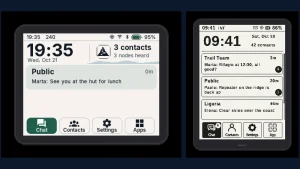
RadioFoundry renders the same UI from first principles on a 128×64 monochrome LCD and a 240×320 color panel, keypad or knob, and the screenshot gallery proves it with hundreds of simulator-rendered screens per radio. The design rules are documented: press budgets checked by automated host tests. So common tasks take a bounded number of key presses, plus themes, highlight colors, large text, and high contrast modes for readability in sunlight or low vision use.
On-radio editing is a first-class citizen rather than an afterthought. Channels get a full editor (frequency, tone, power, contact, zones), zones support move, add, copy, remove, rename, and delete, and contacts can be created from the finder or from a caller actions menu. That matters in the field, where the laptop stayed at base and the repeater you need isn’t in the codeplug yet.
How It Is Tested
The project tests at four levels, which is unusual rigor for amateur firmware. Unit tests cover single pieces like error correction and encoders against answers from the standards. Software-in-the-loop builds the real firmware for the host machine and runs whole features (calls, messages, codeplug writes) against simulated chips. A UI simulator draws the real screens at every display size, walks menus with scripted keys, and renders the entire screenshot gallery. Hardware-in-the-loop runs the same scripts against a real radio on USB with an SDR bench as the other station.
Continuous integration builds every radio with each feature switch on and off, checks that every image fits in flash, and runs license plus clean-room checks. CI runs host tests under AddressSanitizer and UndefinedBehaviorSanitizer on each push, with the full matrix nightly. For a beta firmware project, that pipeline is the reason the beta label reads as honest rather than alarming.
RadioFoundry Versus the Alternatives
| Area | RadioFoundry | Vendor stock firmware | OpenGD77 style firmware |
|---|---|---|---|
| License | MIT, commercial use allowed, clean-room tree | Proprietary, all rights reserved | GPL, copyleft obligations on derivatives |
| Install method | Browser, no download, any OS | Windows CPS download and cable drivers | CPS download per platform |
| Radios covered | 6 supported, shared core plus board files | One vendor family each | Several models, per-radio codebases |
| DMR data and texting | ETSI IP text, TMS, zone sharing over the air | Varies, often minimal or missing | Varies by model port |
| Hotspot and networking | MMDVM, SFR, USB IP network, rigctld, SNMP | None | Hotspot on supported models |
| APRS | FM AFSK plus DMR positions plus KISS TNC | Rarely present | Varies by model port |
| UI consistency | One design, all screen sizes, themes | Varies by model and era | Per-model community UI |
| Maturity | Beta, 1,000 plus installs | Stable, vendor supported | Mature on flagship models |
Stock firmware wins on warranty comfort and out-of-box stability. Community GPL firmware wins on maturity for its flagship models. RadioFoundry wins on license freedom, install convenience, network features, and the shared-core bet that work on one radio helps all of them.
Honest Limits
Beta means beta. Per-radio open items are tracked publicly: FM deviation at 12.5 kHz and an outdoor GPS fix on the DM-32UV, VHF transmit and VOX on the DM-1801 Pro, standalone SFR on the DM-1701, inbound voice frames on the MD-9600 SFR path, DCS and tone deviation on the MD-380. The MD-UV380 family port hasn’t run on hardware yet. The web installer needs a Chromium browser with WebUSB, so Firefox and Safari users fall back to command line tools. And that TX frequency calibration warning applies to every radio: verify against a counter before trusting it for repeater or hotspot duty.
Getting Started in an Evening
- Confirm your exact radio model and hardware variant on the radios page, especially DM-1801 version versus v1 and MD-380 UHF versus VHF builds.
- Download the matching stock firmware file for the codec merge and check the codec docs for your model.
- Open the installer in Chrome or Edge, back up stock firmware first, and keep the backup file somewhere safe.
- Install, set your DMR ID and callsign on first boot, and confirm FM receive on a local repeater before touching DMR.
- Open the codeplug editor, import your channels via CSV or qdmr YAML, pull the DMR ID database from RadioID.net, and write it to the radio.
- Join the community group or open a GitHub issue with the crash log from Settings and Advanced if anything misbehaves. Beta software improves exactly as fast as its bug reports.
Sources and Further Reading
- RadioFoundry homepage
- RadioFoundry features matrix
- RadioFoundry supported radios
- RadioFoundry web installer
- RadioFoundry codeplug editor
- RadioFoundry tools page
- RadioFoundry documentation index
- RadioFoundry screenshot gallery
- RadioFoundry source code on GitHub
- Installing RadioFoundry, user manual
- md380tools by Travis Goodspeed
- OpenGD77 open firmware topic on GitHub
- OpenRTX open source radio firmware
- MMDVMHost by Jonathan Naylor G4KLX
- qdmr digital radio programming software
- RadioID.net DMR ID database
73 de 9M2PJU.


Post Comment