bj9000-programmer: Free Web Bluetooth Programming for the Radtel RT-950 Pro and Bajeton BJ-9000
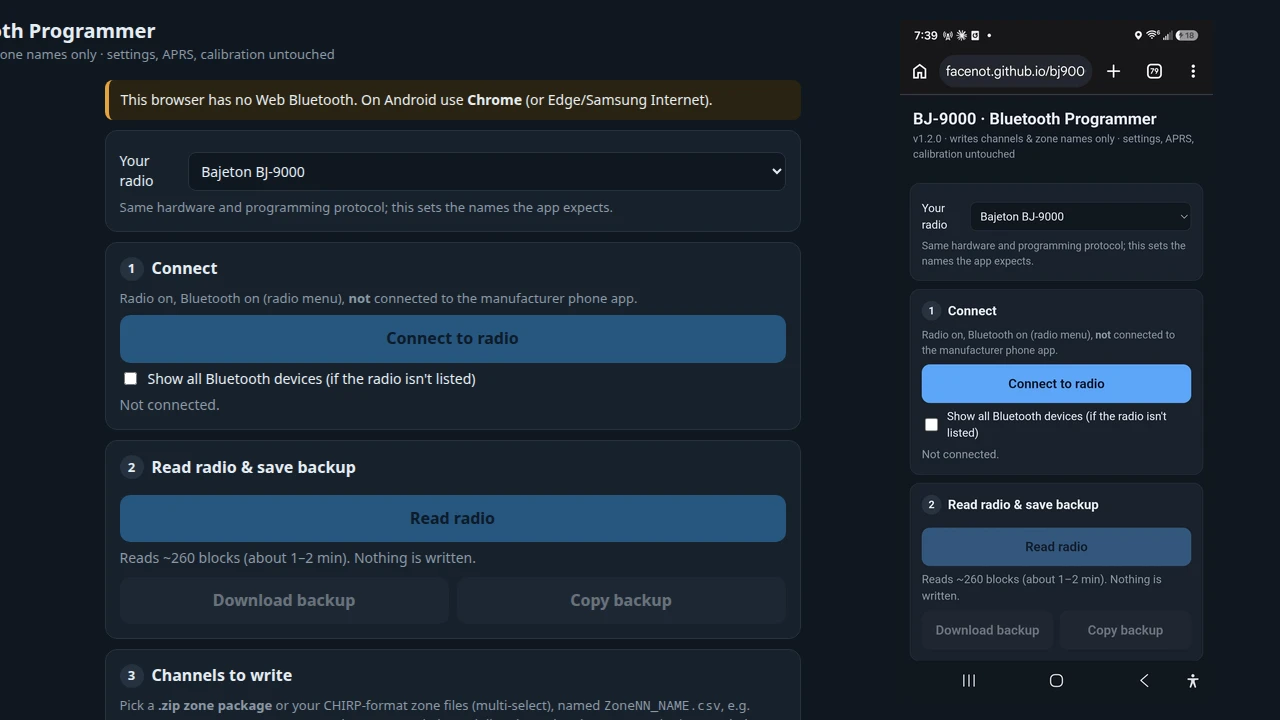
Handheld transceivers equipped with Bluetooth Low Energy (BLE) and integrated GPS have transformed what field operators expect from budget radios. Transceivers like the Radtel RT-950 Pro and its identical hardware cousin, the Bajeton BJ-9000, pack remarkable capabilities into an accessible form factor: multi-band reception spanning 18 MHz to 999 MHz (including 27 MHz CB and AM civil airband), full VHF/UHF amateur transmission, an internal 1200 bps AFSK APRS packet modem, and up to 990 memory channels grouped into custom zones.
Yet, despite this capable RF architecture, managing channels in the field has historically been an exercise in frustration. Operators had to choose between tethering the radio to a laptop using a physical programming cable and clunky Windows-only vendor software, or sideloading the manufacturer’s proprietary Android APK from obscure cloud drives. These vendor apps frequently request invasive phone permissions, suffer from broken translations, crash unpredictably, and often demand online account registrations just to push a local repeater list into your radio.
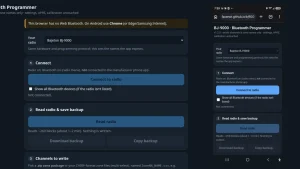
Developer facenot has resolved this dilemma by creating bj9000-programmer, a free, open-source, client-side web application running entirely inside your mobile or desktop browser via the Web Bluetooth API. Without installing a single APK, running a desktop installer, or routing private frequency lists through a remote server, operators can now read, edit, backup, and program their RT-950 Pro and BJ-9000 radios directly over the air from their smartphone or laptop.
TL;DR: The bj9000-programmer is a free, open-source web application that programs the Radtel RT-950 Pro and Bajeton BJ-9000 over Web Bluetooth directly from a phone or desktop browser. It allows operators to import zone-structured CHIRP CSV files (or zipped multi-zone packages), configure internal APRS settings with one-tap phone GPS coordinate injection, add 40-channel CB templates, and safely write memory blocks with automated read-back verification and full undo capabilities, all without installing vendor mobile apps or desktop software.
What is bj9000-programmer?
The bj9000-programmer is an open-source, client-side web application that connects to Radtel RT-950 Pro and Bajeton BJ-9000 transceivers over Web Bluetooth to read, backup, and program memory channels and APRS configurations without cables or native software installations.
Hosted on GitHub Pages (https://facenot.github.io/bj9000-programmer/), the entire utility is delivered as a lightweight, single-file HTML/JavaScript application. It operates on a strict local-first architecture: your channel spreadsheets, radio backups, and GPS coordinates remain entirely within your device’s browser sandbox, with zero analytics, telemetry, or server-side data retention.
The utility addresses three critical operational needs for portable and emergency communications operators:
- Cable-Free Field Reprogramming: Loading fresh repeater lists or emergency frequency plans into your radio using an Android smartphone (via Google Chrome) or iPhone/iPad (via the Bluefy browser) without carrying USB-to-UART cables or laptops into the field.
- Zone-Based CHIRP Compatibility: Parsing standard CHIRP CSV spreadsheets organised by zones (
ZoneNN_NAME.csv), either as individual files or combined inside a single compressed.ziparchive. - Dedicated APRS Configuration: Providing an intuitive interface to configure callsigns, SSIDs, beacon paths, transmission intervals, and fixed coordinates using your mobile device’s internal GPS.
Radio Hardware Overview: Radtel RT-950 Pro and Bajeton BJ-9000
To appreciate why a dedicated browser programmer is so valuable, it helps to understand the hardware platform. The Radtel RT-950 Pro and Bajeton BJ-9000 share the exact same internal mainboard, microcontroller firmware, and BLE programming protocol. The hardware has an impressive feature set:
- Broad Frequency Coverage: Multi-band receiver architecture covering 18-64 MHz (including the 27 MHz 11-metre band), 64-108 MHz (WFM broadcast), 108-136 MHz (AM aviation band), 136-174 MHz (VHF amateur/marine/commercial), 174-350 MHz, 350-400 MHz, 400-470 MHz (UHF), and 470-520 MHz.
- Massive Channel Capacity: Supports up to 990 memory channels. Depending on the installed firmware version, these channels are arranged as either 10 zones of 99 channels (firmware v0.24+) or 15 zones of 64 channels (earlier firmware releases).
- Integrated APRS Modem: Features an internal 1200 bps AFSK packet modem that encodes and decodes standard AX.25 APRS position packets using either the radio’s built-in GPS or a static coordinate block.
- On-Board Bluetooth LE: A serial BLE transceiver allows external devices to interface directly with the internal MCU and memory bus.
The manufacturer’s official software ecosystem leaves much to be desired. The factory Android app requires granting extensive device permissions, is often distributed through unverified third-party APK hosting sites, and periodically fails to maintain reliable BLE connections. Meanwhile, official PC programming software requires USB driver installation and lacks flexible zone management. The bj9000-programmer replaces this entire toolchain with a standards-compliant web interface.
Under the Hood: Web Bluetooth and Reverse-Engineered Protocol
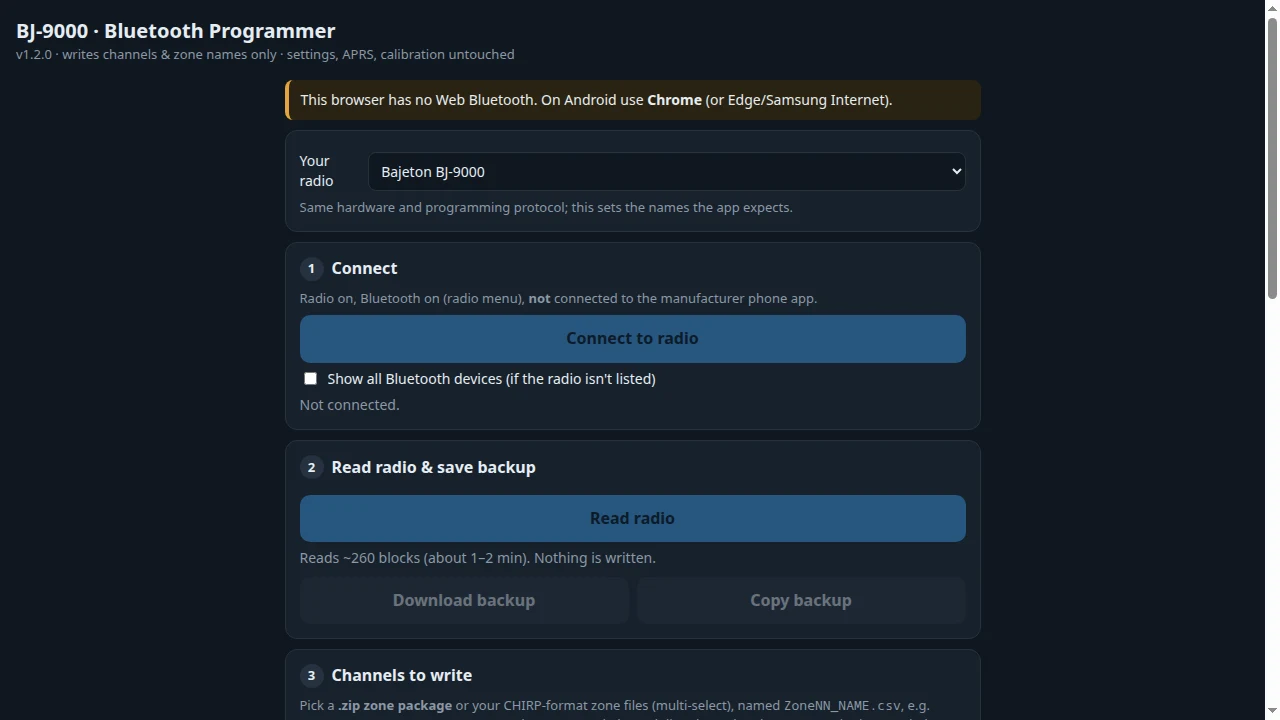
The magic of bj9000-programmer lies in its use of the W3C Web Bluetooth specification paired with clean reverse-engineering of the radio’s serial communication protocol.
The protocol research originated with the work of amateur radio operators Nathan G. Barguss (2E0NBS), PE1HVH, and nivingoonesekera, who documented the BLE characteristics, handshake routines, and memory mappings of the RT-950 Pro. Developer facenot built an independent, browser-optimised implementation around these findings.
BLE Connection Handshake
The radio exposes a standard HM-10 style BLE serial service:
- Data Transfer & Notification: Handled across characteristic UUID
0000ffe1-0000-1000-8000-00805f9b34fb. - Unlock Characteristic: Before the radio will accept read or write commands over BLE, the host must issue a 20-byte cryptographic unlock payload to characteristic UUID
0000ff31-0000-1000-8000-00805f9b34fb:
3F 3F 3F 3F 02 2E 17 1D 5E 57 25 2F 57 13 62 56 04 4B 23 42 - Session Handshake: Once unlocked, the web app initiates communication by sending the ASCII handshake string
PROGRAMBT9000Uin 20-byte BLE MTU chunks, waiting for the radio to return anACK(0x06).
+-------------------------------------------------------------+
|             RT-950 Pro / BJ-9000 BLE Handshake              |
+-------------------------------------------------------------+
 [ Mobile / Desktop Browser ]               [ Radio Transceiver ]
             |                                       |
             |--- Connect BLE Device ---------------->|
             |                                       |
             |--- Write Unlock (UUID: 0xFF31) ------>|
             |<-- Characteristic ACK ----------------|
             |                                       |
             |--- Handshake: "PROGRAMBT9000U" (0xFFE1)|
             |<-- ACK (0x06) ------------------------|
             |                                       |
             |=== Authenticated Session Established ==|
+-------------------------------------------------------------+
Memory Map, Packed BCD, and XOR Obfuscation
The radio organises its EEPROM memory into distinct 128-byte (0x80) sectors. Each memory channel record occupies exactly 32 bytes, meaning each 128-byte block holds four adjacent channels:
- Channel Memory (
0x0000–0x8000): Contains the 32-byte channel records. Operating frequencies are stored using packed Binary Coded Decimal (BCD) in 10 Hz resolution across 4 bytes. Channel names support up to 12 alphanumeric characters. - Zone Alphanumeric Names (
0xC000–0xC100): Stores user-defined zone labels (e.g. “HAM SIMPLEX”, “REPEATERS”, “EMCOMM”). - APRS Settings Block: A dedicated 128-byte block containing AX.25 callsign, SSID, beacon symbol, intervals, digipeater pathing, and coordinate registers.
- XOR Key Cycling: Data transfers over the serial link are obfuscated using an array of 20 cycling 4-byte XOR keys (
"BHT ","CO 7","A ES", etc.). The app dynamically encodes and decodes these blocks in real time.
Safety Architecture: Delta Writes and Automated Verification
Writing to budget radio EEPROMs over wireless links carries inherent risks: a dropped connection or corrupted memory byte could render the radio inoperable. The bj9000-programmer implements broad safety mechanisms to guard against data corruption:
- Compulsory Initial Read & Local Backup: Before allowing any memory modifications, the application requires reading the radio’s current memory (~260 blocks, taking approximately 90 seconds). This snapshot is retained in browser memory and can be exported as a raw
.binfile via the Download backup button. - Restricted Memory Scope: By default, writes are strictly confined to channel memory and zone names. Sensitive areas, such as VFO operating states, core system settings, calibration matrices, and high-memory registers (channels 961-990 above address
0x7800), are excluded from write routines. - Block-Level Delta Writes: Rather than overwriting the entire EEPROM, the web app compares your loaded channel list against the radio’s current memory snapshot. Only 128-byte blocks that contain actual modifications are transmitted over BLE, minimising transmission time and flash write cycles.
- Immediate Read-Back Verification: Every block written over BLE is immediately read back from the radio’s memory and validated byte-for-byte against the expected payload. If any discrepancy is detected, the operation halts with an explicit error.
- Instant Undo Buffer: An Undo last write button allows operators to revert the radio back to its pre-write state with a single tap.
Managing Channels via CHIRP Zone Packages
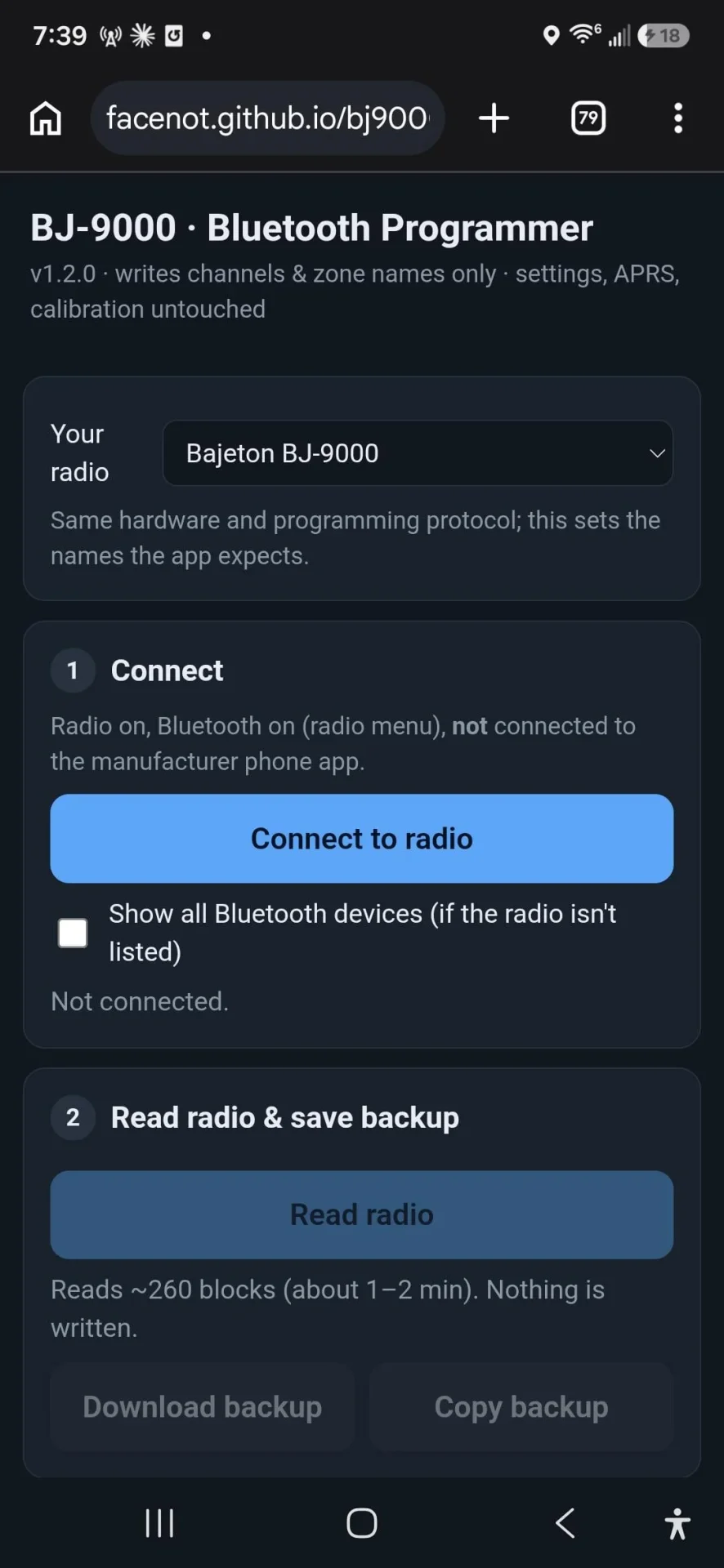
One of the greatest strengths of bj9000-programmer is its native support for CHIRP CSV formatting. Rather than forcing users into a proprietary table format, it accepts standard CHIRP spreadsheets using a simple zone-based naming convention:
ZoneNN_NAME.csv
For example:
– Zone01_HAM_SIMPLEX.csv sets Zone 1 with the on-screen title “HAM SIMPLEX”.
– Zone02_REPEATERS.csv sets Zone 2 with the on-screen title “REPEATERS”.
– Zone03_AIRBAND.csv sets Zone 3 with the on-screen title “AIRBAND”.
Supported Channel Parameters
The CSV parser handles standard CHIRP columns smoothly:
- Location: Channel position within the zone.
- Name: Alphanumeric label up to 12 characters.
- Frequency & Offset: Supports split transmit/receive frequencies, duplex shifts (
+,-, oroffto inhibit transmission for receive-only monitoring). - Tone Configurations: Full CTCSS tone frequencies (e.g. 88.5, 103.5 Hz) and DTCS digital squelch codes (both normal and inverted polarities).
- Modulation Mode: Supports
FMfor standard communications andAMfor civil airband reception (108-136 MHz). - Power & Tuning Steps: High/Medium/Low power flags and standard 2.5 kHz to 50 kHz tuning increments.
Direct ZIP Package Ingestion
Unzipping archives on a smartphone can be cumbersome. The bj9000-programmer takes advantage of the browser’s native DecompressionStream API (supported in Chrome 103+ on Android and Bluefy on iOS 16.4+). You can select a single .zip file containing all your zone CSV files, and the web app automatically unzips and parses them in memory. Any zones not present in your files are left untouched on the radio.
27 MHz CB Template
For operators who utilize the 11-metre Citizens Band, the app includes a dedicated Add CB 40 channels tool. With one click, you can append the 40 standard US CB channels to an existing zone or replace a zone entirely.
Operational Realism Note on 27 MHz: The Radtel RT-950 Pro transmits FM only on 27 MHz (not AM or SSB). In many jurisdictions, FM CB is legal, but verify your local regulations. Furthermore, the radio will only receive or transmit on 27 MHz after manually navigating to Menu -> Radio Set -> Work Band -> 18-64 MHz (which triggers a radio reboot) and attaching a resonant 27 MHz antenna. The web app cannot automate this switch because the Work Band flag is located outside the accessible memory registers.
Dedicated APRS Configuration Engine
The Radtel RT-950 Pro and Bajeton BJ-9000 are among the few sub-$80 transceivers with a built-in AX.25 APRS modem. Typing callsigns and coordinates using the radio’s keypad is excruciating. The web app’s Section A provides a streamlined APRS management console:
- Station Identification: Set your amateur radio callsign and APRS SSID (such as
-7for handheld portable or-9for mobile). - APRS Icon Selection: Select primary symbol tables and icon codes (e.g.
/[,/>,/-). - Beacon Timing & Pathing: Set automatic beacon intervals (in minutes) and packet digipeater paths (such as
WIDE1-1, WIDE2-1). - One-Tap Phone GPS Integration: If operating indoors or under tree cover where the radio’s internal GPS receiver struggles to acquire a satellite lock, tapping Use phone location queries the browser’s Geolocation API and populates the radio’s fixed coordinate registers with high-precision latitude, longitude, and altitude data.
- APRS Frequency Assignment: The radio transmits APRS bursts on whichever VFO/channel is designated in its menu. Ensure you have programmed your regional APRS frequency (144.390 MHz in North America, 144.800 MHz in Europe, 144.390 MHz in Malaysia) into an active channel slot.
When APRS settings are saved, the app writes only the isolated 128-byte APRS sector. Because the radio restarts its internal BLE stack upon committing APRS data, the app automatically re-establishes the connection and verifies the write.
Solution Comparison: bj9000-programmer vs. Alternatives
| Feature / Attribute | bj9000-programmer | Official Mobile App | Factory PC Software | Desktop CHIRP |
|---|---|---|---|---|
| Platform / OS | Android, iOS, Windows, Mac, Linux | Android Only (APK) | Windows Only | Desktop Only (Win/Mac/Linux) |
| Installation Model | Zero-Install (Web Browser) | Sideloaded APK | Native Windows Installer | Python / Desktop Installer |
| Connection Method | Wireless Web Bluetooth (BLE) | Wireless Bluetooth (BLE) | Physical Programming Cable | Physical Programming Cable |
| CHIRP CSV Support | Native (Individual or .ZIP) | Proprietary Format | Proprietary Vendor Format | Native |
| Zone Management | Automatic Zone Prefix Parsing | Basic / Manual | Clunky Tab Grid | Zone Add-on Dependent |
| APRS Configuration | Full (Phone GPS Injection) | Basic / Clunky | Basic | Basic / Experimental |
| Safety & Verification | Delta Writes + Byte Verification | Blind Overwrite | Blind Overwrite | Full Verification |
| Undo Functionality | One-Tap Undo Write & APRS | None | None | Manual File Restore |
| Data Privacy | 100% Client-Side Sandbox | Cloud Server Telemetry | Local Desktop | Local Desktop |
| Licence & Source | Open Source (MIT) | Closed Source / Proprietary | Closed Source / Proprietary | Open Source (GPL) |
Practical Field Notes and Operating Gotchas
To ensure smooth operations when programming your RT-950 Pro or BJ-9000 in the field, keep the following practical tips in mind:
- Browser Compatibility:
- Android: Use Google Chrome, Microsoft Edge, or Samsung Internet.
- iPhone / iPad: Apple’s WebKit engine doesn’t support Web Bluetooth in Safari or Chrome for iOS. You must install the free Bluefy – Web BLE Browser from the Apple App Store, which provides a standards-compliant Web Bluetooth API.
- Desktop: Use Chrome, Edge, or Brave on Linux, macOS, or Windows with an active Bluetooth 4.0+ adapter.
- Preventing Bluetooth Contention: Ensure the radio’s Bluetooth is toggled ON in the radio’s menu, but confirm that the official manufacturer app is closed and not connected. If the factory app holds an active BLE connection, the web browser will be unable to pair with the radio.
- Checking Firmware Layout: Before importing channels, check your radio’s firmware version under Menu -> About. If your radio runs firmware v0.24 or newer, select the 0.24+ (10 zones x 99) layout in the app. If running older firmware, select the older (15 zones x 64) layout to prevent channel alignment errors.
- Antenna Considerations for Multi-Band Operation: While the radio will receive across airband and CB frequencies with its stock dual-band rubber duck antenna, transmitting on 27 MHz requires an impedance-matched 11-metre antenna. Attempting to transmit on 27 MHz using a standard VHF/UHF antenna will result in high SWR and potential final amplifier damage.
- Always Save a Backup First: Even though the app features an immediate undo buffer, always tap Download backup after the initial read. Saving a copy of your stock radio image to your phone or cloud drive guarantees you can restore factory defaults if needed.
Why bj9000-programmer Sets the Standard for Web Radio Tools
The bj9000-programmer demonstrates the true power of open web standards in modern amateur radio. By combining Web Bluetooth, client-side ZIP decompression, CHIRP spreadsheet compatibility, and robust delta-write safety verifications, developer facenot has created an indispensable field tool for Radtel RT-950 Pro and Bajeton BJ-9000 owners.
It liberates operators from suspicious vendor APKs, eliminates the need to carry programming cables on portable operations, and provides a polished, transparent, and secure programming workflow that fits directly in your pocket.
Sources and Further Reading
- bj9000-programmer Web Application
- bj9000-programmer Source Code on GitHub
- Radtel RT-950 Pro / Bajeton BJ-9000 Programmer Reddit Discussion
- W3C Web Bluetooth Community Group Specification
- Bluefy Web BLE Browser for iOS (Apple App Store)
- CHIRP Radio Programming Software Project
- Automatic Packet Reporting System (APRS) Specification
73 de 9M2PJU.

Post Comment