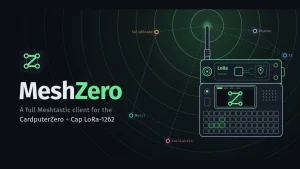
MeshZero: Full-Featured Meshtastic Client for the M5Stack CardputerZero
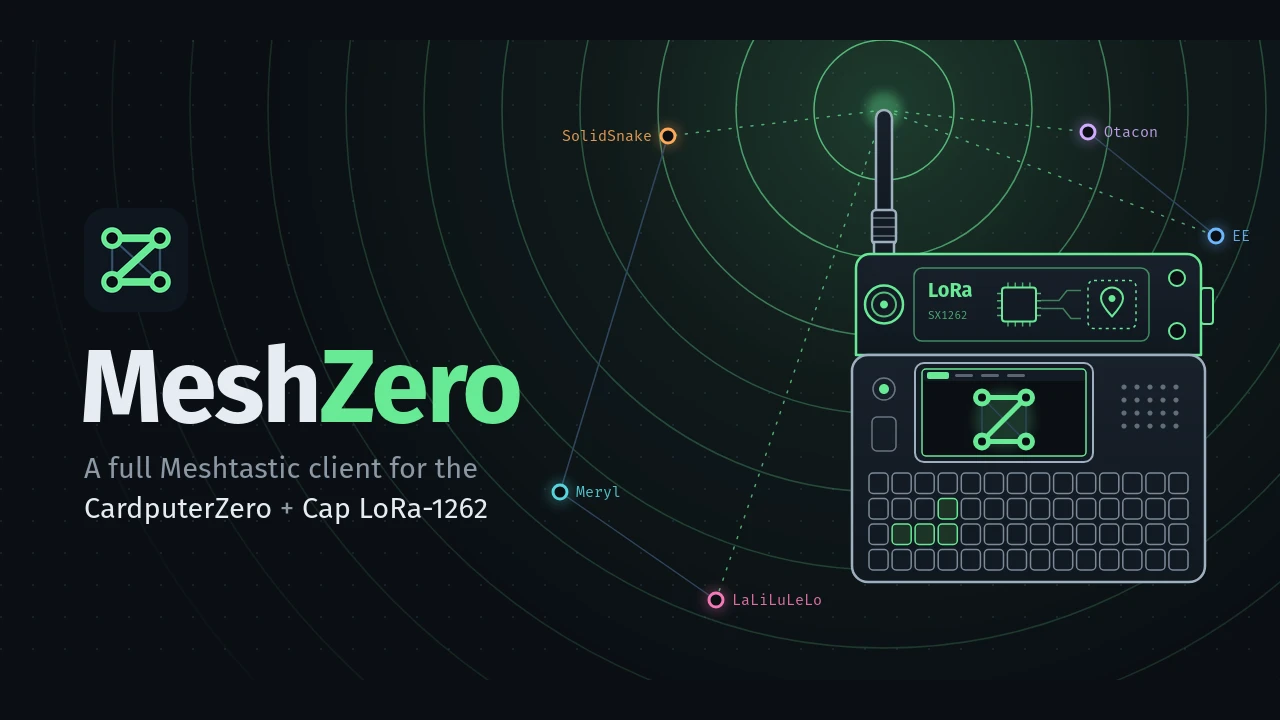
TL;DR: MeshZero by s0liton transforms the Linux-based M5Stack CardputerZero into a standalone, pocketable Meshtastic terminal. By pairing the official meshtasticd arm64 daemon with a C++ proxy daemon and a direct-to-framebuffer LVGL user interface, it provides channel messaging, direct chats, live radar mapping, packet inspection, and background relaying without needing a smartphone.
For operators working in emergency communications, off-grid expeditions, and tactical disaster response, portable digital messaging has long required an uncomfortable compromise. Most field setups depend on a microcontroller node, such as an ESP32 or nRF52840 board, paired over Bluetooth to a consumer smartphone. While effective in casual testing, this setup introduces a major point of failure: modern smartphones are power-hungry, delicate, and dependent on touchscreen inputs that struggle in wet, dusty, or cold operational conditions. When your phone battery dies, your off-grid lifeline vanishes with it.
Dedicated handheld terminals have attempted to solve this issue, but earlier solutions came with their own compromises. Microcontroller-based handhelds like the LilyGO T-Deck often suffer from tight memory limits, erratic firmware stability, and clumsy text navigation across crowded menus. When M5Stack announced the CardputerZero, combining a credit-card-sized keyboard form factor with a quad-core ARM Cortex-A53 Raspberry Pi Compute Module Zero running 64-bit Debian Linux, the hardware foundation for field communications took a significant leap forward.
Yet early adopters quickly discovered a frustrating gap. The factory software bundled on the CardputerZero included only a rudimentary LoRa packet demo that could neither participate in standard mesh routing protocols nor talk to existing networks. At the same time, the official Linux Meshtastic daemon (meshtasticd) was strictly headless: it accepted only a single client connection, maintained no persistent message store for an on-and-off user interface, and lacked native display or keyboard support.
MeshZero, created by developer s0liton, solves this challenge entirely. Released as open-source software under the GPL-3.0 licence, MeshZero delivers a broad, highly responsive Meshtastic client built natively for the CardputerZero. By combining the official meshtasticd engine with a purpose-built C++ multiplexing proxy daemon and a fast LVGL graphical user interface, MeshZero turns the CardputerZero into an autonomous, pocket-sized tactical communicator.
Last updated: November 2026.
What is MeshZero?
MeshZero is an open-source standalone Meshtastic client and daemon supervisor engineered specifically for the M5Stack CardputerZero running 64-bit Debian Linux with the Cap LoRa-1262 module.
Rather than trying to reinvent the underlying mesh protocol or write an experimental LoRa physical layer from scratch, MeshZero builds on top of proven foundations. It bundles the official meshtasticd radio daemon (version 2.7.26+ arm64), running natively on Debian 13. To adapt this headless daemon into a polished handheld terminal, MeshZero introduces two custom components:
meshzerod(The API Multiplexer and Hardware Supervisor): A lightweight C++ daemon that sits between the radio and client applications. It proxies the Meshtastic TCP API, caches node handshakes, stores chat history on disk, and directly controls hardware power to the LoRa transceiver and TCXO.meshzero(The Handheld Graphical Interface): A fast, low-overhead graphical interface written in modern C++ using the Light and Versatile Graphics Library (LVGL). It renders directly to the Linux framebuffer (/dev/fb0), completely bypassing heavyweight display servers like X11 or Wayland.
The result is a self-contained communicator that boots quickly, operates smoothly with physical keys, keeps message histories across reboots, and continues relaying mesh packets in the background even when the display application is closed.
System Architecture: The Three-Tier Design
To understand why MeshZero performs reliably on a compact Linux system, it helps to examine how its software components interact. Standard meshtasticd has an important architectural limitation: its internal TCP API server allows only one client connection at a time. If an on-screen display connects to port 4403, no other tool (such as the meshtastic CLI, MeshMonitor, or a companion phone app) can talk to the radio. meshtasticd doesn’t keep a local message database for historical inspection once a client disconnects.
MeshZero overcomes these obstacles with a three-tier architecture:
+-------------------------------------------------------------------------+
|                        M5Stack CardputerZero                            |
|                                                                         |
|  +--------------------+   TCP 4403   +-------------------------------+  |
|  | Native Handheld UI | <----------> |           meshzerod           |  |
|  | (LVGL / fbdev)     |              |  - Multi-Client Multiplexer   |  |
|  +--------------------+              |  - State & Config Cache       |  |
|                                      |  - Local Message DB (/var/lib)|  |
|  +--------------------+   TCP 4403   |  - Hardware Power Supervisor  |  |
|  | External Clients   | <----------> |  - Background Service Control |  |
|  | (Phone, MeshMonitor|              +---------------+---------------+  |
|  |  via Wi-Fi / LAN)  |                              |                  |
|  +--------------------+                              | TCP 4404         |
|                                                      v                  |
|                                      +-------------------------------+  |
|                                      |          meshtasticd          |  |
|                                      |  (Official Linux Radio Core)  |  |
|                                      +---------------+---------------+  |
|                                                      |                  |
+------------------------------------------------------|------------------+
                                                       | SPI0 / UART
                                                       v
                                      +-------------------------------+
                                      |       M5Stack Cap LoRa-1262   |
                                      |  - Semtech SX1262 Transceiver |
                                      |  - ATGM336H GNSS / GPS Engine |
                                      |  - 3.0V TCXO / RF DIO Switch  |
                                      +-------------------------------+
1. The Radio Core (meshtasticd)
At the bottom of the software stack, the official meshtasticd binary runs as a background process configured via /etc/meshzero/radio.yaml. It manages direct hardware interactions over Linux kernel subsystems:
– SPI Bus (spidev0.1): High-speed serial peripheral interface controlling the Semtech SX1262 transceiver.
– GPIO Lines: Kernel GPIO chip 0 handles critical control signals: GPIO 23 (IRQ / DIO1), GPIO 26 (Hardware Reset), and GPIO 22 (Radio Busy line).
– RF Switching and TCXO Voltage: Configured with DIO2_AS_RF_SWITCH: true to govern the transmit/receive antenna switch, and DIO3_TCXO_VOLTAGE: 3.0 to supply regulated 3.0V to the onboard Temperature Compensated Crystal Oscillator.
– GNSS / GPS Receiver: Interfaces with the ATGM336H positioning module over serial port /dev/ttyS0 at 115200 baud.
– Sensor Telemetry: Monitors the Grove I2C bus via /dev/i2c-1 for external environmental sensors (such as BME280 or BMP280).
The radio core exposes its raw protobuf API locally on TCP port 4404, binding exclusively to 127.0.0.1.
2. The API Multiplexer and Supervisor (meshzerod)
The meshzerod daemon acts as the intelligent bridge between the radio core and client interfaces:
– Handshake Caching: When a client connects, it normally requests the node configuration handshake (want_config). Instead of flooding the radio with redundant serial queries, meshzerod caches the complete handshake (node info, channel definitions, module configurations, and known node lists) and replays it byte-for-byte to every connecting client.
– Multi-Client Fan-Out: Live incoming packets and telemetry updates received from meshtasticd are instantly fanned out to all connected TCP clients. Multiple apps can monitor the mesh simultaneously without packet collision.
– Persistent Message Storage: All incoming and outgoing text messages are recorded to /var/lib/meshzero/history.db. When you launch or close the on-screen graphical app, your conversation threads, delivery receipts, and unread counts remain fully preserved.
– Cap Presence and Power Management: The daemon probes whether the Cap LoRa-1262 is physically attached. If the cap is missing, it avoids running the radio to prevent driver errors. When background mode is active, it keeps meshtasticd alive so the node continues relaying mesh traffic while the screen is powered down.
3. The Framebuffer Interface (meshzero)
The user-facing client application is built with modern C++ and LVGL. Because it targets a portable device with a 1.9-inch screen and a matrix keyboard, efficiency is essential:
– Direct Framebuffer Rendering: Renders directly to /dev/fb0. There’s no X11 server, Wayland compositor, or desktop display manager consuming CPU cycles or memory.
– Low Memory Footprint: The combined memory usage of the UI and daemon is minimal, leaving the Raspberry Pi CM0 cool and responsive.
– Keyboard-First Event Handling: Every screen is structured around keyboard input using intuitive single-key navigation.
Hardware Integration: CardputerZero Meets Cap LoRa-1262
The M5Stack CardputerZero is a notable departure from earlier microcontroller-based hobby computers. Built around the Raspberry Pi Compute Module Zero (CM0), it packs a quad-core 64-bit ARM Cortex-A53 processor, 512MB or 1GB of LPDDR2 RAM, onboard 2.4 GHz 802.11n Wi-Fi, and Bluetooth 4.2.
To transform this pocket computer into a sub-GHz transceiver, M5Stack designed the Cap LoRa-1262, a snap-on expansion cap that mates with the top bus header of the CardputerZero.
Pinout and Bus Configuration
The hardware interconnection is mapped precisely in the Linux device tree and radio.yaml:
| Function | Interface / Pin | Details |
|---|---|---|
| LoRa Transceiver | Semtech SX1262 | High-efficiency sub-GHz LoRa transceiver (-148 dBm sensitivity) |
| Bus Interface | SPI0 (CE1 / spidev0.1) |
Kernel-driven chip select; 1 MHz bus speed |
| Interrupt Request (IRQ) | GPIO 23 | Connected to SX1262 DIO1 line |
| Hardware Reset | GPIO 26 | Active-low hardware reset line |
| Busy Signal | GPIO 22 | SX1262 status signal for SPI transactions |
| RF Switch Control | DIO2 | Driven automatically by SX1262 during TX/RX transitions |
| TCXO Reference | DIO3 (3.0 V) | Supplies power to the 32 MHz temperature-compensated oscillator |
| GNSS Positioning | UART /dev/ttyS0 |
ATGM336H high-sensitivity GPS/BDS engine at 115200 baud |
| Sensor Expansion | I2C /dev/i2c-1 |
Grove connector bus for external barometric or gas sensors |
Critical Field Cautions
When deploying this hardware in the field, operators must observe two strict physical rules:
[!IMPORTANT]
Power Off Before Installing or Removing the Cap: The Cap LoRa-1262 is not hot-swappable. Inserting or detaching the cap while the CardputerZero is powered on can cause electrical arcing across the header pins, permanently frying the Raspberry Pi CM0 or damaging the SX1262 transceiver.[!WARNING]
Never Power the Radio Without an Antenna Attached: Transmitting without an impedance-matched antenna causes radiated RF energy to reflect directly back into the output stage. The SX1262 power amplifier will quickly suffer thermal breakdown. Always connect a tuned 433 MHz, 868 MHz, or 915 MHz antenna before starting the radio service.
Hands-On Interface Tour: Handheld Tactical Operations
MeshZero divides its interface into five core screens, accessible via the Tab or horizontal arrow keys: Chats, Nodes, Map, Radio, and Setup.
1. Chats and Direct Messaging
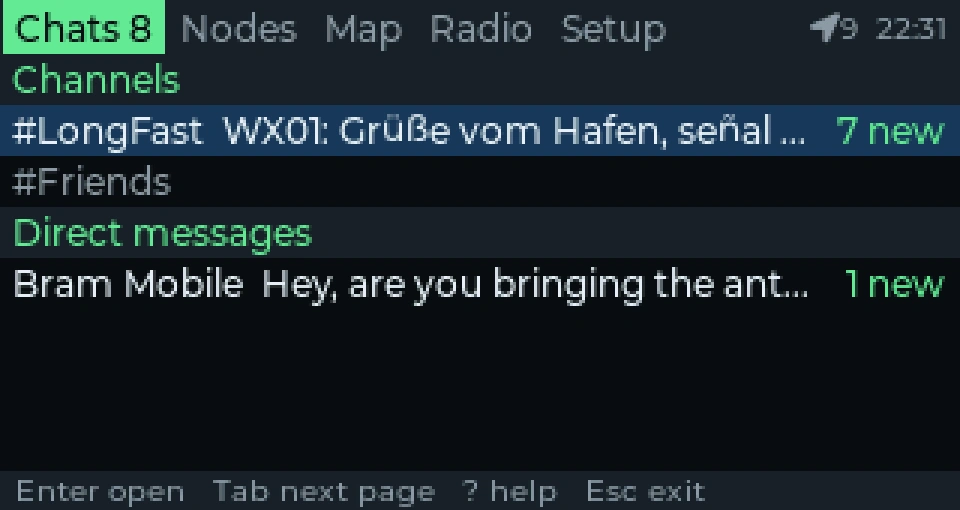
The primary screen provides a unified messaging hub. It lists public channels (Primary and secondary channels) alongside private Direct Messages (DMs).
Key chat features include:
– Delivery Status Tracking: Outgoing messages display acknowledgment icons indicating whether a packet has been confirmed by intermediate nodes or reached the target recipient.
– Unread Message Badges: Channels with unread traffic display clear counter badges.
– Emoji Rendering: Single-colour Unicode emoji are cleanly rendered using the bundled NotoEmoji font, ensuring situational symbols and markers display legibly on the 320×170 LCD.
– Quick Input: Pressing Enter opens the message composer. Typing text is direct, and pressing Enter again queues the packet for immediate radio transmission.
2. Node List and Diagnostics
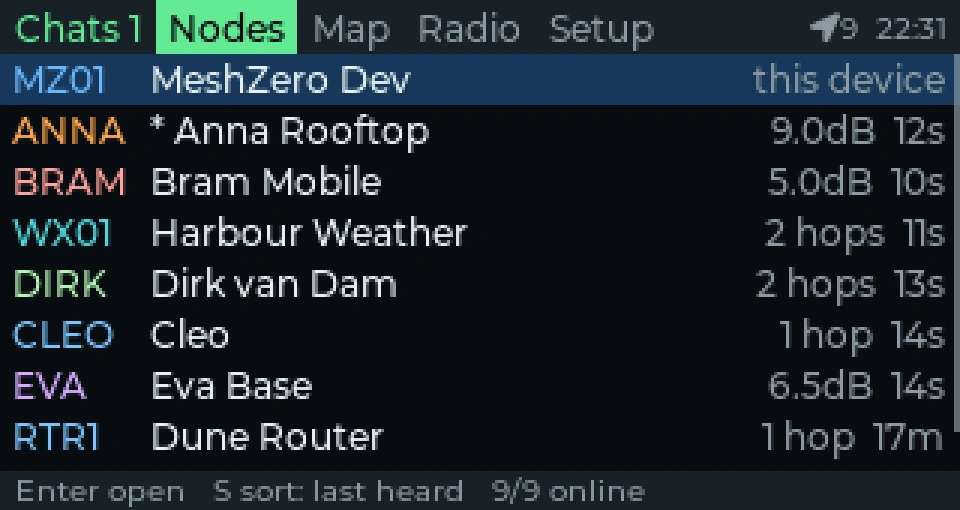
The Nodes screen acts as your tactical mesh directory. It catalogs every node discovered over the air or synchronized via MQTT gateways:
– Link Quality & Metrics: Displays Signal-to-Noise Ratio (SNR), Received Signal Strength Indicator (RSSI), and hop counts.
– Node Telemetry: Shows remote battery voltages, barometric pressure, and ambient sensor readings when broadcast by remote nodes.
– Traceroute Execution: Allows operators to trigger an active traceroute to any node in the list, graphing the exact sequence of digipeaters relaying packets through the mesh.
– Favourites and Ignore Lists: Critical repeaters or team members can be pinned to the top of the list as favourites, while rogue or noisy test beacons can be muted using the ignore function.
3. Radar-Style Node Map
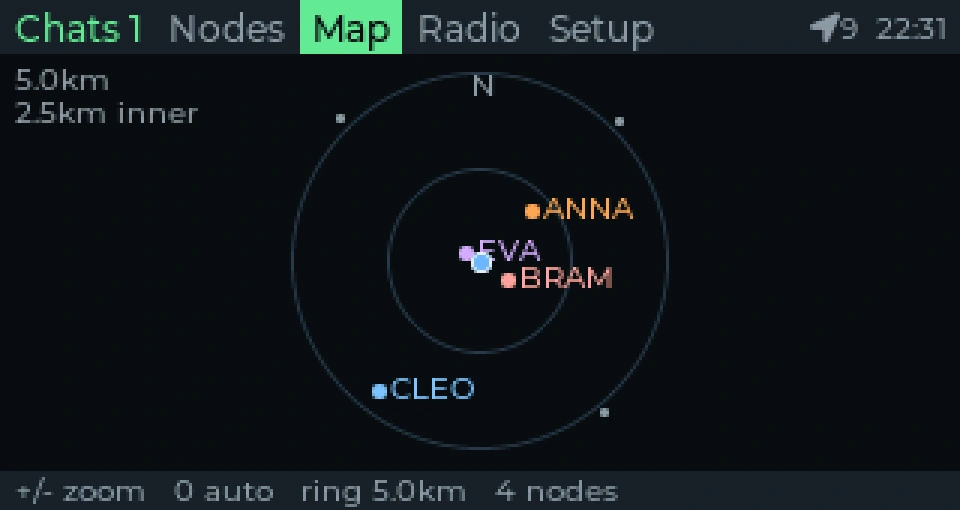
One of MeshZero’s standout features is its built-in Radar Map. When both your node and remote nodes have an active GNSS lock, MeshZero plots surrounding nodes on a circular radar display relative to your current position.
– Bearing and Distance: Gives search-and-rescue teams immediate visual comprehension of where teammates are situated without requiring an internet connection or external map tiles.
– Interactive Zooming: Operators can press + and - to zoom the radar range, or press 0 to instantly scale the display to encompass all reported nodes.
4. Radio Status Page and Packet Inspector
The Radio tab serves as a diagnostic dashboard for the RF engineer. It displays:
– Active link state and operating frequency.
– Hardware transmit (TX) and receive (RX) packet counters.
– Current GNSS fix status, satellite count, and coordinate precision.
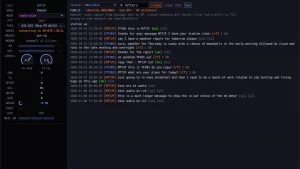
– Live Scrolling Packet Log: Displays real-time packet headers, hop limits, payload types, and source/destination node IDs as they cross the airwaves. This makes RF troubleshooting in the field effortless, eliminating the need to connect an external laptop with serial debuggers.
5. Setup and Channel Configuration
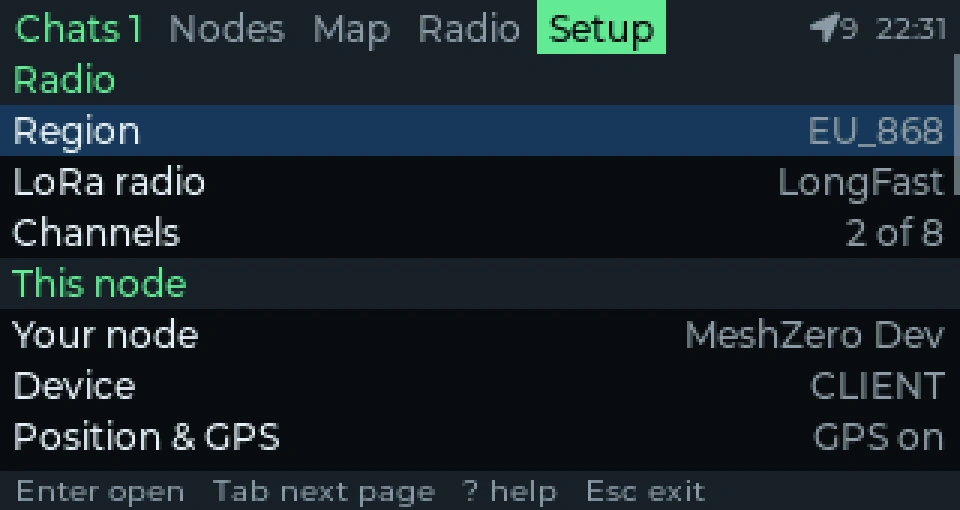
Unlike many mobile client wrappers that only offer partial setting adjustments, MeshZero exposes virtually every parameter provided by the official Meshtastic specifications:
– Region & Frequency: Select between US (915 MHz), EU_868, EU_433, ANZ (915 MHz), ASIA (923 MHz), or regional custom plans.
– Modem Presets: Switch on the fly between LongFast, LongModerate, LongSlow, ShortFast, MediumFast, and VeryLongSlow depending on propagation needs.
– Channel and Key Management: Add encrypted channels by entering URLs, typing 256-bit AES pre-shared keys, or scanning and generating QR codes directly on screen.
– Node Roles: Toggle the node personality between Client, Client Mute, Router, Repeater, Tracker, or Sensor.
– Position Precision: Configure location broadcasting resolution from high-precision tactical coordinates down to generalized grid squares for personal privacy.
– Module Controls: Toggle and configure MQTT gateways, Neighbor Info, Telemetry broadcasts, Canned Messages, and Power Management.
Multi-Device TCP Multiplexing and Network Access
In standard field setups, a Meshtastic node can either be controlled via its physical screen or accessed over an external network, but rarely both at the same time. MeshZero changes this dynamic by embedding a full TCP multiplexing server into meshzerod.
When you enable Network Access under Setup > Network access (or run meshzerod network on in the terminal), the daemon binds its API to port 4403 across the local network:
# Query node configuration from any laptop on the same Wi-Fi network:
meshtastic --host 192.168.1.50 --info

# Send a text message over the mesh via the CLI:
meshtastic --host 192.168.1.50 --sendtext "Field Team Base checking in."
This capability opens up practical deployment workflows:
– Simultaneous On-Device and Laptop Control: An operator can type messages on the CardputerZero keyboard while a base station operator monitors the mesh on a laptop running MeshMonitor.
– Companion Smartphone Tethering: Because the CardputerZero can run an ad-hoc Wi-Fi hotspot or join a field router, operators with iOS or Android smartphones can connect the official Meshtastic mobile app over Wi-Fi directly to the Cardputer’s IP address on port 4403.
– Automated Scripting: Python scripts, APRS bridges, or emergency incident management software can connect directly to the CardputerZero over standard TCP sockets.
[!NOTE]
The Meshtastic TCP API has no built-in password authentication. Anyone on your local Wi-Fi network can read and transmit over the radio while Network Access is enabled. Keep this feature switched off in untrusted environments.
Background Relaying: Autonomous Field Repeater Mode
A common frustration with portable microcontroller nodes is that closing an app or putting a device into sleep mode often halts packet forwarding or causes the radio to drop off the mesh.
MeshZero solves this with its Background Service architecture:
– Persistent Mesh Forwarding: When Setup > Run in background is enabled (the default setting), the underlying meshtasticd process continues running uninterrupted even when you exit the graphical meshzero application.
– Message Queuing: Incoming messages continue arriving and are written to /var/lib/meshzero/history.db. When you reopen the application hours later, all unread communications are ready for review.
– Power Conservation: If you want to use the CardputerZero purely as an unattended, low-power relay node on a hill or mast, you can quit the graphical interface entirely. The radio continues forwarding packets at the hardware level without wasting battery driving the LCD screen or keyboard scanning matrix.
– Freeing Hardware Resources: If you need to run another Linux program on the CardputerZero that requires the SPI bus or serial GPS (such as a custom Python tracker), simply set Setup > Run in background to off. Ten seconds after closing meshzero, the daemon releases the Cap LoRa-1262 hardware completely.
Comparison: MeshZero vs Other Standalone Meshtastic Handhelds
To put MeshZero into perspective, let us compare the CardputerZero running MeshZero against popular standalone Meshtastic handheld hardware:
| Feature / Dimension | MeshZero (CardputerZero) | LilyGO T-Deck | LilyGO T-Echo | Heltec T114 / Paper | Custom Pi Zero + Waveshare |
|---|---|---|---|---|---|
| Core Architecture | Broadcom BCM2837B0 (ARM Cortex-A53 quad-core) | ESP32-S3 (Xtensa dual-core) | Nordic nRF52840 (ARM Cortex-M4F) | Nordic nRF52840 (ARM Cortex-M4F) | Broadcom BCM2835 / BCM2837 (ARM) |
| Operating System | 64-bit Debian Linux (Trixie) | Bare-metal FreeRTOS | Bare-metal FreeRTOS | Bare-metal FreeRTOS | Linux (Raspberry Pi OS) |
| System Memory | 512 MB to 1 GB LPDDR2 | 512 KB SRAM + 8 MB PSRAM | 256 KB RAM + 1 MB Flash | 256 KB RAM + 1 MB Flash | 512 MB LPDDR2 |
| User Interface | Native LVGL on /dev/fb0 Framebuffer |
C++ on TFT / LittlevGL | e-Paper display / single button | e-Paper display / buttons | CLI or web browser only |
| Keyboard Input | Full 46-key matrix keyboard | Blackberry-style mini keyboard | None (single button navigation) | None (rotary dial or none) | External USB keyboard required |
| Message History | Persistent SQLite DB on disk | In-memory only (lost on reboot) | In-memory only | In-memory only | Custom scripts required |
| Multi-Client API | Built-in TCP multiplexer (port 4403) | Single Bluetooth / Serial client | Single Bluetooth client | Single Bluetooth client | Headless single-client only |
| Background Relaying | Native Linux systemd service | Supported (always-on radio) | Supported (very low power) | Supported (very low power) | Supported (high idle draw) |
| GNSS / Positioning | Integrated ATGM336H GPS | Optional GPS expansion | Integrated GPS (standard) | Optional GPS module | Optional USB / HAT GPS |
| Firmware Upgrades | Debian apt packages / Store |
ESP32 web flasher / esptool | Nordic DFU / UF2 flasher | Nordic DFU / UF2 flasher | Debian packages |
While dedicated nRF52840 devices like the T-Echo still reign supreme for multi-day battery endurance, the CardputerZero running MeshZero occupies a completely different class: it’s a true portable Linux terminal with full protocol compliance, persistent storage, and multi-client networking in a package that fits comfortably in your pocket.
Installation and Quick Start Guide
Installing MeshZero on the CardputerZero is straightforward, with two primary installation pathways available.
Method 1: The Cardputer App Store (Recommended)
If your CardputerZero is running the standard distribution image with network connectivity, you can install MeshZero directly from the onboard store:
1. Open the built-in app launcher.
2. Navigate to the store or visit MeshZero on Cardputer.cc.
3. Select Install. The system will resolve all Debian dependencies and set up the meshzero.service background unit automatically.
Method 2: Manual Installation via Debian APT / DPKG
For operators who manage their devices over SSH, you can install the official arm64 package manually:
# Update package repositories
sudo apt update

# Install runtime dependencies
sudo apt install -y adduser libgpiod3 libi2c0 libinput10 liborcania2.3 \
  libsdl2-2.0-0 libssl3t64 libulfius2.7t64 libusb-1.0-0 libuv1t64 \
  libx11-6 libxkbcommon0 libyaml-cpp0.8

# Download and install the latest MeshZero release
wget https://github.com/s0liton/MeshZero/releases/latest/download/meshzero_arm64.deb
sudo dpkg -i meshzero_arm64.deb
Handheld Keyboard Shortcuts Reference
The 46-key keyboard on the CardputerZero has been mapped specifically to enable fast navigation without requiring contorted finger gymnastics:
| Key Binding | Action / Behavior |
|---|---|
| F, X, Z, C | Directional navigation (Up, Down, Left, Right). No Fn key needed while browsing menus! |
| Enter | Open item, enter editing mode, or send the composed message |
| Esc | Return to previous screen. Prompts to save if settings were altered |
| Tab / Left / Right | Switch between main tabs: Chats, Nodes, Map, Radio, and Setup |
| + and – | Zoom in and out on the Radar Map |
| 0 | Reset radar map zoom to encompass all active nodes |
| ? | Display on-screen contextual help |
Diagnostic CLI Commands
MeshZero provides a collection of command-line tools built directly into meshzerod for terminal management:
# Run system doctor to verify permissions, buses, and daemon health:
sudo meshzerod doctor

# Check Cap LoRa-1262 hardware presence and status:
meshzerod hw status

# Check or toggle background relaying:
sudo -u meshzero meshzerod background status
sudo -u meshzero meshzerod background on

# Toggle multi-client network access across Wi-Fi:
sudo -u meshzero meshzerod network on
Field Communications & Tactical Deployment Scenarios
Where does MeshZero fit into a communicator’s field kit? Here are three concrete scenarios where the CardputerZero configuration excels:
1. Urban Disaster Response and Grid Collapse
During typhoons, earthquakes, or prolonged blackouts, commercial cellular infrastructure often fails within hours once backup batteries at cell towers drain.
A deployment team equipped with CardputerZero units running MeshZero can maintain continuous tactical coordination. Because each unit has a full physical keyboard, operators can type structured tactical messages (such as incident reports, coordinates, and supply requisitions) far faster and more reliably than using on-screen virtual keyboards.
With meshzerod running in the background, every operator automatically functions as a relay repeater, extending the network footprint across urban obstacles without requiring dedicated relay towers.
2. SOTA, POTA, and Wilderness Search and Rescue
In backcountry search-and-rescue operations or mountain summits (Summits on the Air / Parks on the Air), weight and simplicity are critical.
Carrying a CardputerZero with Cap LoRa-1262 eliminates the need to balance an external phone while navigating rough terrain. The built-in ATGM336H GPS receiver provides instant coordinates. While the Radar Map display gives search teams an immediate visual bearing to lost parties or fellow rescue workers.
Because messages are archived to the local flash storage, search teams maintain an audit trail of all transmitted directions and timestamps for post-mission debriefs.
3. Rapid Drop-Box Repeater with Local Diagnostic Console
When establishing an ad-hoc mesh network across a valley or mountain pass, hams frequently deploy portable repeaters in weather-resistant ammo cans or Pelican cases.
Using a CardputerZero as a drop-box repeater gives you a substantial advantage over headless microcontroller boards: whenever a field technician visits the site for routine maintenance, there’s no need to pair a phone over Bluetooth or connect an FTDI cable to check link health.
You simply open the case, view the Radio tab on the built-in screen, and immediately verify battery voltage, GPS lock, RF noise floor, and real-time packet activity.
Why MeshZero Matters
For years, the open-source amateur radio community has looked for a truly pocketable, self-contained digital terminal that avoids the fragility of smartphones and the clunkiness of bare-bones microcontroller prototypes.
By taking advantage of the Raspberry Pi Compute Module Zero inside the M5Stack CardputerZero, developer s0liton has delivered a blueprint for modern field hardware. MeshZero proves that Linux-based tactical communicators don’t need to be bulky, power-draining bricks with slow boot times. When paired with direct framebuffer rendering and efficient C++ daemon multiplexing, full-stack Linux offers unmatched stability, persistent message storage, and versatile multi-client networking.
Whether you’re building out an off-grid neighborhood resilience network, outfitting an EmComm response team, or exploring sub-GHz digital communications on the weekends, MeshZero turns the CardputerZero into one of the most capable handheld mesh communicators available today.
Sources and Further Reading
- MeshZero GitHub Repository: s0liton/MeshZero
- Cardputer App Store: MeshZero on Cardputer.cc
- Official Meshtastic Linux Daemon: Meshtasticd Documentation
- M5Stack CardputerZero Documentation: M5Stack Official Docs
- M5Stack Cap LoRa-1262 Overview: M5Stack Cap LoRa-1262 Specifications
- Meshtastic Protocol Specifications: Meshtastic Protobuf & Architecture
73 de 9M2PJU.

Post Comment