RepeaterScores: In-Browser Radio Programming, Bank Building, and UI+ Firmware Flashing for Icom and Quansheng
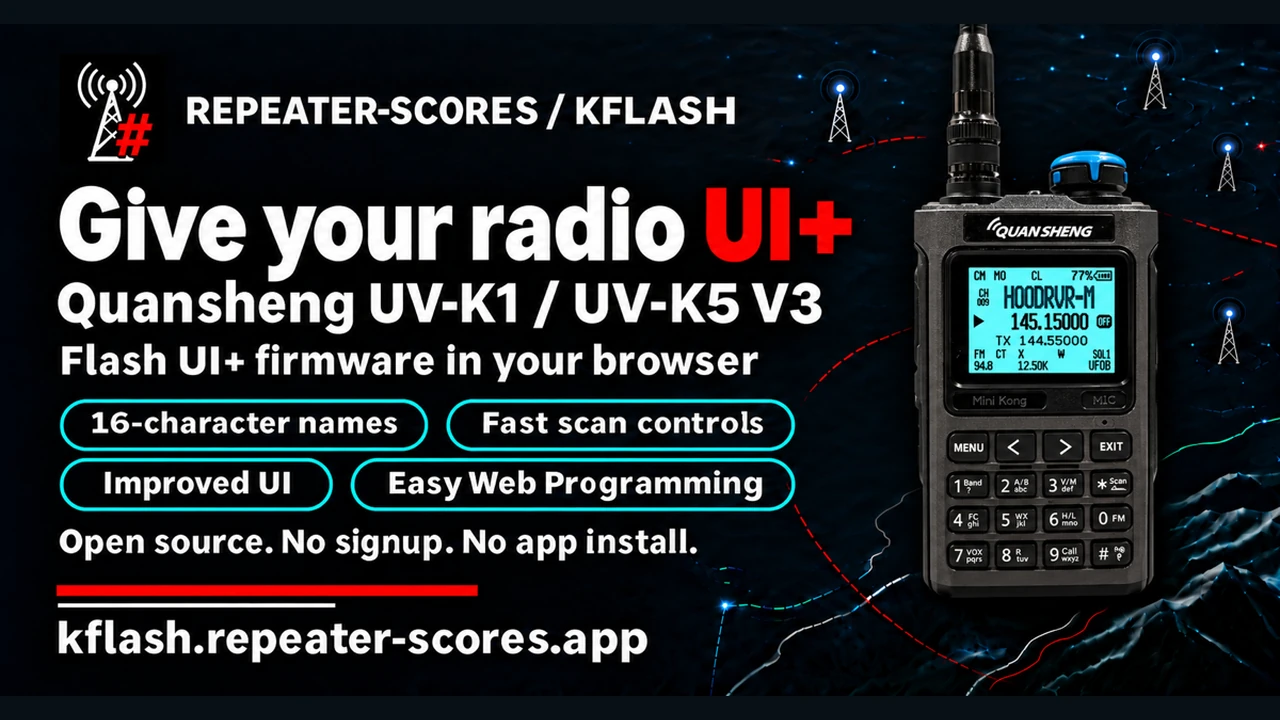
Programming amateur transceivers has long been one of the most frustrating choke points in our hobby. For decades, operators have faced a fragmented ecosystem split between expensive proprietary cloning suites costing upwards of $40 per radio model, clunky Windows-only vendor applications that require endless virtual machine wrangling on Linux or macOS, and generic desktop utilities that demand manual driver interventions whenever a budget programming cable contains a questionable USB-to-UART chip. When preparing for a field exercise, a rover trip, or an emergency communications deployment, spending an evening manually compiling local repeater frequencies and sub-audible tones into an awkward spreadsheet is an inefficient use of operational time.
The arrival of the Web Serial API in modern Chromium browsers has begun dismantling this friction. By allowing web applications to communicate directly with local serial COM ports inside a sandboxed browser tab, the requirement for heavy desktop client installations and platform-specific drivers has disappeared.
The developer behind RepeaterScores has harnessed this modern web capability to build an integrated, privacy-focused toolchain tailored specifically for amateur radio operators. Spanning three interconnected utilities – kflash for custom firmware deployment, the Mem Channel & Bank Generator for geographic repeater curation, and the Mem Channel & Bank Editor for granular memory manipulation – this browser suite bridges the gap between premium Icom gear and budget Quansheng handhelds.
TL;DR: RepeaterScores provides a free, client-side web suite for amateur radio operators that eliminates proprietary cloning software. The platform combines kflash (browser-based Web Serial flashing of UI+ firmware with 16-character channel names for Quansheng UV-K1 and UV-K5 V3), an Automated Bank Generator (building distance- and activity-scored 2m/70cm and GMRS memory banks from RepeaterBook), and a Memory Editor that manages Icom ID-5200, ID-52A, IC-705, and Quansheng channels locally without cloud accounts or vendor software.
What is RepeaterScores?
RepeaterScores is an open-source, client-side web application suite that enables amateur radio operators to flash enhanced firmware, generate travel-ready memory banks, and manage channel configurations across Icom and Quansheng transceivers directly within a web browser.
Instead of routing sensitive user data, frequency plans, or device logs through a remote cloud server, the entire suite executes client-side using JavaScript, Web Serial, and IndexedDB local storage. The platform solves three core operational challenges:
- Firmware Modernisation: Delivering a streamlined browser flasher (kflash) to install UI+ firmware onto Quansheng handhelds, providing long alphanumeric channel tags and rapid scanning without requiring command-line compilation.
- Intelligent Repeater Bank Assembly: Automatically discovering, filtering, and scoring active VHF/UHF repeaters within a specified radius of any US ZIP code, then structuring them into radio-ready memory banks.
- Hardware Agnostic Channel Editing: Providing a multi-tab memory editor that imports, edits, and exports channel manifests for Icom transceivers (ID-5200, ID-52A/PLUS, IC-705) and directly writes channels into Quansheng radios over a standard two-pin USB programming cable.
kflash: Flashing UI+ Firmware via Web Serial
Budget handheld transceivers like the Quansheng UV-K1 and UV-K5 V3 have earned a permanent place in amateur radio bug-out bags and glove boxes due to their sub-$35 cost and open hardware architecture built around the Beken BK4819 RF transceiver SoC. Stock factory firmware suffers from severe operational shortcomings: channel names are restricted to a cramped 10 characters, scanning across stored channels is notoriously sluggish, and nuisance carriers require tedious menu navigation to bypass.
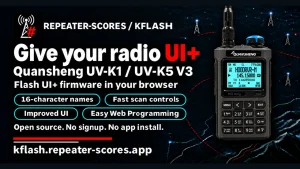
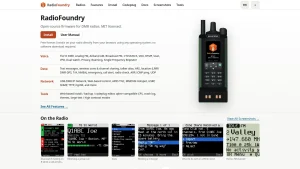
While the community created notable firmware modifications like F4HWN Fusion, installing these builds historically meant wrestling with Python flashing scripts, device permissions, or obscure Windows command-line binaries. Kflash (https://kflash.repeater-scores.app/) completely reframes this experience by embedding the entire flashing pipeline inside the browser.
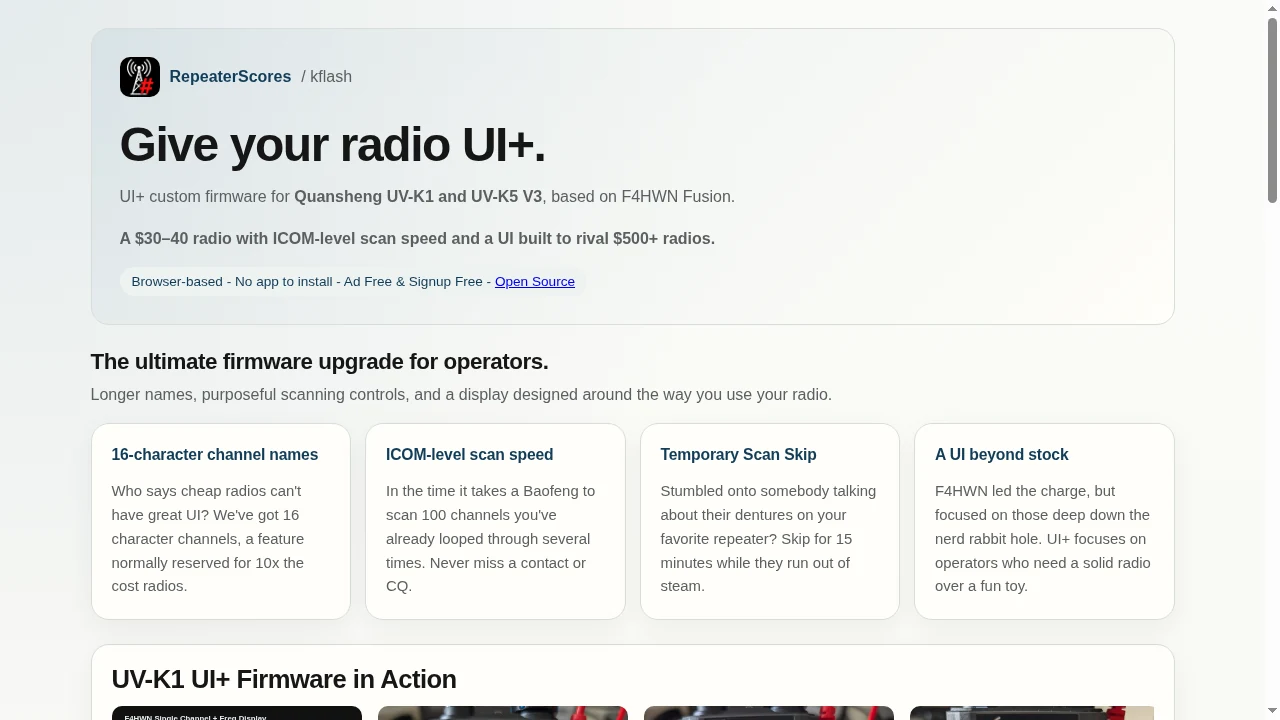
UI+ Firmware Capabilities
The UI+ firmware deployed by kflash is based on F4HWN Fusion v6.0+, specifically refined for active field operators who value clean ergonomics over cluttered novelty features:
- 16-Character Channel Alphanumerics: While factory firmware truncates repeater names into cryptic abbreviations, UI+ expands memory channel tags to a full 16 characters. Operators can include the repeater callsign, city, and sub-audible CTCSS tone directly on the screen without scrolling.
- ICOM-Class Scan Velocities: Scanning speed is increased dramatically, cycling through memory banks at speeds comparable to commercial and premium Japanese transceivers. You can scan through an entire 100-channel travel bank without missing short CQ calls or repeater tail transmissions.
- Temporary Scan Skip: If a local net or continuous digital telemetry carrier halts your scan routine, pressing a designated shortcut temporarily locks out that channel for 15 minutes. Once the timer expires, the channel automatically re-enters the active scan list without requiring manual menu toggling.
- Refined Display and Typography Engine: UI+ features four selectable display layouts (Name + Frequency, Name Only, Frequency Only, and Channel Number) supporting both single-channel and dual-watch monitoring. The typography engine provides 12 distinct font pairings combining Normal, Caps, or Block lettering with Terminus, 7-Segment, or original bitmap glyphs.
+-------------------------------------------------------+
|                kflash Flashing Workflow               |
+-------------------------------------------------------+
 [ Quansheng UV-K1 / UV-K5 V3 ]
             |
             | Hold PTT + Power Switch ON (Torch LED On)
             v
     [ Bootloader Mode ]
             |
             | Kenwood 2-Pin to USB Cable (CH340 / CP2102)
             v
 [ Chromium Browser: kflash.repeater-scores.app ]
             |
             | Web Serial Handshake (115200 baud)
             v
 [ Flash UI+ Custom Firmware & Menu Fonts ]
             |
             v
 [ Radio Reboots: 16-Char Channels & Fast Scan Active ]
+-------------------------------------------------------+
How to Flash via kflash
- Check Hardware Compatibility: kflash supports the Quansheng UV-K1 and UV-K5 V3. Original UV-K5 (Version 1) hardware isn’t supported due to bootloader and flash memory timing differences.
- Put Radio in Bootloader Mode: Power off the radio. Press and hold the PTT button while rotating the volume/power knob clockwise. The white top torch LED will illuminate solid, indicating the bootloader is listening.
- Connect Programming Cable: Plug your standard Kenwood 2-pin programming cable firmly into the radio side jacks, and connect the USB plug to your computer.
- Initiate Flashing: Open
https://kflash.repeater-scores.app/in Google Chrome, Microsoft Edge, or Brave. Select your radio model, choose the UI+ build, acknowledge the checklist, and click Flash UI+ firmware. Select your serial COM port in the browser prompt. The flasher writes the binary, uploads font assets, and automatically verifies the checksum.
Mem Channel & Bank Generator: Location-Based Travel Planning
Setting up memory channels for a road trip or portable operating event usually involves scouring online directories, copying frequencies into a text file, and calculating CTCSS tones by hand. The Mem Channel & Bank Generator (https://repeater-scores.app/icom-channel-builder/) automates this workflow entirely.
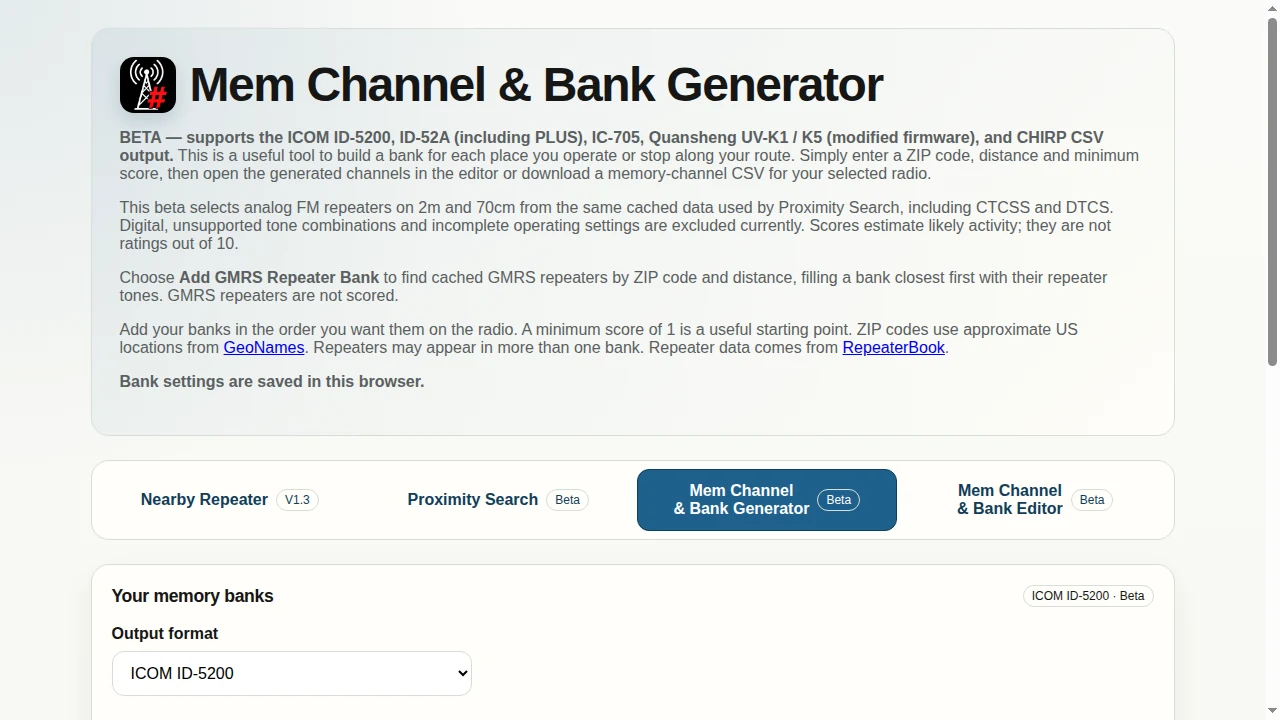
Activity-Based Curation and Repeater Scoring
Raw repeater databases often list hundreds of coordinated repeaters that have been offline, dormant, or decommissioned for years. Loading 50 dead frequencies into a travel bank wastes scan time and clutters your display.
RepeaterScores addresses this by ingesting cached 2m (144 MHz) and 70cm (430 MHz) analog FM repeater listings from RepeaterBook and applying an activity scoring algorithm. Rather than treating all repeaters equally:
- Proximity Filtering: Operators enter a US postal ZIP code (resolved via GeoNames geographical coordinates) and a desired search radius in miles.
- Minimum Score Threshold: Repeaters receive activity ratings based on operational reports, network linkages, and verified user interactions. Setting a minimum score of 1 filters out unmaintained or silent repeaters while keeping reliable local machines.
- Tone Integrity Checks: The generator automatically maps standard CTCSS tones and DTCS polarities, excluding incomplete or unsupported split-tone configurations that could cause transmission lockouts.
- Dedicated GMRS Bank Generation: For dual-service operators, the generator provides dedicated GMRS tools. You can generate a standard 22/30-channel GMRS simplex/interstitial bank with one click, or use Add GMRS Repeater Bank to locate nearby GMRS repeaters by ZIP code, sorting them by physical distance with their required repeater input tones.
Multi-Radio Target Export
Once your travel banks are assembled, the generator produces structured outputs tailored to specific radio architectures:
- ICOM ID-5200 (Mobile): Outputs a formatted CSV ready to copy directly onto a microSD card in the
ID-5200/Csv/MemoryCh/folder for instant memory import. - ICOM ID-52A & ID-52A PLUS (Handheld): Formats channels across bank structures respecting Icom alphanumeric naming limits.
- ICOM IC-705 (Portable QRP): Configures memory banks matched the IC-705 group architecture (500 channels across 100 memory groups, 100 channels per group).
- Quansheng UV-K1 / K5 (Modified Firmware): Generates channel lists compatible with F4HWN and UI+ extended memory formats.
- CHIRP CSV: Emits generic CHIRP-compatible CSV files with reserved channel positions for import into any CHIRP-supported radio image.
- Direct Editor Handoff: Clicking Open in Editor smoothly transfers the entire generated bank into the companion Memory Editor without downloading an intermediate file.
Mem Channel & Bank Editor: Universal Browser Management
The third component of the platform is the Mem Channel & Bank Editor (https://repeater-scores.app/memory-editor/). It serves as an operating console for editing frequencies, organising memory banks, and writing channel configurations directly into radio hardware.
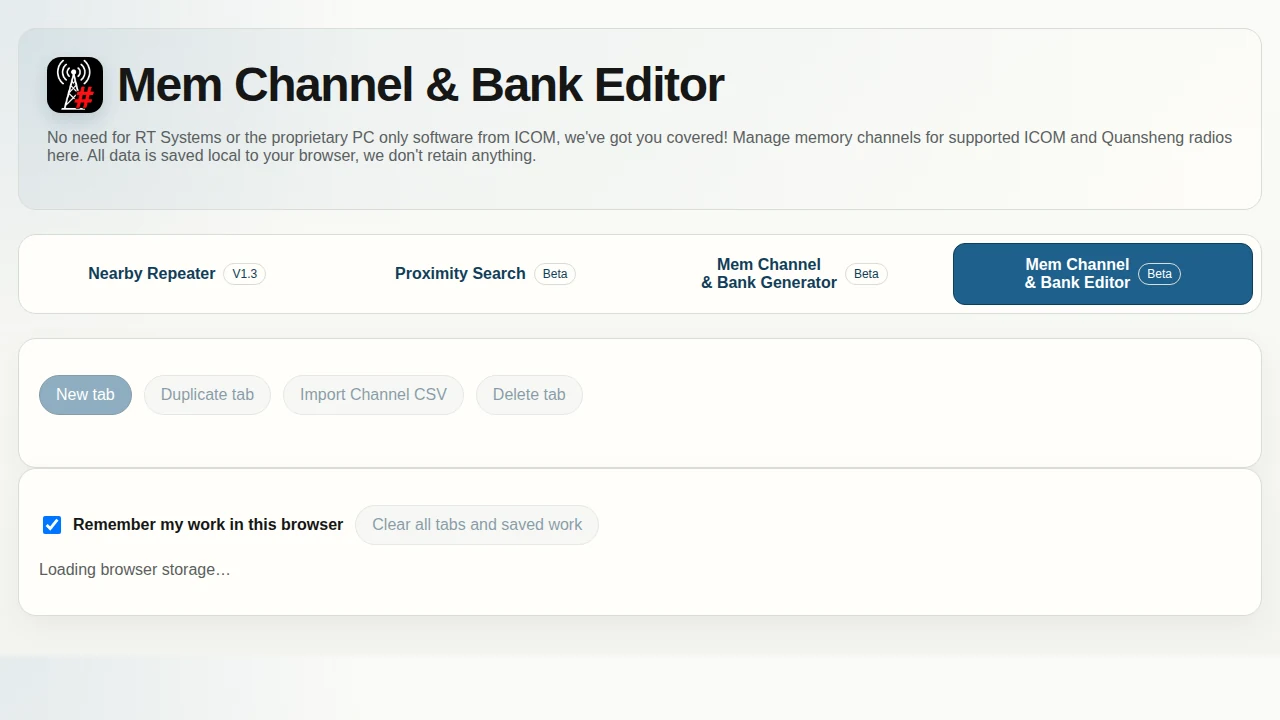
Multi-Tab Workspace and Local-First Architecture
Unlike desktop cloning suites that restrict you to one file at a time or lock files to a single serial number, the RepeaterScores Memory Editor runs as a flexible multi-tab workspace:
- Fleet and Model Isolation: You can maintain separate tabs for an Icom IC-705 base setup, an ID-52A portable rover bank, and a Quansheng UV-K1 emergency kit radio in the same window.
- Safe Tab Management: Tabs can be duplicated, renamed, deleted, and recovered using a built-in undo/restore buffer.
- Zero Cloud Retention: Every change is committed locally to browser IndexedDB storage. You can close your browser, reboot your workstation, and return to find your exact channel workspace intact without creating a user account or exposing your station data to remote tracking.
Intuitive Channel Reorganisation
Managing large channel manifests in standard spreadsheet software often results in accidental row overwrites, corrupt offsets, or misplaced tone frequencies. The editor implements purpose-built controls:
- Fluid Channel Rearrangement: Drag-and-drop handles (
↕) allow you to reorder rows effortlessly. When you move a channel into an occupied position, subsequent channels automatically shift forward by one slot to the next available free position, preserving your bank integrity. - Bulk Scan Group Assignment: Select any channel range to apply scan lists, bank identifiers, or power levels in a single operation.
- Direct Web Serial Radio Upload: For Quansheng UV-K1 and UV-K5 radios running F4HWN 6.0+ or UI+, the editor writes channels directly to the radio over a two-pin programming cable. The tool writes the complete channel image, performs an automated read-back verification across every memory slot, and issues an in-band restart command.
+-------------------------------------------------------+
|         RepeaterScores Browser Toolchain Flow         |
+-------------------------------------------------------+
 [ 1. Kflash ]
   - Flash UI+ Firmware (Quansheng UV-K1 / UV-K5 V3)
   - Enables 16-Char Names, Fast Scan, Web Serial Upload
             |
             v
 [ 2. Mem Channel & Bank Generator ]
   - Enter ZIP Code + Search Radius
   - Filter RepeaterBook Analog FM & GMRS by Activity Score
   - Click "Open in Editor" (Direct Handoff)
             |
             v
 [ 3. Mem Channel & Bank Editor ]
   - Multi-Tab Editing (Icom ID-5200, ID-52A, IC-705, UV-K1)
   - Drag-and-Drop Reordering, Bulk Scan Groups
   - Choice of Output:
       |--> Icom: Export CSV to MicroSD (ID-5200/Csv/MemoryCh/)
       |--> CHIRP: Export Generic CSV for Desktop Flashing
       |--> Quansheng: Click "Upload to Radio" via Web Serial
+-------------------------------------------------------+
Feature Comparison: RepeaterScores vs. Traditional Suites
To understand how RepeaterScores compares to existing radio programming solutions, consider the following technical breakdown:
| Feature / Metric | RepeaterScores Suite | RT Systems | CHIRP | Vendor Software (Icom CS-52 / CS-705) |
|---|---|---|---|---|
| Licence & Cost | Free & Open Source | Proprietary ($30 – $50 / radio) | Free & Open Source (GPL) | Free / Vendor Bundled |
| Installation Model | Zero-Install (Web Browser) | Native Desktop Installer | Native Desktop Application | Native Desktop Application |
| Operating System | Linux, macOS, Windows, ChromeOS | Windows / Limited macOS | Linux, macOS, Windows | Windows Only |
| Web Serial Flashing | Yes (Quansheng UI+ & Memories) | No (Desktop Serial Drivers) | No (Native PySerial) | No (Vendor COM Drivers) |
| Proximity Bank Generation | Automated (ZIP + Activity Score) | Manual / Basic RF Query | Manual Import / Web Plugin | Manual CSV Construction |
| GMRS Bank Integration | Built-in (Simplex & Repeaters) | Manual Frequency Entry | Manual CSV Import | Manual Entry |
| 16-Char Quansheng Support | Native (UI+ Firmware Mode) | Unsupported | Stock 10-Char Limit | Unsupported |
| Icom MicroSD CSV Export | Direct Formatted Structure | Proprietary File / CSV | Basic Generic CSV | Vendor .dat / .csv Export |
| Data Privacy | 100% Client-Side (IndexedDB) | Local Desktop Storage | Local Desktop Storage | Local Desktop Storage |
Field Implementation Notes and Operational Gotchas
While the RepeaterScores suite represents a major advancement in web-based amateur radio tooling, practical deployment in the shack and field requires keeping several technical considerations in mind:
- Browser Requirements for Web Serial: Direct firmware flashing via kflash and serial channel uploads in the Memory Editor require a Chromium-based browser supporting the Web Serial API (Google Chrome, Microsoft Edge, Brave, or Opera). Firefox and Safari don’t support Web Serial due to internal security policies. On Linux systems, verify that your user account belongs to the
dialoutoruucpgroups (sudo usermod -aG dialout $USER) to access/dev/ttyUSB0or/dev/ttyACM0without permission errors. - Quansheng Hardware Revisions: Always inspect your radio label before flashing in kflash. The UV-K1 and UV-K5 V3 work reliably, but original UV-K5 V1 hardware and certain counterfeit clones use different flash timing profiles that will fail during verification.
- Icom MicroSD Card Formatting: When generating CSV files for the Icom ID-5200 or IC-705, format your microSD card using the official SD Association SD Card Formatter tool (FAT32 for cards up to 32GB, exFAT for larger cards). Place memory files in the exact directory expected by the radio firmware (such as
ID-5200/Csv/MemoryCh/), and create a full backup of your current memories using the radio internal menu before initiating an import. - Channel Name Length Discrepancies: While UI+ firmware displays 16 characters on the Quansheng screen, standard F4HWN firmware and factory Icom memories have different buffer limits. Ensure your selected radio target matches your installed firmware to prevent unexpected string truncation on the radio screen.
Why RepeaterScores Matters for the Modern Operator
Amateur radio technology continues to evolve rapidly, yet our software configuration workflows have often remained tethered to legacy paradigms developed in the Windows XP era. By moving firmware flashing, automated geographic frequency planning, and memory bank editing entirely into the web browser, RepeaterScores provides a model for how modern radio software should function: cross-platform, zero-install, privacy-respecting, and free.
Whether you’re configuring an Icom ID-5200 for a cross-country mobile installation, organising your IC-705 for a portable SOTA activation, or transforming an inexpensive Quansheng handheld into an agile, 16-character scanning rig with UI+ firmware, this browser suite saves hours of tedious shack preparation.
Sources and Further Reading
- kflash: Quansheng UV-K1 & UV-K5 V3 UI+ Firmware Flasher
- RepeaterScores Mem Channel & Bank Generator
- RepeaterScores Mem Channel & Bank Editor
- RepeaterScores Main Application
- F4HWN Fusion Quansheng Firmware Project on GitHub
- W3C Web Serial API Specification
- RepeaterBook Worldwide Amateur Radio Repeater Directory
- GeoNames Geographical Database
73 de 9M2PJU.

Post Comment