Off-Grid Navigation for Hams: Magic Earth App for Field and EmComm Operations
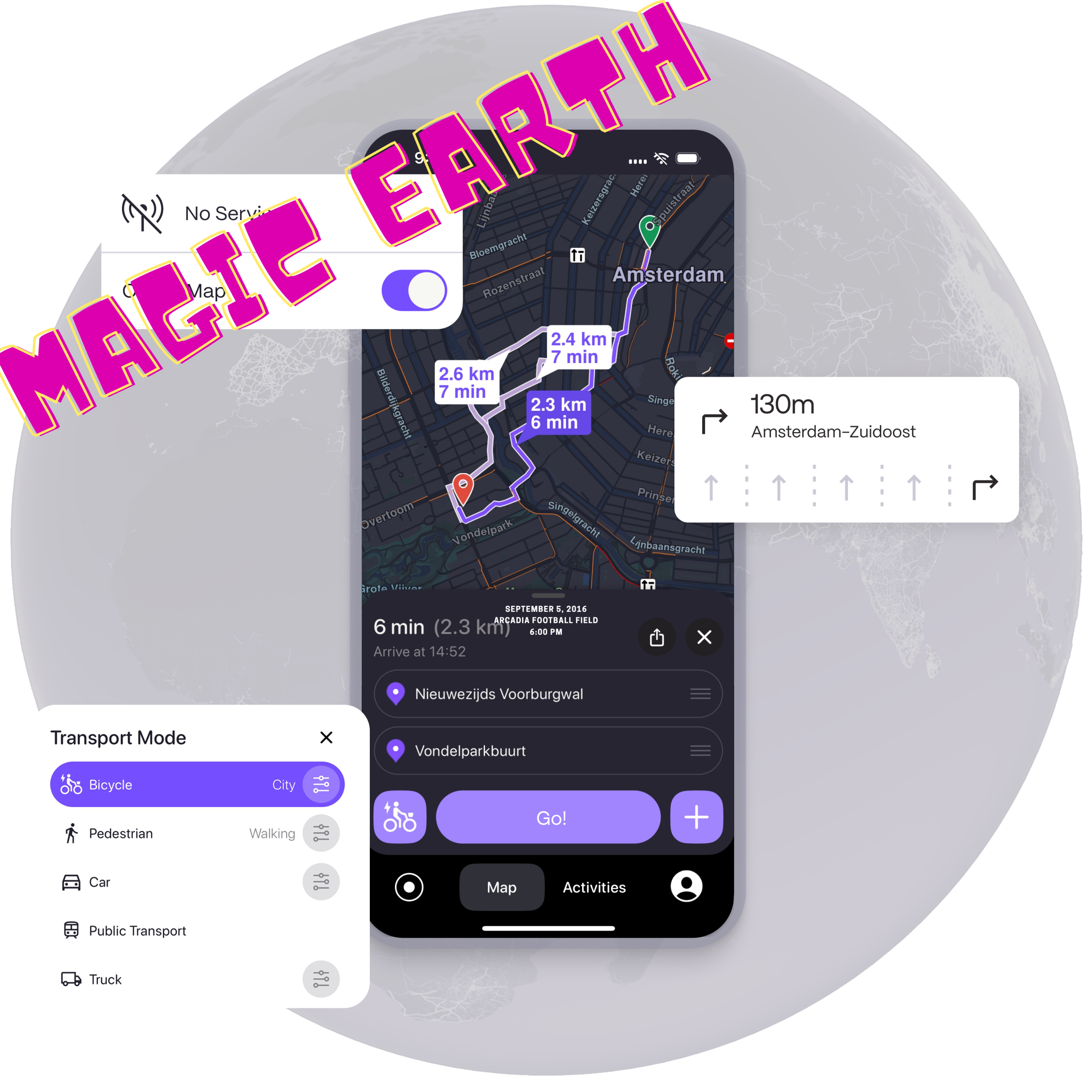
Amateur radio field operations demand absolute reliability from every piece of equipment in an operator’s kit. Whether you are transporting a high frequency transceiver into a remote state park for Parks on the Air (POTA), climbing a rugged peak for Summits on the Air (SOTA), or establishing an emergency communications (EmComm) outpost during a grid down scenario, positional awareness is a critical operational requirement.
While consumer mapping utilities like Google Maps or Apple Maps serve standard urban transit needs, their reliance on continuous cellular data rendering makes them highly fragile in wilderness environments. Conversely, specialized off-grid navigation devices often introduce significant hardware overhead or lock essential features behind complex pricing structures.
Magic Earth presents a highly capable alternative for radio operators. Built upon the crowdsourced infrastructure of OpenStreetMap (OSM), the application combines high-fidelity mapping with precise offline functionality. The platform utilizes a structured freemium framework where core utilities such as map browsing, turn-by-turn navigation, and favorites management are freely available, while advanced field tools including offline mapping, real-time traffic monitoring, activity tracking, and elevation styling are accessible via a premium subscription tier.
The following analysis details the technical attributes of Magic Earth and outlines how these capabilities integrate directly into amateur radio field deployment modalities.
1. The Core Engine: OpenStreetMap Data and the Ham Radio Ethos
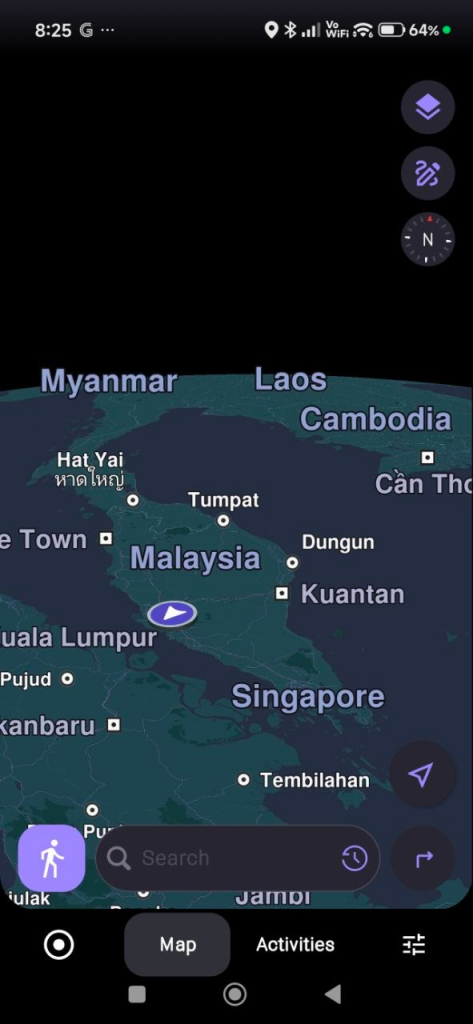
The mapping infrastructure of Magic Earth relies entirely on OpenStreetMap (OSM) data. This structural foundation mirrors the decentralized, collaborative philosophy of the amateur radio community. Just as hams build, maintain, and log data across open repeater networks, digital nodes, and open-source software like FLDIGI or CHIRP, the OSM project relies on a global network of volunteers who actively map geographic realities.
For field operations, this open-source data model provides substantial data density advantages over proprietary commercial map databases:
- Unpaved and Secondary Roads: Commercial mapping services prioritize paved public roads to serve high-volume commercial traffic. OSM contributors frequently document fire lines, forestry service tracks, unpaved logging paths, and rural access trails. These paths are precisely the routes required to access remote POTA sectors or approach obscure SOTA trailheads.
- Park and Wilderness Boundaries: Public land boundaries fluctuate, and commercial mapping platforms often fail to clearly delineate where a state forest ends and private property begins. OSM data contains detailed boundary polygons for conservation lands, wildlife management areas, and public parks. This precise tracking minimizes the risk of accidental trespassing during portable operations.
- Crowdsourced Point-of-Interest Data: Primitive campsites, natural water sources, amateur radio club shacks, and remote repeaters are frequently tagged within the OSM database by local users who have direct ground truth knowledge of the terrain.
2. Advanced Offline Mapping Architecture
In emergency communication scenarios or deep wilderness deployments, the primary point of failure for navigation is the loss of cellular backhaul. When towers are disabled by severe weather or geographic isolation, standard vector-streaming maps fail to load. Magic Earth addresses this risk through an offline map management system.
The application allows users to download complete vector datasets organized by country, state, or province. Rather than downloading bloated image tiles, Magic Earth utilizes highly compressed vector data, which minimizes local storage consumption on your field device.
Storage Optimization and Local Indexing
The offline management interface includes a storage summary utility. This component displays exact map counts, precise data footprints in gigabytes, and version control metadata. For radio operators managing space on a dedicated field tablet or ruggedized backup smartphone, this allows for precise data planning:
- Collapsible Grouping: Maps are indexed via a continent-based collapsible hierarchy, enabling operators to select only the specific regional jurisdictions relevant to their deployment zone.
- Local Indexing: When a region is downloaded for offline use, the entire underlying alphanumeric database is saved locally. This means search algorithms for addresses, landmarks, and structural features execute entirely on the device processor without generating a single network packet.
- Local Routing Algorithms: The routing engine computes mathematical pathing models entirely on local storage. If a flash flood or road failure forces an immediate detour in an area with zero cellular coverage, the application recalculates the alternative route instantly based on the stored vector geometry.

3. The Path Elevation Engine: Terrain Profiling for Radio Operations
One of the most technically relevant components of Magic Earth for portable radio operators is its robust path elevation engine. Radio signals, particularly in the VHF, UHF, and microwave bands, are highly dependent on line-of-sight propagation. Similarly, physical human endurance on a SOTA activation is governed by the vertical profile of the climb. Magic Earth addresses both challenges by providing granular elevation data before you begin your journey and during active navigation.
Pre-Trip Analysis via the Elevation Tab
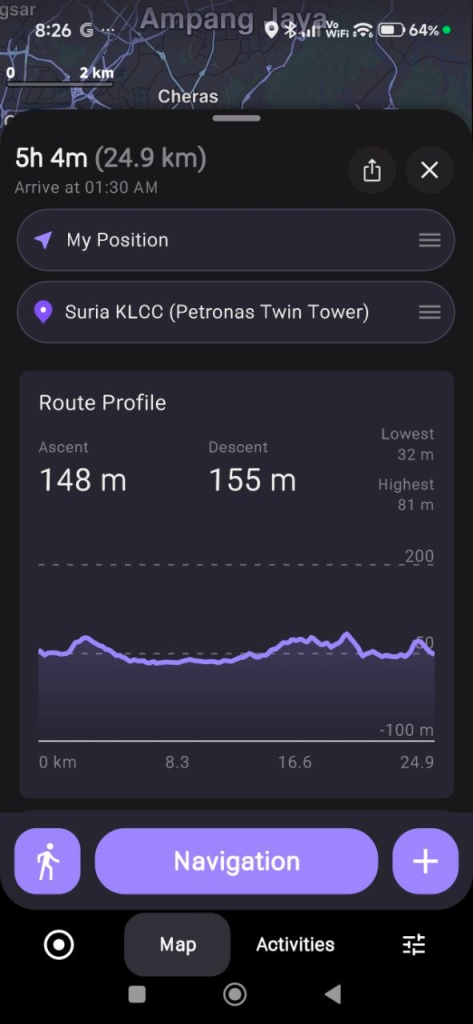
When you input a destination and calculate a route, Magic Earth opens a comprehensive Route Overview panel. This interface splits the journey’s data into three distinct sections: General, Elevation, and Road Analysis. Selecting the Elevation tab reveals a high-resolution terrain breakdown containing several key data points:
- Complete Elevation Graph: A visual cross-section of the entire route, mapping your exact altitude against the total distance of the trip. This allows you to identify summits, valleys, and saddles before deploying.
- Color-Coded Slope Analysis: The elevation graph applies distinct color gradients to represent varying degrees of steepness. Gentle inclines appear in neutral tones, while steep, challenging grades are highlighted in high-contrast warning colors. This reveals exactly where the most grueling climbs are located along the path.
- Surface Interface Integration: The application cross-references the elevation profile with underlying OSM attributes. This tells the operator whether a steep 15 percent grade occurs on a paved access road, a dirt track, or a primitive single-track footpath.
Live Altitude Profiling During Navigation
The elevation data remains accessible once you actively begin tracking or navigating along a route. The application dynamically renders your current position relative to the upcoming topography through platform-specific interface controls:
- Android Interface: Swiping upward on the bottom control panel during an active trip reveals extended trip configuration tools. Tapping the dedicated Route Profile icon docks the real-time elevation graph directly beneath the main map display.
- iOS Interface: Swiping horizontally to the right on the bottom navigation dashboard replaces the standard distance metrics with a running altitude profile card.
- The Dynamic Live Marker: As your device updates its GPS coordinates, a visual marker moves along the elevation graph in real time. This marker explicitly displays your current exact altitude, the vertical terrain you have successfully cleared, and the precise physical climbs or descents remaining immediately ahead on your path.
Tactical Applications for Amateur Radio
This detailed vertical data serves two major operational purposes in the field:
Radio Line-of-Sight and Terrain Shielding: In terrain-constrained environments, hills and ridges act as physical attenuators, creating RF shadows that block VHF/UHF signals. By monitoring the live elevation marker, a mobile operator can visually verify if they are trapped in a valley blocking a simplex link back to base camp, or if they are nearing a local peak that will clear the surrounding topology and provide an unattenuated line of sight.
SOTA Pacing and Battery Management: Hauling heavy field equipment such as lithium iron phosphate (LiFePO4) battery packs, HF transceivers, coaxial cables, and tactical antenna masts requires careful energy management. The slope metrics within the pre-trip elevation tab allow operators to pace their ascent accurately, ensuring they do not exhaust themselves or arrive late, missing critical ionospheric propagation windows.
4. POTA Optimization: Grid Squares, Coordinates, and Multi-Point Deployments
Parks on the Air operations frequently require hunting down obscure, poorly signed public locations. A common issue for activators is translating Maidenhead grid square locators or raw latitude and longitude coordinates into actionable driving directions.
Coordinate Input Precision
The search architecture within Magic Earth natively supports direct alphanumeric coordinate entry in multiple standard formats. Furthermore, text fields within the address and coordinate modules are fully selectable. This allows operators to copy raw location coordinates directly from digital radio logs, spotting networks, or the POTA index website and paste them directly into the navigation input line without manual transcription errors.
Multi-Waypoint Route Optimization
An active activator may plan a multi-park deployment, often referred to as a rover operation, where multiple distinct references are targeted in a single day. Magic Earth includes a multi-waypoint planning interface that allows operators to chain multiple destinations together in a single profile.
The application allows operators to stack multiple destinations, adjust the sequence of stopovers, and view the cumulative distance. To optimize field management, the navigation settings allow users to explicitly disable estimated time of arrival (ETA) data for intermediate waypoints, showing only the definitive metrics for the final destination to reduce interface clutter during complex operations.
5. Emergency Communications and Public Service Deployments
During severe weather events, technological disruptions, or civil search and rescue operations, amateur radio operators provide vital auxiliary communications. In these environments, mapping utilities must transition between high-grid and low-grid states seamlessly.
Dual Overview Separation
For staging operations, the application maintains a structural separation between live navigation tracking and route simulation mode within the Route Overview panel. This allows an incident commander or mobile operator to carefully simulate an intended supply or relay route to identify potential geographic bottlenecks before the vehicle actually deploys into the field.
Minute-by-Minute Real-Time Traffic Routing
If cell service remains functional or is partially restored via temporary localized networks, such as mobile mesh nodes or satellite backhaul, Magic Earth utilizes a highly responsive live traffic engine that updates data every 60 seconds.
If a primary evacuation route becomes congested or blocked by emergency vehicles, the routing engine identifies the anomaly and generates an immediate visual notification. A refreshed route design allows the operator to tap a dedicated on-screen bubble to instantly reroute the vehicle along a clear alternative path, minimizing transit delays to the staging site.
6. Mobile Safety Features for the Mobile Shack
Operating a mobile radio station presents inherent safety challenges. Monitoring a dual-band VHF/UHF mobile rig, adjusting squelch controls, listening for weak signals on a local repeater, or tracking a digital APRS display can significantly increase driver distraction. Magic Earth incorporates built-in hardware-linked features to mitigate these risks without requiring additional dashboard gear.
Head-Up Display Mode
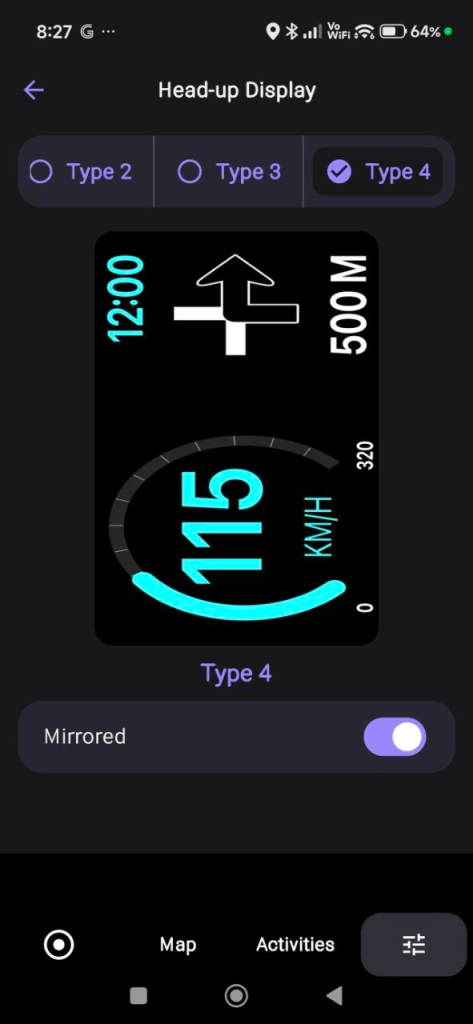
For night operations or evening deployments returning from emergency callouts, standard bright phone screens can severely degrade the driver’s night vision. The integrated HUD feature formats the critical navigation instructions, current speed limits, and upcoming turn arrows into a high-contrast, inverted layout. By placing the smartphone face-up on the dashboard, the navigation data safely projects directly onto the vehicle’s windshield, keeping the driver’s focus centered on the roadway.
7. Data Sovereignty and Operational Security
Amateur radio operators possess an acute understanding of operational security, signal privacy, and data sovereignty. Many mainstream navigation applications continuously harvest telemetry, search histories, and background location tracking to build commercial profiles or monetize user data.
Magic Earth operates under a documented privacy model that completely avoids data profiling:
- Zero Profiling Architecture: The developers do not collect, trade, or analyze your personal data or search histories.
- Anonymized Telemetry: When real-time traffic data is transmitted, the positioning metrics are fully anonymized and retained on servers for a strict maximum duration of 5 minutes to calculate traffic speeds before being permanently purged.
- Platform-Specific Backup Control: To maintain strict data boundaries, the Android version of the software explicitly omits automatic Google Drive backup integration to protect the user’s data sovereignty. iOS users retain local toggle control over iCloud backups via the Advanced Settings menu.
- Localized File Ecosystem: Favourites lists are exported manually as standard open XML files, and complete route histories are compiled locally into standard SQLite database files (
Trips.db). These files reside strictly within the device’s local filesystem until the user explicitly chooses to export or share them via a local file explorer.
8. Practical Guide: Configuring Magic Earth for Field Deployments
To prepare your mobile device or field tablet for a radio deployment, follow this sequence of configuration steps to optimize the application for off-grid reliability.
Phase 1: Map Provisioning and Storage Management
- Connect your device to a high-bandwidth network prior to leaving your home station.
- Access the Preferences tab (noting the red notification badge indicating available map data updates).
- Select Offline Maps to open the continent-based browsing layout.
- Download your specific state, province, or country vector files. Verify the downloaded data size via the storage summary card.
- Search for your target destination while still connected to confirm that all localized Wikipedia articles and point-of-interest data layers are fully cached.
Phase 2: Navigation and Display Customization
- Open Navigation Settings and select your primary vehicle type. For remote deployments, ensure the walking or cycling profiles are configured if the final leg involves a foot approach.
- Toggle the Elevation Map Style to enable high-contrast topographical visualization.
- Access the Waypoints submenu and disable the ETA overlay if you prefer a clean, uncluttered path metric display during multi-stop rover operations.
- Verify that coordinate search functionality is active by testing a raw latitude/longitude string in the main search bar.
Technical Feature Matrix for Radio Operations
The following table summarizes how specific Magic Earth features map directly to amateur radio field requirements:
| Magic Earth Feature | Core Technical Capability | Primary Radio Modality |
| Local Vector Engines | Full offline search, routing, and indexing without cell towers. | EmComm / Disaster Response |
| OSM Data Sourcing | High-density tracking of unpaved fire lines and public park boundaries. | POTA Activations |
| Path Elevation Graph | Pre-trip slope analysis, steepness grades, and surface data. | SOTA Route Planning |
| Live Route Profiling | Real-time moving altitude marker docked on navigation display. | RF Line-of-Sight / Terrain Shielding |
| GPX Import/Export | Native sharing and logging of geographic trail files. | Field Day Site Planning |
| Selectable Coordinates | Direct copy-paste parsing of raw geographical string data. | Radio Log Mapping |
By eliminating data tracking, maintaining a robust offline vector architecture, incorporating a dual-phase path elevation engine, and leveraging the extensive backcountry data of OpenStreetMap, Magic Earth serves as a highly reliable, non-commercial navigational utility for the amateur radio community.
TRY IT NOW
https://www.magicearth.com/
https://play.google.com/store/apps/details?id=com.generalmagic.magicearth&hl=en
https://apps.apple.com/us/app/magic-earth-navigation-maps/id1007331679










Post Comment