Battery Care Guide: The Effects of Leaving Your Phone Charging Overnight with an 80% Limit and Auto Cut-Off Cable
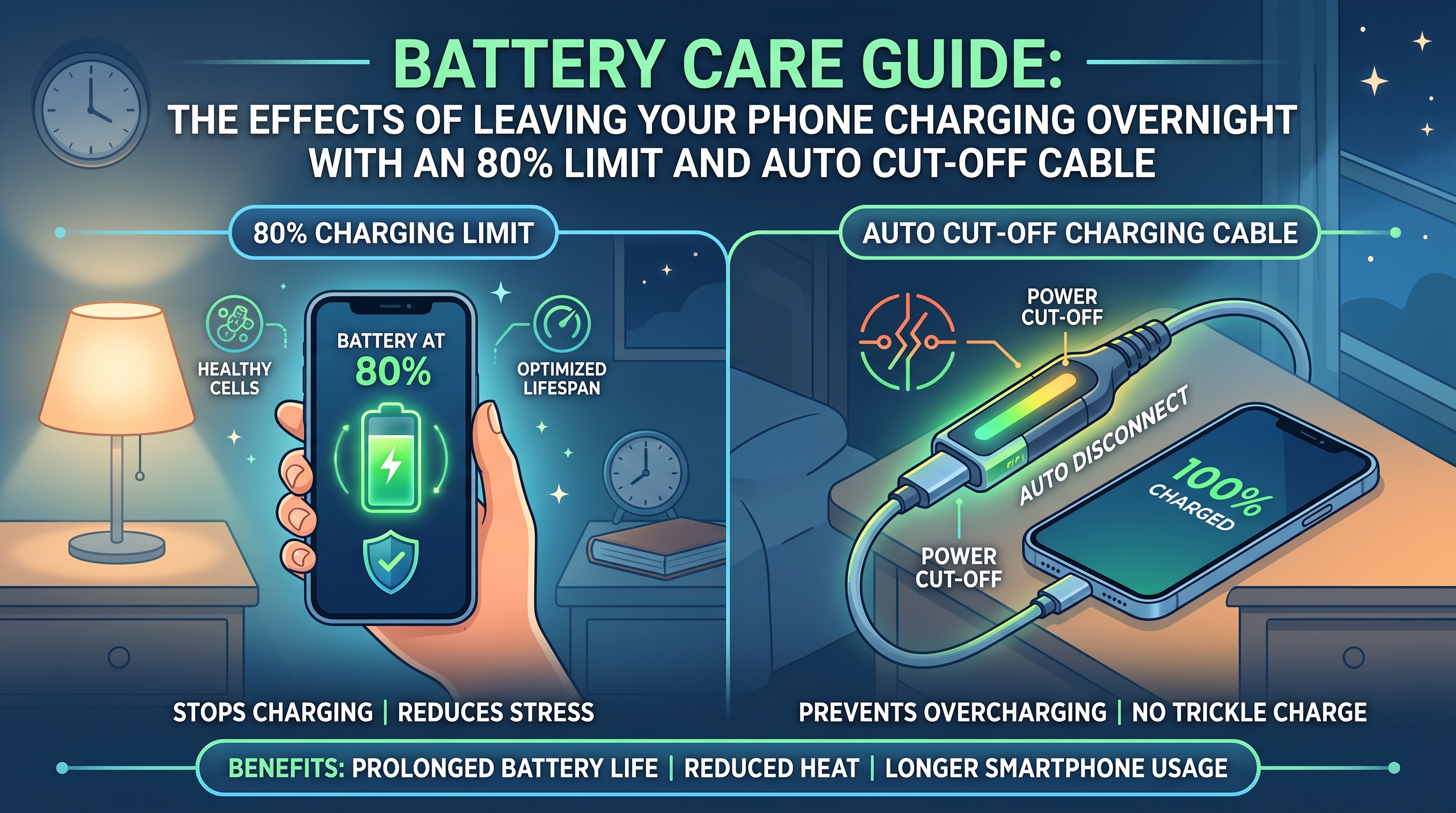
The Dual-Layer Defense: How Software Meets Hardware
When you take a modern smartphone, such as a POCO F7 or a similar current-generation device, and plug it in using a high-quality auto cut-off cable, you aren’t just blindly pushing current into a battery. You’re engaging a highly efficient, two-layer security system designed to protect the lithium-ion cells from unnecessary electrical stress.
1. The Battery Management System (BMS)
Every modern smartphone is equipped with a sophisticated Battery Management System. When you enable the 80% charging limit in your phone’s battery settings, you’re giving the BMS a hard stop command. As soon as the battery hits that 80% threshold, the software intervenes and stops accepting voltage.
Why stop at 80%?
Lithium-ion cells degrade fastest when they are subjected to the high-voltage stress required to pack in those final 20 percent of electrons. They also suffer when forced to sit at a full 100% capacity for hours on end. By stopping at 80%, the BMS completely prevents this high-voltage stress. It acts as the primary, internal regulator.
2. The Physical Auto Cut-Off Cable
While the BMS handles the software side, the auto cut-off cable acts as a physical gatekeeper on the outside. A standard charging cable will keep the connection open forever, constantly waiting for the phone to ask for more power.
A smart auto cut-off cable. Has a microchip embedded inside the connector. When this chip detects that the phone’s BMS has stopped drawing current, it physically severs the electrical connection from the wall adapter to the device.
The combination of these two layers means that your phone isn’t just telling the charger to stop; the charger cable itself is pulling the plug.
| Protection Layer | Component Type | Primary Function |
|---|---|---|
| BMS System | Internal Software / Hardware | Stops voltage intake when the battery hits a specific threshold (e.g., 80%). |
| Auto Cut-Off Cable | External Hardware | Physically cuts off electrical flow from the adapter when the phone stops drawing current. |
The Hidden Threat of Micro-Cycling
The biggest technical concern most people have about leaving a phone plugged in overnight is a phenomenon called ‘micro-cycling’.
Imagine your phone reaches 80% and stops charging. A few minutes later, background tasks, syncing emails, updating apps, or searching for a Wi-Fi signal, drain the battery down to 79%. The standard charger detects this drop, kicks back on, pushes the battery back to 80%, and turns off. Over an eight-hour night, this cycle could happen dozens of times.
If left unmanaged, continuous micro-cycling has two very real negative effects on your battery health:
- Burning Through Charge Cycles: It slowly consumes tiny fractions of your battery’s finite charge cycles without you ever actively using the phone.
- Generating Heat: Pushing current into the battery generates kinetic energy inside the lithium-ion cells, which produces heat.
Heat is the absolute worst enemy of a lithium-ion battery. Continuous exposure to elevated temperatures will degrade your battery health much faster than almost any other charging habit.
Why Your Phone Stays Cool Overnight (The Relief)
Here is the good news. If you leave your phone charging from day to night with this 80% limit and an auto cut-off cable, and you pick it up in the morning to find the device feels completely cool to the touch, you are in the clear. The absence of heat is the ultimate proof that your lithium cells aren’t experiencing physical or chemical stress.
Modern devices and smart cables handle this so well for two main reasons:
The Cables Are Designed to be Passive
High-quality auto cut-off cables are intentionally designed with a wide tolerance. They don’t instantly wake up and start pushing current the second your battery drops by a single percent. Once they cut the power, they generally stay asleep until the battery drops significantly, usually down to 60% or lower, or until you physically unplug and replug the cable. This intentional laziness completely prevents the damaging micro-cycling loop.
The Magic of Bypass Charging
Many mid-range and flagship smartphones today feature a brilliant power management trick called bypass charging.
When the battery hits the 80% limit, the phone doesn’t just stop charging. It actually disconnects the battery from the power circuit entirely. The phone then runs background operations, maintaining Wi-Fi, downloading updates, listening for notifications, using electrical power pulled directly from the wall adapter.
Because the battery is effectively bypassed, it gets to rest completely. It doesn’t discharge, and it doesn’t recharge. It just sits idle, cool and unstressed, while the wall plug does all the heavy lifting.
The Verdict: Is Overnight Charging Safe?
From a strictly technical perspective, leaving your phone plugged in overnight using an 80% software limit and a hardware auto cut-off cable is incredibly safe. In fact, it is easily one of the best practices you can adopt for modern lithium-ion battery care.
As long as your device isn’t generating unusual heat while connected to the cable, you can stop worrying about bloated batteries or watching your battery health percentage plummet. Your battery is sitting in its most optimal, relaxed state, ready to give you years of reliable service.










Post Comment