Open Android Backup: A Clean, Rootless Backup Solution for Android Devices
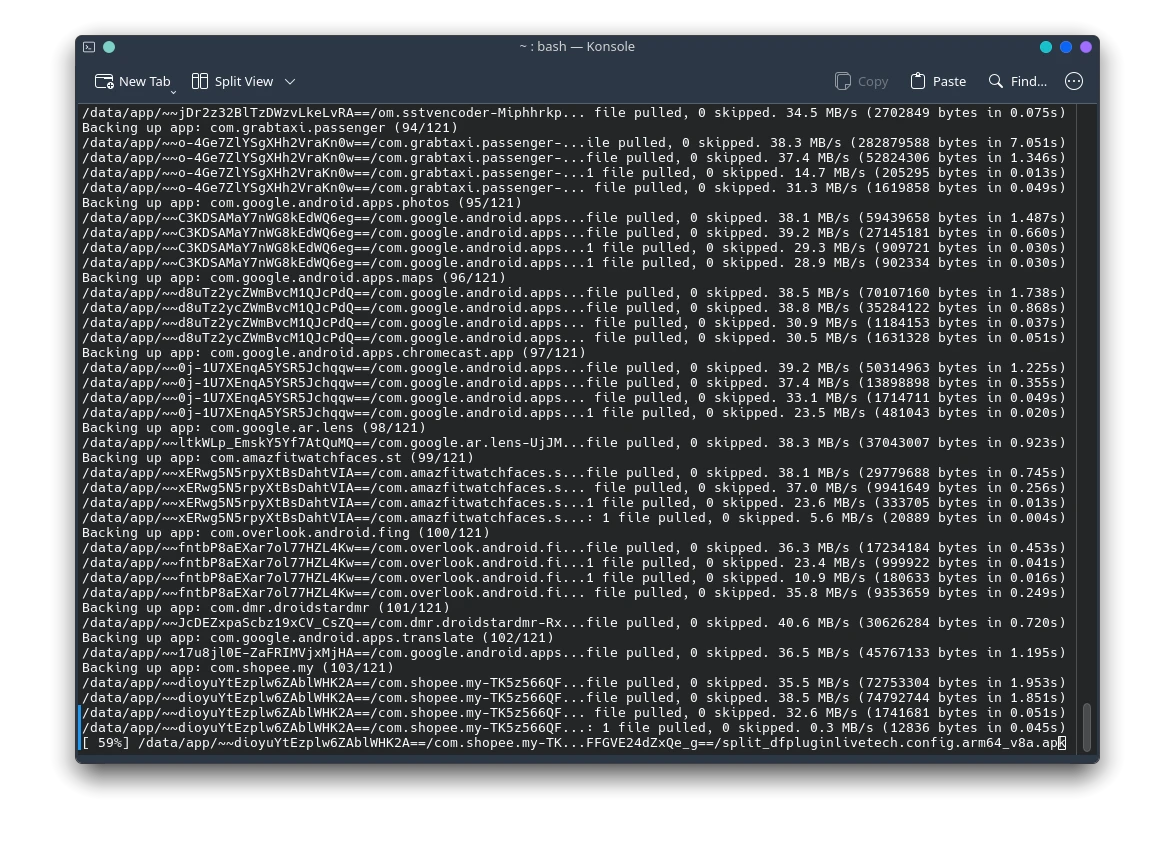
Backing up an Android device can be a complicated task, especially if you’re looking for a clean, rootless method that doesn’t involve proprietary cloud services or bloated apps. Open Android Backup offers a breath of fresh air for privacy-conscious users, particularly those who prefer open-source tools and full control over their data.
For users of Arch Linux and its derivatives like EndeavourOS, Manjaro, or CachyOS, the AUR package open-android-backup makes it easy to install and use this tool right from your system.
What Is Open Android Backup?
Open Android Backup is a cross-platform tool that leverages Android’s adb backup functionality to create and restore full application data backups – without requiring root access. It’s written in Python and uses a simple graphical user interface (GUI) built on PyQt5.
This tool aims to bridge the gap between power users and casual users who simply want a reliable way to save their app data, settings, and system preferences without rooting their phone or relying on Google.
Key Features
- ✅ No root required
Works with stock Android devices using standard ADB tools. - 🧱 Cross-platform
Runs on Linux, Windows, and macOS – anywhere Python and ADB are available. - 🎛️ User-friendly GUI
The PyQt-based interface makes backup and restore straightforward even for less technical users. - 🔐 Local backups
Your data stays on your machine. No cloud, no remote servers, no hidden data sharing. - 📦 App-by-app control
Select specific apps to back up or restore, rather than dumping the whole device image.
Installation on Arch-based Systems
If you’re running an Arch-based distro, installing Open Android Backup is simple:
yay -S open-android-backup
Alternatively, use any other AUR helper like paru, or manually download and build the PKGBUILD.
Dependencies
Make sure you have ADB installed:
sudo pacman -S android-tools
Once installed, plug in your Android device with USB debugging enabled, and launch the application:
open-android-backup
You’ll be able to select what apps or data you want to back up, and start the process with just a few clicks.
For Other Linux, Windows, or macOS Users
Not on Arch? No problem.
You can download the tool or clone the repository directly from GitHub:
👉 GitHub – mrrfv/open-android-backup
Follow the instructions in the README to set it up in your environment. The project is open-source under the MIT license, so you’re free to modify, inspect, and contribute to it.
Final Thoughts
Open Android Backup is a practical, lightweight, and privacy-respecting tool that fills a critical gap in Android device management. Whether you’re a developer, power user, or simply someone who wants more control over their data, it’s worth exploring.
Users of Arch-based Linux systems have the convenience of AUR packaging, while users on other platforms can build and run it manually from the GitHub source.
In a world increasingly dominated by proprietary backup solutions and cloud sync, tools like Open Android Backup remind us of the power and flexibility of open source – and the importance of data sovereignty.








Post Comment