Viewing SriHome SH025 IP Camera on Linux with MPV
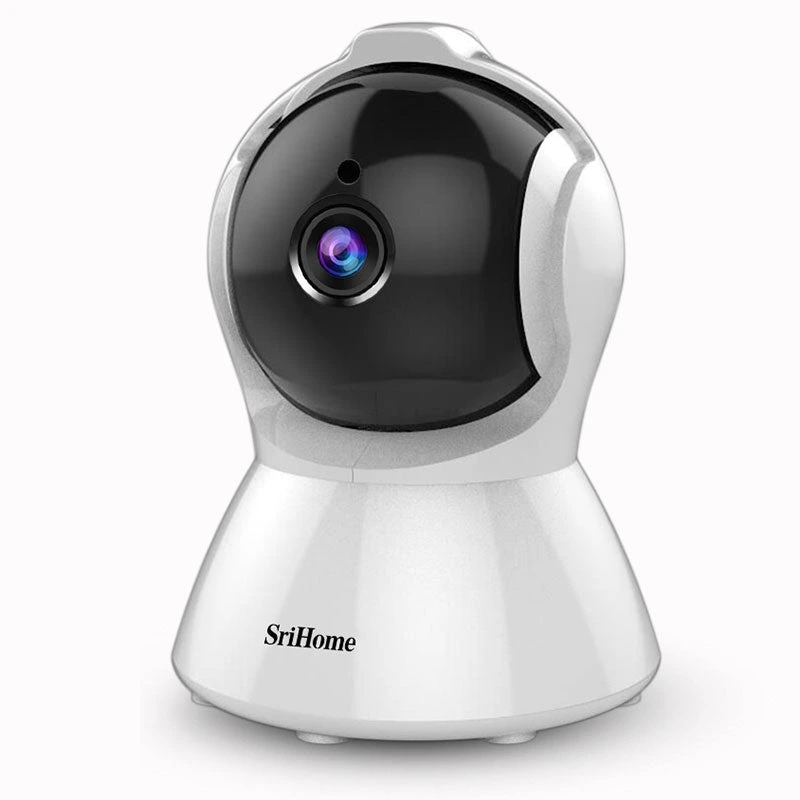
I recently installed a SriHome SH025 IP camera and wanted to monitor the live stream from my Arch Linux desktop (CachyOS in my case). While the official app works, I prefer using local tools – no cloud, no mobile app, just clean video over my LAN.
After some digging, I got the RTSP stream working beautifully with mpv, and I even created a launcher icon for quick access.
Here’s exactly how I did it – plus how to find the right RTSP port using nmap.
🎯 My Setup Goals
- Watch the SriHome SH025 stream on my Linux desktop
- Skip the cloud and use direct RTSP
- Get working video (and ideally audio)
- Add a clickable desktop launcher
- Find the RTSP port if undocumented
🔍 Finding the RTSP Port with Nmap
SriHome cameras often don’t use the default RTSP port (554) – mine used 8554. If you don’t know your camera’s port, use nmap to scan for open ones:
1. Install nmap (if you don’t already have it):
sudo pacman -S nmap
2. Scan for common video streaming ports:
nmap -p 554,8554,10554,7070,6688 192.168.0.11
Replace 192.168.0.11 with your camera’s actual IP address.
Example output:
PORT      STATE  SERVICE
554/tcp   closed rtsp
8554/tcp  open   rtsp-alt
10554/tcp closed unknown
6688/tcp  open   unknown
In my case, port 8554 was open, which matched what ffplay and mpv needed.
✅ Testing the Stream with ffplay
Before setting up anything fancy, I tested the RTSP stream with:
ffplay rtsp://admin:[email protected]:8554/profile0
It worked! Full 1080p video and even audio came through. This confirmed the camera was broadcasting fine over RTSP.
▶️ Daily Viewing with MPV
After confirming the stream worked, I switched to mpv for daily use. It’s lightweight and integrates better with my desktop.
mpv rtsp://admin:[email protected]:8554/profile0
📁 Create a Desktop Shortcut
To make launching the camera easy from my app launcher, I made a .desktop file.
1. Create the launcher:
nano ~/.local/share/applications/sricam-view.desktop
2. Paste this:
[Desktop Entry]
Name=SriHome SH025 Viewer
Comment=Open SriHome IP Camera Stream in MPV
Exec=mpv rtsp://admin:[email protected]:8554/profile0
Icon=camera-video
Terminal=false
Type=Application
Categories=Video;AudioVideo;Utility;
3. Make it executable:
chmod +x ~/.local/share/applications/sricam-view.desktop
✅ Wrap-up
SriHome doesn’t document these RTSP settings well, but with a little effort – and tools like nmap, ffplay, mpv, and ffmpeg – you can get full, local access to your camera stream.











Post Comment