Old Android Phone as a Ham Radio Field Server: EmComm, JOTA and Exhibitions
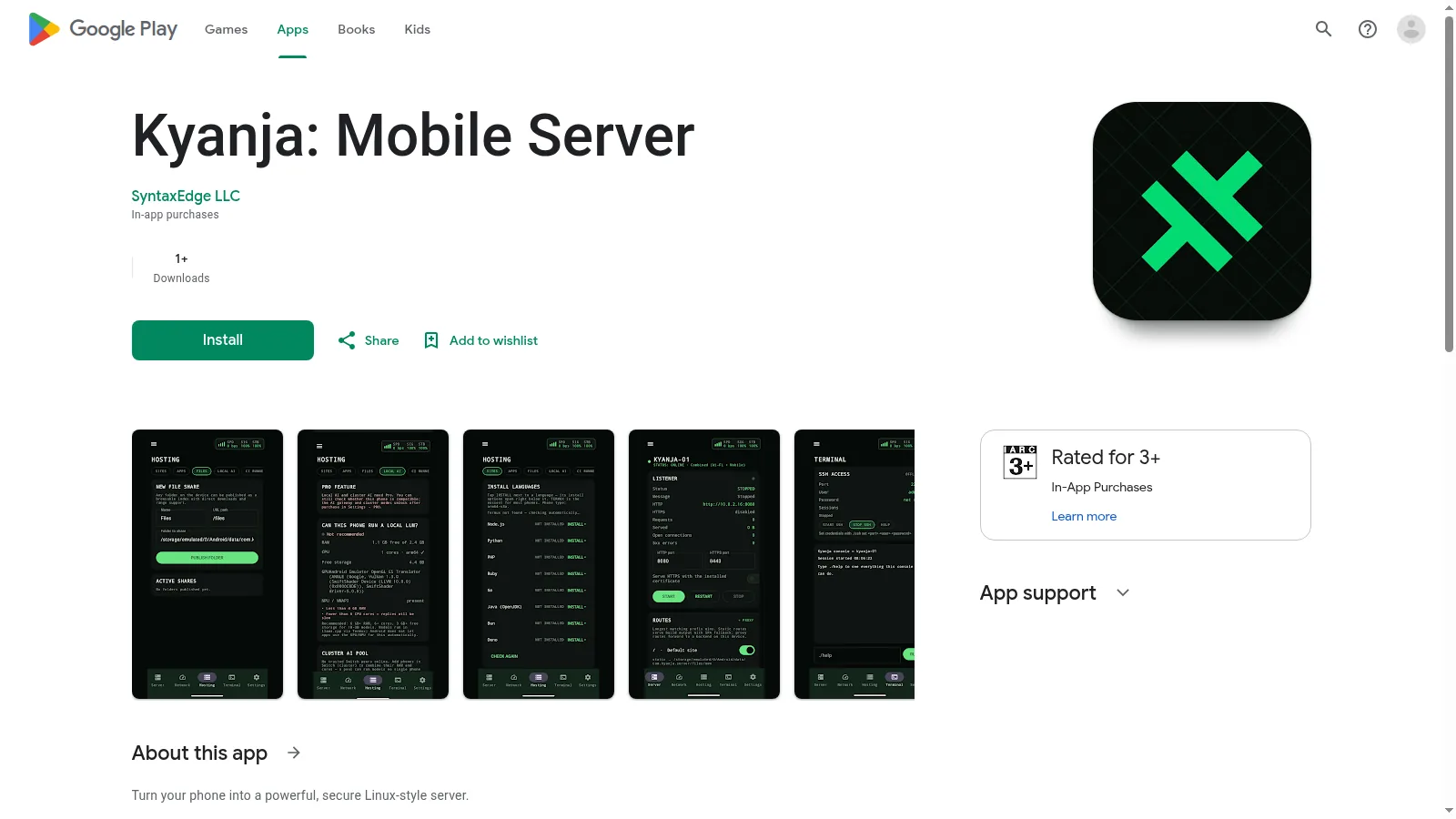
A developer in Uganda just published Kyanja, a free Android app that turns an old phone into a web server with SSH, SFTP, databases, dynamic DNS and tunnels, and the idea maps almost perfectly onto amateur radio field work. The phone in your drawer has an 8-core CPU, WiFi, a battery that doubles as a built-in UPS, and power draw like an LED bulb. Here is how to press it into service for emergency communications, portable operations, Jamboree on the Air stations and exhibition booths.
TL;DR: Kyanja is a free Android app that turns a spare phone into a web, SSH and file server for ham radio field use: EmComm go-kit status pages, JOTA station info kiosks, portable team scoreboards and hamfest booth displays, all working over a local hotspot with no internet required.
What the Kyanja Phone Server Is
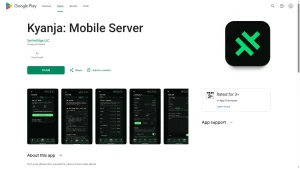
Kyanja is a free Android app by SyntaxEdge LLC that turns a phone into a Linux style server, with an embedded HTTP and HTTPS web server, terminal, SSH and jailed SFTP access, SQLite and NoSQL databases, a web admin dashboard, Cloudflare and DuckDNS dynamic DNS, outbound internet tunnels, multi phone clustering, and a local first design with no telemetry.
The project surfaced in a r/techuganda post linking the free Play Store listing. The pitch is simple: instead of buying a single board computer for lightweight server duty, reuse the computer already in your drawer. For hams, the interesting part isn’t hosting a public website. It is hosting small, useful services exactly where the radios are: at the emergency operations post, on the summit, at the scout camp and at the exhibition booth.
Why a Phone Makes a Surprisingly Good Field Server
Field computing usually means a laptop plus a power brick plus a tangle of cables, or a Raspberry Pi plus a screen plus a battery bank plus a case. A retired phone collapses most of that stack:
- Built-in UPS. The battery rides through generator swaps, vehicle restarts and mains dropouts that reboot a Pi. For EmComm duty that alone justifies the experiment.
- Low power draw. A phone idling as a server sips a few watts, comparable to an LED bulb. A modest USB battery bank stretches that to days.
- Radios included. WiFi hotspot for the local team network, Bluetooth for peripherals, and cellular data as an optional uplink when the mission allows it.
- Screen and console built in. The Kyanja terminal and web dashboard run on the device itself, so setup and debugging need no second machine.
- Zero new hardware cost. Clubs all have a drawer of retired phones. One wiped device becomes the club field server.
None of this replaces actual radio links. A phone server handles the IT side of field work: pages, files, logs and dashboards. The RF side still belongs to your transceivers, and to systems like Winlink, AREDN mesh and Meshtastic where they fit the mission.
What It Can Run
Condensed from the developer’s feature list, the capabilities that matter for field radio work are:
- Web server. Host static pages: incident status boards, operating schedules, band plans, JOTA activity pages, exhibition info kiosks.
- Terminal and SSH. Administer the device from a laptop over the field LAN, run scripts and inspect processes.
- Jailed SFTP file transfers. Collect damage photos, log exports and roster spreadsheets from team devices into one place.
- Embedded databases. SQLite management and JSON document stores for duty rosters, equipment checkouts and contact logs.
- Web admin dashboard. Live CPU, memory, disk, battery and network telemetry in a browser, handy for spotting a dying device before it dies mid event.
- Dynamic DNS and tunnels. DuckDNS and Cloudflare sync plus outbound relay tunnels can expose selected services to the home clubhouse or EOC when internet exists, with no port forwarding on the field router.
- Multi phone clustering. Link several devices over WiFi with failover, so the loss of one phone doesn’t take the whole field intranet down.
- Local first privacy. The developer states zero telemetry and hardware backed credential storage in the Android Keystore. Treat that as a claim to verify, not a fact, but the architecture direction is right for sensitive EmComm data.
Emergency Communications: A Server in the Go-Kit
Amateur Radio Emergency Service teams already carry radios, antennas, power and paper ICS forms into the field. A phone server adds a digital layer that works even when the internet doesn’t, because everything below runs on the phone’s own hotspot LAN:
- Incident status page. One page, refreshed by net control: active nets and frequencies, shelter locations and capacity, road closures, next briefing time. Anyone on the hotspot reads it on their own phone.
- Message log viewer. Transcribed ICS-213 traffic and situation reports published as simple pages, so late arrivals catch up without tying up the voice net.
- Photo and file collection. Damage assessment photos and completed form scans land via SFTP in one directory instead of scattered across personal phones and chat apps.
- Duty roster and equipment checkout. A small SQLite backed tracker for who is where and which generator, mast or radio went to which post.
- Reach back to the EOC. Where cellular data or a venue link exists, a tunnel or dynamic DNS name can expose the status page to headquarters without punching holes in field firewalls.
Practical rules for EmComm use: keep the service set minimal and prebuilt, rehearse the whole stack on battery before the exercise, print the hotspot credentials on the go-kit lid, and remember the phone is a convenience layer. If it dies, the voice net and paper logs carry the mission. Test failover by literally switching a phone off mid drill.
Portable Operations: SOTA, POTA and Field Day
Summits, parks and Field Day sites share the same constraint: everything arrives in backpacks and on batteries. A phone server earns its grams:
- Team scoreboard. A simple page showing bands worked, multipliers and operator schedule, visible to the whole crew without shouting across the site.
- Photo and video ingest. Cameras and phones push activation media to the server over SFTP while operating continues, instead of waiting for home WiFi.
- Offline reference library. Band plans, summit reference sheets, antenna cheat cards and previous activation notes hosted locally, readable from any team device with no signal.
- Log file hub. Export ADIF or Cabrillo snippets to one place for end of day merging and checking.
- Overnight resilience. With the screen off and battery optimization excluded for the server app, the phone sips power while keeping services up for multi day activations, and the morning shift finds everything where the night shift left it.
Community Events, JOTA and Exhibitions
This is where a phone server shines brightest, because the audience brings their own screens and the venue often brings no usable internet.
- Club nights and license classes. Host the evening’s slides, handouts and a sign in page locally. Visitors join the hotspot and follow along with zero venue WiFi drama.
- Jamboree on the Air. JOTA-JOTI stations, run with Scouting groups on the third full weekend of October, are ideal: a station page with the operating schedule, a visible contact log the scouts can watch grow, simple explanatory pages about callsigns and phonetics, and even a quiz page for downtime between contacts. Everything runs at a camp with no connectivity at all.
- Hamfest and exhibition booths. A kiosk tablet pointed at the phone server loops club information, membership sign up, course dates and a live dashboard of the demo station. No reliance on congested venue WiFi, no laptop chained to the table.
- Antenna and build demos. Pair the server with a parts list page, step photos and test result sheets so visitors take knowledge home, not just impressions.
Phone Server Options Compared
Kyanja is the newcomer. Know the alternatives before committing a mission to any of them.
| Option | Skill needed | Strengths | Weaknesses |
|---|---|---|---|
| Kyanja app | Low, GUI driven | All in one: web, SSH, SFTP, DB, dashboard, DDNS, tunnels, clustering; no Linux skills needed | Brand new app, proprietary, claims unverified, jailed file scope |
| Termux plus packages (GitHub) | Medium, command line | Full Linux userspace, package manager, runs real servers, huge community | Manual setup, Android 12+ background limits need workarounds, no built-in dashboard |
| Podroid containers | Medium | Docker style containers on Android, no root (see the HamRadio.my Podroid guide) | Heavier, needs a capable phone, more moving parts |
| Raspberry Pi | Medium | Real Linux, GPIO for radio interfacing, huge ham software base | Needs screen, power bank, case; reboots on power glitches without a UPS HAT |
| Spare laptop | Low | Full OS, runs anything, big screen for net control | Heavy, power hungry, overkill for serving static pages |
For a club that wants results this weekend with volunteer labor, the GUI driven app wins. For a technical team building permanent infrastructure, Termux or a Pi repays the learning curve. Both paths beat buying new hardware, which is also the theme of the HamRadio.my guide to repurposing old Android phones.
Getting Started: From Drawer to Deployed
- Pick and prep the phone. Choose a device with a healthy battery, factory reset it, and apply all pending OS updates. A cracked screen is fine; a swelling battery isn’t, retire those safely.
- Install Kyanja. Get it from the Play Store listing, grant only the permissions it genuinely needs, and set the mandatory PIN or biometric lock before anything else.
- Exempt it from battery optimization. This is the step everyone forgets. Android Doze will kill background servers to save power unless the app is excluded in battery settings. Verify services survive with the screen off for an hour.
- Build the field content. Create the status page, reference library or kiosk pages on a laptop, push them over SFTP, and confirm they render on a second phone joined to the hotspot.
- Rehearse the network. Run the whole stack on the hotspot with no internet: join, browse, upload, read the dashboard. Then test the tunnel or DDNS path separately for the reach back scenario.
- Document and label. Hotspot name and password, admin PIN location (sealed envelope, not a sticky note), service URLs, and the shutdown procedure go on a laminated card in the go-kit.
- Exercise it. Deploy at a club night or a SOTA activation before any real emergency or exhibition. Fix what breaks while the stakes are low.
Honest Limitations
- Brand new and unproven. At the time of writing the app shows a handful of downloads and launched days ago. Clustering, failover, MCP and tunnel claims are developer statements, not independently verified. Pilot it; don’t bet a real emergency on version one of anything.
- Android fights background servers. Doze mode, aggressive vendor battery managers and thermal throttling are the eternal enemies of phone servers. Exclusions, ventilation and realistic load testing are mandatory.
- Proprietary app. Unlike Termux or Podroid paths, Kyanja is a closed Play Store app with in-app purchases. Factor that into club continuity planning: document the setup so a future volunteer can reproduce it.
- Jailed file scope. SFTP is confined to the app directory, which is good security but limits serving files from arbitrary storage. Plan the content layout around it.
- Internet exposure needs care. Only expose services beyond the field LAN deliberately, with strong credentials, minimal services and the upstream firewall rules on. A tunnel makes you reachable from everywhere, including attackers.
- Not a radio. A phone server carries zero RF. It complements voice nets, Winlink gateways, AREDN nodes and Meshtastic mesh, it never replaces them.
Why It Matters
Every club has the drawer: three retired phones, two unknown chargers, one with a cracked corner that still runs fine. That drawer is a field intranet waiting to happen. A status page that works with no internet, a JOTA kiosk that runs all weekend on a battery bank, an exhibition display that needs no venue WiFi, a go-kit server that rides through power cuts on its own battery. The cost is an afternoon of setup and the discipline to rehearse.
Try it at the next club night, break it, fix it, then pack it in the go-kit. The best emergency tool is the one the team already knows how to use.
Sources and Further Reading
- Turn your old Android phone into a server: r/techuganda post
- Kyanja Mobile Server on Google Play
- Termux terminal emulator for Android
- Termux source on GitHub
- JOTA-JOTI official site
- World Organization of the Scout Movement
- ARRL Amateur Radio Emergency Service
- Winlink global radio email system via ARRL
- AREDN high speed mesh networking
- Meshtastic off grid mesh communicator
- DuckDNS free dynamic DNS
- Cloudflare Tunnel documentation
- Podroid on HamRadio.my: Docker containers on Android with no root
- Repurpose an old Android phone for amateur radio on HamRadio.my
73 de 9M2PJU

Post Comment