X6100 Firmware Mangler: The Way to Hack and Tinker Your Xiegu X6100 (MARS mod)
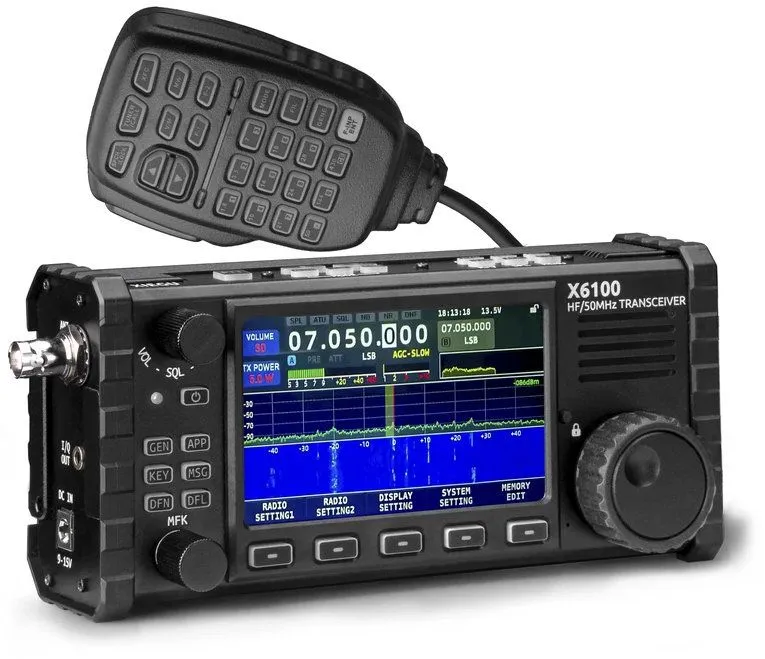
If you’re running a Xiegu X6100 and find yourself itching to explore what lies beneath its firmware, you’re not alone. But cracking it open safely and consistently? That’s where x6100-fw-mangler by @j0ju shines.
This project makes customizing and experimenting with X6100 firmware reproducible, debuggable, and way less painful-whether you’re tweaking system internals, creating multiboot images, or just injecting some extra userland tools.
💡 Why This Project Exists
Because modding your radio should be fun, not a guessing game.
The X6100 is a fantastic device for Amateur radio operators-but modding it has traditionally been tricky. The x6100-fw-mangler was built to:
- Simplify custom firmware builds
- Enable modifications without risking a brick
- Make the process transparent, reversible, and Dockerized
It’s a tool not just for flashing, but for learning, poking, and understanding how the X6100 boots and behaves.
🚀 What It Does
- 🧱 Generates bootable SD card or eMMC update images
- 🛠 Applies modifications to firmware safely inside a container
- 🐧 Adds Alpine Linux userland tools to enhance functionality
- 🔁 Builds multiboot setups (Xiegu stock + R1CBU open firmware)
- 📦 Supports original and open-source firmware (R1CBU)
You’ll be able to fully customize the system image and boot your X6100 from SD or flash it to internal storage.
🧰 Key Features
- Docker-powered, no need to pollute your host with toolchains.
- Uses
qemu-user-staticto emulate ARM and modify firmware even on x86. - Custom SD card images with:
- Alpine utilities
- Bluetooth pairing scripts
- Shell and serial tweaks
- Automount disabled
- GUI recoloring (cyan instead of red)
📦 Supported Image Types
| Image Name | Description |
|---|---|
xiegu-v1.1.7-vanilla | Stock Xiegu firmware |
r1cbu-v0.17.1-vanilla | R1CBU open firmware |
xiegu-v1.1.7-modded | Xiegu firmware with extra tools |
r1cbu-v0.17.1-modded | R1CBU firmware with extensions |
multiboot-vanilla | Both firmware types in one SD card (boot switchable) |
multiboot-modded | Modded versions of both firmwares in one image |
Hold the left-most button during boot to switch to the R1CBU firmware.
⚙️ Example Commands
make xiegu-v1.1.7-modded.sdcard.img
make r1cbu-v0.17.1-modded.update.img
make multiboot-modded.sdcard.img
Need to unpack a random unknown .img file?
cp my-image.img unknown-beauty.img
make unknown-beauty.tar
This gives you a .tar archive of the image content for analysis.
🧠 How It Works (Under the Hood)
- A Docker image called
x6100:img-mangleris built with required tools. .urlfiles download official firmware (stock or R1CBU).- Firmware images are unpacked into
/target. - Mods are applied (via Docker layers).
- New
.sdcard.imgor.update.imgfiles are output.
Linux users with binfmt_misc can chroot into the ARM image using QEMU-no real device needed.
🐧 WiFi + Console Tips
To connect to WiFi from serial console:
nmcli device wifi connect YOUR_SSID password YOUR_PASS
If you’re having issues with WPA3:
nmcli conn down YOUR_SSID
nmcli conn edit YOUR_SSID << EOF
  set wifi-sec.key-mgmt wpa-psk
EOF
nmcli conn up YOUR_SSID
📈 Frequency Extension (TX Unlock / MARS Mod)
Want to transmit outside official HAM bands? Be warned-it’s your responsibility.
In firmware 1.1.7, edit:
/etc/xgradio/xgradio.confand change to fullband-tx=enable
Then restart the radio. You now TX on all supported frequencies. But this might violate local laws and could damage the hardware’s filtering. Proceed wisely.
🧾 Boot Process Summary
- Device starts with BROM
- Checks SD card → eMMC for EGON signature
- Loads U-Boot, reads MBR, looks for
uboot.scr uboot.scrboots the kernel- Environment var
devnum:- 0 = booted from SD
- 1 = booted from eMMC
The official u-boot-sunxi-with-spl.bin is used for boot sectors.
🙏 Credits
This entire toolchain was created and maintained by @j0ju.
Massive respect for building a clean, reproducible, and open solution for the Xiegu X6100 firmware community.
🔗 GitHub: github.com/j0ju/x6100-fw-mangler











Post Comment