Running Armbian on the Xiegu X6100
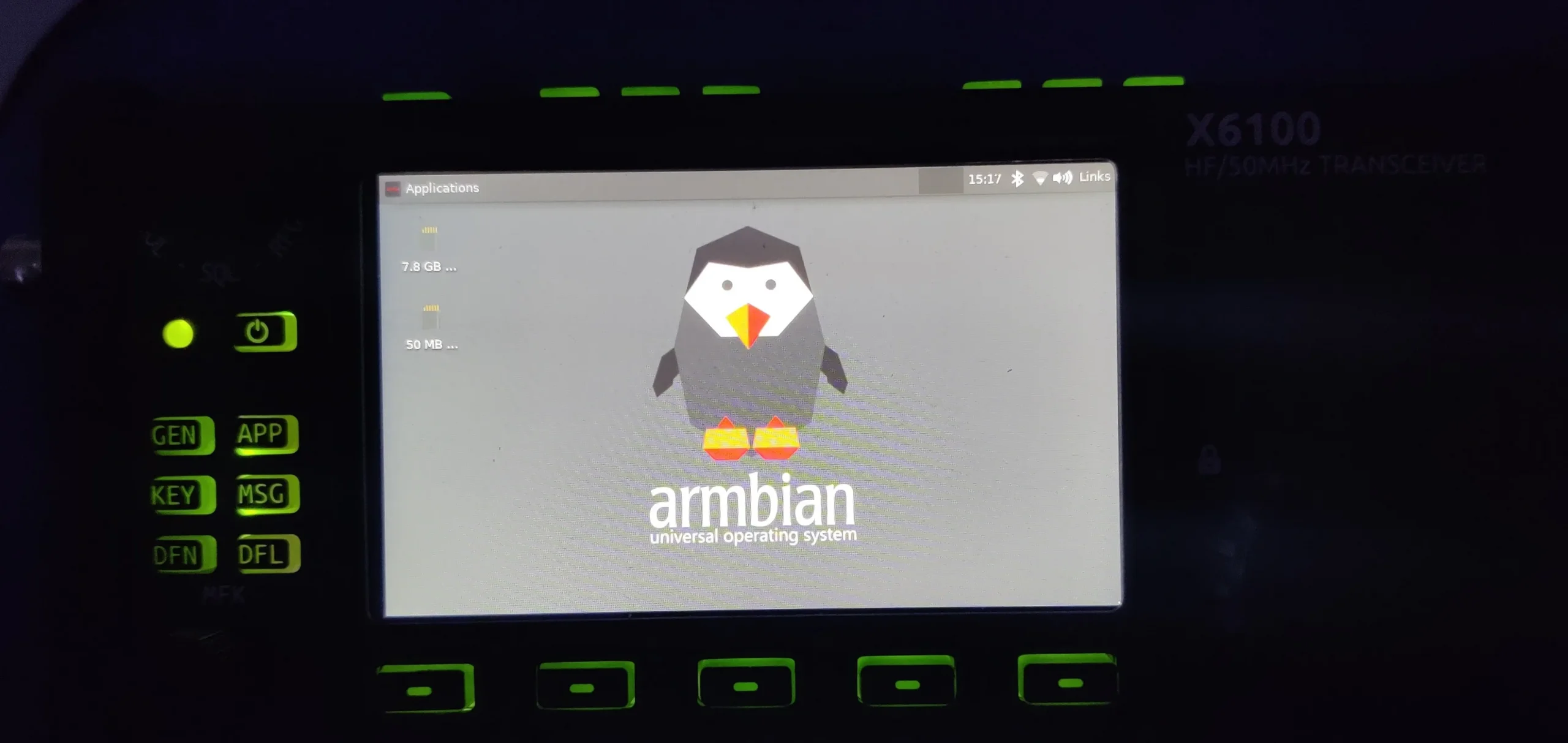
If you’re into amateur radio and love tinkering with Linux, you’ve probably heard of the Xiegu X6100-a portable HF transceiver that combines solid performance with an open, hackable platform. But what if you could take it further and run a full Armbian Linux system directly on it?
Thanks to the work by Links2004, it’s now possible.
Why Run Armbian on the X6100?
The X6100 runs on a Quad-Core Cortex-A7 SoC, originally intended for embedded systems and Android. Xiegu ships it with a custom Linux build, but it’s minimal, locked down, and missing common developer tools. For power users and developers, this is limiting.
By installing Armbian-a Debian-based lightweight Linux distro optimized for ARM devices-you can:
- Get full access to the system
- Use standard packages and development tools
- Enable remote access via SSH
- Customize the firmware environment
It essentially transforms your X6100 from just a radio into a mini portable Linux server.
What This Project Offers
The x6100-armbian project provides:
- A working Armbian image for the X6100’s internal eMMC or external SD card
- A ready-to-use u-boot bootloader configuration
- A tailored Linux kernel and device tree for X6100 hardware
- Instructions for flashing and booting Armbian
- Tools for creating your own image
The goal is to make your X6100 boot into Armbian like any SBC (think Raspberry Pi, but with a radio attached).
What Works (and What Doesn’t Yet)
According to the repo, here’s what works:
✅ Serial console over USB
✅ Ethernet over USB
✅ WiFi
✅ GPIO, I2C, SPI
✅ Audio input/output
✅ LCD panel
✅ Battery status
This makes it possible to use the device for advanced scripting, monitoring, and even remote ham operations via the internet.
As with all bleeding-edge projects, some features may still need refinement-so treat this as experimental <– WARNING.
Getting Started
To try this out:
- Clone the Repository
Start by cloning the GitHub repo:git clone https://github.com/Links2004/x6100-armbian - Build or Download an Image
You can either build the image from scratch using the Armbian build system, or download a prebuilt one (if available in the repo). - Flash to SD or eMMC
Flash the image to an SD card usingdd, Etcher, or your favorite tool. Boot it via the SD card first before flashing to internal storage. - Boot and Connect
Connect to the serial console via USB or use the onboard Ethernet-over-USB to SSH in. You’ll be greeted with a full Armbian environment.
Use Cases
So what can you do once you’ve got Armbian running?
- 📡 Host a digital mode gateway (FT8, JS8Call, APRS)
- 🔧 Develop custom X6100 tools using Python or C++
- 🌐 Create a remote-controlled ham station over the web
- 🎙️ Run audio processing, logging software, or cloud sync scripts
- 🔒 Harden and sandbox the radio for secure field deployment
The possibilities are only limited by your creativity-and your battery life!
Final Thoughts
Running Armbian on the X6100 breathes new life into an already impressive device. It opens up a playground for experimentation, automation, and integration, bridging the gap between the Linux SBC world and amateur radio.
Whether you’re a hacker, a maker, or a serious ham radio operator, this project is well worth a look. Just keep in mind: this is a community-driven effort, not an official Xiegu firmware, so proceed with care-and make backups! No warranty! This is not for normal users.
Credit:
All thanks and credit to Links2004 on GitHub for pioneering this project. You can view the full project and contribute at:
👉 https://github.com/Links2004/x6100-armbian











Post Comment