amateur radio
open source
Technology
announcements, contest calendar, Dirk Koopman, DX cluster, DX spots, DXSpider, dxspider_info, DXWeb, DXWeb Admin, EA3CV, EA4URE, G1TLH, GB7DJK, Mojolicious, nginx, open source, Perl, RBN, skimmer, spot filtering, sysop, telnet cluster, WCY, web console, WebCluster protocol, WWV
9M2PJU
0 Comments
DXSpider DXWeb: The Modern Browser Frontend for the Classic DX Cluster Network
TL;DR: Quick Summary
DXSpider DXWeb is a free and open source browser frontend for DXSpider DX cluster nodes, developed by EA3CV against Dirk Koopman G1TLH’s classic Perl cluster software. Version 2.8.60 of the user interface and version 0.78.16 of the companion admin interface replace the old telnet-only workflow with live spot tables enriched with distance, beam heading, locator, CQ zone and ITU zone columns, one-click spot posting, a visual filter builder that still accepts native DXSpider filter expressions, announcement / WWV / WCY / contest feeds, self-service registration and profile editing, and a full web console. Sysops get a second application, DXWeb Admin, for supervision, metrics, diagnostics, topology and console work. Both apps are under active development on the test and test2 branches of EA3CV’s DXSpider fork, install as native Mojolicious services on ports 7380 and 7381, and talk to the cluster core through a single technical connection. If you chase DX and still keep a telnet client open just for spots, this is the upgrade that lets you close it.
What Is DXSpider DXWeb?
DXSpider DXWeb is a browser-based user interface for a DXSpider DX cluster node that shows live DX spots, announcements, solar data and contest information in ordinary web pages, with login, filtering and spot posting built in.
In practice that means one URL covers the whole daily cluster workflow. Anonymous visitors can watch spots flow in real time. Registered users log in, set their own locator so every spot row shows distance in kilometers and beam heading in degrees, post their own spots from a button, build personal accept and reject filters without memorizing syntax, read node announcements, check WWV solar indices and WCY propagation summaries, look up the coming contest weekend, and drop into a console that speaks real DXSpider commands. Nothing is installed on the client beyond a browser, and the cluster core stays authoritative for validation, protocol handling and user management.
A Short History: From PacketCluster to DXSpider to DXWeb
1980s: Dick Newell AK1A invents the PacketCluster
The DX cluster idea dates to the late 1980s, when Dick Newell AK1A wrote the original PacketCluster software for DOS. One station with the software linked to one or more other stations, clusters linked to clusters, and individual users connected on a different frequency to announce DX, exchange talk messages, send mail and query databases. Users of the era describe it as a specialized, less robust form of IRC, and the concept stuck so well that the network never went away.
1998: Dirk Koopman G1TLH writes DXSpider in Perl
Dirk Koopman G1TLH wanted an open source cluster for Linux and wrote DXSpider in Perl 5 as a self-training exercise in protocol research and programming. The choice of Perl had a side benefit that defined the project’s longevity: the same code ran on Unix and on every flavor of Windows from Win98 upward through ActiveState Perl or Cygwin. DXSpider grew into one of the main cluster implementations alongside AR-Cluster, CC Cluster, CLX and DxNet, and GB7DJK in West Sussex remains the reference installation. Hundreds of nodes on the public telnet directory still report DXSpider version strings today.
The telnet decades
For most of its life DXSpider spoke to users through telnet port 7300 and AX.25 packet connections, plus a C client and a screen-oriented console program with command history and colorized lines. That interface is powerful but unforgiving. Newcomers must learn commands like sh/dx, sh/filter and sh/contest, and filter syntax in particular is a memorization wall. Web gateways existed, but they were usually thin wrappers around a telnet session.
2021 to today: EA3CV builds a native WebCluster interface
EA3CV started a public mirror and development fork of DXSpider on GitHub and added something the project never had: a native WebCluster interface with two reference applications written as Mojolicious services. The test branch carries the stable development line and the test2 branch carries the more experimental line for those who like adventure. Screenshots, helper scripts and contributed Perl extensions live in the companion dxspider_info repository, including the DXWeb screenshot gallery this article illustrates. Both frontends are explicitly still under active development, and their appearance and behavior keep changing. That is worth stating plainly because it’s also the exciting part: the most widely deployed open source cluster finally has a modern web face, and its API surface is being designed in the open.
How DXWeb Fits Together: Architecture in Plain Language
Understanding three ports explains the whole system:
| Component | Default port | What it does |
|---|---|---|
DXWeb user frontend (dxweb/app.pl) |
7380 | Serves the browser UI: spots, filters, announcements, console |
DXWeb Admin (dxweb-admin/admin.pl) |
7381 | Serves the sysop dashboard: supervision, metrics, diagnostics |
| DXSpider IntMsg listener | 127.0.0.1:27754 | Internal technical channel to the cluster core, never for browsers |
Both web applications connect to the cluster core through independent technical #WEB-n connections. A key design point follows from that: browser sessions don’t each open a traditional DXSpider network connection. DXSpider remains authoritative for command validation, protocol processing and user management. While the web layer multiplexes many browsers over one technical link.
For a public deployment the recommended topology puts nginx in front on the same host, with the apps rebound to loopback ports 7480 and 7481, and HTTPS enabled for anything authenticated or administrative. The repository ships example nginx configs for plain HTTP and HTTPS plus configuration diagrams in English and Spanish. Backend ports and the IntMsg listener must never be exposed to untrusted networks, and direct Admin access over unencrypted HTTP should stay on trusted networks only. Configuration references: dxweb/README, dxweb/INSTALL, dxweb-admin/README, dxweb-admin/INSTALL, and the WebCluster_DXSpider_Protocol specification.
Tour of the User Interface
Live spots with real shack math
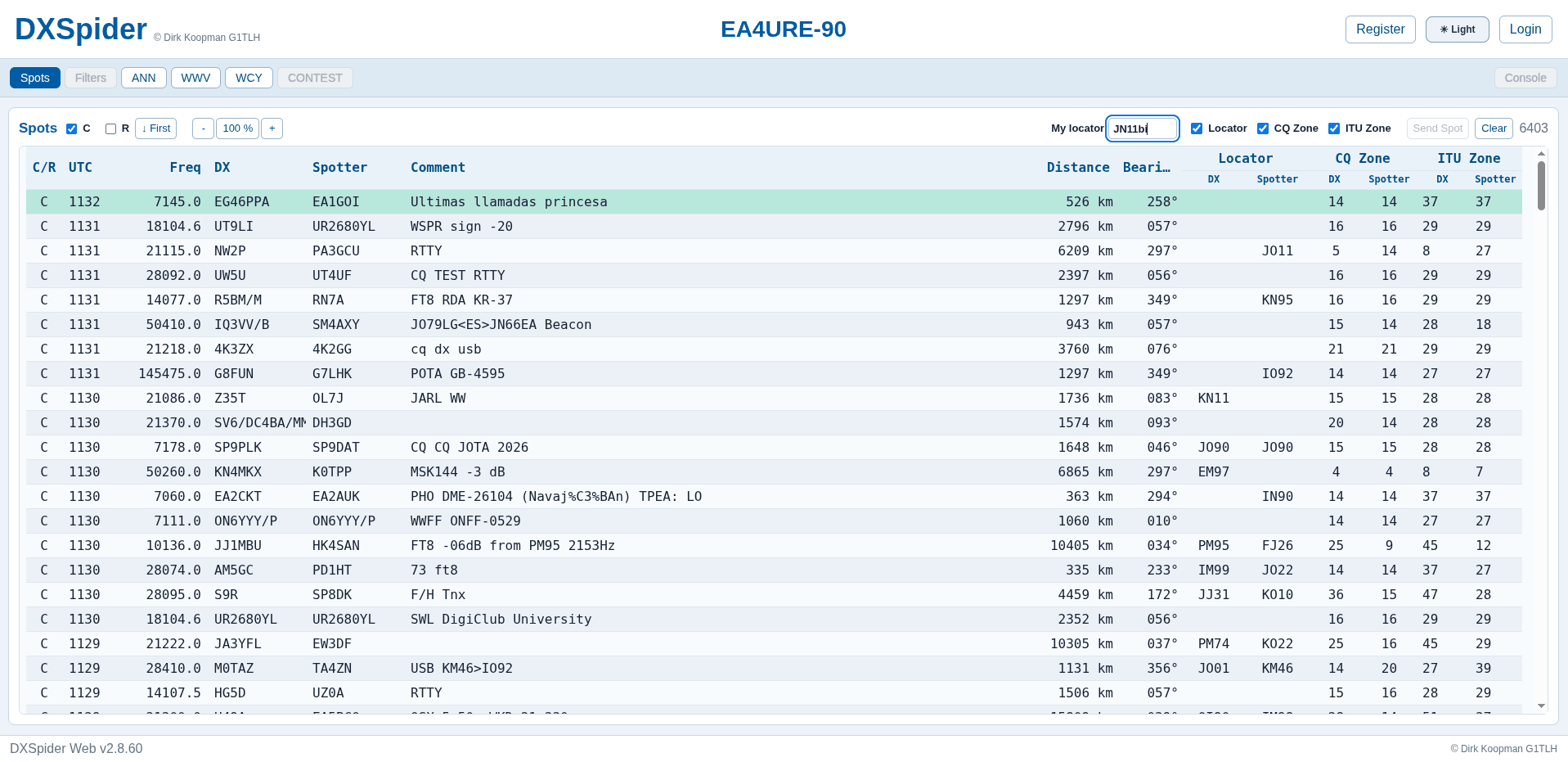
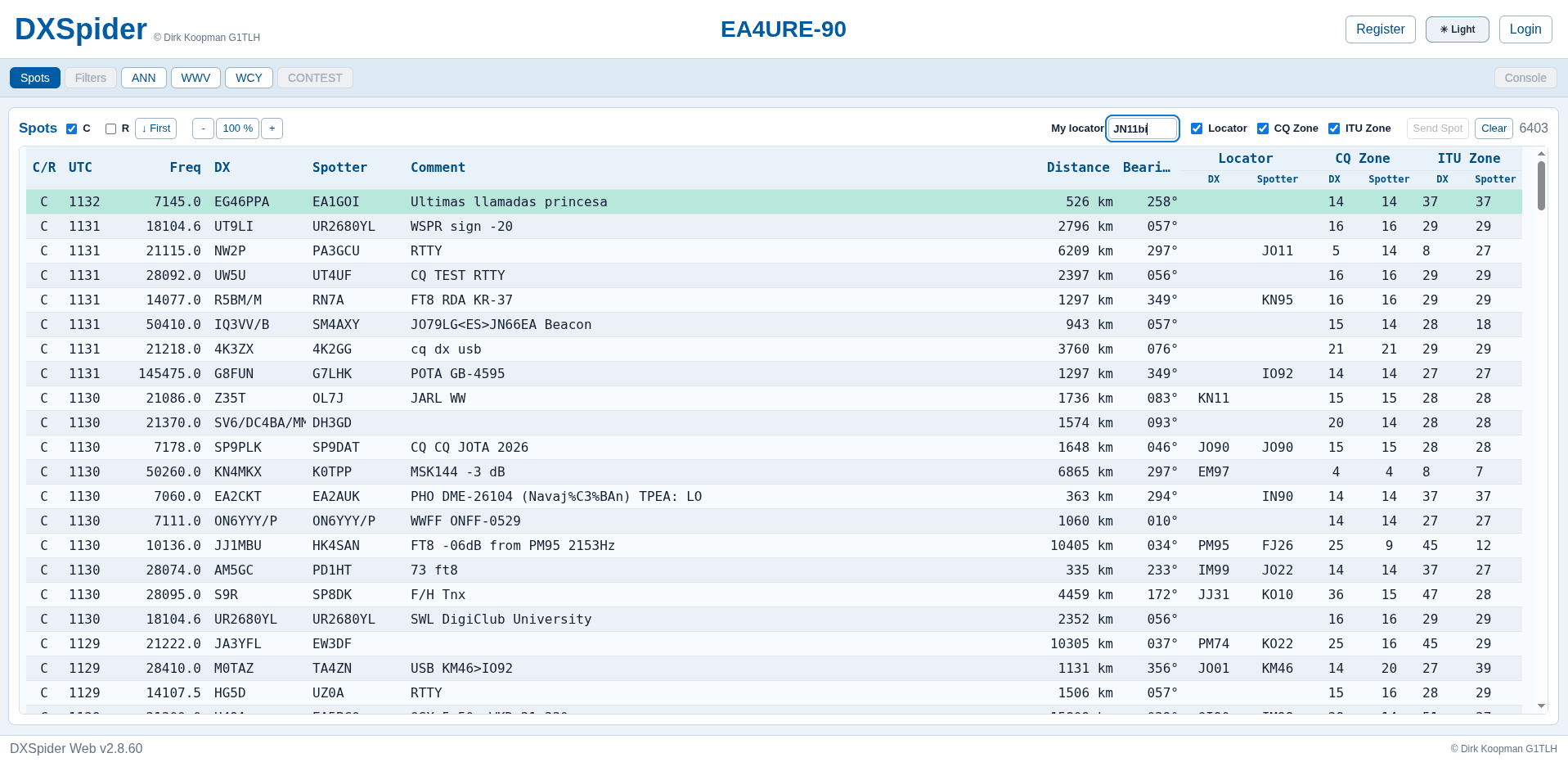
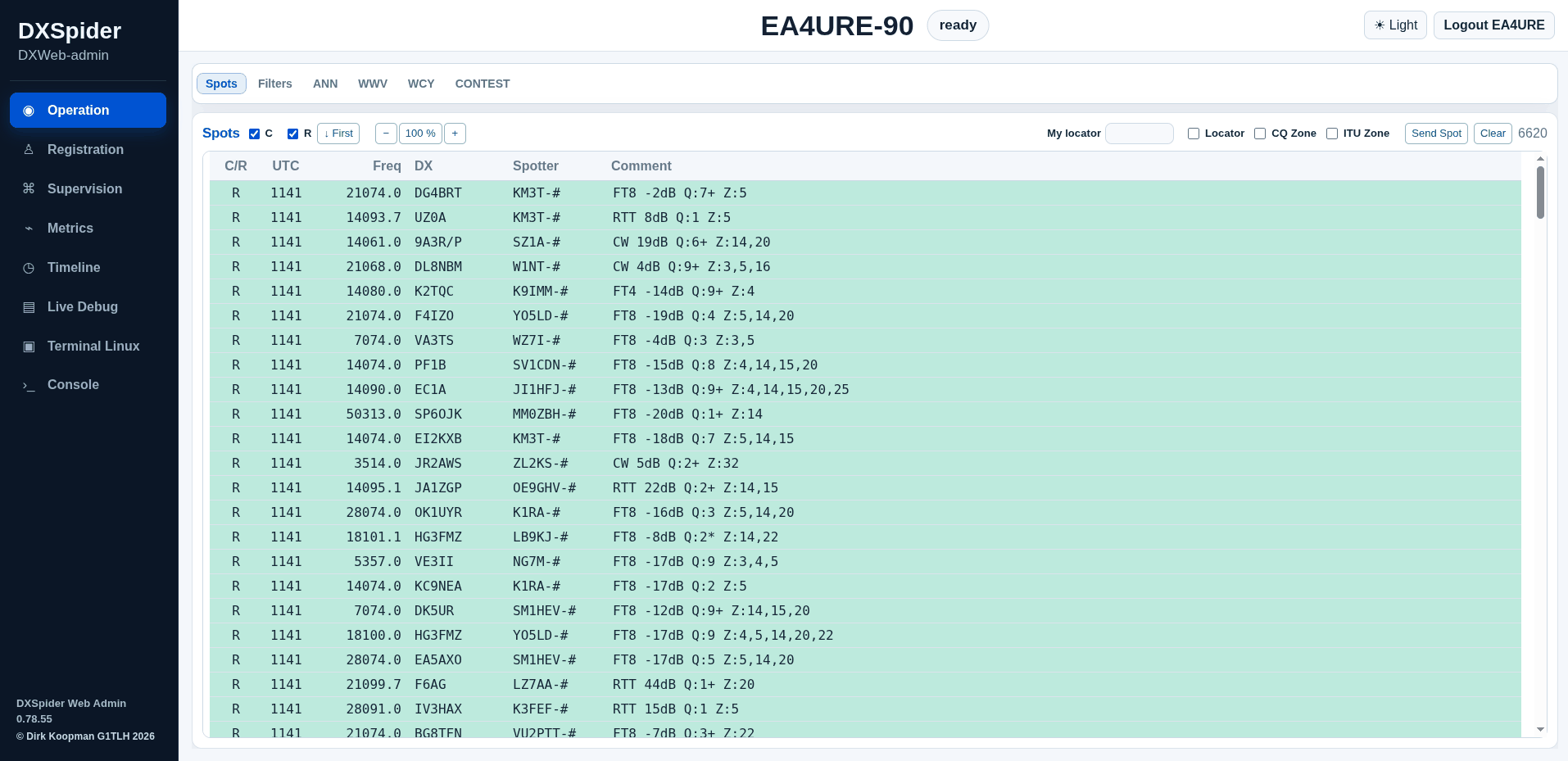
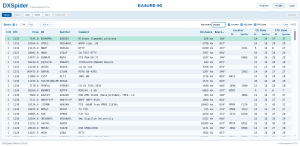
The Spots tab is the home screen and the strongest argument for the project. Each row shows the classic fields (UTC time, frequency, DX callsign, spotter, comment) plus computed columns: distance, beam heading, DX and spotter locators, and DX and spotter CQ and ITU zones. Type your own Maidenhead locator once into the “My locator” box and the distance and bearing columns come alive, which turns a bare frequency list into a rotator steering aid. Font size controls, a spot-order toggle and a live counter round out the bar. In the reference screenshots the software identifies as DXSpider Web v2.8.60 on node EA4URE-90.
Posting a spot is a button, not a command line incantation. The Send Spot control opens the posting flow for logged-in users, and Clear resets the view.
Registration and profiles without sysop intervention
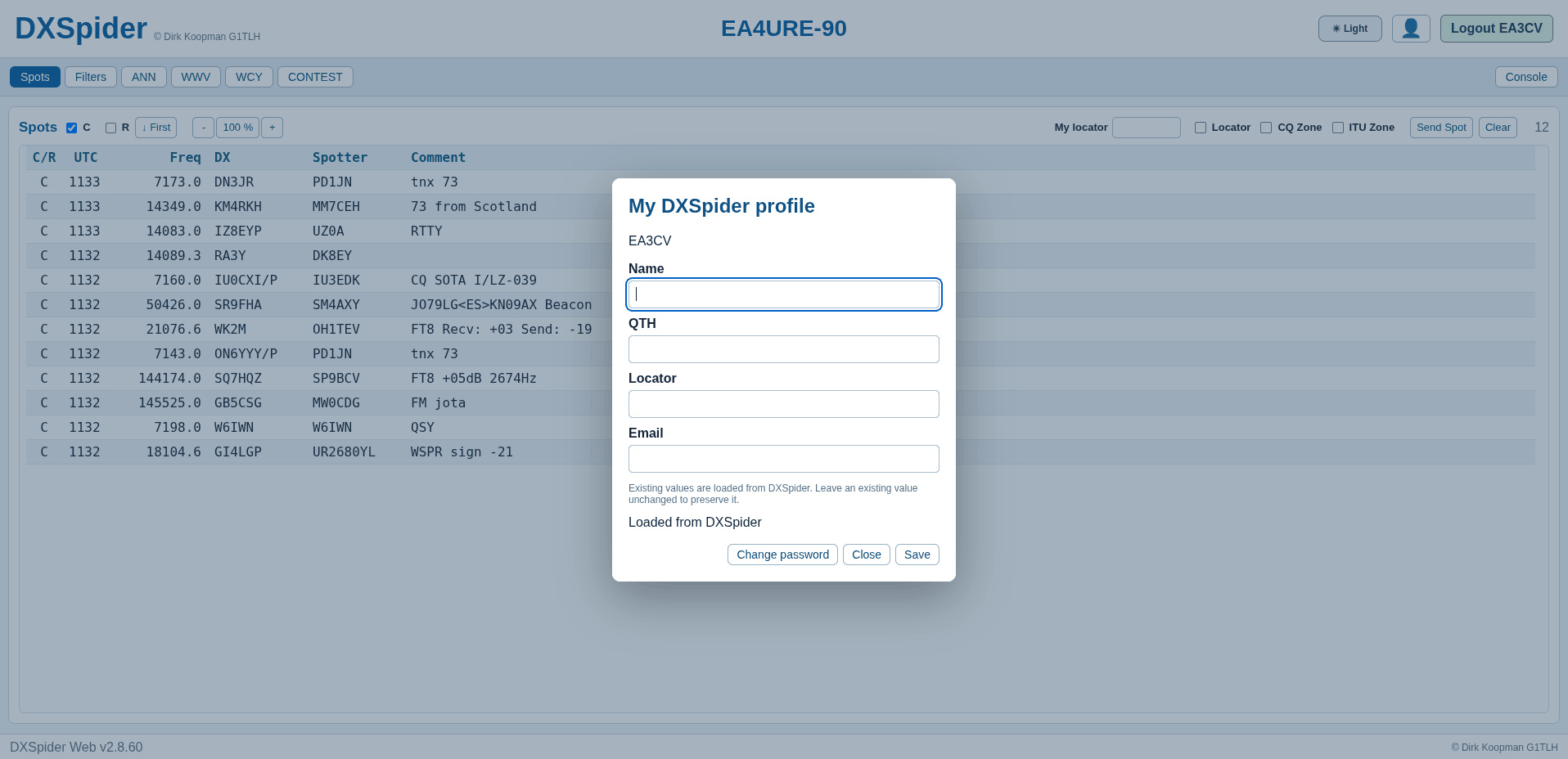
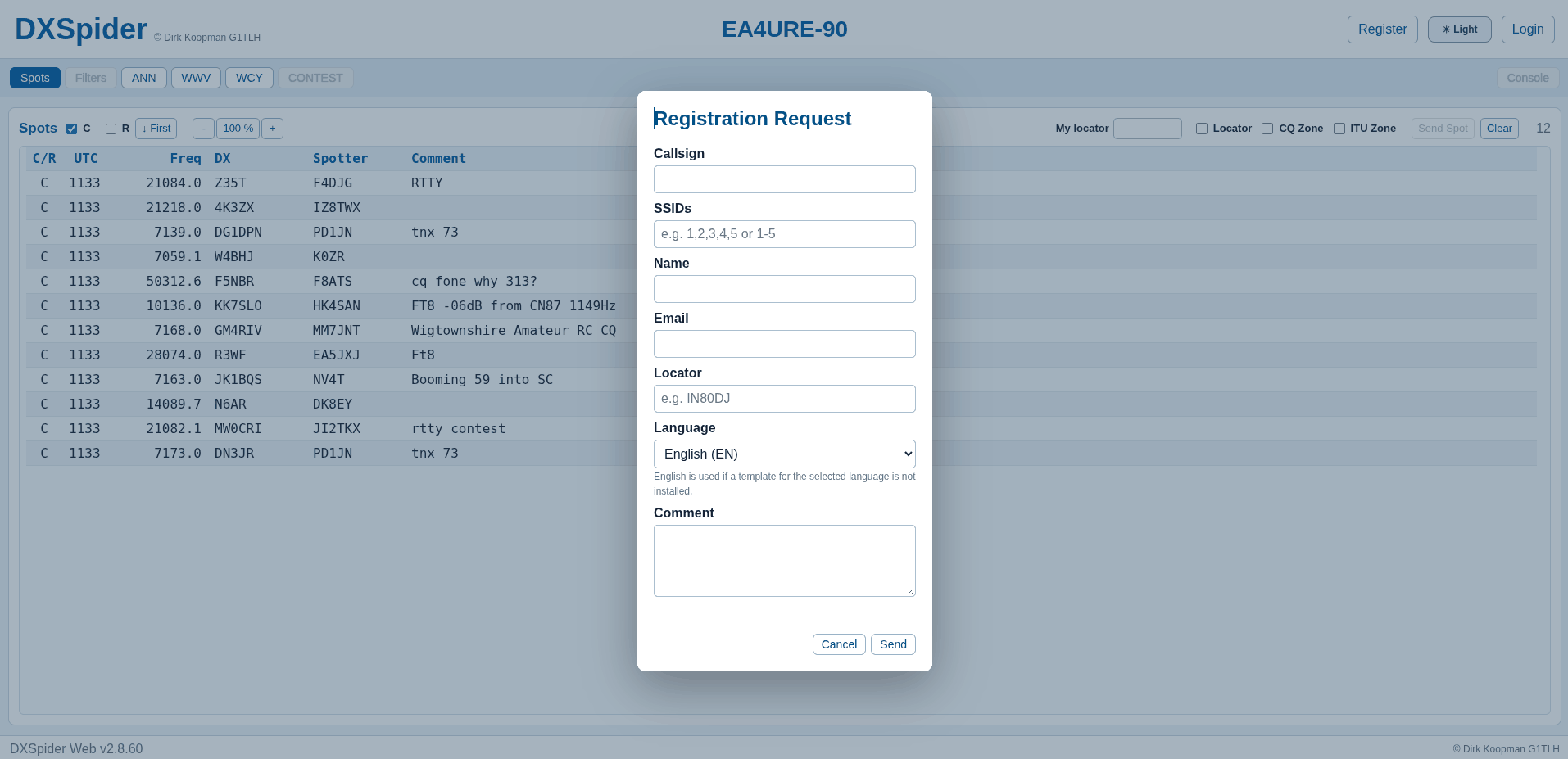
Two dialogs remove the most common reasons newcomers email a sysop. The Registration Request form collects callsign, SSIDs, name, email, locator, language and an optional comment. The profile dialog loads existing values from DXSpider and lets a user update name, QTH, locator and email, with a separate change-password action.
Filters: visual builder with native syntax underneath
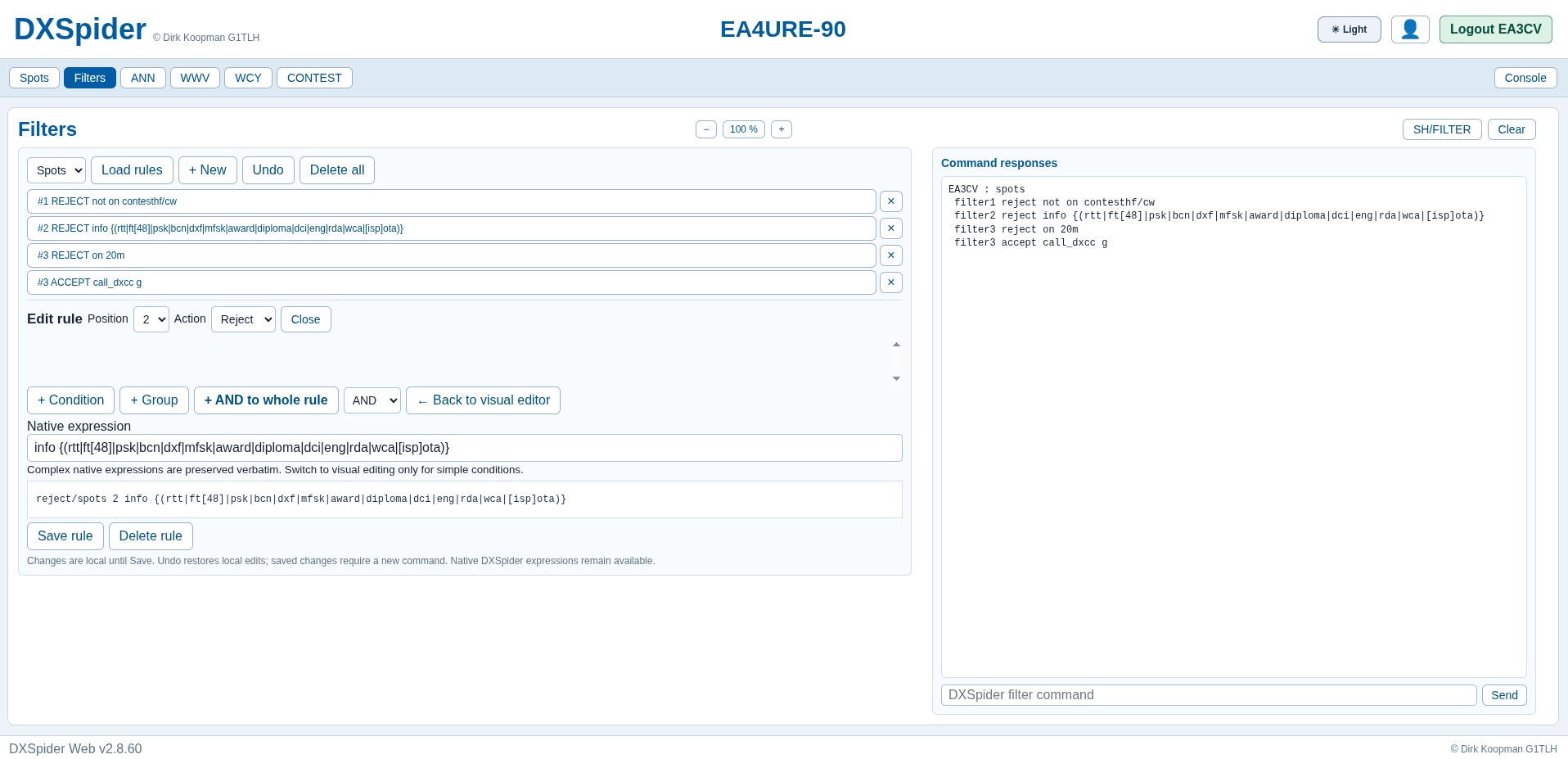
Spot filters are where DXWeb earns its keep for active operators. The Filters tab pairs a rule list with a live command-response pane, so every visual edit shows the exact sh/filter style output the cluster core will enforce. Rules support position ordering, accept and reject actions, conditions, groups and AND logic, plus Load rules, New, Undo and Delete all management actions. A native expression box preserves complex hand-written expressions verbatim, and the generated command line (reject/spots 2 info {...} style) stays visible for learning and debugging. The reference screenshots show working contest, digital-mode and band-rejection rules with a call_dxcc accept rule, exactly the kind of stack a busy station builds before a contest weekend.
Announcements, WWV, WCY and contest calendar
Four more tabs cover the information feeds cluster users check every day:
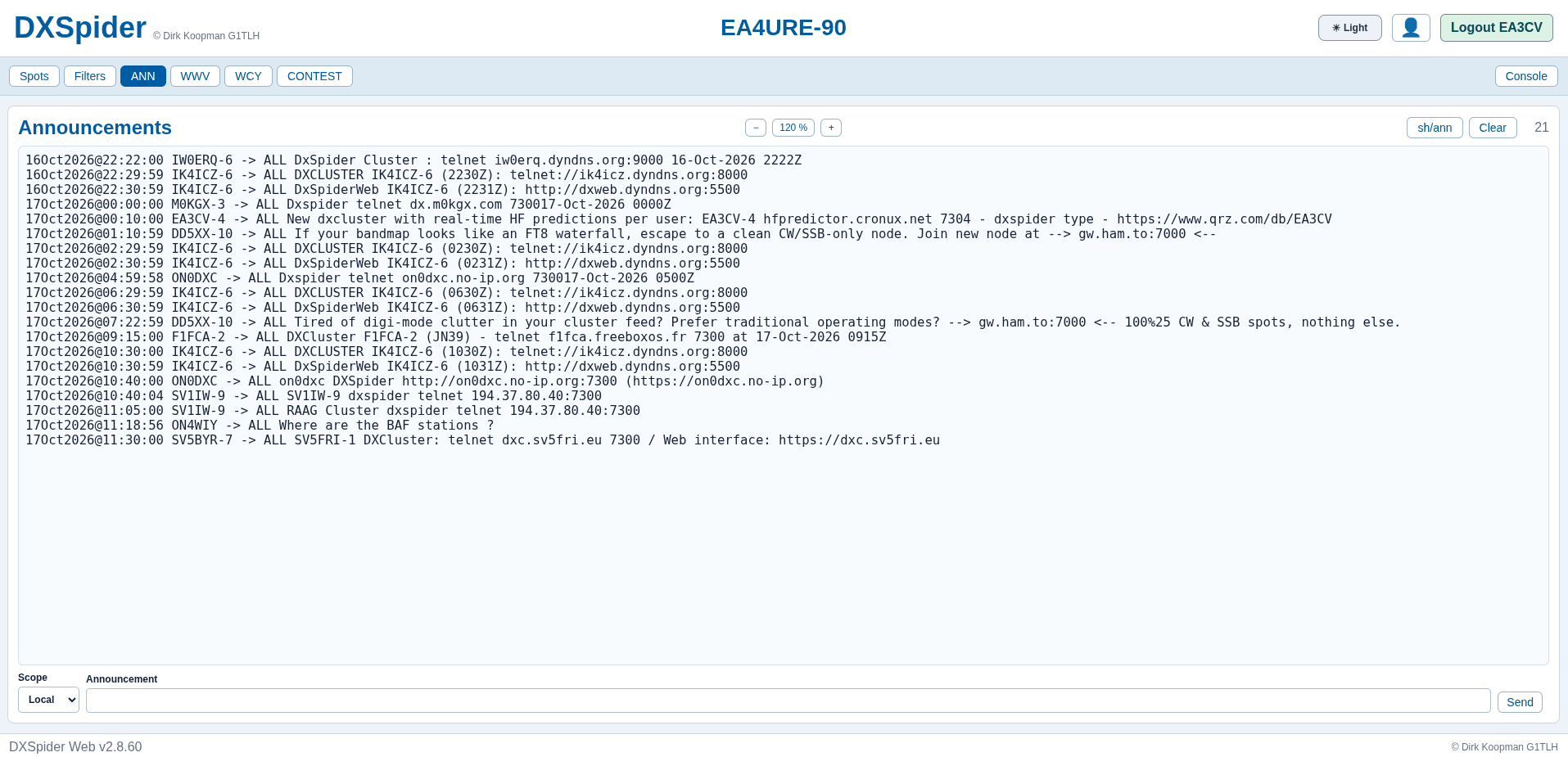
- ANN: node-to-all announcements with timestamps, including new node notices, Web interface URLs and community messages. A scope selector and announcement box let privileged users send their own.
- WWV: solar indices from the WWV feed (solar flux, A and K indices, sunspot numbers, geomagnetic summaries) that drive every HF band decision.
- WCY: the propagation summary feed with quit-line solar data in compact form.
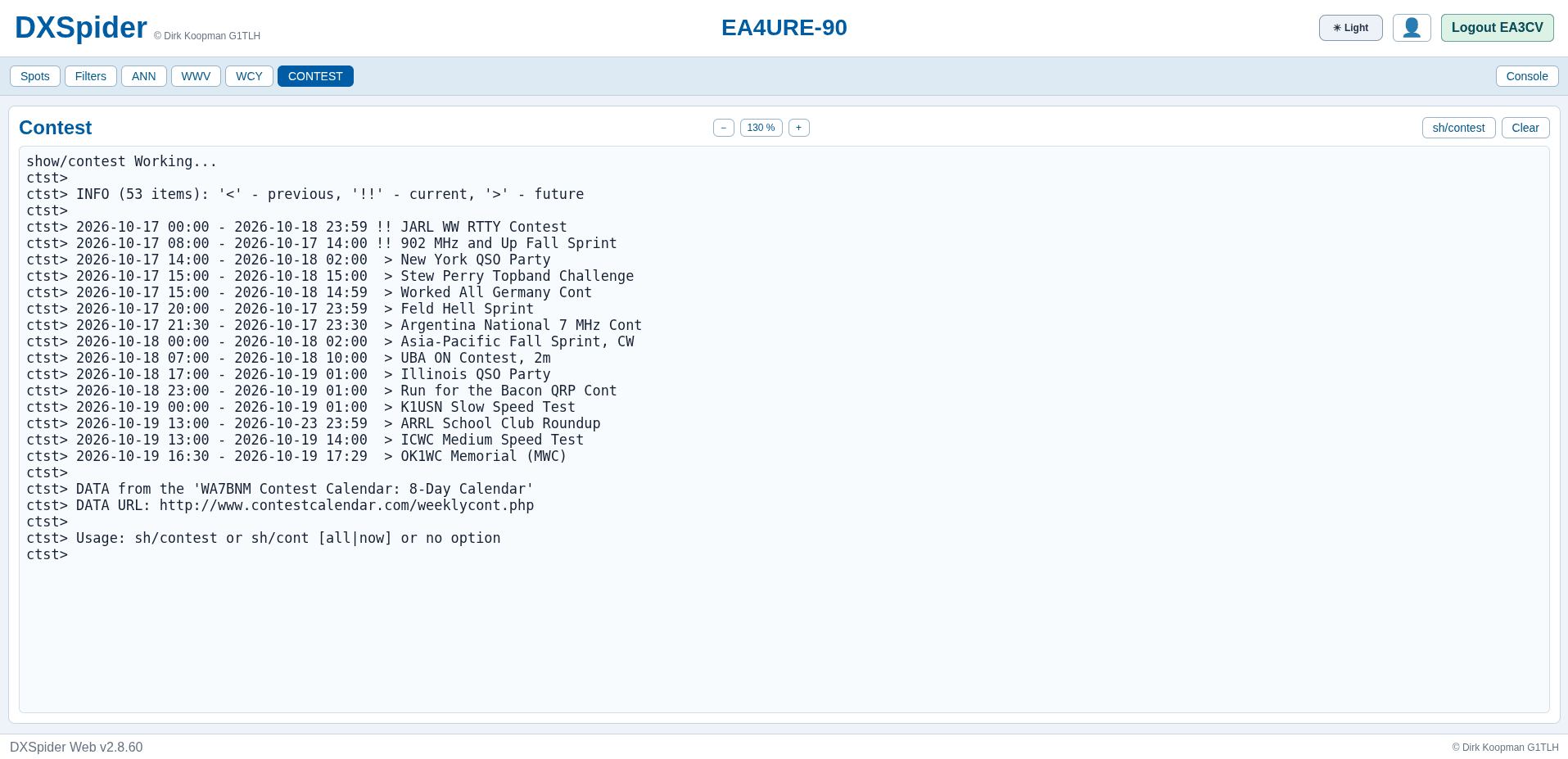
- CONTEST: the WA7BNM contest calendar feed rendered as
sh/contestoutput with past, current and future markers, so the coming weekend (JARL WW RTTY, 902 MHz Sprint, New York QSO Party, Stew Perry Topband, WAG, Feld Hell Sprint and the rest) is one click away without leaving the cluster.
Console: the full cluster, one command box away
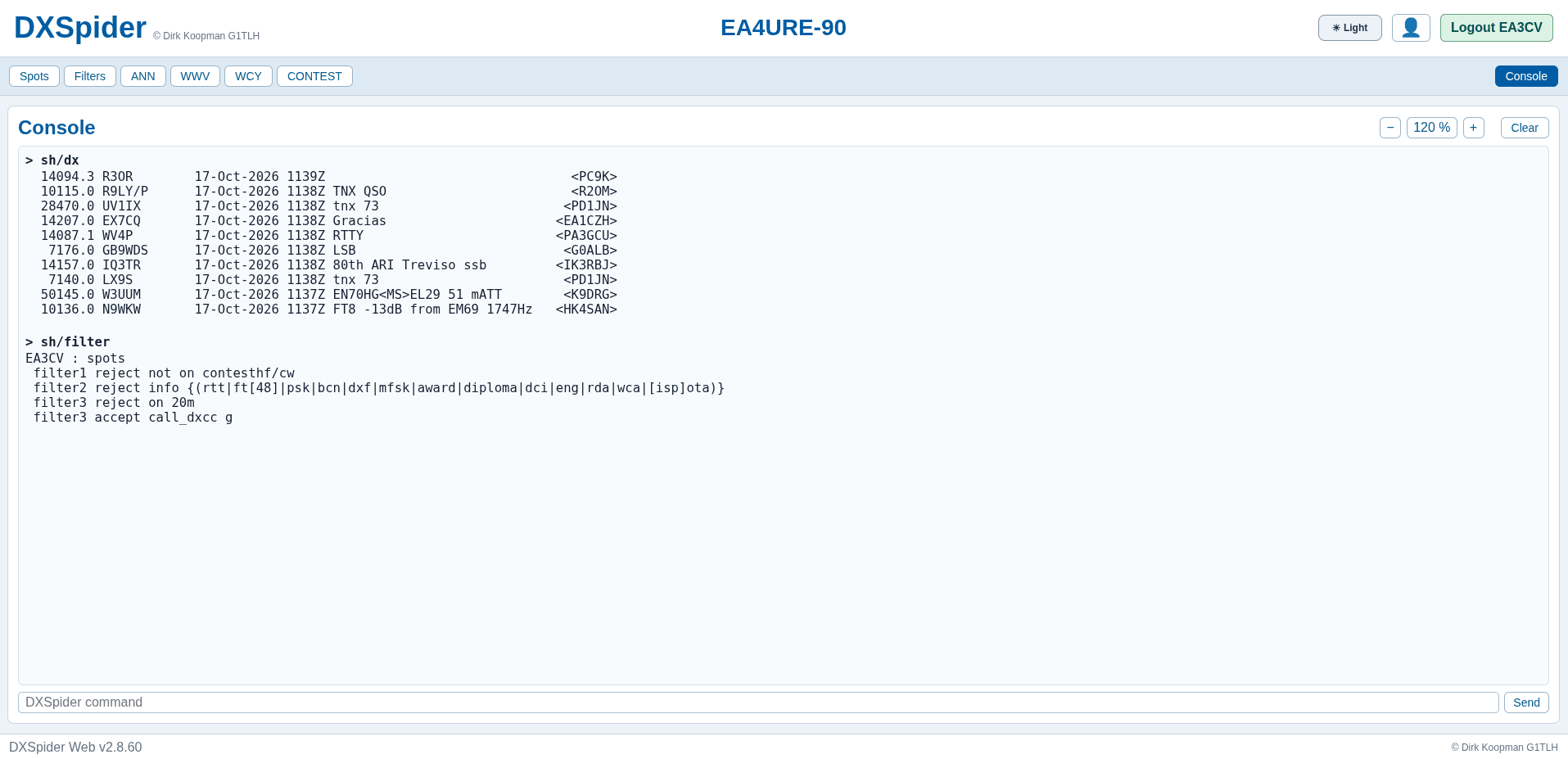
The Console tab is the escape hatch that keeps power users happy. It accepts any DXSpider command (sh/dx, sh/filter, and the rest) and renders monospaced output with font-size controls. Nothing is dumbed down: the visual tabs cover daily work, and the console covers everything else. Authentication state, light and dark theme toggle and logout controls stay visible in the header throughout.
DXWeb Admin: The Sysop Side
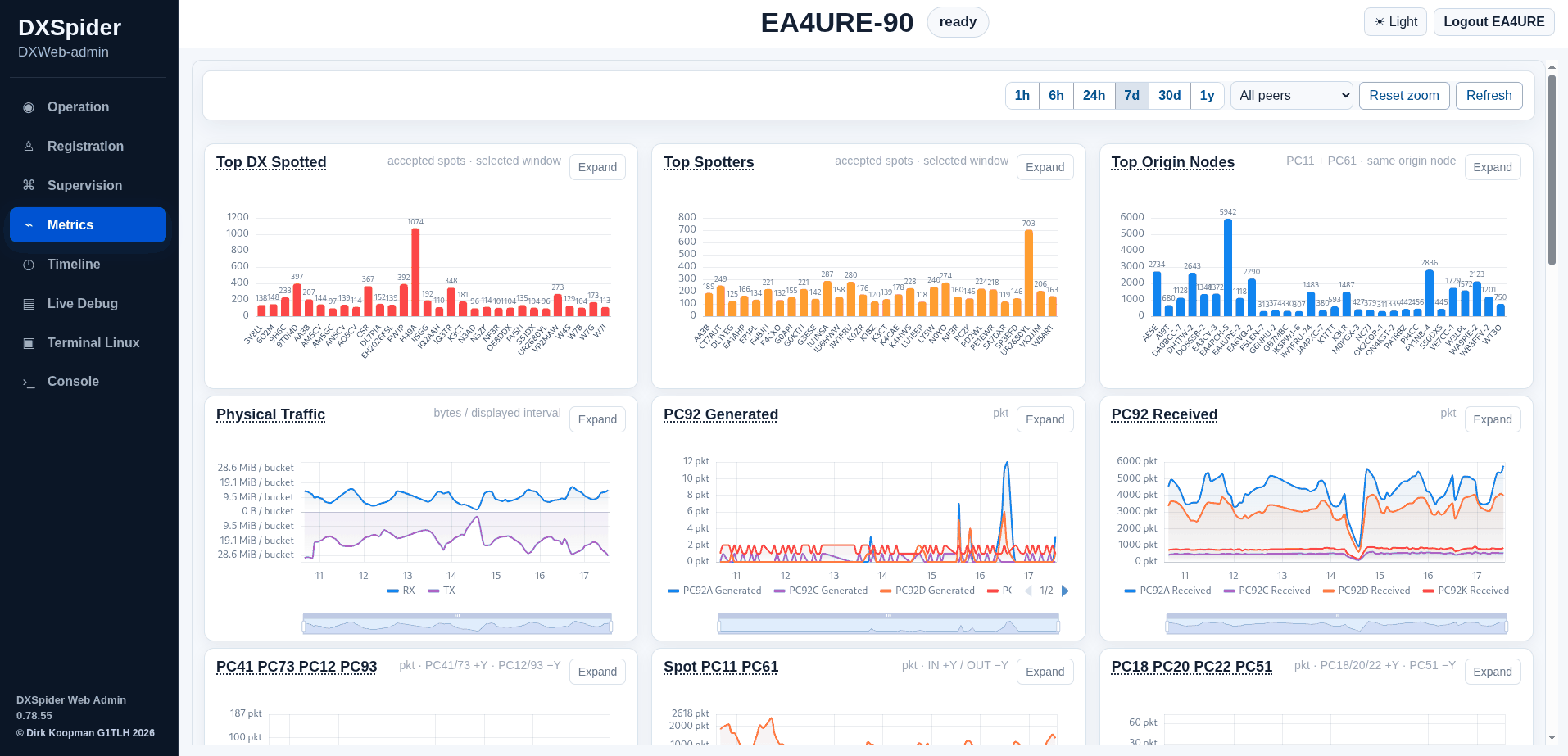
The second application, DXWeb Admin on port 7381, is a supervision and monitoring interface rather than a second spot display. The gallery shows thirteen admin screens covering supervision, metrics, diagnostics, topology, maintenance and console tools. Together with the dxspider_info helper scripts (connection reports, user reports, duplicate-spot search, per-node spot accounting, Telegram bot hooks, MQTT and RBN spot plumbing), it gives a node operator browser-native visibility that previously required log diving on the server.
DXWeb vs the Alternatives
| Feature | DXSpider DXWeb | Plain telnet to port 7300 | Third-party web clusters |
|---|---|---|---|
| Client needed | Any browser | Telnet client or logger integration | Any browser |
| Live spots | Yes, auto-updating table | Yes, scrolling text | Yes |
| Distance and beam heading per spot | Yes, from your locator | Only via scripts | Varies |
| CQ and ITU zones per spot | Yes, DX and spotter columns | Manual lookup | Rarely |
| Visual filter builder | Yes, with native syntax shown | Command line only | Rarely |
| Announcements, WWV, WCY, contest | Built-in tabs | Commands to memorize | Partial |
| Spot posting | Button for logged-in users | dx command syntax |
Account dependent |
| Registration and profiles | Web forms | Sysop assisted | Varies |
| Full command console | Yes, in a tab | Yes, it is the whole interface | Usually no |
| Sysop admin dashboard | Yes, separate DXWeb Admin app | Server shell and logs | No |
| Works with your own node | Yes, ships with DXSpider | Yes | No, tied to their node |
| Cost and license | Free, open source | Free | Free but closed |
The honest summary: third-party websites are fine for casual watching. But they show someone else’s node through someone else’s filters. DXWeb shows your node, your filters and your community, and it teaches newcomers the underlying command syntax instead of hiding it.
Running It on Your Own Node
The short version for sysops, from the shipped docs:
- Track the
testbranch for the stable development line, ortest2if you want the experimental edge. - Follow
dxweb/INSTALL(anddxweb-admin/INSTALLfor the admin side) for the native deployment with systemd unitsdxweb.serviceanddxweb-admin.service. - Keep the defaults first: DXWeb on 7380, Admin on 7381, IntMsg on 127.0.0.1:27754, all on the same host.
- Add the same-host nginx examples only when you need public HTTPS, rebinding the apps to 127.0.0.1:7480 and 7481 so nginx owns the public ports.
- Set
MOJO_REVERSE_PROXY=1only behind your own trusted same-host nginx, and keep backend ports off untrusted networks. - Point testers at the
DXWebscreenshot gallery indxspider_infoso they know what to expect before they log in.
The dxspider_info repository around it is worth a look on its own: connection and disconnection reporters, node and user list generators for mobile apps, per-user connection-time accounting, IN/OUT frame counters, dupe-file search, registration helpers and Telegram notification scripts. Those small Perl tools are what turn a node from an installation into an operation.
Why It Matters
Three groups win here. New hams get a cluster they can use on day one from a phone or laptop with no telnet client and no command memorization, while still seeing the real syntax in the filter pane as they grow. Contesters and DXers get a dense, sortable spot table with the exact columns (distance, heading, zones) that decide whether to spin the beam or stay put. And sysops get a web presence for their node plus an admin dashboard, which lowers the support load that keeps many potential node operators from ever starting. Open infrastructure compounds: every node that deploys DXWeb makes the whole cluster network easier to join.
Frequently Asked Questions
Is DXWeb free and open source?
Yes. DXWeb ships with the DXSpider tree under its open source license, and the EA3CV development fork, docs and screenshot galleries are public on GitHub for anyone to use and study.
Do I need an account to watch spots?
No. Anonymous visitors can receive live spots plus ANN, WWV and WCY feeds. Registration and login unlock spot posting, profiles, filters, the contest feed and the console.
What is the difference between the test and test2 branches?
The test branch carries the main development line and test2 carries more experimental changes. Adventurous testers run test2 and report back; everyone else runs test.
Can I run DXWeb without nginx?
Yes. The default native mode serves DXWeb directly on port 7380 and Admin on 7381. Add the provided nginx examples later when you want public HTTPS on the same host.
Does the web interface replace telnet access?
No. The cluster core still accepts classic telnet and AX.25 connections unchanged. DXWeb is an additional native interface multiplexed over one technical link, with the full command set still available in its Console tab.
Sources and Further Reading
- DXWeb screenshot gallery and helper scripts: https://github.com/EA3CV/dxspider_info/tree/main/DXWeb
- EA3CV DXSpider development fork (test and test2 branches): https://github.com/EA3CV/dxspider
- DXSpider reference site by Dirk Koopman G1TLH: https://www.dxcluster.net/ and http://www.gb7djk.dxcluster.net/
- DXSpider installation, admin, user and filter manuals: https://www.dxcluster.net/
- Public DX cluster telnet directory: http://dxcluster.info/telnet/index.php
- WA7BNM Contest Calendar (contest feed source): http://www.contestcalendar.com/weeklycont.php
73 de 9M2PJU

Post Comment