MM9PDY Codeplug Firmware Flasher: Flash Baofeng, AnyTone and Retevis Radios From Your Browser
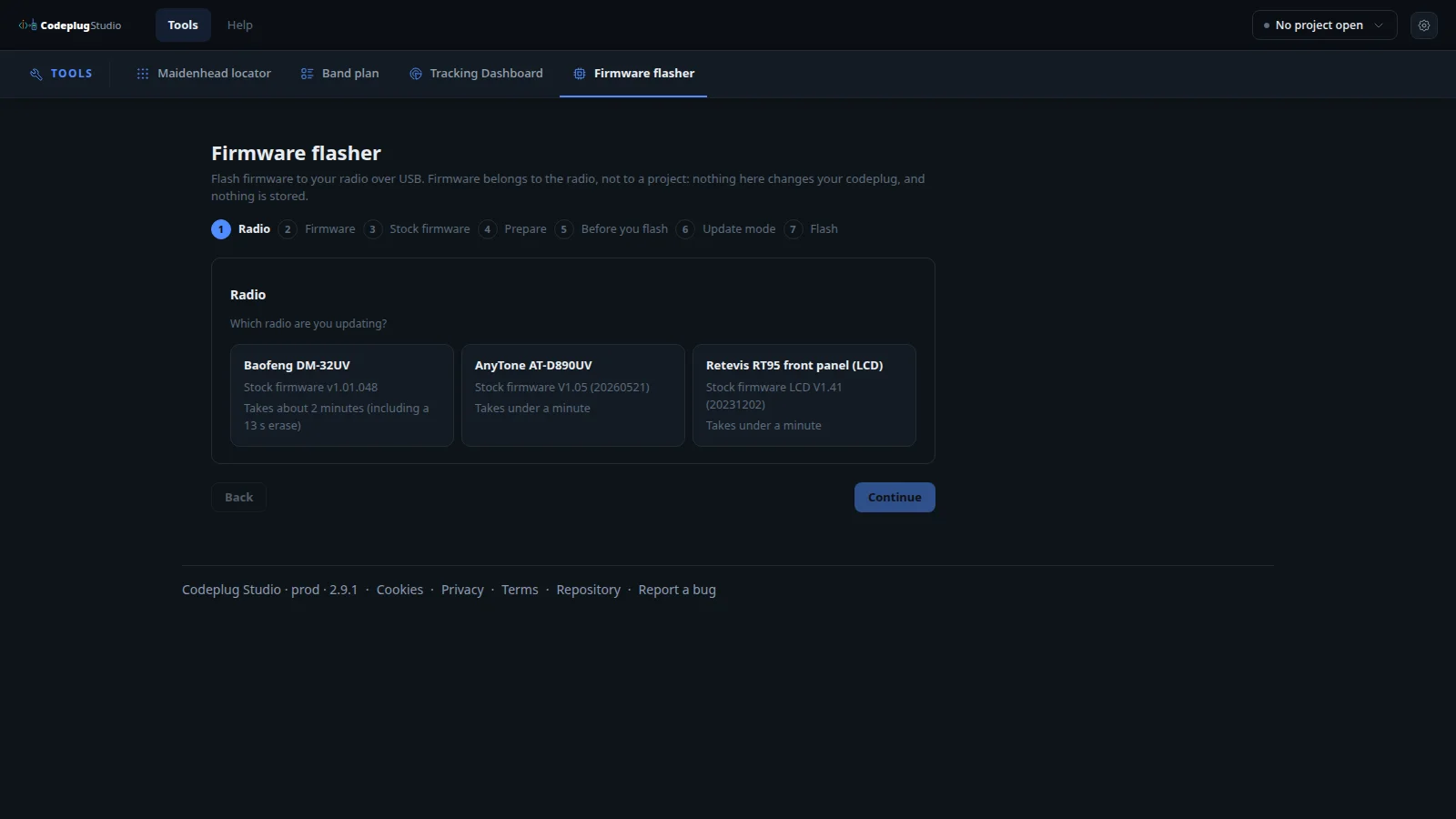
TL;DR: The Codeplug Studio firmware flasher at codeplug.mm9pdy.net/firmware flashes modded or stock firmware to the Baofeng DM-32UV, AnyTone AT-D890UV and Retevis RT95 front panel over USB straight from your browser. Pick the radio, pick MM9PDY modded firmware or vendor stock, drop the vendor ZIP when asked, follow the 7 guided steps, and check the mod version under Device Info. Your codeplug is never touched and nothing is uploaded.
What the Codeplug Studio Firmware Flasher Is
The Codeplug Studio firmware flasher is a browser page that writes radio firmware to supported handhelds and mobiles over USB, with a guided 7-step flow and no vendor programming software needed for the flash itself.
That sentence separates two things newcomers often mix up. A codeplug is the channel, zone, talk group and contact layout in your radio. Firmware is the software inside the radio that reads that layout. The flasher at codeplug.mm9pdy.net/firmware only changes firmware. The page says it plainly: firmware belongs to the radio, not to a project, nothing here changes your codeplug, and nothing is stored. Codeplug editing lives on the Studio home page. Firmware lives here.
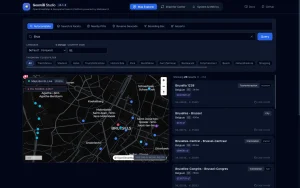
The tool is part of Codeplug Studio by Peter Skillen, MM9PDY, built in the open at pskillen/codeplug-studio. Studio prod at time of writing is 2.9.1. The studio is a browser codeplug designer: keep one master library of channels, talk groups and contacts, assemble one build per radio, then write the radio over Web Serial or export CPS-ready CSVs. Your projects stay in your browser with no account and no server database. The firmware flasher follows the same privacy rule.
A Short History: Why Browser Flashing Exists
Vendor CPS and the cable drawer era
Every DMR owner knows the drill: find the right vendor CPS version, find a working cable driver, match firmware to CPS, and hope a Windows update didn’t break the COM port. Baofeng, AnyTone and Retevis each ship their own loaders with their own quirks. Stock firmware files often arrive as ZIPs from vendor buckets with exact binary names the loader expects.
OpenGD77 proves open firmware can win
The OpenGD77 project showed what community firmware can do on cheap DMR hardware: better scan behavior, better menus and honest release notes. It also showed the cost: a separate flash tool, manual driver setup and real brick risk for beginners. That set the bar for the next step.
Web Serial and WebUSB remove the installer
Modern Chromium browsers can talk to radios directly over Web Serial and WebUSB with user permission per device. Studio already uses Web Serial to write codeplugs to 7 radio families, from the Baofeng UV-5R Mini to the AnyTone AT-D890UV, and to export CHIRP, OpenGD77, DM32 and Anytone CSVs plus NeonPlug packages. The firmware flasher extends the same idea to the firmware itself: no installer, no driver hunt on most systems, guided steps in one tab.
The 7-Step Flow
Every flash follows the same numbered rail at the top of the page:
- Radio
- Firmware
- Stock firmware
- Prepare
- Before you flash
- Update mode
- Flash
Start over is always one click away. Here is what each step asks.
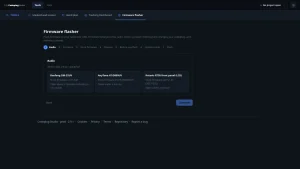
Step 1: which radio are you updating
Three cards at time of writing, each with its stock version and honest time estimate:
| Radio | Stock version shown | Time estimate |
|---|---|---|
| Baofeng DM-32UV | Stock firmware v1.01.048 | About 2 minutes including a 13 s erase |
| AnyTone AT-D890UV | Stock firmware V1.05 dated 20260521 | Under a minute |
| Retevis RT95 front panel, LCD | Stock firmware LCD V1.41 dated 20231202 | Under a minute |
Pick one and press Continue. The rest of the flow adapts to that radio.
Step 2: choose what to put on the radio
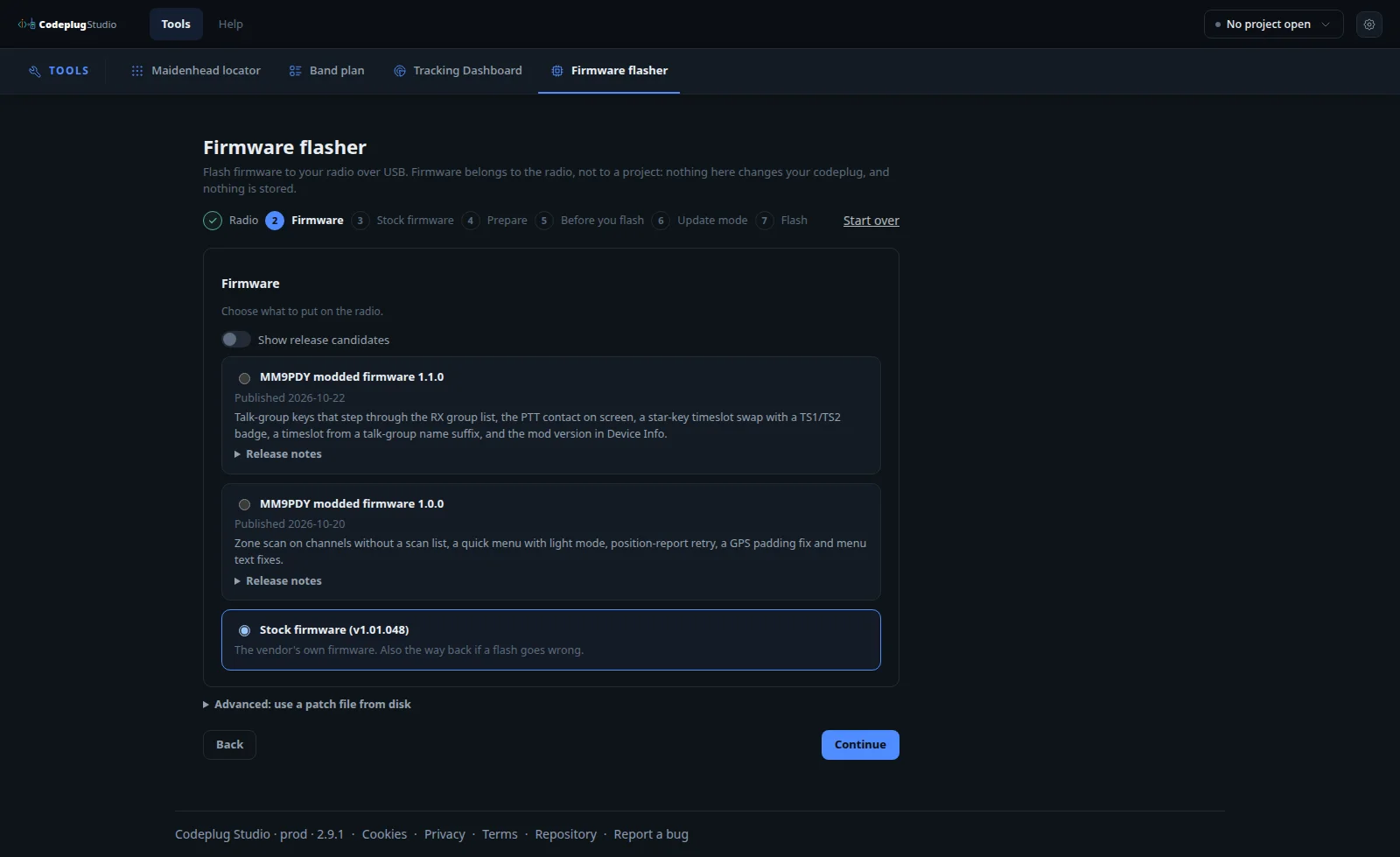
This is the interesting screen. Each radio offers MM9PDY modded builds, the vendor stock build as the way back, and an advanced option to use a patch file from disk. A Show release candidates toggle reveals test builds. Every modded build carries a publish date and a Release notes link. Details for the DM-32UV and AT-D890UV are below.
Step 3: stock firmware, only when it matters
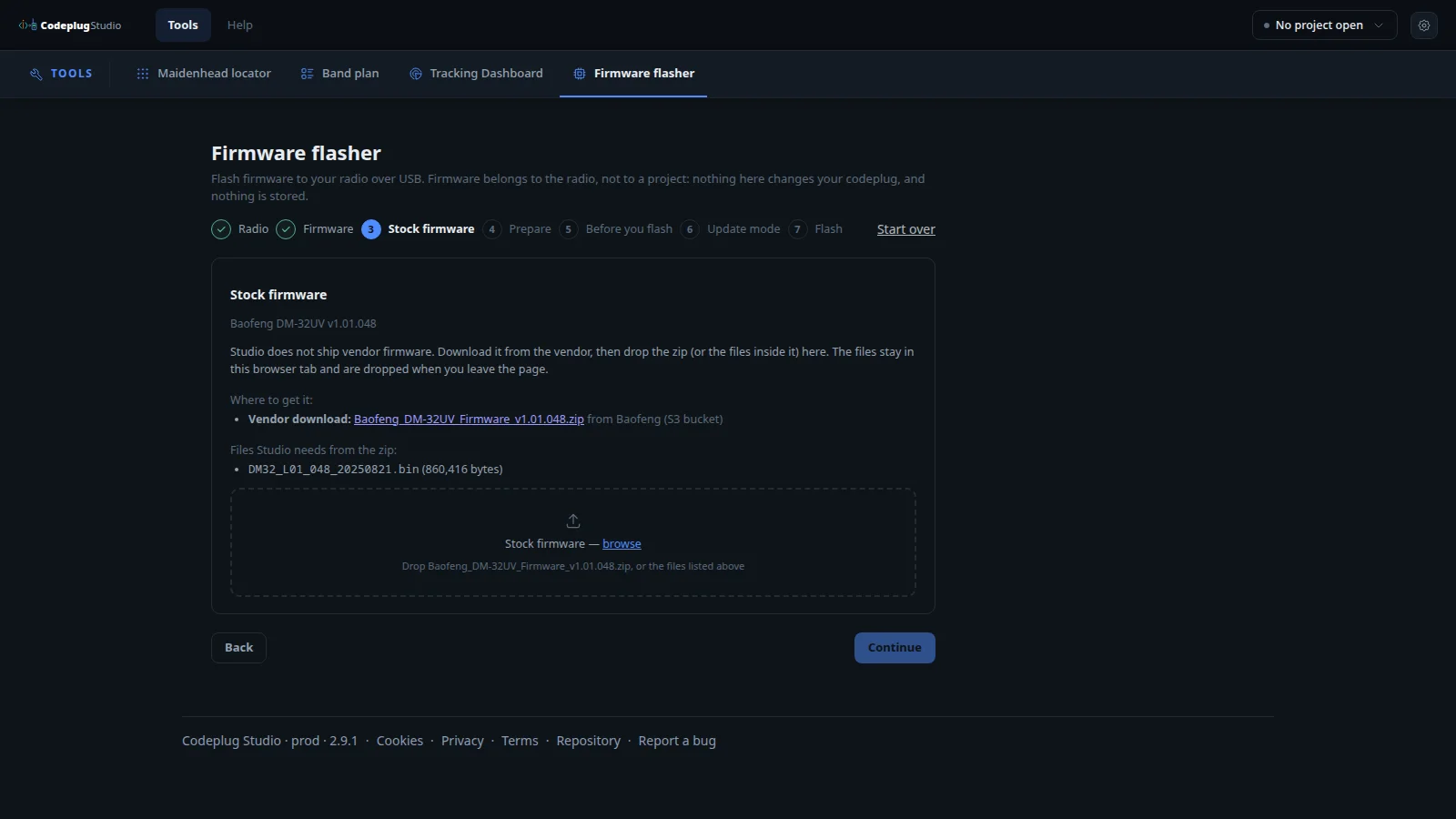
Studio doesn’t ship vendor firmware, for licensing reasons. When your path needs it, such as restoring stock or building a patch base, the page asks you to download the vendor ZIP yourself and drop it, or the files inside it, onto the target. The example for the DM-32UV names the exact file: DM32_L01_048_20250821.bin at 860,416 bytes inside Baofeng_DM-32UV_Firmware_v1.01.048.zip from the Baofeng bucket. Files stay in the browser tab and are dropped when you leave the page.
Steps 4 to 7: prepare, confirm, update mode, flash
Prepare tells you what to have ready, Before you flash states the risks and asks for explicit confirmation, Update mode walks you into the bootloader key combo for that radio, and Flash runs the erase and write with progress. Times above are realistic on a good cable: seconds of erase plus a minute or two of writing on the DM-32UV, under a minute on the AT-D890UV and RT95 panel.
Baofeng DM-32UV Modded Firmware: What 1.1.0 and 1.0.0 Add
The DM-32UV is the deepest bench of the three, with two stable modded releases at time of writing.
MM9PDY modded firmware 1.1.0, published 2026-10-22
- Talk-group keys that step through the RX group list. On a digital channel with an RX group list, the keys marked TG Prev and TG Next in CPS step through its members, and PTT calls the one you picked. Nothing is saved: power off and every channel is back to its own contact.
- See who you’re calling. On a digital channel the line under the channel name shows the contact PTT will call instead of the frequency.
- Star-key timeslot swap. A short press of star on a digital repeater channel swaps TS1 and TS2 until you change channel, step talk group or power off. On analogue channels star still toggles NOAA weather.
- Timeslot badge. TS1 or TS2 next to the DIG badge shows the slot the radio is actually using.
- Timeslot from a talk-group name suffix. A contact named for example Scotland TS2 switches to that slot when you step to it, and the name shows without the suffix.
- Mod version stamp.
mm9pdy-1.1.0appears at the bottom of the boot screen and under Settings, Device Info, Versions.
Known limits listed honestly on the release notes: while scanning the second line shows the frequency rather than a talk-group name, after a channel change the frequency can flash briefly before the contact name appears, any contact name ending in ts1 or ts2 sets the slot with no off switch, and in dual watch with both sides on the same channel a star swap can sometimes outlive a channel change on one side.
Check it worked: Settings, Device Info, Versions should show mm9pdy-1.1.0 under Baofeng DM32.01.L01.048.
MM9PDY modded firmware 1.0.0, published 2026-10-20
- Zone scan on channels without a scan list.
- Quick menu with light mode.
- Position-report retry and a GPS padding fix.
- Menu text fixes.
Pick 1.1.0 for the talk-group stepping and timeslot work. Pick 1.0.0 only when you want the smallest change from stock behavior.
Going back to stock on the DM-32UV
Flash stock v1.01.048 from this same page, or use the official CPS. That round trip is why step 3 asks for the vendor ZIP: the page never stands between you and the vendor build.
AnyTone AT-D890UV Modded Firmware: The 1.x Series
The AT-D890UV list is longer, five modded builds at time of writing, newest first:
| Build | Published | Headline fixes and features |
|---|---|---|
| 1.3.0 | 2026-10-29 | Fixes Display Func, Key Func and DMR Func menus showing two extra rows, plus graph screens and S-meter bar flashing black |
| 1.2.1 | 2026-10-27 | S-meter and channel-distance fixes, Busy Lock following the timeslot in use, two new Bluetooth menu rows for knob volume and internal mic with headset |
| 1.2.0 | 2026-10-26 | Channel distance readout, S-meter with spectrum and signal history, zone-scan resume time, volume ranges with volume bar, timeslot fixes, single-display layout |
| 1.1.0 | 2026-10-22 | TG Next and TG Previous during a call, scan stop that keeps the talk group you heard, timeslot per RX group member, talk group and zone on screen, Mod Ver item in Device Info |
| 1.0.0 | 2026-10-20 | Talk-group keys, star-key timeslot toggle, quick filters menu, whole-zone scan, release name on the power-on screen |
Practical read: 1.2.0 is the display upgrade with the spectrum S-meter and history, 1.2.1 fixes what 1.2.0 touched plus Bluetooth audio control, and 1.3.0 is the menu cleanup release. For a daily driver, newest stable is the sane pick. For net control demos of talk-group stepping, 1.1.0 notes describe the flow best.
Retevis RT95: Front Panel LCD Firmware
The third card covers the RT95 front panel LCD at V1.41 dated 20231202, under a minute to flash. This is the control-head firmware rather than the RF deck, which matters for mobile installs where the head sits on the dash and the body hides under a seat. Same 7-step flow, same stock restore path, same rule that your channel layout is untouched.
Before You Flash: Safety Checklist That Prevents Bricks
- Use a known good data cable, ideally short and direct to the computer rather than through a hub. Most failed flashes are power or cable issues, not firmware bugs.
- Charge or power the radio properly. Don’t flash a handheld on a nearly dead battery.
- Close the vendor CPS and any other tab holding the serial port. Only one page can own the port at a time.
- Read the Before you flash screen fully. It states what will be erased and how to enter update mode for your exact radio.
- Know your way back. For the DM-32UV that means having the vendor v1.01.048 ZIP ready. For the AT-D890UV it means V1.05 dated 20260521. For the RT95 panel it means LCD V1.41.
- Don’t unplug mid-erase. The 13 s erase on the DM-32UV is the danger window. Wait for the page to say it is safe.
- After flashing, verify under Device Info, Versions before reprogramming channels.
Codeplug vs Firmware: Keep Them Straight
| Item | What it is | Where it lives in Studio | Flasher touches it |
|---|---|---|---|
| Codeplug | Channels, zones, scan lists, talk groups, contacts | Home page projects, builds, Web Serial write, CPS CSV export | No |
| Firmware | Radio operating software, menus, DMR features | Firmware flasher page only | Yes |
| Stock restore | Vendor binary from vendor ZIP | Firmware step 3 drop target | Uses it as base or target |
A typical session order: flash modded firmware first, verify the version stamp, then write or import your codeplug build with talk groups that use the new features such as the TS2 name suffix.
Studio Context: Why This Page Fits the Bigger Tool
The flasher makes more sense inside full Studio. You curate one library, pull repeaters from UK Repeater, BrandMeister, IRTS Ireland or RepeaterBook, contacts from RadioID.net and airband from OpenAIP, assemble builds per radio with the right zone and scan model, then write over Web Serial or export DM32, Anytone, OpenGD77 or CHIRP CSVs. Satellite keps fetch and pass prediction with write to the AT-D890UV over Web Serial are already shipped. Google Drive save and load are shipped. Import from vendor CPS files isn’t supported yet, so treat Studio YAML as the master copy.
Support table at time of writing covers 7 radios for direct write: UV-5R Mini, UV-21Pro V2, RT95 VOX, DM-32UV, DM-1701 and RT-84, MD-9600 and RT-90, plus AT-D890UV. Zones, scan lists, multi talk group per channel and digital APRS vary per radio the way the hardware does.
Comparison: Flasher vs Vendor CPS vs Community Firmware Tools
| Method | Installer | Stock restore | Modded features | Codeplug edit | Best for |
|---|---|---|---|---|---|
| Codeplug Studio flasher | None, Chromium tab | Guided, vendor ZIP drop | Yes, MM9PDY builds with notes | Separate Studio page | Fast safe flash plus readable release notes |
| Vendor CPS plus loader | Yes, per vendor | Yes, native | No | Yes, native | Warranty work and exact vendor behavior |
| OpenGD77 tools | Yes, per family | Family images | Yes, deep | CPS plus extras | GD77 family radios needing full open stack |
| CHIRP | Yes, cross platform | No, settings only | No | Yes, analogue focus | Quick analogue channel loads |
Ham Use Cases Worth Trying
- DMR net control on the DM-32UV: step the RX group with TG Next and TG Previous during the call, glance at the PTT contact line to confirm who you will answer, star-swap timeslots without menu diving.
- BrandMeister roaming prep: name key contacts with TS1 or TS2 suffixes where the repeater needs it, then verify the badge flips as you step.
- AT-D890UV portable spectrum check: use the 1.2.0 spectrum S-meter and history to judge a hilltop before calling, with zone-scan resume tuned so you don’t miss callbacks.
- Club fleet restore night: one laptop, one cable, stock ZIPs on disk, every loan radio back to known vendor firmware in under a minute each except DM-32UV units.
- SOTA and POTA bag: flash at home, verify the mod stamp, export the DM32 or Anytone CSV for the summit codeplug, carry the vendor ZIP offline as the bailout.
Frequently Asked Questions
Will flashing change my channels and zones?
No. Firmware and codeplug are separate. The flasher states your codeplug is untouched. Re-check one zone after flashing as good practice.
Which browsers can flash a radio?
Chromium based browsers with Web Serial and WebUSB permission prompts. Plug the cable in, allow the device when asked, and keep only one tab holding the port.
Where do I get vendor stock firmware?
From the vendor download for your exact model. Studio never ships it. Drop the ZIP on step 3 and files stay only in that tab.
How do I confirm the mod installed?
Open Settings, Device Info, Versions on the radio. The MM9PDY stamp such as mm9pdy-1.1.0 should sit under the vendor base version.
Can I go back to stock if I dislike it?
Yes. Pick the stock build on step 2 and flash it the same way, or use the official vendor CPS. Keep the vendor ZIP before you start.
Sources and Further Reading
- Firmware flasher: https://codeplug.mm9pdy.net/firmware
- Codeplug Studio home: https://codeplug.mm9pdy.net/
- Studio repository: https://github.com/pskillen/codeplug-studio
- Baofeng DM-32UV release notes in the flasher release notes dialogs
- AnyTone AT-D890UV release notes in the flasher release notes dialogs
- BrandMeister repeater and talk group directory: https://brandmeister.network/
- RadioID.net DMR contacts: https://radioid.net/
- OpenGD77 community firmware: https://www.opengd77.com/
- CHIRP radio programming: https://chirpmyradio.com/
73 de 9M2PJU. Flash the firmware in the browser, keep the vendor ZIP handy, and let the star key do the timeslot work.

Post Comment