DNS.GORGON.MY: The Complete Setup Guide to Malaysia’s Unfiltered Public DNS Resolver
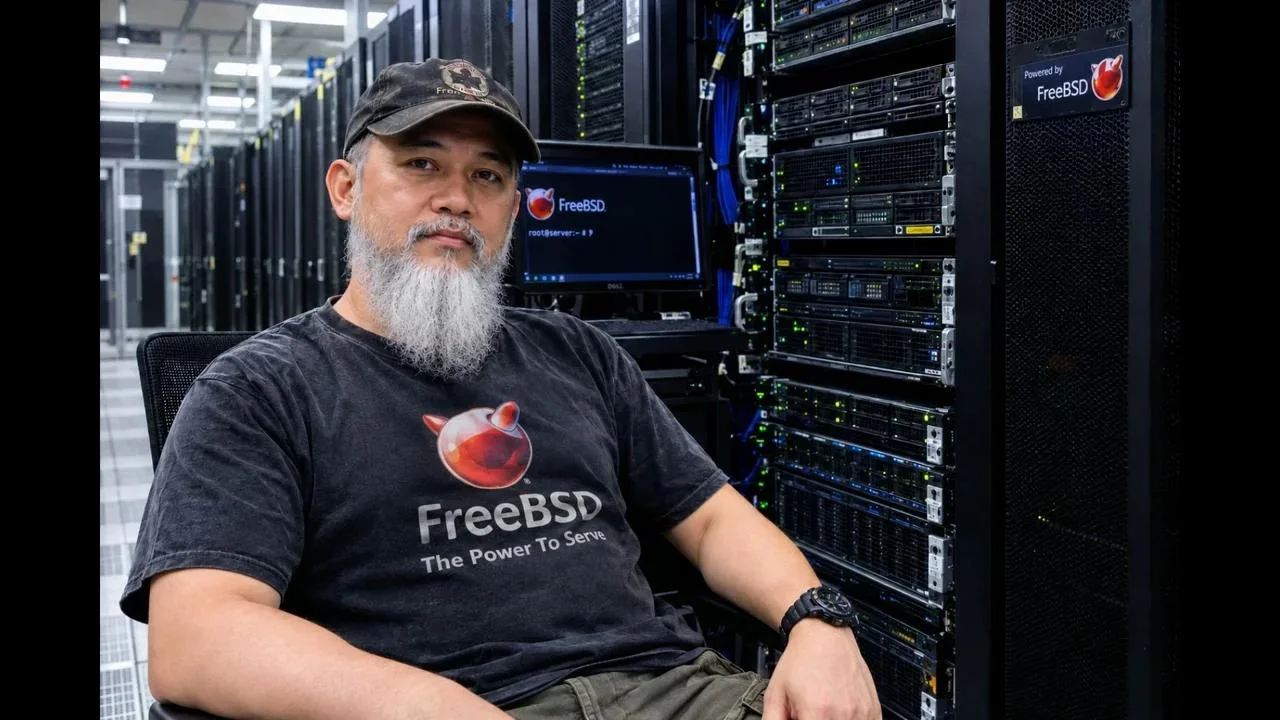
Domain Name System (DNS) resolution forms the operational backbone of every network transaction across the global internet. Every web request, secure email transmission, and remote API call begins with a recursive query to translate human-readable domain names into routable internet protocol (IP) addresses. In Malaysia, the vast majority of consumer and enterprise internet connections rely by default on the recursive resolvers maintained by their local commercial Internet Service Providers (ISPs). While functionally adequate for basic web browsing, default ISP resolvers frequently introduce several well-documented liabilities: aggressive domain filtering, transparent DNS redirection, erratic query latency during peak peering congestion, and commercial logging practices.
To address these structural concerns and provide an independent, high-performance domestic alternative, the open-source community at MyBSD Malaysia established DNS.GORGON.MY. Deployed directly within the Malaysia Internet Exchange (MYIX) core data centre facility in Kuala Lumpur, DNS.GORGON.MY operates as a free, publicly accessible recursive DNS resolver. The service provides dual-stack IPv4 and IPv6 support, strict DNSSEC cryptographic validation, zero commercial filtering, and complete neutrality without subscriber telemetry logging.
The resolver has achieved international validation, earning a 100% reliability rating and full DNSSEC operational status on the global nameserver monitor managed by Digineo GmbH in Germany. This technical guide outlines the network architecture of DNS.GORGON.MY, compares its performance profile against global Anycast providers, and presents step-by-step configuration procedures for Android, iOS, Windows, macOS, Linux, and network gateway routers.
TL;DR: DNS.GORGON.MY is a free, unfiltered public recursive DNS resolver hosted by the MyBSD Malaysia open-source community directly at the MYIX core data centre in Kuala Lumpur. Operating on IPv4 address 31.97.191.57 and IPv6 address 2a02:4780:5e:310d::1, it provides low-latency domestic resolution, full DNSSEC validation certified by Digineo GmbH Germany, and zero logging or manipulation. This guide details complete configuration steps for mobile devices, desktop computers, and edge routers.
What DNS.GORGON.MY Is
DNS.GORGON.MY is an independent, non-commercial public recursive DNS resolver deployed at the Malaysia Internet Exchange (MYIX) in Kuala Lumpur to deliver high-speed, DNSSEC-validated, and unfiltered domain resolution across dual-stack IPv4 and IPv6 networks.
Administered collaboratively by the MyBSD Malaysia project engineering team, including system administrators Sudirman@Ken and Ded1 Faisal, DNS.GORGON.MY is available to network operators, amateur radio enthusiasts, and general internet users both within Malaysia and internationally.
Unlike offshore Anycast resolvers whose route advertisements can occasionally steer domestic queries across submarine cables to regional nodes in Singapore, Tokyo, or Hong Kong during Border Gateway Protocol (BGP) convergence events, DNS.GORGON.MY terminates directly on the domestic Malaysian internet transit fabric. Queries originating from domestic fibre and cellular networks resolve locally with round-trip times (RTT) typically measured between 2 ms and 10 ms.
+-----------------------------------------------------------------------------+
|               DOMESTIC DIRECT ROUTING vs OFFSHORE DNS PATHS                 |
+-----------------------------------------------------------------------------+

  [ LOCAL USER PERIPHERAL ] (Workstation / Handheld / Gateway in Malaysia)
             |
             +---> Standard DNS Query (UDP / TCP Port 53)
             |
      +------+-------------------------------------------+
      |                                                  |
      v                                                  v
 [ DNS.GORGON.MY (MYIX Core) ]               [ Offshore / CDN Anycast ]
  * Direct peering via MYIX KL                * Submarine transit latency (15-45ms)
  * Round-trip latency: 2ms - 10ms            * Dynamic routing flap risk
  * Dual-stack: IPv4 & IPv6                   * Commercial telemetry logging
  * Certified DNSSEC validation               * Third-party content modification
  * Unfiltered, zero logging                  * Foreign jurisdiction data transit
             |
             v
  [ Authoritative Response Delivered Instantly ] -> Rapid Connection Handshake
+-----------------------------------------------------------------------------+
Technical Parameters and Host Details
Network administrators configuring static forwarders, DHCP server scopes, or individual client network interfaces should refer to the following parameters:
- Primary IPv4 Address:
31.97.191.57 - Primary IPv6 Address:
2a02:4780:5e:310d::1 - Fully Qualified Domain Names (FQDN):
DNS.GORGON.MYorGORGON.MYBSD.ORG.MY - Canonical Hostname:
kumo.gorgon.my - Autonomous System Number (ASN): AS47583 (Hostinger International Limited / MYIX Peering)
- Physical Facility: MYIX Datacentre, Jalan Raja Chulan, Kuala Lumpur, Malaysia
- Security Validation: DNSSEC Validated (RFC 4033 / RFC 4034 / RFC 4035 compliant)
- Standard Listener Ports: Port 53 UDP / Port 53 TCP
International Recognition by Digineo GmbH Germany
The operational integrity of DNS.GORGON.MY is continuously audited by international diagnostic authorities. The resolver is officially catalogued on the global registry maintained by Digineo GmbH in Germany via public-dns.info. In periodic automated diagnostic sweeps, DNS.GORGON.MY consistently maintains a 100% operational uptime score and verified DNSSEC cryptographic compliance, confirming that its caching engine actively defends clients against DNS cache poisoning and malicious zone spoofing.
Architectural Comparison: DNS.GORGON.MY vs Alternative Resolvers
Evaluating DNS resolvers requires balancing geographical proximity, transit path stability, filtering policy, and privacy guarantees. The matrix below benchmarks DNS.GORGON.MY against standard ISP resolvers and widely deployed public Anycast alternatives:
| Technical Parameter | DNS.GORGON.MY | Standard Malaysian ISP | Cloudflare (1.1.1.1) | Google Public DNS (8.8.8.8) |
|---|---|---|---|---|
| Host Node Location | MYIX Core, Kuala Lumpur | Distributed ISP Exchanges | Global Anycast POPs | Global Anycast POPs |
| Domestic Query Latency | Ultra-Low (2 – 10 ms) | Low (3 – 15 ms) | Low (5 – 20 ms) | Moderate-Low (10 – 25 ms) |
| IPv4 and IPv6 Parity | Native dual-stack | Variable by ISP | Native dual-stack | Native dual-stack |
| Cryptographic DNSSEC | Fully Enforced (100% Pass) | Inconsistently Implemented | Fully Enforced | Fully Enforced |
| Content Filtering | Completely Unfiltered | Aggressive Regulatory Blocks | Filtered on 1.1.1.2 / 1.1.1.3 | Unfiltered |
| DNS Manipulation (NXDOMAIN) | Strict RFC Compliance | NXDOMAIN Hijacking Common | Strict RFC Compliance | Strict RFC Compliance |
| Logging Policy | Zero Client Telemetry Logs | Mandatory Metadata Retention | Anonymised / 24-hr Purge | Aggregated Analytical Logging |
| Governance Model | Open-Source Community (MyBSD) | Commercial Telecommunications | For-Profit Corporation | Commercial Advertising Giant |
Network Engineering Benefits of a Domestic Community Resolver
For infrastructure engineers, system administrators, and digital radio operators managing remote communication links (such as APRS-IS gateways, BrandMeister DMR master servers, or OpenTAKServer tactical nodes), reliable domain resolution is essential.
- Elimination of ISP Redirection and NXDOMAIN Tampering: Many commercial ISPs inject non-standard records when a query returns an NXDOMAIN (non-existent domain) response, redirecting client browsers to carrier landing pages or search portals. DNS.GORGON.MY adheres strictly to Internet Engineering Task Force (IETF) RFC specifications, returning pristine non-authoritative answers without tampering.
- Deterministic Domestic Peering: Because the server resides directly on the MYIX switching fabric, traffic exchanged between major domestic providers (such as TM, Maxis, CelcomDigi, and TIME dotCom) routes over high-capacity local optical interconnects, avoiding unnecessary transit across congested international gateway circuits.
- Data Privacy and Sovereignty: Commercial recursive resolvers routinely aggregate query timing, top-level domain frequency, and endpoint request patterns for commercial telemetry and behavioural analysis. Community-managed resolvers operated under open-source governance principles preserve user privacy by discarding operational query logs.
Step-by-Step Configuration Guide Across Platforms
The following sections provide precise instructions for configuring DNS.GORGON.MY across mobile devices, workstations, and edge networking hardware.
1. Android Smartphones and Tablets (Android 9 Through Android 15+)
Android devices support static manual assignment per wireless profile as well as encrypted Private DNS (DNS over TLS):
Method A: Static IP Configuration per Wi-Fi Profile
- Navigate to Settings -> Network & internet (or Connections) -> Internet (or Wi-Fi).
- Tap the Settings gear icon adjacent to your active wireless connection.
- Tap the Edit (Pencil) icon or select Modify Network.
- Expand Advanced options.
- Change IP settings from DHCP to Static.
- Retain your current IP address and Gateway entries unchanged.
- Enter the primary resolver in the DNS 1 field:
text

31.97.191.57 - Set the secondary resolver in the DNS 2 field (enter the same address or an alternate fallback).
- Tap Save.
Method B: Private DNS (DNS over TLS)
For encrypted transit across both cellular and wireless connections, configure the private hostname:
1. Open Settings -> Network & internet -> Private DNS.
2. Select Private DNS provider hostname.
3. Enter the fully qualified domain:
text

dns.gorgon.my
4. Tap Save.
2. Apple iOS and iPadOS (iPhone and iPad)
Apple mobile platforms allow direct configuration of IPv4 and IPv6 DNS addresses on active wireless interfaces:
- Open Settings on your iOS or iPadOS device.
- Tap Wi-Fi and ensure you’re connected to your target network.
- Tap the Information (i) icon located next to the active network SSID.
- Scroll down and tap Configure DNS.
- Select Manual.
- Under the DNS Servers heading, remove existing automated server entries by tapping the red delete indicator.
- Tap Add Server and enter the primary IPv4 address:
text

31.97.191.57 - Tap Add Server again and enter the primary IPv6 address:
text

2a02:4780:5e:310d::1 - Tap Save in the upper right-hand corner to commit the changes.
3. Microsoft Windows (Windows 11 and Windows 10)
Windows systems can be configured either via the graphical Settings interface or through administrative PowerShell commands.
Graphical Interface (Windows 11):
- Press
Win + Ito launch Settings. - Navigate to Network & internet, then click on Wi-Fi or Ethernet depending on your physical link.
- Click on Hardware properties.
- Locate the DNS server assignment section and click Edit.
- Switch the configuration dropdown from Automatic (DHCP) to Manual.
- Toggle the IPv4 switch to On:
- Preferred DNS:
31.97.191.57 - Toggle the IPv6 switch to On:
- Preferred DNS:
2a02:4780:5e:310d::1 - Click Save.
PowerShell Command-Line (Administrator):
For rapid automated provisioning across enterprise workstations, open PowerShell as Administrator and execute the following cmdlet (adjusting the interface alias as appropriate):
Set-DnsClientServerAddress -InterfaceAlias "Wi-Fi" -ServerAddresses ("31.97.191.57","2a02:4780:5e:310d::1")
Verify assignment with:
Get-DnsClientServerAddress -InterfaceAlias "Wi-Fi"
4. Apple macOS (macOS Monterey, Ventura, Sonoma, and Sequoia)
Configuring macOS routes all system domain queries through the designated network adapter:
- Click the Apple Menu in the top-left menu bar and select System Settings (or System Preferences).
- Select Network from the left-hand navigation pane.
- Click your active interface (Wi-Fi or Ethernet).
- Click the Details… button next to your active connection.
- In the modal settings window, select the DNS tab from the sidebar.
- Under the DNS Servers list box, click the + (Add) button:
- Input:
31.97.191.57 - Click the + button a second time:
- Input:
2a02:4780:5e:310d::1 - Ensure the newly added entries appear at the top of the resolution order.
- Click OK, then click Apply to bind the configuration.
5. Linux Distributions (Workstations and Servers)
Modern Linux distributions manage local name resolution through either NetworkManager or the systemd-resolved stub resolver daemon.
Method A: NetworkManager via Command-Line (nmcli)
Identify your active network connection UUID or name:
nmcli connection show
Apply the IPv4 and IPv6 resolvers to the target connection (e.g., Wired connection 1):
nmcli connection modify "Wired connection 1" ipv4.dns "31.97.191.57"
nmcli connection modify "Wired connection 1" ipv6.dns "2a02:4780:5e:310d::1"
nmcli connection modify "Wired connection 1" ipv4.ignore-auto-dns yes
nmcli connection modify "Wired connection 1" ipv6.ignore-auto-dns yes
nmcli connection up "Wired connection 1"
Method B: systemd-resolved Global Configuration
Edit the resolver configuration file at /etc/systemd/resolved.conf:
[Resolve]
DNS=31.97.191.57 2a02:4780:5e:310d::1
FallbackDNS=1.1.1.1 8.8.8.8
DNSSEC=allow-downgrade
Restart the daemon to apply changes:
sudo systemctl restart systemd-resolved
Verify operational state using resolvectl status:
resolvectl status
6. Edge Gateways and Home Wi-Fi Routers
Configuring DNS.GORGON.MY directly on your perimeter router ensures that every endpoint on the local area network (including IoT devices, smart televisions, and mobile guests) automatically inherits high-speed, secure resolution through DHCP without requiring per-device adjustments.
General Consumer Router Setup (ASUS, TP-Link, D-Link, Netgear, Huawei):
- Open a web browser and navigate to your router’s default gateway address (typically
192.168.0.1or192.168.1.1). - Authenticate using your administrative credentials.
- Locate the WAN, Internet, or Network Setup menu.
- Under the DNS Configuration header, switch from Connect to DNS Server automatically to Manual or Specify DNS Server.
- Configure the primary parameters:
- Primary DNS:
31.97.191.57 - Secondary DNS:
31.97.191.57(or preferred fallback resolver) - If IPv6 is enabled on your WAN interface, navigate to the IPv6 Setup page and specify:
- IPv6 DNS Server 1:
2a02:4780:5e:310d::1 - Click Apply or Save. Reboot the router or renew client DHCP leases to broadcast the updated nameservers to all connected hosts.
OpenWrt Configuration:
Under OpenWrt, edit /etc/config/network under the wan and wan6 stanzas:
config interface 'wan'
    option proto 'dhcp'
    option peerdns '0'
    list dns '31.97.191.57'

config interface 'wan6'
    option proto 'dhcpv6'
    option peerdns '0'
    list dns '2a02:4780:5e:310d::1'
Alternatively, apply the configuration via the LuCI web interface under Network -> Interfaces -> WAN -> Advanced Settings, deselecting Use DNS servers advertised by peer and inputting the addresses manually.
Verification and Diagnostics
Once configured, confirm that queries are routing accurately and that DNSSEC validation is operating as expected.
1. Query Verification with nslookup
Execute a targeted query specifying the resolver IP:
nslookup hamradio.my 31.97.191.57
A standard response should confirm resolution via kumo.gorgon.my:
Server:     31.97.191.57
Address:    31.97.191.57#53

Non-authoritative answer:
Name:   hamradio.my
Address: 104.21.xx.xx
2. In-Depth Query Auditing and Latency Testing with dig
To verify resolution latency and inspect cryptographic DNSSEC flags, run:
dig @31.97.191.57 hamradio.my +dnssec
Review the diagnostic summary at the base of the terminal output:
;; flags: qr rd ra ad; QUERY: 1, ANSWER: 2, AUTHORITY: 0, ADDITIONAL: 1

;; Query time: 4 msec
;; SERVER: 31.97.191.57#53(31.97.191.57)
;; WHEN: Wed Nov 18 13:40:00 +08 2026
;; MSG SIZE  rcvd: 89
The presence of the ad (Authenticated Data) flag confirms that DNSSEC cryptographic signatures were successfully validated upstream. A query execution time below 10 milliseconds confirms optimal routing over domestic MYIX peering fabric.
Infrastructure Significance and Conclusion
The availability of an independent public resolver like DNS.GORGON.MY shows the important role of open-source community infrastructure in building digital sovereignty and operational resilience. While global commercial Anycast networks provide massive distributed capacity, they remain centralized commercial entities subject to foreign corporate policies, telemetry data collection, and occasional cross-border routing inefficiencies.
By establishing a low-latency, non-commercial, dual-stack resolver positioned directly at Malaysia’s core internet exchange, the MyBSD Malaysia engineering community provides an indispensable public utility for network administrators, amateur radio operators, and domestic consumers seeking uncompromised internet performance and genuine privacy.
Sources and Further Reading / Sumber dan Rujukan Lanjut
- MyBSD Malaysia Community Portal: https://www.mybsd.org.my/
- Official DNS.GORGON.MY Deployment Announcement: https://www.mybsd.org.my/2026/11/15/dns-server-awam-dns-gorgon-my/
- Global Public DNS Nameserver Registry (Malaysia) by Digineo GmbH: https://public-dns.info/nameserver/my.html
- MyBSD DNS Configuration Video Tutorial on YouTube: https://www.youtube.com/watch?v=0H7CsPrMB5M
- MyBSD DNS Configuration Video Tutorial on Odysee: https://odysee.com/@ded1empire:a/mybsd-dns-tutorial:c
73 de 9M2PJU.



Post Comment